
Eizo DuraVision FDF2382WT Manual
PDF manual · 43 Pages
English



Quick check
Incorrect answer, please try again.
DuraVision FDF2382WT Maintenance Schedule
Use the supplied cleaning cloth to remove stains. Do not use alcohol, solvents, or abrasive cleaners as they may damage the surface.
To reduce eye strain during long work sessions, take a 10-minute break every hour.
Ask a Question
Do you recommend DuraVision FDF2382WT?
Yes NoFrequently Asked Questions
Three years from the date of purchase for the original purchaser.
Is this answer helpful?
Maximum ten simultaneous touch points for accurate input.
Is this answer helpful?
DisplayPort, DVI-D, and D-Sub mini 15-pin connectors.
Is this answer helpful?
Yes, using the setting menu or front buttons.
Is this answer helpful?
Yes, it includes stereo speakers and a headphone jack.
Is this answer helpful?
Yes, it has upstream and downstream USB 2.0 ports.
Is this answer helpful?
Native resolution of 1920 by 1080 pixels for sharp images.
Is this answer helpful?
Advantages and Disadvantages
Advantages

- 10-point multi-touch support for intuitive control
- IPS panel with 178-degree viewing angles
- Full-flat bezel design for edge touching
- Flexible stand range from 15 to 70 degrees
- Built-in USB hub and stereo speakers
Disadvantages

- Requires dedicated driver for full feature set
- Touch sensitivity needs initial calibration
- Color temperature may vary by region
- DisplayPort signal issues with some PCs
- Screen smudges accumulate easily without cleaning
Product Specification
Touchscreen
Capacitive, Multi-Touch
Diagonal
23" / 23.0 in
Resolution
1920x1080, 16:9
Brightness
260 cd/m^2
Contrast
1,000:1 (static), unspecified (dynamic)
Response Time
11 ms
Viewing Angles
178 deg / 178 deg
Panel
IPS
Backlight
White LED
HDR
N/A
Refresh Rate
60 Hz
Signal Frequency
31-68 kHz (horizontal), 59-61 Hz or 59-61 Hz (vertical)
Connectors
1x VGA (60Hz@1920x1080), 1x DVI, 1x DisplayPort, 1x 3.5mm Jack (Line-In), 1x 3.5mm Jack (Line-Out)
Additional Connectors
2x USB-A 2.0 (480Mb/s), 1x USB-B 2.0 (480Mb/s) (Touch functionality)
Ergonomics
+70 deg / -17 deg (tiltable)
VESA
100x100 (included)
Power Consumption
42W (max), 14W (typical), unspecified (Energy Label old A+++ to G), 0.7W (Standby)
SDR Energy Efficiency Class (A to G)
F
SDR Energy Consumption
21 kWh / 1000h
Dimensions (WxHxD)
21.92 in x 13.93 in x 8.52 in
Weight
14.55 lbs
Features
Speakers
Manufacturer Warranty
Three years (On-site exchange service)
Product Description
Eizo DuraVision FDF2382WT Review
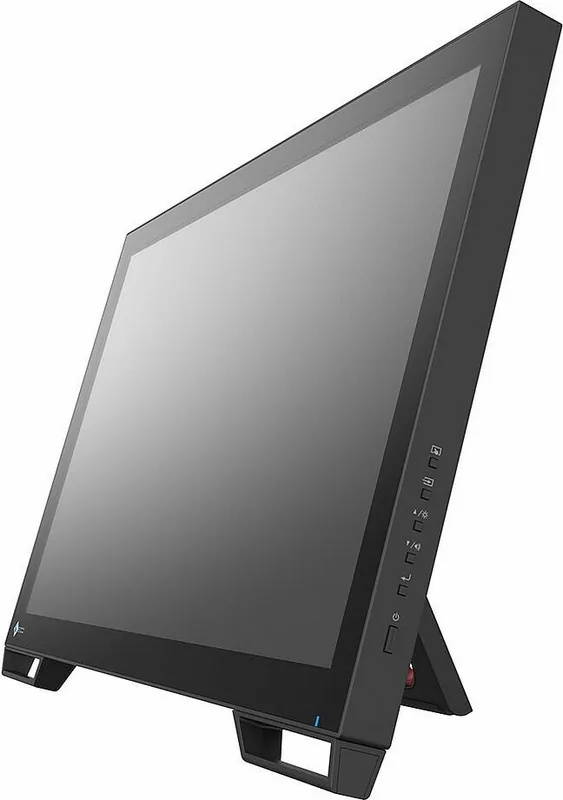
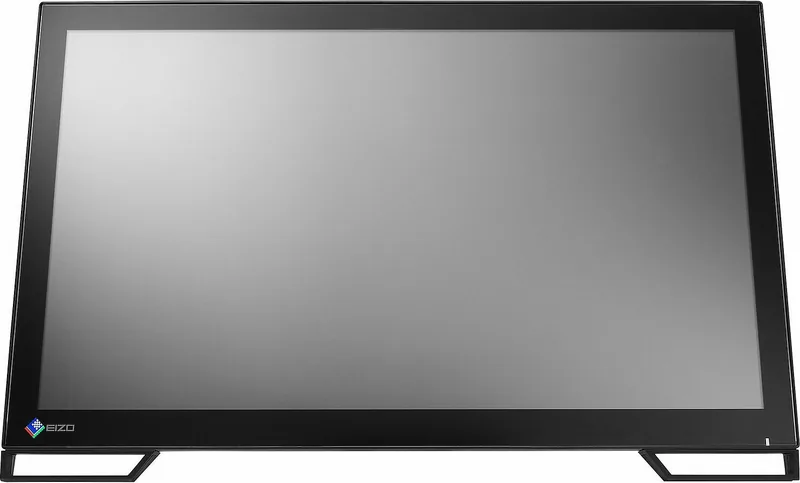
Introducing the Eizo DuraVision FDF2382WT, a versatile 23-inch touch panel monitor designed for professional environments. This device excels in delivering high-resolution visuals combined with intuitive control. The IPS panel ensures wide viewing angles and consistent color accuracy, making it ideal for creative work or data analysis. The full-flat bezel design allows users to touch every corner of the screen effortlessly, enhancing the multi-touch experience.
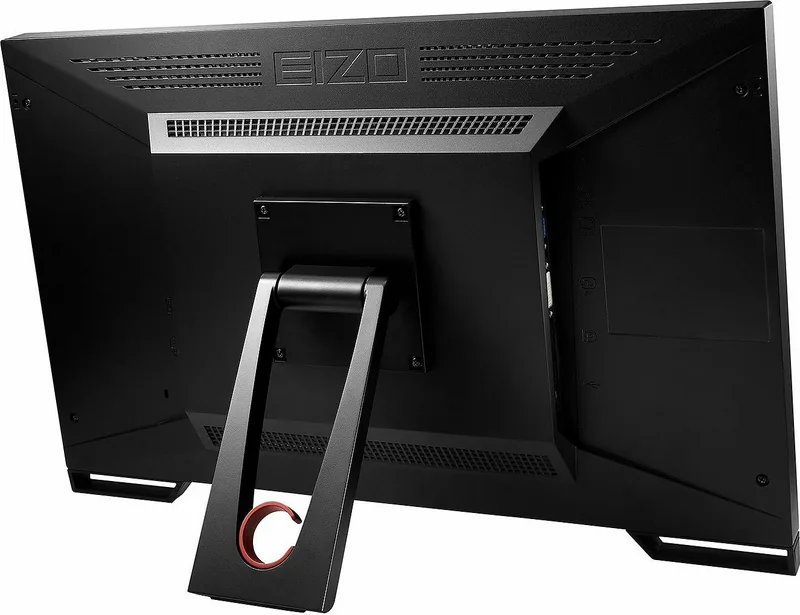
Interaction is seamless with the 10-point multi-touch function. Users can perform gestures like zoom, rotation, and drag without physical keyboards. The stand offers flexible angling from 15 to 70 degrees, accommodating various postures for comfort during long sessions. Adjustments are straightforward via the front buttons, providing quick access to brightness, volume, and menu navigation. Connectivity is robust, featuring DisplayPort, DVI-D, and D-Sub inputs for diverse computer setups. A USB hub function simplifies peripheral connections through the monitor itself.
The included EIZO LCD Utility Disk simplifies driver installation and software management. TPOffset software aids in calibrating touch sensitivity for precise cursor alignment. Built-in speakers deliver audio for multimedia consumption, complemented by a headphone jack. Power management features like Eco Timer help conserve energy when the unit is idle. The screen protects against scratches with a 5H hardness rating, ensuring durability in daily use.
For optimal performance, users should refer to the comprehensive Eizo DuraVision FDF2382WT, 23" Manual guide for setup details. Proper ventilation prevents overheating, and grounding the unit avoids electrical interference. The monitor supports resolutions up to 1920 by 1080, providing sharp text and images. Overdrive settings can reduce lag during motion, enhancing responsiveness. Multi-connection capabilities allow switching between PCs smoothly using input signal selection.
Color adjustment tools allow fine-tuning of hue, saturation, and gamma for professional output. Screen smoothing reduces blur when resizing images at lower resolutions. The setting menu supports multiple languages for international use. Security lock slots protect the hardware in shared spaces. Touch operation sensitivity can be disabled temporarily to prevent accidental inputs. Warranty coverage extends over three years for original purchasers, ensuring reliability during normal operations.
Important Usage Notes
Always inspect for damage before first use. Maintain proper room temperature to ensure stability. Avoid prolonged static images to preserve the LCD lifetime. Clean surfaces gently to maintain clarity without liquid entering gaps. Check compatibility with operating systems like Windows before installation. Periodic breaks help reduce eye strain during extended display viewing sessions.
Search for 67,706 Manuals online


Type-in Brand or Model