
Edimax USB-C to 2.5G Ethernet Manual
PDF manual · 12 Pages
English



Quick check
Incorrect answer, please try again.
Chat with your Edimax USB-C to 2.5G Ethernet manual using AI
Get instant AI answers from your Edimax USB-C to 2.5G Ethernet manual
Ask anything about the Edimax USB-C to 2.5G Ethernet. Answers come from this manual, with the pages they are based on.
Ask a Question
Do you recommend USB-C to 2.5G Ethernet?
Yes NoFrequently Asked Questions
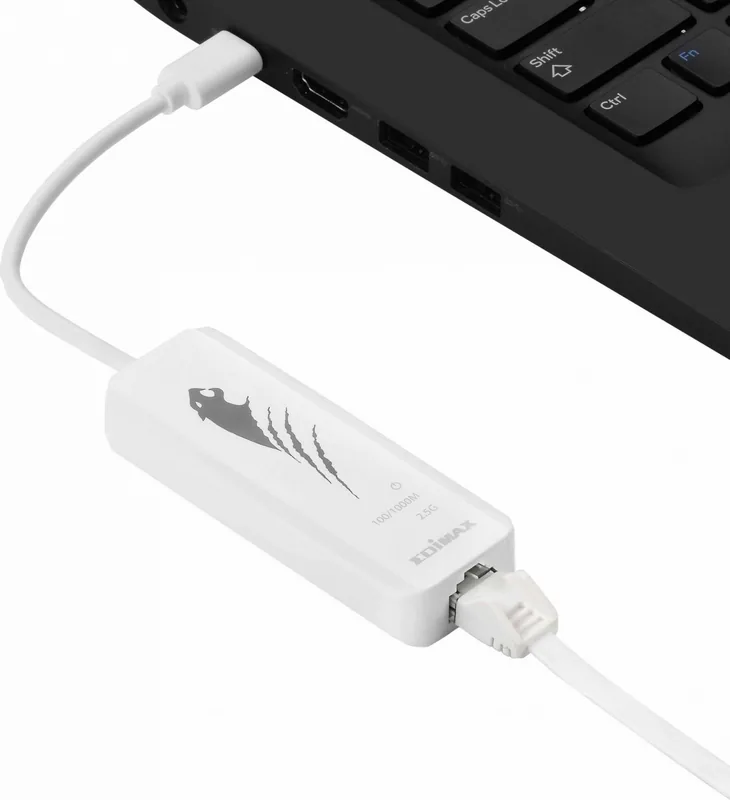
It adds wired Ethernet capability through an RJ-45 port by connecting to your computer via USB-C. On Windows, the adapter can appear as a Realtek Gaming USB 2.5GbE Family Controller after a successful driver installation.
Is this answer helpful?
Yes. The guide lists Windows 7, 8, 8.1, and 10 as supported. After you plug it into a free USB-C port, Windows users can run the integrated setup assistant, and the driver installs automatically in many cases.
Is this answer helpful?
Download the RTUNIC driver package from Edimax for your macOS version range, then run the corresponding RTUNICx.x.x.pkg file. Continue through the prompts, enter your username or password if requested, and restart your Mac before reconnecting the dongle.
Is this answer helpful?
Open Apple menu settings and check that the new network interface appears (based on the RTUNIC USB Ethernet entry). You can also verify the installed kernel extension using the kextstat command, as referenced in the setup guidance.
Is this answer helpful?
The instructions point to the Edimax download page at https://www.edimax.com/download. Choose the driver package that matches your macOS release.
Is this answer helpful?
No. The safety guidance specifies indoor use only and warns against heat and moisture exposure. If the adapter gets wet, stop using it and seek assistance from a qualified professional.
Is this answer helpful?
Advantages and Disadvantages
Advantages

- Supports 2.5G Ethernet over a USB-C 3.0 to RJ-45 adapter (EU-4307).
- Windows driver setup can be automatic via the built-in setup assistant.
- macOS installation is guided with the correct RTUNIC driver package workflow.
- Includes verification steps to confirm the adapter and driver are working.
Disadvantages

- Designed for indoor home and office use only, not outdoors.
- macOS installation requires downloading the driver, running a package, and restarting.
- Contains small parts that are a hazard for children under 3.
- No user-serviceable parts; wet exposure requires stopping use and seeking help.
Product Specification
Type
LAN adapter
Design
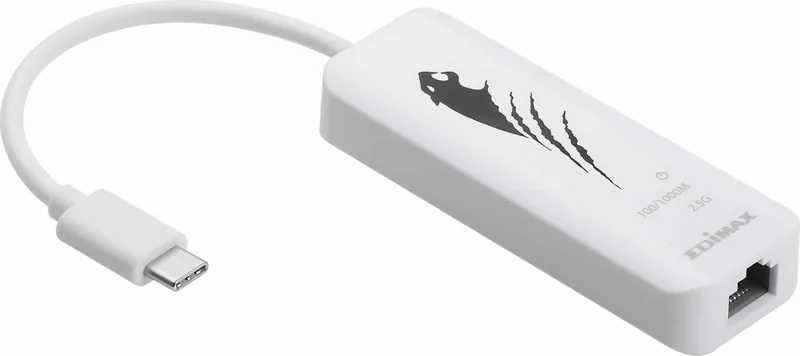
1x external wired (connection cable not detachable)
Interface
1x USB-C 3.0 (plug via cable, 5Gb/s)
Port
1x RJ-45
Transmission
1x RJ-45 (100/1000/2.5GBase-T)
Power supply
Power supply only via interface (max. 5V/1A)
Chipset
Realtek RTL8156 (LAN adapter, RJ-45)
Dimensions
1.22x0.59x3.35in (WxHxD)
Weight
1.06oz
Housing color
white
Compatibility
universal
Special features
VLAN, 16KB Jumboframes
USB notation
Link
Product Description
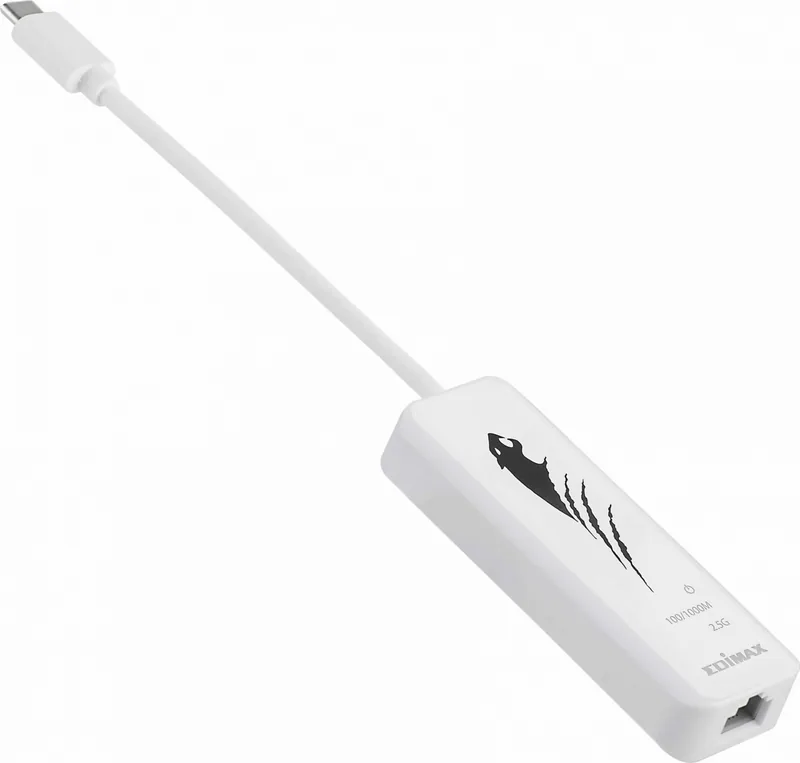
Edimax 2.5G LAN adapter (RJ-45 over USB-C 3.0)
Overview
The Edimax 2.5G LAN adapter with RJ-45 connectivity, designed around a USB-C 3.0 port, brings faster wired networking to laptops and compact devices that lack a built-in Ethernet socket. This lightweight EU-4307 USB dongle is ideal for improving stability during video calls, streaming, and large downloads where Wi-Fi can fluctuate.
With the included guidance referenced as: Edimax 2.5G LAN adapter, RJ-45, USB-C 3.0 Connector Manual, you get clear expectations for setup, supported operating systems, and safe handling. The adapter includes what you need to connect to your network via a standard RJ-45 cable and quickly add Ethernet capability through a simple USB-C connection.
Setup that fits your system
The quickest path is on Windows, where an integrated setup assistant can install the required driver automatically after you plug the adapter into a free USB-C port. When installation succeeds, the network adapter shows up in device management as a Realtek Gaming USB 2.5GbE Family Controller.
On macOS, the process is driver-focused. The guide points users to the Edimax downloads area and instructs you to run the appropriate RTUNIC version package for your macOS release range. After installing, a restart is required, then you plug the EU-4307 dongle into the USB-C port again so macOS can recognize the new network interface.
Verification and day-to-day use
Once connected, you can confirm the driver is active by checking the new network interface in macOS settings and validating the installed kernel extension using the kextstat command. The guide also references how to name and create the new network interface based on the RTUNIC USB Ethernet entry.
Notes on safe use and compliance
Use the adapter for indoor home and office scenarios, and avoid placing it near heat or moisture. Keep small parts away from children under 3. The device contains no user-serviceable parts; if it becomes wet, stop using it and seek qualified help. Regional compliance notes and conformity statements are included for safe operation across supported markets.
Pros and cons at a glance
- Pros:
- Adds 2.5G Ethernet via a USB-C 3.0 connection
- Windows driver installation can be automatic
- Clear macOS driver package and restart instructions
- Includes safety and compliance information for safe handling
- Cons:
- Intended for indoor use only, not outdoor environments
- macOS requires running a driver package and restarting
- Small parts pose a risk for children under 3
- No user-serviceable components inside
Most important results
- 2.5G wired Ethernet over RJ-45 using a USB-C 3.0 dongle (EU-4307)
- Windows users can often install drivers automatically through the setup assistant
- macOS setup relies on the RTUNIC driver package, then a restart for recognition
- Driver validation is possible via network interface checks and kextstat confirmation
Search for 67,732 Manuals online


Type-in Brand or Model