
Edimax USB-A 3.0 to RJ-45 LAN Adapter Manual
PDF manual · 18 Pages
English



Quick check
Incorrect answer, please try again.
Chat with your Edimax USB-A 3.0 to RJ-45 LAN Adapter manual using AI
Get instant AI answers from your Edimax USB-A 3.0 to RJ-45 LAN Adapter manual
Ask anything about the Edimax USB-A 3.0 to RJ-45 LAN Adapter. Answers come from this manual, with the pages they are based on.
Ask a Question
Do you recommend USB-A 3.0 to RJ-45 LAN Adapter?
Yes NoFrequently Asked Questions
Yes. It is compatible with USB 2.0 and 3.0. It is recommended to use USB 3.0 for best performance and speed.
Is this answer helpful?
The package includes the adapter and CD ROM. Installation instructions mention connecting the cable but do not explicitly list it as part of the standard kit contents in the initial list.
Is this answer helpful?
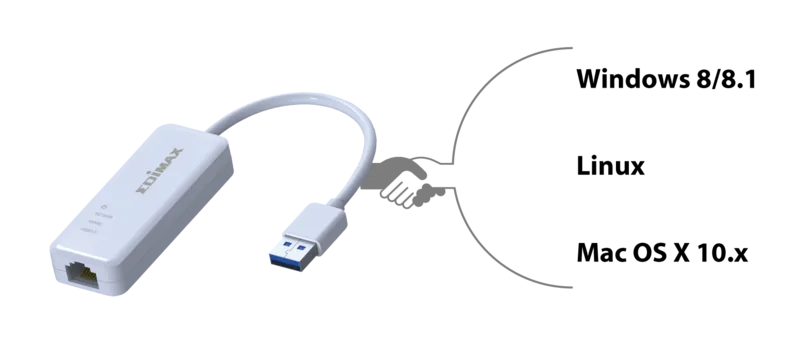
Yes. Supported operating systems include Windows 98 SE, Windows 2000, Windows ME, Windows XP, Windows 7, and Windows 8 for broad compatibility.
Is this answer helpful?
On OS X 10.8 hold Control key and click the file to Open. This bypasses the security warning that blocks unsigned developers.
Is this answer helpful?
You must use kernel sources to compile the driver. Use make install command after extracting the tar source package to the directory for configuration.
Is this answer helpful?
The adapter supports Gigabit Ethernet speeds ensuring high performance network communication for data heavy applications and file transfers.
Is this answer helpful?
Yes. FCC radiation exposure limits state human proximity must not be less than 2.5 cm during normal operation to avoid interference.
Is this answer helpful?
Advantages and Disadvantages
Advantages

- USB 3.0 support provides faster data transfer rates compared to older versions for high bandwidth needs and efficient transfers.
- Compatible with Windows 98 SE through Windows 8 ensuring broad operating system support for legacy setups and newer systems.
- Mac OS X drivers allow integration on Apple systems with specific installation steps to overcome security blocks during setup.
- Linux support enables manual driver compilation for users who require source code access for customization of network stacks.
- Gigabit Ethernet speed ensures fast connectivity for modern network speeds and large file transfers without bottlenecks.
Disadvantages

- Mac OS X 10.8 installation requires manual override of security settings for unsigned drivers which is tedious for non tech users.
- Linux installation requires kernel source files and compilation knowledge which may be difficult for average users unfamiliar with commands.
- Driver parameters like bszie adjustment needs technical understanding to configure network queue sizes correctly for best performance.
- FCC radiation exposure requires keeping distance from antenna which limits placement options near users for compliance reasons.
- Physical installation might need disabling automatic hardware wizards to prevent incorrect driver loading on Windows systems automatically.
Product Specification
Type
LAN Adapter
Form Factor
1x external wired (connection cable not detachable)
Connection
1x USB-A 3.0 (Connector via cable, 5Gb/s)
Port
1x RJ-45
Transmission
1x RJ-45 (10/100/1000Base-T)
Power Supply
Power supply only via connection
Chipset
Asix AX88179 (LAN Adapter, RJ-45)
Dimensions
1.10 x 0.55 x 2.87 inches (WxHxD)
Weight
0.05 lbs
Compatibility
universal
Features
VLAN, Wake on LAN
USB Designation
Link
Product Description
Experience Enhanced Connectivity
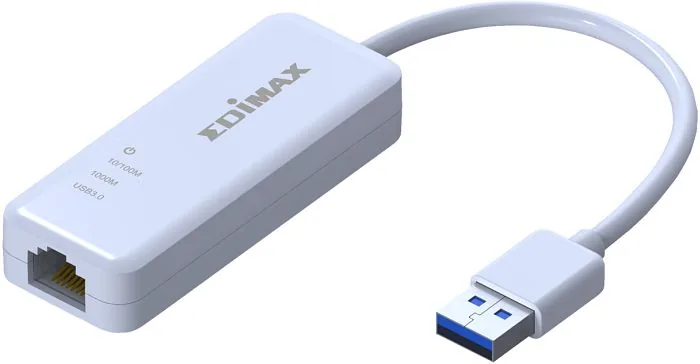
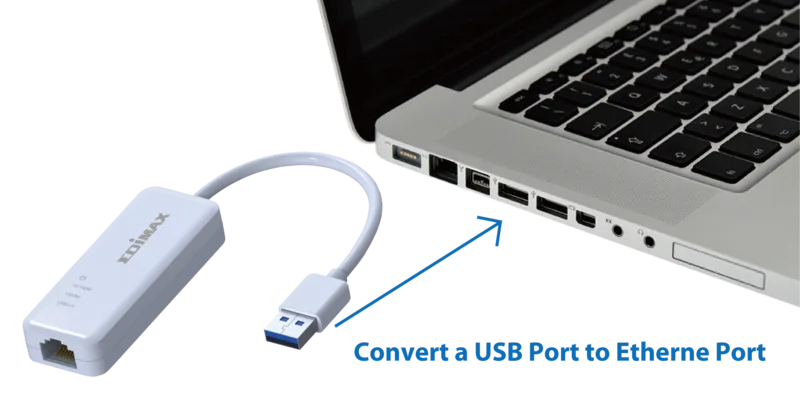
Connect to your network with superior speed using this device which offers robust performance. The Edimax LAN-Adapter enables seamless connectivity across multiple platforms for home and office environments. You plug into USB 3.0 for best performance, though it supports 2.0 as well. It provides Gigabit Ethernet speeds ensuring fast data transfer for all your tasks. Many users appreciate the support for Windows systems from older versions through Windows 8. Mac users benefit from specific drivers found on the included media which assists with installation. Linux users can utilize kernel sources to compile the necessary drivers for optimal system integration and stability.
Installation Overview
The setup process involves inserting the CD and following on screen prompts to configure your system properly. Windows users might need to dismiss automatic hardware wizards before installing drivers manually from the disc. This ensures the correct software version loads without conflicts or errors. Mac users face specific security hurdles on OS X 10.8 which require overriding system settings to permit unsigned applications. This is managed through opening the installer file carefully via right click menus. Linux enthusiasts need to prepare their build environment with kernel sources matching the current active kernel version. Commands like make and install facilitate the driver compilation process effectively. Parameters allow fine tuning of network queues during operation to improve throughput. The device complies with various international safety and radio standards for consumer use. It works indoors or in office environments without interference issues. Users should ensure proximity compliance during operation to meet exposure limits. This hardware solution bridges the gap between USB connectivity and wired network standards effectively. It is designed for high availability and reliability during daily usage cycles. Compliance ensures safety standards are met during daily usage. Drivers are available for various operating systems to maintain compatibility across different versions of software. The adapter remains a robust choice for connectivity needs without relying on wireless signals for stability. Installation guides are crucial for resolving common issues like driver signing errors. The Manual provides step by step instructions for every operating system supported by the manufacturer. You can update software specifications by visiting the company website for latest updates. The product is built with the utmost care for safety of those who install it. It avoids static electricity dangers during physical connection to the computer. This makes it a dependable tool for expanding network capacity. When configuring the network adapter on Linux systems, specific driver parameters can be adjusted during the insmod process. This allows users who require specific customization of network buffers to tweak the configuration for their unique environment needs. The documentation outlines specific flags for message enabling and queue sizing which can be tuned for maximum efficiency. Regarding safety, the device complies with strict electromagnetic interference standards. It is intended for use in residential and commercial settings across numerous European nations. The FCC statement ensures that radio frequency energy usage remains within safe limits for general public exposure scenarios.
Notes
The Edimax LAN-Adapter, RJ-45, USB-A 3.0 Manual is a resource for setup details.
Search for 67,732 Manuals online


Type-in Brand or Model
Sophie Muller
6 months ago
Is this USB Ethernet adapter compatible with Windows 10 and Linux Mint without requiring manual driver installation?
Manual.ly
6 months ago
Yes, the device is designed for plug-and-play compatibility on Windows 10 and Linux systems. Most users experience immediate detection upon connecting the adapter to a USB port. While the manual mentions an installer CD for older systems, Windows 10 drivers are typically built-in. For Raspberry Pi setups, it works as a network bridge or VPN client without complex configuration.