
Edimax SP-1123WT Manual
PDF manual · 27 Pages
English



Quick check
Incorrect answer, please try again.
Chat with your Edimax SP-1123WT manual using AI
Get instant AI answers from your Edimax SP-1123WT manual
Ask anything about the Edimax SP-1123WT. Answers come from this manual, with the pages they are based on.
Ask a Question
Do you recommend SP-1123WT?
Yes NoFrequently Asked Questions
The Edimax WLAN power strip requires a 2.4 GHz 802.11 b/g/n Wi‑Fi network. It does not support 5 GHz networks, so connect your mobile device to a 2.4 GHz SSID during setup.
Is this answer helpful?
Install EdiSmart Pro from the App Store or Google Play, register or log in, tap Add Device > Add Manually > Power Strip (Wi‑Fi). Put the strip in pairing mode by holding the power button for 5–7 seconds until the red LED blinks rapidly, then follow the app prompts to enter your Wi‑Fi password and complete setup.
Is this answer helpful?
No. The unit supports a maximum combined load of 2300W and should not be used with high-draw appliances like heaters, microwaves, induction cookers, water pumps or similar devices to avoid fire or electrical hazards.
Is this answer helpful?
You can reset via hardware by holding the power button for about 5 seconds until the red LED blinks, or via the EdiSmart Pro app by opening the device page, tapping the menu and selecting Restore Factory Defaults.
Is this answer helpful?
Yes. After adding the device to EdiSmart Pro, you can link the account with Amazon Alexa, Google Assistant or Apple Siri to control sockets and timers using voice commands.
Is this answer helpful?
The product manual states there is no built-in lightning protection. It is recommended to unplug the device during thunderstorms and avoid using it with sensitive or high-power equipment.
Is this answer helpful?
EdiSmart Pro supports Android 4.1 and later and iOS 9 and later. Ensure your mobile device is connected to a 2.4 GHz Wi‑Fi network for proper setup and operation.
Is this answer helpful?
Advantages and Disadvantages
Advantages

- Three AC sockets plus four USB-A ports for versatile device charging and powering.
- Remote control, scheduling and timers via EdiSmart Pro app with voice assistant support.
- Simple setup with clear LED indicators and both hardware and software reset options.
- Supports common smartphones (Android 4.1+/iOS 9+) and complies with FCC and EU standards.
- Compact indoor design with safety guidance and WEEE recycling information.
Disadvantages

- Only supports 2.4 GHz Wi‑Fi; incompatible with 5 GHz networks.
- Not suitable for high-power appliances (heaters, microwaves, pumps, induction hobs).
- Maximum combined load limited to 2300W; requires user attention to device amperage.
- No built-in surge or lightning protection; unplug during thunderstorms recommended.
- Contains user-service-restricted internals—no user repairs; warranty void if tampered.
Product Specification
Type
Actuator
Standard
Wi-Fi
Function
Switchable socket (on/off), charging function (4x USB-A)
Topology
Star
Dimensions
11.77x2.36x1.73in
Special features
App controllable, voice assistant (Amazon Alexa, Google Assistant)
Product Description
Edimax WLAN power strip 3-way white, 2300W, 4x USB-A, smart power strip Manual
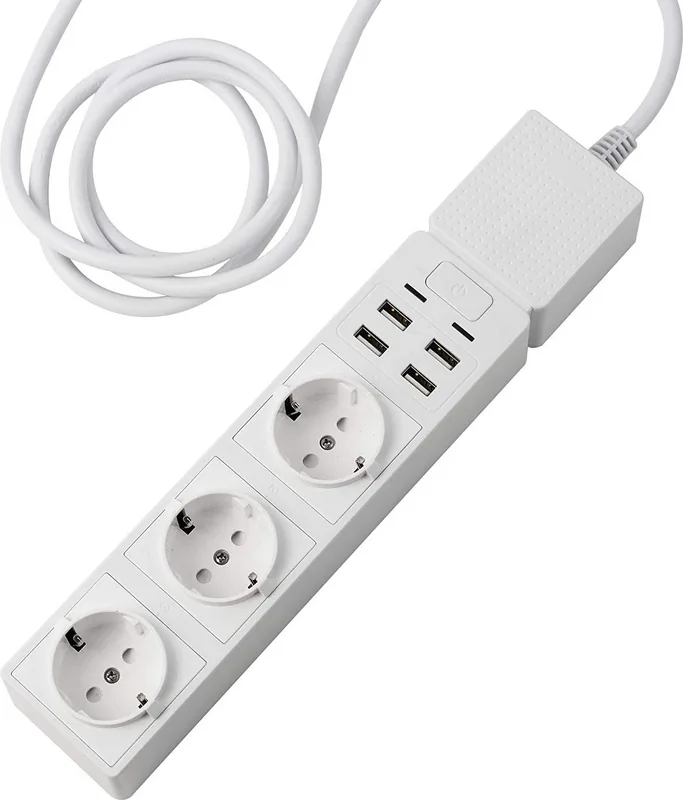
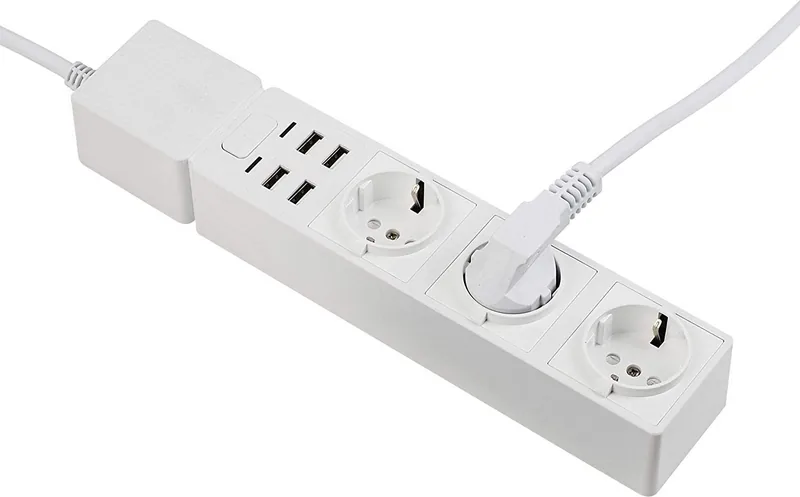
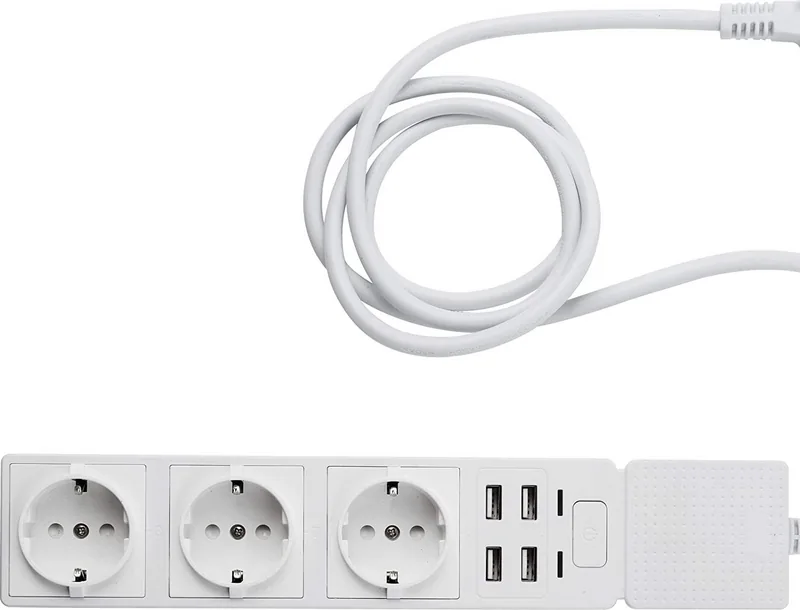
The Edimax WLAN power strip 3-way white, 2300W, 4x USB-A smart power strip is a compact, feature-rich power hub designed for modern homes and small offices. With three AC sockets and four USB-A ports, it supports up to 2300W of combined load and enables remote control via the EdiSmart Pro app. Once connected to a 2.4 GHz Wi‑Fi network, the strip can be added to the EdiSmart Pro ecosystem for scheduling, timers, power monitoring and voice control through Amazon Alexa, Google Assistant, and Apple Siri.
Installation is straightforward: plug the unit into a wall outlet, attach devices, then use the EdiSmart Pro app on Android (4.1+) or iOS (9+) to register an account and add the power strip. The device enters pairing mode when the power button is held for several seconds and the status LED blinks red. The app guides users through manual device addition, Wi‑Fi credential input, and confirmation of successful setup. After setup, users can set countdown timers, create schedules, and remotely toggle power for connected devices.
Safety is emphasized throughout the manual. The power strip is intended for indoor, dry locations only, must not exceed the specified amperage, and should not be used with high-power appliances such as heaters, pumps, induction cooktops, microwaves, or other heavy loads. The manual advises keeping the unit away from heat, moisture and corrosive chemicals, and recommends unplugging it during thunderstorms. Child safety and avoiding insertion of conductive materials into outlets are also highlighted.
The hardware features clear LED indicators: a green power LED for on/off status and a red status LED for pairing, AP mode, or network errors. Users can reset the device via hardware (holding the power button) or software (restore factory defaults in the app) to troubleshoot connectivity or configuration issues. The product complies with FCC and EU directives and includes licensing details (GNU GPLv2) for included open-source software, plus recycling and disposal guidance under WEEE regulations.
Overall, the Edimax power strip blends convenience, safety and smart features into an accessible form factor. It is ideal for users seeking app-based scheduling, voice integration and multiple USB charging ports while maintaining basic safety and regulatory compliance.
Notes
- Requires 2.4 GHz Wi‑Fi only; 5 GHz not supported.
- Maximum combined load 2300W; avoid high-draw appliances.
- App: EdiSmart Pro (Android/iOS).
- Supports voice assistants: Alexa, Google Assistant, Siri.
Search for 67,732 Manuals online


Type-in Brand or Model