
Edimax Pro IGS-5 Manual
PDF manual · 15 Pages
English



Quick check
Incorrect answer, please try again.
Chat with your Edimax Pro IGS-5 manual using AI
Get instant AI answers from your Edimax Pro IGS-5 manual
Ask anything about the Edimax Pro IGS-5. Answers come from this manual, with the pages they are based on.
Ask a Question
Do you recommend Pro IGS-5?
Yes NoFrequently Asked Questions
It is built for industrial and harsh-network environments where durability, uptime, and flexible power delivery are important. Typical uses include surveillance, automation, wireless access, and plant networking.
Is this answer helpful?
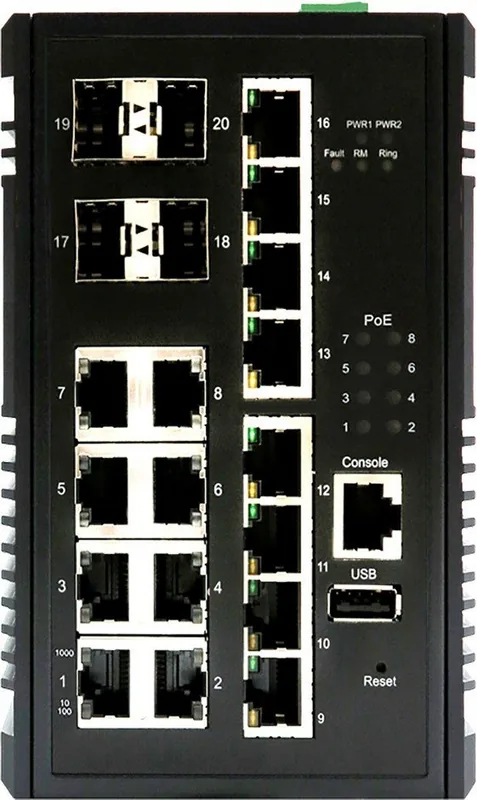
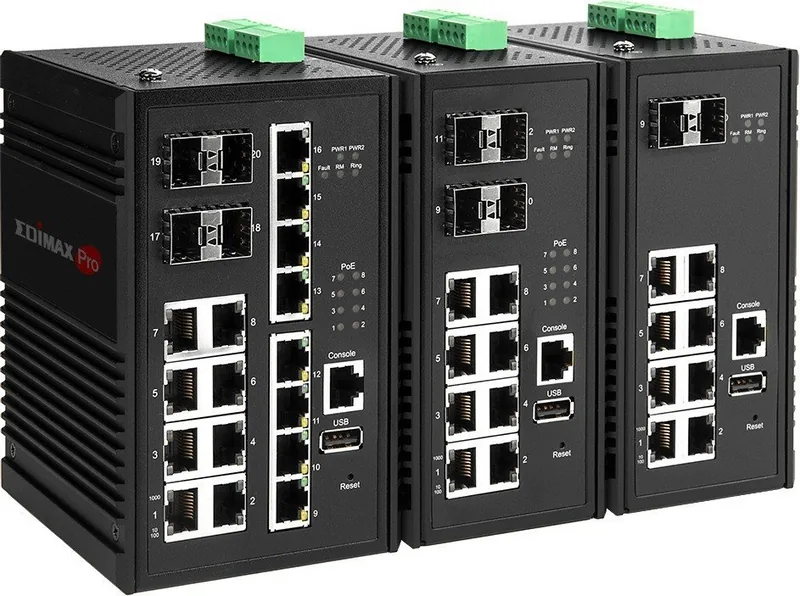
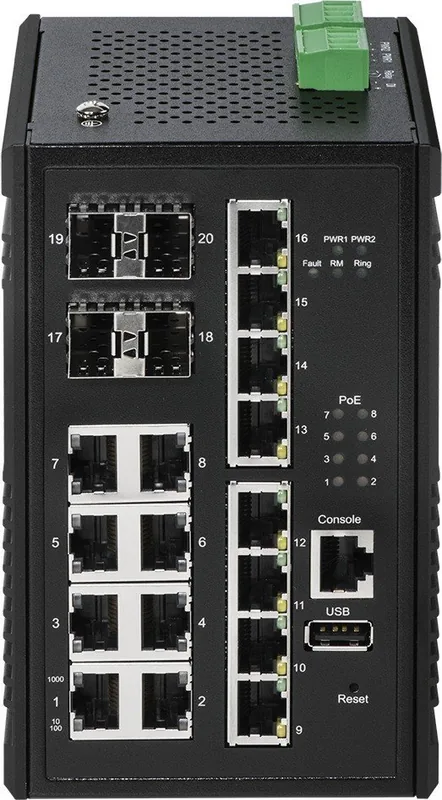
It provides 16 Gigabit RJ-45 ports in total, with 8 of them supporting PoE+, plus 4 SFP slots for fiber uplinks or backbone connections.
Is this answer helpful?
The switch offers a 240W PoE+ budget, with up to 30W per PoE port. That makes it suitable for IP cameras, wireless access points, and similar devices.
Is this answer helpful?
Yes. It supports ERPS as well as STP, RSTP, and MSTP. These features help maintain traffic flow and reduce downtime when a link or device fails.
Is this answer helpful?
You can manage it through a web browser, local console, Telnet, SSH, and SNMP. It also supports diagnostics, logging, and backup/restore functions.
Is this answer helpful?
Yes. It supports Modbus/TCP and EtherNet/IP, which makes it useful in environments where IT networking must integrate with industrial control systems.
Is this answer helpful?
Yes. It includes 802.1X, RADIUS, TACACS+, SSH, SSL web access, and service control features to help protect the network from unauthorized access.
Is this answer helpful?
Advantages and Disadvantages
Advantages

- 16 RJ-45 ports plus 4 SFP slots provide flexible copper and fiber connectivity.
- 240W PoE+ budget supports cameras, access points, and other powered devices.
- Redundant power inputs and ERPS improve resilience in critical networks.
- Wide management support includes web, CLI, SSH, SNMP, VLAN, and QoS.
Disadvantages

- Advanced configuration may feel complex for users without networking experience.
- Class-A EMI behavior means it is better suited for industrial than home use.
- PoE capacity must be planned carefully when many devices draw high power.
- Initial setup depends on correct IP subnet and management access preparation.
Product Specification
Function
Switch
Type
Standalone, DIN rail (TS 35), Wall mount (via mounting bracket)
Network ports
16x RJ-45, 4x SFP
Speeds
16x RJ-45 (10/100/1000Base-T), 4x SFP (1Gb/s)
PoE
8x RJ-45 PoE+ (8x 30W), total: 240W
Backplane
40Gb/s, 29.76Mp/s, 16KB Jumboframes, 12Mb Packet buffer, 16K Mac addresses
Officially supported standards
802.1AX, 802.1D, 802.1Q, 802.1p, 802.1s, 802.1w, 802.1X, 802.3, 802.3ab, 802.3af, 802.3at, 802.3u, 802.3x, 802.3z, IGMPv3
Configuration
Web interface, Console, serial (RJ-45, USB-A 2.0), Alarm port (Screw terminals, Digital Input, Digital Output)
Cooling
passive
Dimensions (WxHxD)
3.54x5.71x4.45in
Weight
3.09lb
Color
black
Special features
Metal housing, removable mounting brackets, screw terminals (48-57V), redundant power supply, power supply only via remote feeding, extended operating range (Temperature: -40F to 167F, Humidity: 10% to 95%), Firmware updates possible
Manufacturer's warranty
five years
Note
For this device, "link aggregation" was officially specified with the obsolete standard IEEE802.3ad. Since 2008, the function is no longer managed by IEEE "Working Group 3" (IEEE 802.3, CSMA/CD - Ethernet), but by "Working Group 1" (IEEE 802.1, High Level Interface - Internetworking) and technically defined unchanged via IEEE 802.1AX.
Product Description
Edimax Pro IGS-5 Industrial Railmount Gigabit Managed Switch
The Edimax Pro IGS-5 Industrial Railmount Gigabit Managed Switch is designed for demanding networks where uptime, flexible connectivity, and reliable power delivery matter most. Inspired by the capabilities outlined in the Edimax Pro IGS-5 Industrial Railmount Gigabit Managed Switch Manual, it brings together 16 RJ-45 ports, 4 SFP uplinks, and a 240W PoE+ power budget in a compact, railmount-ready form.
Built for real-world industrial deployments
This switch fits naturally into surveillance systems, factory automation, wireless access point deployments, and other environments that need both data and power on the same cable. With eight PoE+ ports and eight additional Gigabit RJ-45 ports, it can support a mix of cameras, sensors, controllers, and standard Ethernet devices without forcing a single network design.
The four SFP slots add fiber flexibility for longer uplinks and backbone connections. That makes it easier to extend the network beyond the limits of copper while keeping performance stable. For teams building resilient systems, support for ERPS, STP, RSTP, and MSTP helps maintain traffic flow even when links fail.
Power, protection, and control
PoE+ support is one of the strongest selling points here. The 240W budget gives integrators room to deploy multiple powered devices, and per-port management makes it easier to balance demand across the switch. Features like PoE scheduling, keep-alive monitoring, and priority settings help reduce downtime and improve power planning.
The industrial design is equally important. A wide operating temperature range, DIN-rail mounting, dual redundant power inputs, and alarm relay support show that this switch is made for harsh conditions rather than office closets. It is also backed by layered protection features such as port control, storm control, VLAN segmentation, and secure access options.
Management that suits complex networks
Edimax Pro includes a broad management toolkit: web interface, CLI, Telnet/SSH, SNMP, DHCP, LLDP, and diagnostic tools. That combination makes day-to-day administration practical for both local technicians and remote network teams. It also supports industrial protocols like Modbus/TCP and EtherNet/IP, which is a major advantage in mixed IT and OT environments.
For network engineers, the combination of QoS, IGMP snooping, port trunking, 802.1Q VLAN, and 802.1X access control turns this switch into more than a simple connectivity device. It becomes a central traffic manager built for stable performance and tighter security.
Notes
- Best suited for industrial, surveillance, and automation networks.
- Plan PoE load carefully to stay within the total power budget.
- Advanced features reward experienced administrators.
- Fiber uplinks are ideal for longer-distance or backbone links.
Search for 67,732 Manuals online


Type-in Brand or Model