
Edimax Pro GS-5008E Manual
PDF manual · 29 Pages
English



Quick check
Incorrect answer, please try again.
Chat with your Edimax Pro GS-5008E manual using AI
Get instant AI answers from your Edimax Pro GS-5008E manual
Ask anything about the Edimax Pro GS-5008E. Answers come from this manual, with the pages they are based on.
Ask a Question
Do you recommend Pro GS-5008E?
Yes NoFrequently Asked Questions
The factory default IP address is 192.168.2.1 for initial access via web browser settings.
Is this answer helpful?
Yes, the design includes holes for wall mounting, though screws are sold separately.
Is this answer helpful?
No, this switch does not provide Power over Ethernet capability for connected devices.
Is this answer helpful?
Change the default password within the Management Access pages after logging in.
Is this answer helpful?
Quality of Service prioritizes specific traffic types like voice or video for better performance.
Is this answer helpful?
Yes, you can enable Link Aggregation Control Protocol to combine ports for more bandwidth.
Is this answer helpful?
Yes, the Loop Detect or Loop Prevent feature can disable ports if a loop is detected.
Is this answer helpful?
Advantages and Disadvantages
Advantages

- 8 Gigabit RJ-45 Ports for high-speed connectivity
- Web-based management for easy configuration
- VLAN and QoS for traffic prioritization
- Loop Prevention protects against network failure
- Supports Link Aggregation for higher bandwidth
Disadvantages

- Default password is weak and easy to guess
- Packaging does not include wall mount screws
- No Power over Ethernet support for devices
- Limited to eight ports for small setups
- Interface requires browser compatibility checks
Product Specification
Feature
Switch
Type
Standalone
Network Connections
8x RJ-45
Speeds
8x RJ-45 (10/100/1000Base-T)
PoE
N/A
Backplane
16Gb/s, 11.9Mb/s, 9KB Jumboframes, 1.53Mb packet buffer, 4K MAC addresses
Official Supported Standards
802.1Q, 802.1p, 802.3, 802.3ab, 802.3ad, 802.3az, 802.3u, 802.3x, IGMPv3
Configuration
Web Interface
Cooling
Passive
Dimensions (Width x Height x Depth)
6.10 x 1.02 x 3.35 inches
Weight
716.50 lbs
Color
Black
Features
Metal housing, Firmware updates possible, external power supply
Manufacturer Warranty
5 years
Note
For this device, "link aggregation" was officially specified with the obsolete standard IEEE802.3ad. The function has not been managed by the IEEE "Working Group 3" (IEEE 802.3, CSMA/CD - Ethernet) since 2008, but rather by "Working Group 1" (IEEE 802.1, High Level Interface - Internetworking) and technically defined unchanged via IEEE 802.1AX.
Product Description
Edimax Pro GS-50 Desktop Gigabit Smart Switch Review
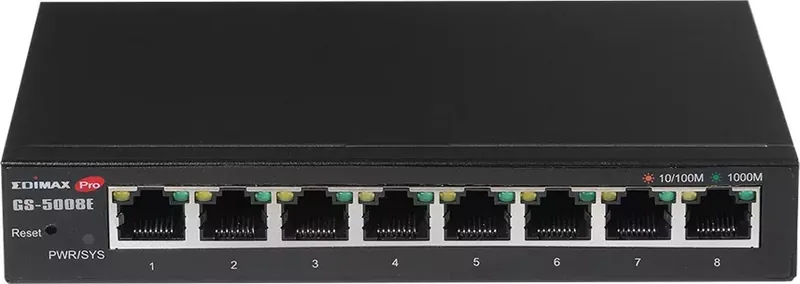
The Edimax Pro GS-50 Desktop Gigabit Smart Switch delivers reliable network performance for home and small office environments. High performance. This device features eight RJ-45 Gigabit Ethernet ports, ensuring high-speed data transfer across your local area network. Users can manage traffic efficiently using the web-based configuration utility without needing deep networking knowledge. The interface is intuitive and guides users through complex tasks like VLAN creation or QoS scheduling.
Managing traffic becomes simple with built-in tools like VLAN support and Quality of Service. You can prioritize voice or video data to ensure smooth communication. Link Aggregation allows you to combine multiple ports for higher bandwidth, reducing the need for expensive uplinks. Loop Prevention protects against accidental network loops that cause outages. Broadcast Storm Control keeps your network stable by limiting flood traffic which impacts performance. Rate Limiting refines bandwidth per port for specific users. You can configure these settings without external software.
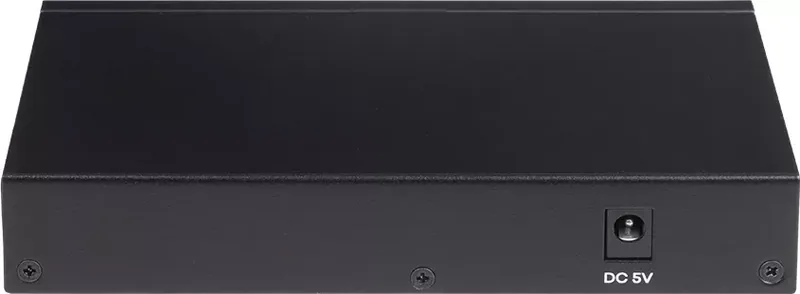
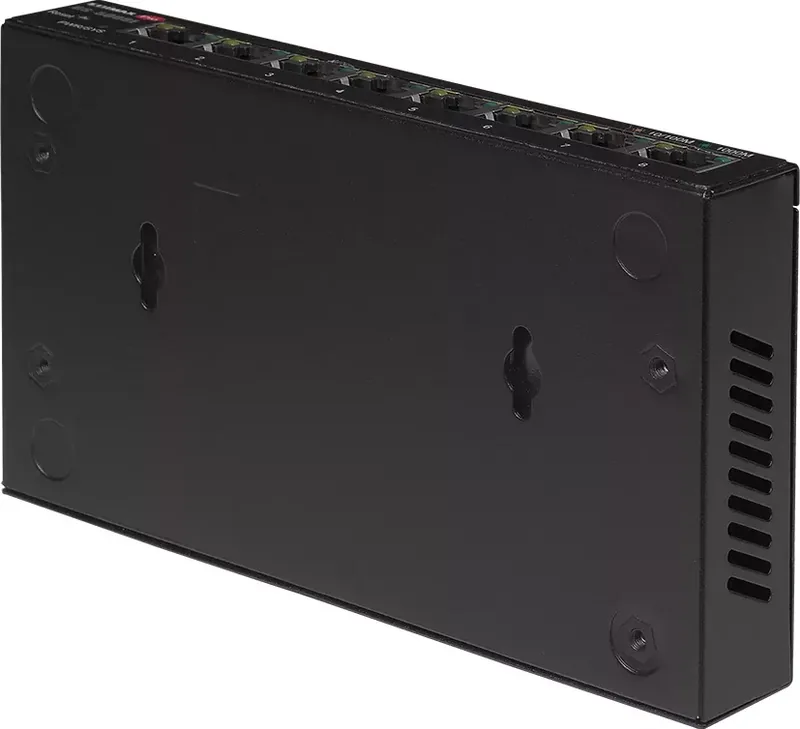
Setting up the hardware is straightforward for most technicians. The unit sits flat on a desk or mounts to a wall using design holes. Connect the power adapter and wait for the PWR LED to show green indicating power is connected. Use a standard Cat5e Ethernet cable to link your computer to the switch. The factory default IP address is 192.168.2.1. Enter this in your web browser address bar to access settings. The default login is admin with password 1234. You must change this upon first access to secure the device against unauthorized entry. Ensure your computer is on the same subnet. Setup is fast and easy.
Advanced Management covers system information, firmware upgrades, and backup options. Always configure port speeds manually or leave them on auto negotiation for flexibility. Port Mirroring helps analyze traffic for troubleshooting specific issues within the data flow of your infrastructure. IGMP Snooping optimizes multicast traffic for IPTV and media streaming applications. Security features include password changes and logout options to protect the configuration integrity.
Connectivity and standards play a vital role in modern networks. This device supports Cat5e cables for optimal performance. It adheres to Class A digital device limits for interference. This ensures operation in commercial environments without causing disruption. It is ideal for users needing segmentation or traffic control. Note: Power consumption remains low for energy efficiency. The build quality ensures durability during daily use in business or home settings.
Search for 67,732 Manuals online


Type-in Brand or Model