
Edimax PCIe LAN Adapter Manual
PDF manual · 16 Pages
English



Quick check
Incorrect answer, please try again.
Chat with your Edimax PCIe LAN Adapter manual using AI
Get instant AI answers from your Edimax PCIe LAN Adapter manual
Ask anything about the Edimax PCIe LAN Adapter. Answers come from this manual, with the pages they are based on.
Ask a Question
Do you recommend PCIe LAN Adapter?
Yes NoFrequently Asked Questions
This adapter supports 10Gbps, 5Gbps, 2.5Gbps, 1Gbps, and 100Mbps, ensuring backward compatibility with existing network infrastructure while offering top-tier performance.
Is this answer helpful?
Yes, the EN-9225TX-E fully supports Windows 7, 8, 8.1, and 10 in both 32-bit and 64-bit configurations, provided the correct drivers are installed from the official website.
Is this answer helpful?
Visit the Edimax download page, search for your specific model number, and download the driver. Run the installer and follow the on-screen instructions to complete the setup process.
Is this answer helpful?
Green lights typically indicate active data transmission or specific high speeds like 10Gbps or 2.5Gbps, while yellow lights show lower speeds such as 1Gbps or 100Mbps.
Is this answer helpful?
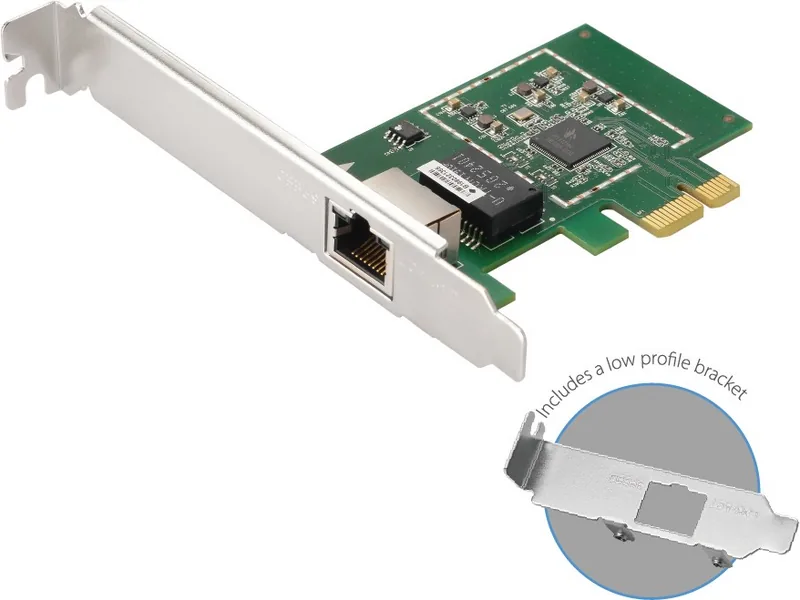
Yes, the package includes a low-profile bracket specifically designed to fit smaller computer cases alongside the standard profile bracket for larger towers.
Is this answer helpful?
No, this is a wired Ethernet adapter designed for RJ-45 connections. It improves wired network speeds but does not affect wireless Wi-Fi signals directly.
Is this answer helpful?
Advantages and Disadvantages
Advantages

- Supports up to 10Gbps speeds with backward compatibility for older networks
- Includes QoS features for better traffic management and bandwidth allocation
- Compatible with multiple operating systems including Windows and Linux
- Features clear LED indicators for easy status monitoring
- Comes with a low-profile bracket for flexible case installation
Disadvantages

- Requires a free PCIe expansion slot within the computer case
- Maximum speed depends on router and cabling supporting higher standards
- Driver installation may be required for full functionality on some systems
- Not suitable for laptops without external PCIe docking solutions
- Higher speed variants may cost more than standard gigabit adapters
Product Specification
Type
LAN Adapter
Form Factor
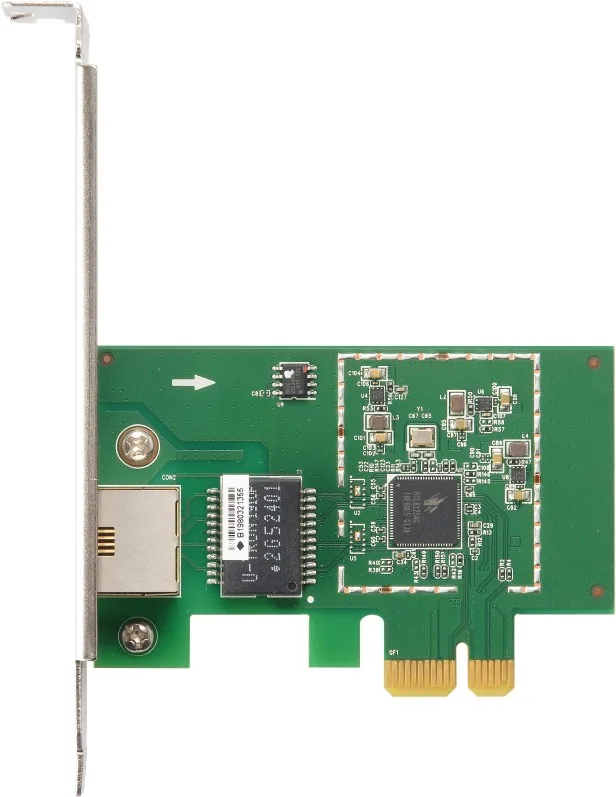
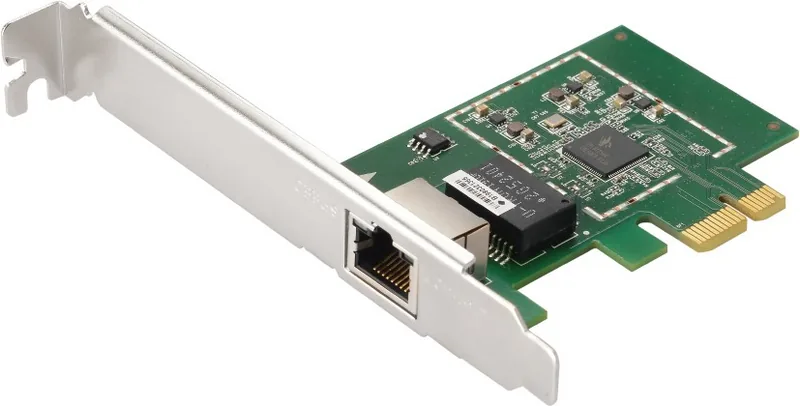
1x PCIe Card (interchangeable bracket: full height and low profile bracket included)
Connection
1x PCIe 2.0 x1
Interface
1x RJ-45
Transmission
1x RJ-45 (100M/1000/2.5GBase-T)
Power Supply
Power supply only via connection
Chipset
Realtek RTL8125 (LAN Adapter)
Dimensions
3.42x2.14x0.63 in (WxHxD)
Weight
1.37 oz
Compatibility
universal
Features
VLAN, 16KB Jumboframes, Wake on LAN
Product Description
Upgrade Your Network with Edimax LAN Adapter
In the modern digital landscape, having a robust and high-speed network connection is essential for both professional productivity and home entertainment. The Edimax LAN Adapter series, specifically the EN-9320TX-E V2 and EN-9225TX-E models, stands out as a powerful solution for users seeking to maximize their internet potential. These PCIe network cards are designed to bridge the gap between standard gigabit speeds and the demands of ultra-fast connectivity.
The EN-9320TX-E V2 is a powerhouse capable of delivering blazing fast 10Gbps speeds. It ensures backward compatibility with older standards like 5GbE, 2.5GbE, 1GbE, and even 100MbE, making it a versatile choice for any network infrastructure. Whether you are streaming 4K video, transferring large files, or engaging in online gaming, this adapter provides the bandwidth necessary to prevent bottlenecks. The device features intelligent QoS capabilities that help manage traffic flow efficiently, ensuring smooth performance across all connected devices.
For those who do not require the full might of 10G but still desire a significant upgrade from traditional gigabit speeds, the EN-9225TX-E offers an excellent alternative. This model supports 2.5GbE alongside 1GbE and 100MbE standards. Its compact design fits easily into standard PCIe slots, and the included low-profile bracket ensures compatibility with smaller computer cases. Both adapters feature clear LED indicators that provide immediate visual feedback on connection speed and data transmission status, allowing users to quickly diagnose network issues.
Installation is straightforward for most users. By simply powering down your PC, inserting the card into an available PCIe slot, and installing the drivers from the official Edimax website, you can unlock new levels of network performance. The drivers support a wide range of operating systems, including various versions of Windows and Linux kernels, ensuring broad usability across different computing environments.
Important Notes
- Always power off your computer before installing hardware components.
- Download the latest drivers from the official Edimax website for optimal performance.
- Ensure your router and cabling support the specific speed tiers offered by these adapters.
Search for 67,732 Manuals online


Type-in Brand or Model