
Edimax Office 1-2-3 Manual
PDF manual · 269 Pages
English



Quick check
Incorrect answer, please try again.
Chat with your Edimax Office 1-2-3 manual using AI
Get instant AI answers from your Edimax Office 1-2-3 manual
Ask anything about the Edimax Office 1-2-3. Answers come from this manual, with the pages they are based on.
Ask a Question
Do you recommend Office 1-2-3?
Yes NoFrequently Asked Questions
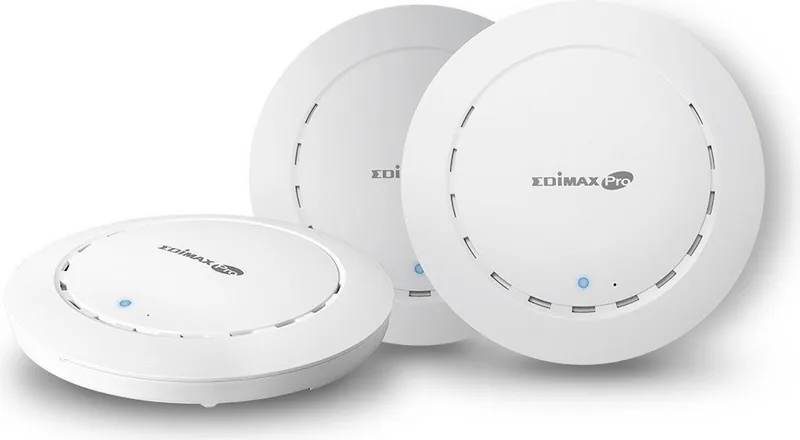
3 APs (1 Master, 2 Slaves), mounts, cables, power adapters, CD, and Quick Installation Guide.
Is this answer helpful?
Each AP supports up to 100 simultaneous users.
Is this answer helpful?
Yes, up to 8 APs total with additional Office +1 AP packages.
Is this answer helpful?
Reset button held for 10 seconds restores factory settings.
Is this answer helpful?
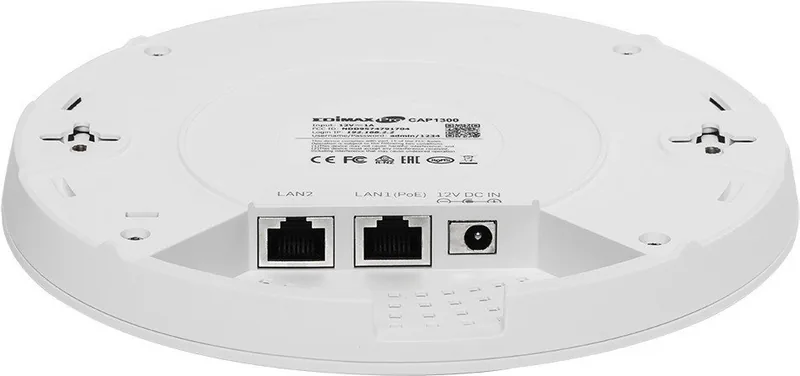
Yes, LAN 1 port supports Power over Ethernet for flexible installation.
Is this answer helpful?
Via Frontdesk account, SMS service, or printed tickets.
Is this answer helpful?
Username admin and password 1234.
Is this answer helpful?
Advantages and Disadvantages
Advantages

- Easy setup wizard reduces initial configuration time significantly for small business owners.
- Centralized management allows control of up to eight access points from one master interface.
- PoE support simplifies cabling and deployment without needing separate power outlets nearby.
- Robust guest network features include captive portals and SMS authentication for flexibility.
- Expandable architecture lets you start with three units and scale to eight total as needed.
Disadvantages

- VLAN configuration requires specific settings on the switch to match the management VLAN ID.
- RADIUS authentication functions may not work directly with Windows versions older than Win 8.0.
- Firmware updates must be performed on slave units before the master unit to ensure stability.
- Advance settings interface can be complicated and confusing for inexperienced users without guidance.
- All wireless SSID and LAN connections must share a single VLAN ID limiting network segmentation.
Product Specification
LAN
2x 1000Base-T (PoE PD)
Wireless
Wi-Fi 802.11a/b/g/n/ac (Wi-Fi 5), simultaneous
Data Rate
400Mbps (2.4GHz), 867Mbps (5GHz)
Security
64/128-bit WEP, WPA, WPA2
Antennas
Internal
Ports
N/A
Power Consumption
11W (consumption, operation), not specified (max. power supply)
Dimensions
6.93 x 6.93 x 1.26 in
Features
MU-MIMO, VLAN, IPv6, VPN passthrough (IPSec/PPTP/L2TP)
Band Support
Dual Band (simultaneous)
Product Description
Experience Seamless Wi-Fi Connectivity
Business environments demand reliable wireless solutions to keep productivity high. The Edimax Office 1-2-3 3-piece pack introduces a robust system perfect for small to medium offices. This comprehensive kit ensures your team stays connected effortlessly regardless of location. Whether you are in a meeting room, a dedicated office, or a lobby area, coverage remains consistent and strong.
Easy Installation and Management
Setup is straightforward using the intuitive wizard included in the interface. Administrators appreciate the centralized control over multiple access points from one dashboard. You can manage up to eight units from a single interface without needing extra servers. This scalability significantly reduces complexity during future expansion phases. PoE support makes wiring cleaner by delivering power and data through a single Ethernet cable.
Customization for Modern Businesses
Flexibility is key in a modern workspace. Create distinct networks for staff and visitors with specific access rules. Guest accounts offer multiple authentication methods including SMS, tickets, or simple logins. The captive portal allows branding customization to match your company image perfectly. Advanced settings provide deep control for IT professionals needing specific configurations and VLAN management. Bandwidth limits ensure guests do not consume excessive resources during peak hours.
Reliability and Security
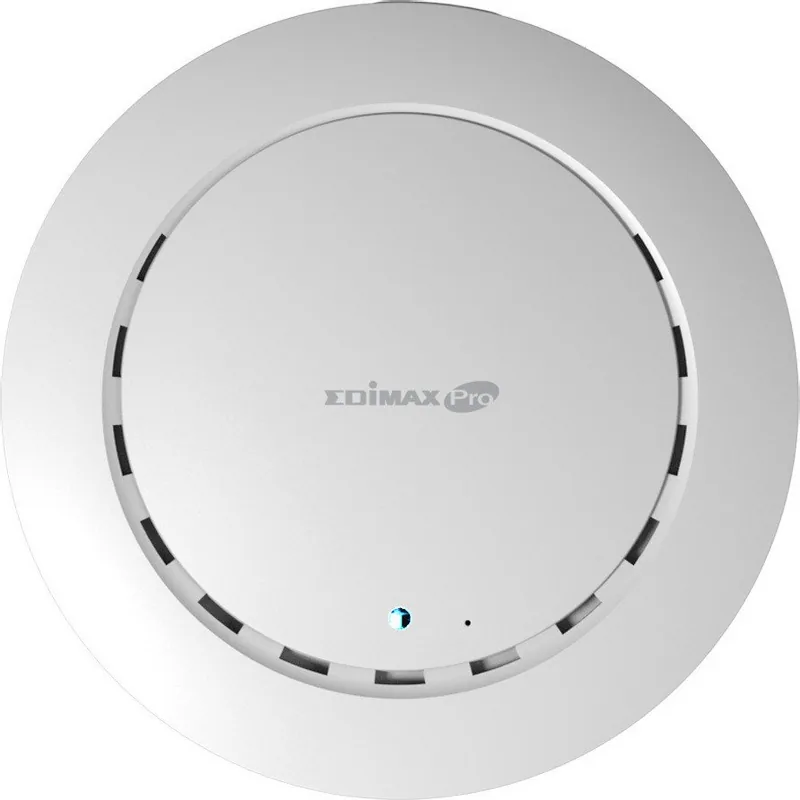
Security features protect your sensitive data effectively. RADIUS integration offers secure authentication for your office network environments. The system actively monitors active clients and logs activity for thorough audits. Firmware updates ensure you always have the latest protection against new vulnerabilities. LED status lights provide instant visual feedback on device health and operation.
Planning Your Deployment
Refer to the Edimax Office 1-2-3 3-piece pack Manual for detailed hardware installation instructions. Ceiling mounting options include wooden ceilings, other ceilings, or T-rail configurations. The included tools simplify the physical setup process for the brackets and devices. Proper placement ensures optimal signal strength throughout the entire office space.
Final Thoughts
This solution balances performance with ease of use for network administrators. It adapts to growing business needs without requiring expensive infrastructure overhauls. Start with the three-unit base and add more later as required. Your network infrastructure will remain stable and secure for years.
Notes
Upgrade firmware first for best performance. Wait ten minutes for initial sync. Default IP Finder is required for initial setup configuration.
Search for 67,732 Manuals online


Type-in Brand or Model