
Edimax OAP1300 Manual
PDF manual · 37 Pages
English



Quick check
Incorrect answer, please try again.
Chat with your Edimax OAP1300 manual using AI
Get instant AI answers from your Edimax OAP1300 manual
Ask anything about the Edimax OAP1300. Answers come from this manual, with the pages they are based on.
Ask a Question
Do you recommend OAP1300?
Yes NoFrequently Asked Questions
It is an outdoor wireless access point designed to extend Wi-Fi coverage with dual-band connectivity, flexible operating modes, and management features for small business or professional networks.
Is this answer helpful?
It supports Access Point Mode, Repeater Mode, Client Bridge Mode, and Managed AP Mode. These modes let it adapt to direct coverage, range extension, wireless bridging, or centralized control.
Is this answer helpful?
Connect a computer to the device, set the computer to the same subnet, and open the default IP address in a browser. The default login is admin with password 1234 unless changed.
Is this answer helpful?
Yes. It includes guest network options on both wireless bands, allowing separate guest connectivity without mixing all users into the main network environment.
Is this answer helpful?
The device supports several security methods, including WEP, WPA-PSK, WPA-EAP, MAC filtering, MAC-RADIUS authentication, wireless client isolation, and RADIUS server integration.
Is this answer helpful?
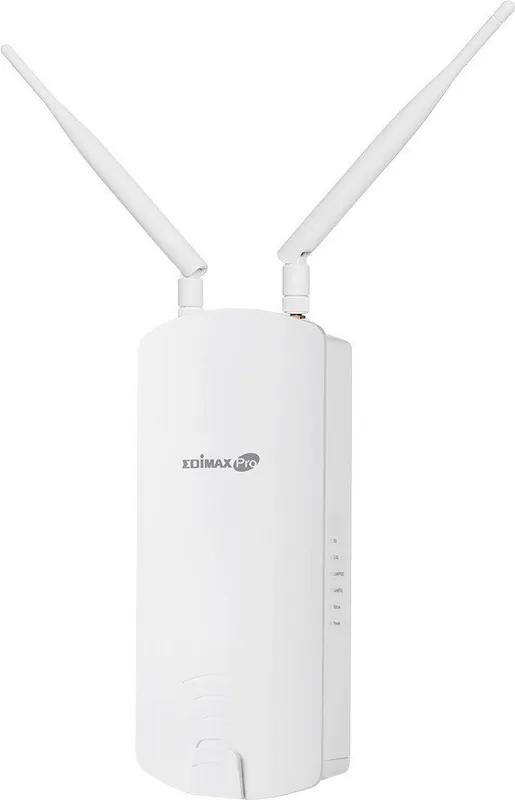
Yes. It is designed for outdoor use and includes mounting options for walls or poles, plus PoE power support and a protective cable-capable cap for installation convenience.
Is this answer helpful?
Use the reset or factory default process to restore the device. This returns settings to default values, so any custom configuration should be backed up first if possible.
Is this answer helpful?
Advantages and Disadvantages
Advantages

- Dual-band AC1300 design supports 2.4GHz and 5GHz coverage for flexible deployment.
- Multiple operation modes let the device work as AP, repeater, client bridge, or managed AP.
- Rich security options include WPA, MAC filtering, RADIUS, client isolation, and VLAN support.
- PoE power and outdoor mounting hardware simplify installation in open or remote locations.
Disadvantages

- Advanced wireless settings can be complex for beginners and may affect performance if misused.
- WEP support exists for compatibility, but it is weaker than modern security methods.
- Some management functions are limited depending on the selected operation mode.
- Changing the IP address or mode can make the interface harder to reach if not recorded properly.
Product Specification
LAN
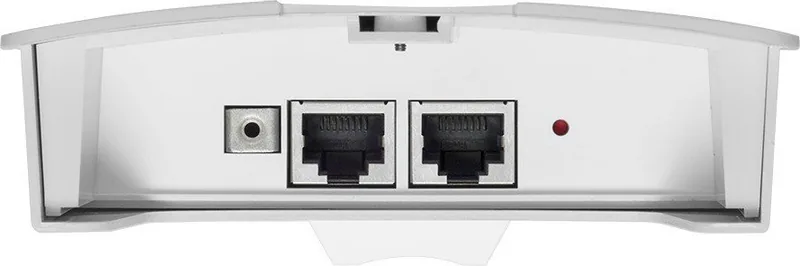
2x 1000Base-T (1x PoE PD, 1x PoE out)
Wireless
WLAN 802.11a/b/g/n/ac (Wi-Fi 5), simultaneous
Data Rate
400Mbps (2.4GHz), 867Mbps (5GHz)
Security
64/128bit WEP, WPA, WPA2
Antennas
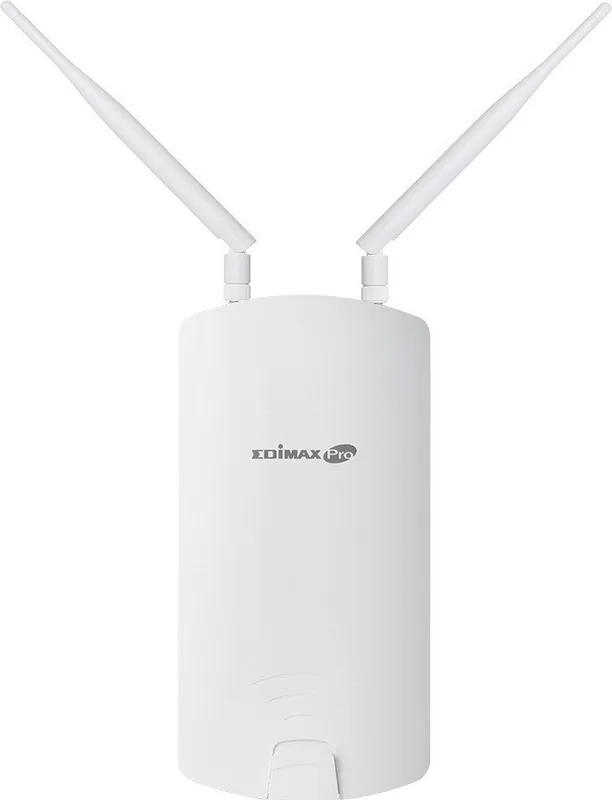
2x external (detachable)
Ports
N/A
Power Consumption
11W (operating consumption), not specified (max. power adapter output)
Dimensions
10.71x4.76x1.38 in
Features
MU-MIMO, VLAN, IPv6, VPN passthrough (IPSec/PPTP/L2TP), Outdoor, IP56
Band Support
Dual Band (simultaneous)
Manufacturer Warranty
five years
Product Description
Edimax OAP1300 Manual: Outdoor AC1300 Access Point Overview
The Edimax OAP1300 is built for outdoor wireless coverage where reliability, flexibility, and easy management matter. Designed as an AC1300 outdoor access point, it combines dual-band Wi-Fi, PoE convenience, and a weather-ready enclosure to support small business, campus, hospitality, and home network deployments.
What stands out first is its multi-mode design. The OAP1300 can work as a standard access point, a repeater, a client bridge, or a managed AP in a centrally controlled array. That versatility makes it useful in both simple installations and larger networks that need coordinated wireless coverage. It supports 2.4GHz and 5GHz operation, multiple SSIDs, guest network options, band steering, WDS, VLANs, and WMM for traffic prioritization.
The setup process is straightforward through the browser-based interface. Default access begins at 192.168.2.2 with the common admin login, and the interface provides organized menus for network settings, wireless security, management tools, firmware updates, logging, and system status. For administrators, this means fewer steps when adjusting IP addresses, changing SSIDs, setting encryption, or scheduling wireless availability.
Security is a major part of the OAP1300 story. It includes WPA/WPA2 modes, WEP support for legacy use, MAC filtering, RADIUS integration, wireless client isolation, and hidden SSID options. These features help shape access rules for public spaces and private deployments alike. The internal and external RADIUS options also make the device suitable for environments that need user authentication and access control.
Installation is equally practical. The access point uses PoE for power delivery, includes mounting hardware for wall or pole placement, and features an outdoor cap design that helps protect cable connections. Status LEDs, reset support, firmware recovery options, and a built-in ping tool make day-to-day maintenance easier. Administrators can also back up settings, restore configurations, and manage logs remotely.
Notes
- Best for outdoor wireless expansion and controlled network segmentation.
- Ideal when dual-band coverage and multiple SSID management are required.
- Strong fit for administrators who want centralized or standalone deployment options.
- Advanced settings should be changed carefully to avoid performance issues.
Search for 67,732 Manuals online


Type-in Brand or Model