
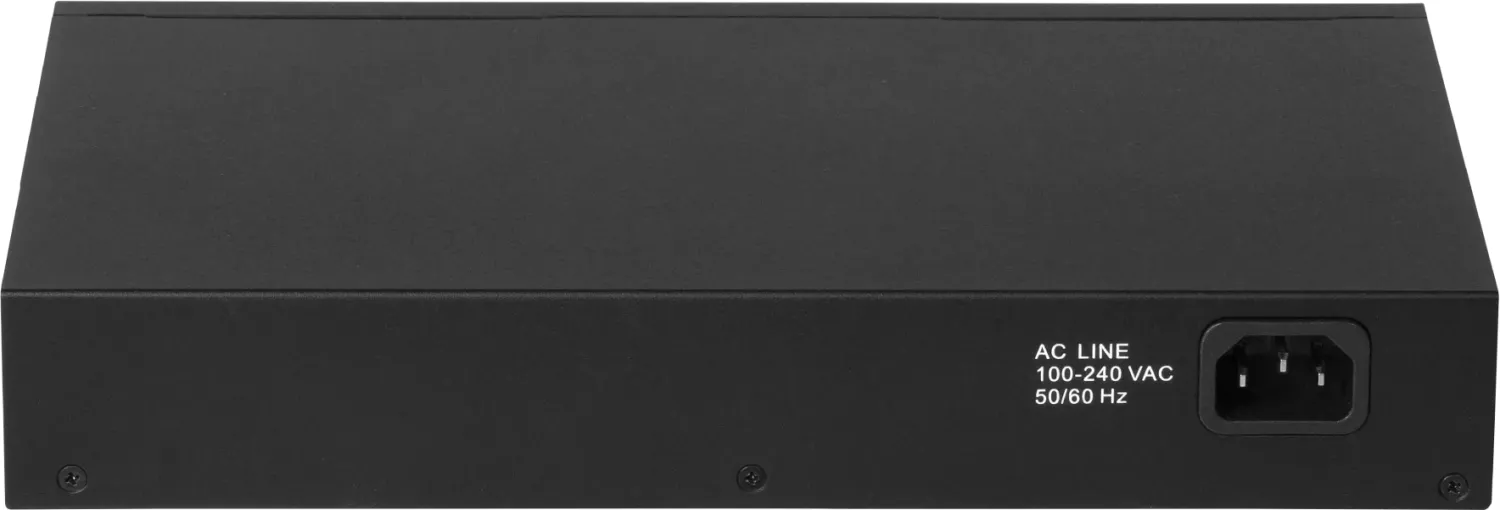
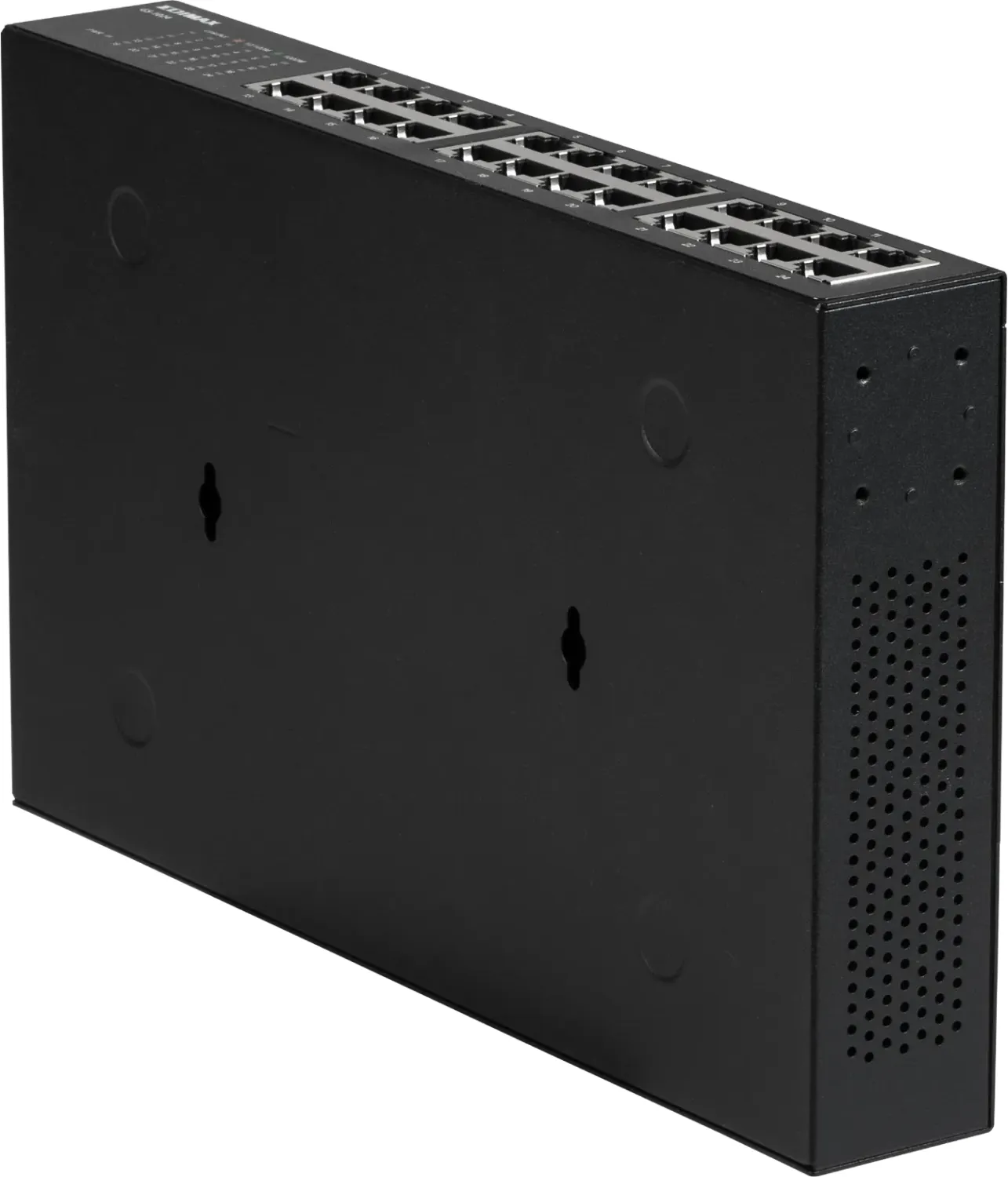
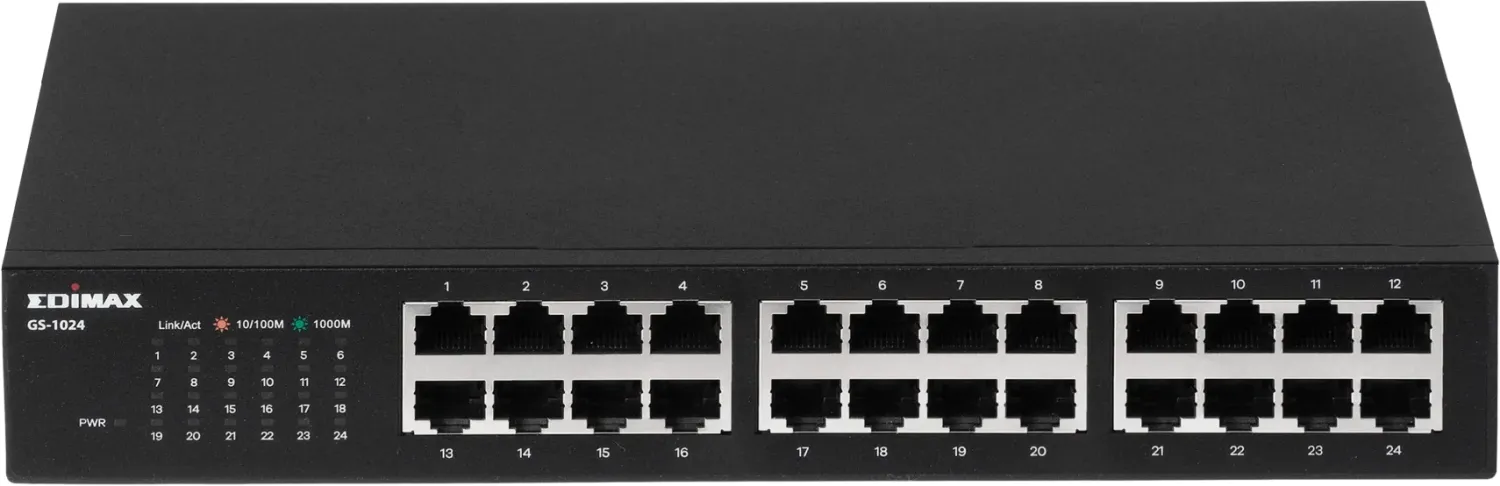
Edimax GS-1024 Manual
PDF manual · 12 Pages
English



Quick check
Incorrect answer, please try again.
Chat with your Edimax GS-1024 manual using AI
Get instant AI answers from your Edimax GS-1024 manual
Ask anything about the Edimax GS-1024. Answers come from this manual, with the pages they are based on.
Ask a Question
Do you recommend GS-1024?
Yes NoFrequently Asked Questions
Each port supports 10/100/1000 Mbps speeds and auto-negotiation; however, total throughput depends on network traffic and connected devices. The switch is non-blocking per port but aggregated traffic to a single uplink may be limited by upstream bandwidth.
Is this answer helpful?
No configuration is required. The Edimax GS-10 is an unmanaged plug-and-play switch. Just connect power, attach devices with Cat5e or better cables, and LEDs will indicate link status and speed.
Is this answer helpful?
The unit is fanless, so it operates quietly and is appropriate for noise-sensitive environments. Ensure the switch has adequate ventilation since passive cooling relies on airflow around the metal chassis.
Is this answer helpful?
Yes. The switch supports desktop placement, wall mounting via built-in holes, and rack mounting in a standard 19" 1U rack using the included rack-mount brackets. Note that wall-mount screws are not provided.
Is this answer helpful?
Use Cat5e or higher-rated Ethernet cables (Cat6/Cat6a) for reliable gigabit performance and reduced interference. Proper cabling ensures the switch and connected devices can negotiate and sustain 1000 Mbps speeds.
Is this answer helpful?
No. This unmanaged GS-10 model provides standard RJ-45 gigabit ports without PoE capability. For PoE needs, consider a dedicated PoE-enabled switch or midspan injector.
Is this answer helpful?
PWR LED green indicates power. Per-port LINK/ACT LEDs show amber for a 10/100 Mbps link and green for a 1000 Mbps link; flashing indicates data transmission. No light means no link or link failure.
Is this answer helpful?
Advantages and Disadvantages
Advantages

- 24 gigabit RJ-45 ports provide high-speed connectivity for many devices.
- Fanless metal chassis ensures quiet, durable operation and passive cooling.
- Flexible mounting: desktop, wall, or standard 19" 1U rack with included brackets.
- Simple plug-and-play setup with auto-negotiation and auto MDI/MDIX support.
- Clear LEDs for power, per-port link/activity and speed make troubleshooting easy.
Disadvantages

- Unmanaged switch lacks VLANs, QoS, and advanced traffic controls for complex networks.
- No active cooling; may need good ventilation in high-density, high-temperature racks.
- Wall-mount screws and some accessories are not included and must be sourced separately.
- Limited to wired RJ-45 ports—no PoE or fiber uplink options without additional hardware.
- Documentation may differ slightly from shipped unit; check Edimax site for updates.
Product Specification
Function
Switch
Type
Standalone, Rackmount (via mounting brackets)
Network ports
16x RJ-45
Speeds
16x RJ-45 (10/100/1000Base-T)
PoE
N/A
Backplane
48Gb/s, 35.7Mp/s, 10KB Jumboframes, 4.1Mb packet buffer, 8K MAC addresses
Officially supported standards
802.1p, 802.3, 802.3ab, 802.3az, 802.3u, 802.3x
Configuration
unmanaged
Cooling
passive
Dimensions (WxHxD)
10.55x1.65x6.30in, 1U
Weight
3.11lb
Color
black
Special features
Metal housing, removable mounting brackets
Manufacturer warranty
two years
Product Description
Edimax GS-10 Desktop Gigabit Switch, 24x RJ-45 Manual
The Edimax GS-10 Desktop Gigabit Switch is a compact, fanless unmanaged switch built to expand wired networks with 24 Gigabit RJ-45 ports. Designed for small offices, home labs, and edge deployments, it provides straightforward plug-and-play connectivity without complex setup. The metal chassis and optional rack- or wall-mount options offer flexible placement whether on a desktop, mounted to a wall, or installed in a 19" 1U rack.
This switch emphasizes reliability and simplicity. Each port supports auto-negotiation and auto MDI/MDIX, enabling seamless integration with existing Cat5e or better cabling. LED indicators show power status and per-port link/activity and speed—amber for 10/100 Mbps and green for 1000 Mbps—so you can quickly verify connection health. The device is designed to be energy efficient and quiet due to its fanless construction, making it suitable for noise-sensitive environments.
Installation is intentionally straightforward. Attach rubber feet for desktop placement, use wall-mount holes for vertical mounting, or fit the included rack-mount brackets for standard enclosures. Connect the included power cord, check the PWR LED, then uplink to your router or upstream switch with a Cat5e+ cable. Plugging devices into the remaining ports completes the setup with immediate gigabit speeds where supported.
Safety and compliance are covered: the unit is intended for indoor use only, and users are advised to avoid liquids, excessive humidity, and extreme heat. It meets relevant EMC and safety directives and includes guidance for proper disposal under WEEE regulations. Edimax provides documentation and firmware resources online for model-specific support and further reference.
For environments needing low-maintenance, reliable layer-2 connectivity without managed features, the Edimax GS-10 Desktop Gigabit Switch with 24 RJ-45 ports is an economical and effective option. Its combination of solid build quality, clear status indicators, and versatile mounting choices make it a practical choice for expanding wired network capacity quickly.
Notes
- Use Cat5e or better cables to achieve gigabit speeds.
- Keep ventilation clear; the fanless design relies on passive cooling.
- Intended for indoor commercial/home-office use; follow local disposal regulations.
- LED colors: amber = 10/100 Mbps, green = 1000 Mbps.
Search for 67,732 Manuals online


Type-in Brand or Model