
Edimax Gemini RE23S Manual
PDF manual · 132 Pages
English



Quick check
Incorrect answer, please try again.
Chat with your Edimax Gemini RE23S manual using AI
Get instant AI answers from your Edimax Gemini RE23S manual
Ask anything about the Edimax Gemini RE23S. Answers come from this manual, with the pages they are based on.
Ask a Question
Do you recommend Gemini RE23S?
Yes NoFrequently Asked Questions
It is used to expand Wi-Fi coverage, create a wireless access point from a wired connection, or bridge Wi-Fi to Ethernet-only devices like TVs or game consoles.
Is this answer helpful?
You can use WPS for quick pairing or connect to the device’s default SSID, open a browser, go to edimax.setup, and follow the IQ setup steps.
Is this answer helpful?
Yes. It supports both general routers and Edimax roaming routers, and it can be configured to work with either single-SSID or multi-device roaming setups.
Is this answer helpful?
Yes, guest Wi-Fi is available in extender mode and can be used to provide internet access without exposing the main network to guests.
Is this answer helpful?
Check that your computer uses DHCP or a compatible IP address, confirm the URL is typed correctly, and make sure other network adapters are disabled if needed.
Is this answer helpful?
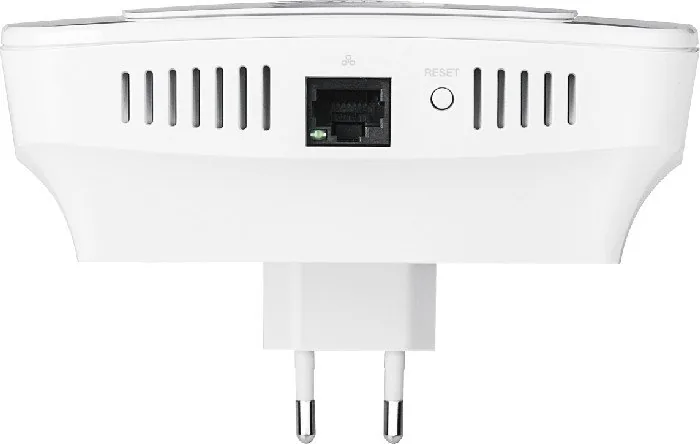
Press and hold the Reset button for at least 10 seconds until the power LED flashes quickly, then wait for the device to restart and return to factory defaults.
Is this answer helpful?
Advantages and Disadvantages
Advantages

- Works as an extender, access point, or wireless bridge for different home network needs.
- Supports both 2.4GHz and 5GHz bands for flexible coverage and performance choices.
- Includes WPS and browser-based IQ setup for easier installation and pairing.
- Offers guest Wi-Fi, access control, and hidden SSID options for better network control.
Disadvantages

- Setup can feel technical for beginners, especially when static IP settings are involved.
- Some features are mode-specific, so not every option is available in every setup.
- Bridge mode connects to only one wireless band at a time.
- Resetting the device clears all custom settings and requires setup again.
Product Specification
LAN
1x 1000Base-T
Wireless
WLAN 802.11a/b/g/n/ac (Wi-Fi 5), simultaneous
Transfer Rate
800Mbps (2.4GHz), 1733Mbps (5GHz)
Security
64/128bit WEP, WPA, WPA2, WPS
Antennas
2x external (detachable)
Ports
N/A
Power Consumption
not specified (consumption, operation), not specified (max. power supply output)
Dimensions
5.43x4.21x3.46in
Special Features
MU-MIMO
Band Capability
Dual Band (simultaneous)
Note
Open-DD-WRT may only be available for certain revisions, please refer to further links!
Product Description
Edimax Gemini RE23S Extender Manual: A Flexible Way to Expand Home Wi-Fi
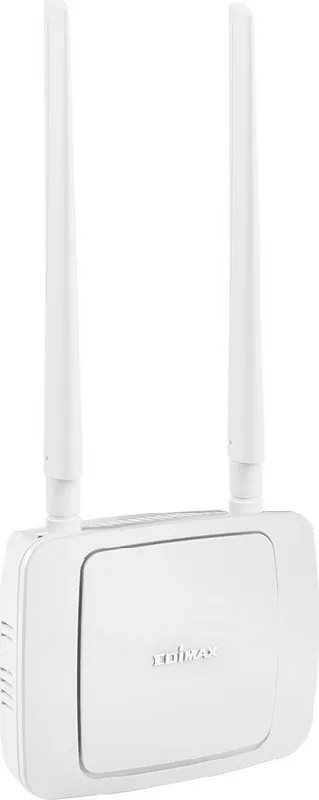
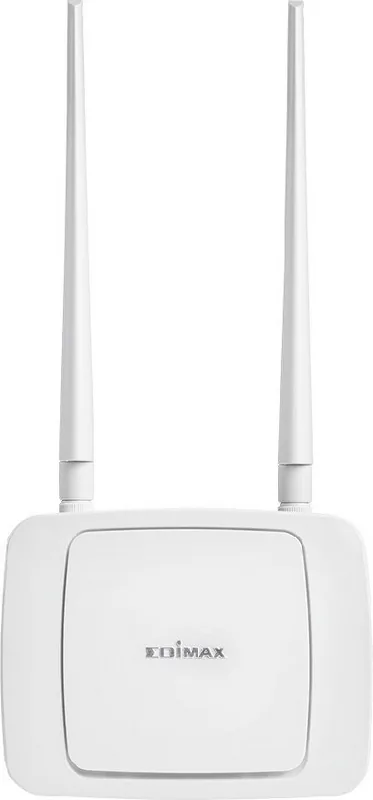
The Edimax Gemini RE23S is designed for homes that need stronger, more reliable wireless coverage without replacing an existing network. It works as a Wi-Fi extender, access point, or wireless bridge, making it a practical choice for different setups. Whether you want to eliminate dead zones, connect wired devices to Wi-Fi, or build a simple whole-home network, the RE23S gives you several ways to do it.
One of its biggest strengths is versatility. In extender mode, it repeats your current Wi-Fi signal and helps push coverage into rooms that were previously hard to reach. In access point mode, it turns a wired internet connection into a new wireless hotspot. In bridge mode, it can bring Wi-Fi connectivity to devices like smart TVs or game consoles that only have Ethernet ports. The dual-band support also helps users choose between 2.4GHz for broader range and 5GHz for faster performance.
Setup is made to be approachable, even if the unit offers advanced options for experienced users. You can use WPS for fast pairing, or follow the IQ setup process through a browser and the Edimax setup page. During setup, the device can test the connection, suggest network settings, and even check firmware updates automatically. That makes it easier to get started while still leaving room for manual control when needed.
The RE23S also includes useful day-to-day features such as guest Wi-Fi, SSID hiding, access control, and configurable security options like WPA or WPA2. LED indicators help you judge signal quality and placement, which is especially helpful when deciding where to position the extender for best performance. The manual also emphasizes safe use, factory reset steps, and troubleshooting advice for common connectivity problems.
For users who want a compact networking tool with flexible deployment options, the Edimax Gemini RE23S stands out as a useful home networking companion. It is especially appealing for mixed environments where one room needs better coverage, another needs a wired-to-wireless link, and a guest network may be useful for visitors.
Notes
- Best placed between your router and the weak-signal area for extender use.
- Requires a dynamic IP during browser setup in many cases.
- Factory reset restores default settings and removes custom changes.
- Firmware updates are available through the web interface.
Search for 67,732 Manuals online


Type-in Brand or Model
freddie14
10 months ago
Is this product easy to use and comfortable to handle for beginners?
Manual.ly
10 months ago
Yes. Customers consistently report that it is very easy to operate and comfortable to hold. The controls are straightforward and the setup and handling feel intuitive, so you should be able to get started quickly without needing special technical knowledge.