
Edimax Gemini RE11 Manual
PDF manual · 123 Pages
English



Quick check
Incorrect answer, please try again.
Chat with your Edimax Gemini RE11 manual using AI
Get instant AI answers from your Edimax Gemini RE11 manual
Ask anything about the Edimax Gemini RE11. Answers come from this manual, with the pages they are based on.
Ask a Question
Do you recommend Gemini RE11?
Yes NoFrequently Asked Questions
It is designed to extend Wi-Fi coverage and support roaming between two units so devices can stay connected more smoothly as you move through a home or office.
Is this answer helpful?
You set up one unit as the master, then add the second unit using WPS. Both units can share the same SSID, password, and settings for easier roaming.
Is this answer helpful?
Yes. In access point mode, it connects to a router with an Ethernet cable and broadcasts Wi-Fi from that wired link, which is useful when you want stable backhaul.
Is this answer helpful?
Yes. It supports 2.4GHz, 5GHz, or both, depending on the setup. The manual also mentions cross-band options for better network efficiency.
Is this answer helpful?
Press and hold the WPS button for at least 10 seconds until the power LED flashes, then release it and wait for the unit to restart.
Is this answer helpful?
The default username is admin and the default password is 1234. After login, you can change settings, save changes, and manage firmware or security options.
Is this answer helpful?
Advantages and Disadvantages
Advantages

- Two-unit kit supports roaming, helping devices move between coverage zones with fewer interruptions.
- Works in extender, access point, and wireless bridge modes for flexible home or small-office use.
- Dual-band support and cross-band features help match different network setups and speeds.
- Web interface includes guest access, MAC filtering, backup/restore, and firmware tools.
- Hardware switch offers normal, green, and sleep modes to help balance power and coverage.
Disadvantages

- Best results depend on careful placement and a sufficiently strong signal from the main router.
- Guest network is not available in access point mode, which limits flexibility in that setup.
- Static IP setup and hidden SSID configuration may be confusing for less experienced users.
- Advanced wireless settings are intended for experienced users and should be changed carefully.
Product Specification
LAN
1x 1000Base-T (Access Point, 2 devices - RE11S)
Wireless
WLAN 802.11a/b/g/n/ac (Wi-Fi 5), simultaneous
Data rate
300Mbps (2.4GHz), 867Mbps (5GHz)
Security
64/128bit WEP, WPA, WPA2, WPS
Antennas
2x external (detachable)
Ports
N/A
Power consumption
not specified (consumption, operation), not specified (max. power supply output)
Dimensions
3.58x2.32x1.57 in
Special features
WLAN on/off switch, Kit consisting of 2x RE11S
Band capability
Dual Band (simultaneous)
Product Description
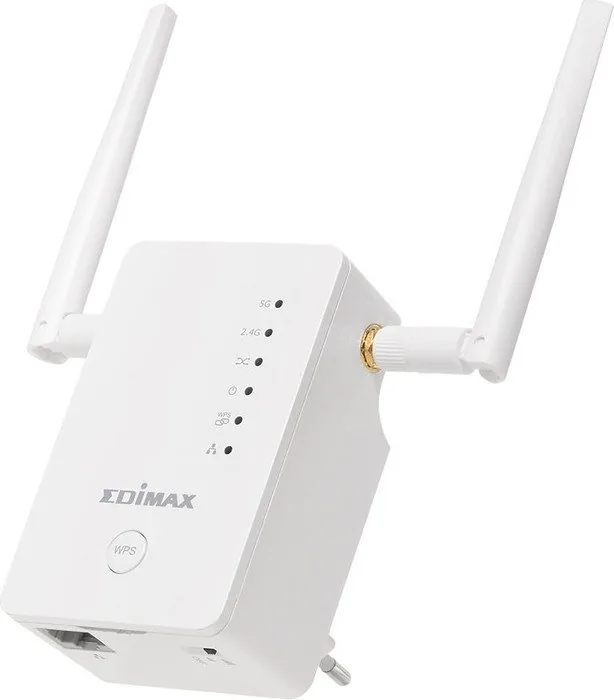
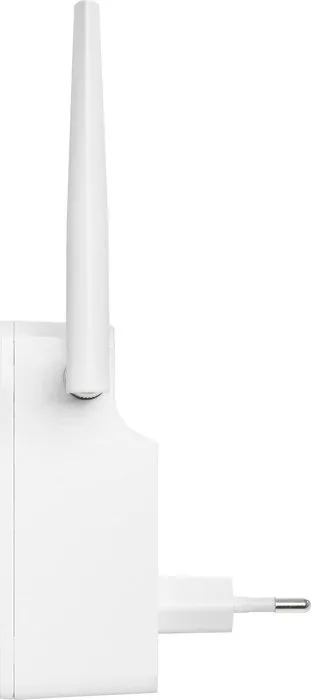
Edimax Gemini RE11 Access Point Roaming Kit, 2-Pack
The Edimax Gemini RE11 Access Point Roaming Kit, 2-Pack is made for homes and small offices that want stronger Wi-Fi coverage without the hassle of managing separate networks. This dual-unit set combines range extension, access point mode, and wireless bridge support, giving you a flexible way to reduce dead zones and keep devices connected more reliably as you move around.
What makes this kit stand out is its roaming-friendly design. One unit is configured as the master, and the second unit joins through WPS so both can share the same network name, password, and core settings. That creates a smoother wireless experience for phones, tablets, laptops, and smart devices that need to stay online while moving from room to room. The Edimax Gemini RE11 Access Point Roaming Kit, 2-Pack Manual also points out dual-band support, cross-band operation, and placement advice to help users get better results from both 2.4GHz and 5GHz networks.
Flexible Setup Options
The RE11 system is built to adapt to different layouts. In extender mode, it repeats an existing wireless signal and helps push coverage farther into weak spots. In access point mode, it connects to a router by Ethernet and then broadcasts Wi-Fi from that wired connection. In wireless bridge mode, it can bring Wi-Fi to a wired device such as a smart TV or game console. That versatility makes the kit useful for both simple upgrades and more specific networking needs.
Easy Controls and Practical Management
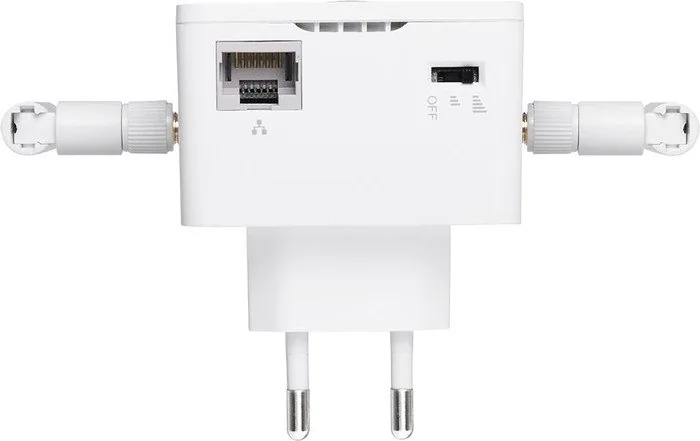
A hardware switch on the device offers normal, green, and sleep modes, helping users balance performance and power use. The web-based interface adds deeper control, including SSID settings, security options, guest access, access control, backup and restore tools, firmware upgrades, and restart controls. The manual also explains LED behavior, WPS usage, IP setup, and recovery steps, which makes the system easier to manage over time.
Setup, Safety, and Troubleshooting
The Edimax Gemini RE11 Access Point Roaming Kit, 2-Pack Manual also makes setup feel approachable by covering browser access through edimaxext.setup, dynamic IP requirements, and reset procedures for when a clean start is needed. It even includes troubleshooting tips for weak signal, connection errors, and failed firmware updates. That kind of guidance is especially useful when switching operating modes or fine-tuning network placement.
Safety and placement matter too. The kit is intended for indoor use only, away from moisture, heat, and flammable surfaces. For the best result, place the extender in an open area between the router and the dead zone where signal quality is still strong. When positioned well, the RE11 can deliver a more consistent wireless experience across a larger space.
Notes
- Best performance comes from placing the extender where it still receives a strong router signal.
- WPS helps add extra units and can also be used for firmware-related tasks.
- The kit supports both basic installation and more advanced customization.
- Indoor-only use and careful placement are important for safety and stability.
Search for 67,732 Manuals online


Type-in Brand or Model
Lena Schmidt
8 months ago
Does the Edimax WiFi roaming kit work with my Fritzbox via WPS, and what setup is required so roaming is actually available?
Manual.ly
8 months ago
WPS may not work with every router model (some users report issues with Fritzbox devices). For roaming to be offered, make sure the kit master is connected to your router via the LAN cable before configuring it. During the first pairing with the extender, keep both devices in the same room (or very close) so the connection can be established reliably. If you cannot use WPS, complete the configuration manually through the kit's setup interface. Also note that crossband/repeater mode can be limited depending on how the manual configuration is done; if you need better coverage, using additional compatible Fritz repeaters in your setup may be an effective workaround.