
Edimax EW-7822UTC Manual
PDF manual · 20 Pages
English



Quick check
Incorrect answer, please try again.
Chat with your Edimax EW-7822UTC manual using AI
Get instant AI answers from your Edimax EW-7822UTC manual
Ask anything about the Edimax EW-7822UTC. Answers come from this manual, with the pages they are based on.
Ask a Question
Do you recommend EW-7822UTC?
Yes NoFrequently Asked Questions
The adapter supports Windows (Windows 7/8/8.1/10 and later), macOS (10.7 and later) and many Linux distributions. Drivers and utilities are included on the installer media or available for download from Edimax; exact Linux support may depend on distribution and kernel version.
Is this answer helpful?
USB 3.0 is recommended to achieve the adapter’s maximum throughput. It is backward compatible with USB 2.0 ports, but expect reduced data rates when using USB 2.0 due to interface bandwidth limitations.
Is this answer helpful?
Insert the adapter into a USB port, run the provided setup from the CD or Edimax website, follow the driver installation wizard, and restart your computer when prompted. On macOS use the included installer package and the provided utility to manage connections.
Is this answer helpful?
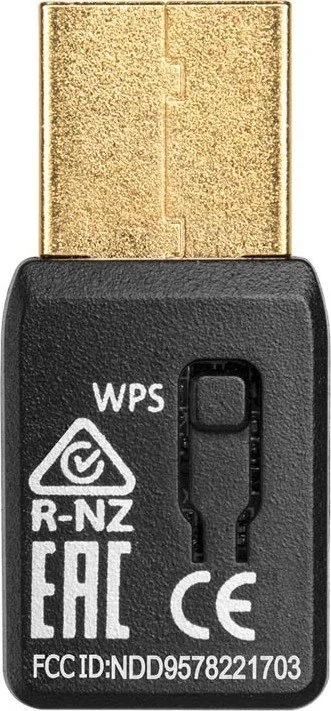
Yes. The EW-7822UTC supports WPS (Wi‑Fi Protected Setup) including push-button (PBC) and PIN methods, allowing simplified pairing with WPS-capable routers via the utility or router interface.
Is this answer helpful?
Yes. The device complies with FCC and EU RED requirements, includes RF exposure guidance, and is intended for indoor use only. Follow manufacturer safety instructions and WEEE disposal recommendations at end of service life.
Is this answer helpful?
The documentation recommends disabling other wireless adapters on your system to prevent conflicts. Use operating system network settings or device manager controls to disable onboard radios during installation and initial setup.
Is this answer helpful?
Advantages and Disadvantages
Advantages

- Dual-band AC1200 support (2.4GHz and 5GHz) for flexible range and higher throughput.
- USB-A 3.0 interface provides higher data transfer potential and backward compatibility.
- Simple installation with included drivers and OS-specific utilities for Windows and macOS.
- Compact, portable design ideal for laptops, desktops, and travel use.
- Compliance with FCC and EU RED standards and clear safety/disposal guidance.
Disadvantages

- No user-serviceable parts; hardware faults require dealer or manufacturer support.
- Performance on USB 2.0 ports is limited compared to USB 3.0 connections.
- Indoor use only; not suitable for outdoor installations or harsh environments.
- May require disabling onboard adapters to avoid conflicts during setup.
- Driver availability and installation steps can vary across Linux distributions.
Product Specification
Type
WLAN Adapter
Form Factor
1x USB Stick
Interface
1x USB-A 3.0 (Plug, 5Gb/s)
Connectivity
1x WLAN 802.11a/b/g/n/ac (1x 2.4GHz or 1x 5GHz, WPS button), 1x Transmit amplifier, 1x Antenna (integrated, 2x electrical)
Transmission
1x 2.4GHz WLAN (300Mb/s, 2x2), 1x 5GHz WLAN (867Mb/s, 2x2)
Power Supply
Power supply only via connection
Dimensions
0.63x0.31x1.34in (WxHxD)
Weight
0.01 lb
Compatibility
universal
Special Features
MU-MIMO
Manufacturer's Warranty
two years
USB Notation
Link
Product Description
Edimax EW-7822UTC — Compact Dual-Band USB Wi‑Fi Adapter
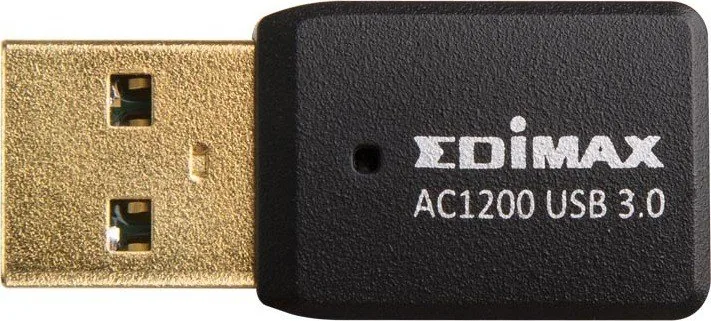
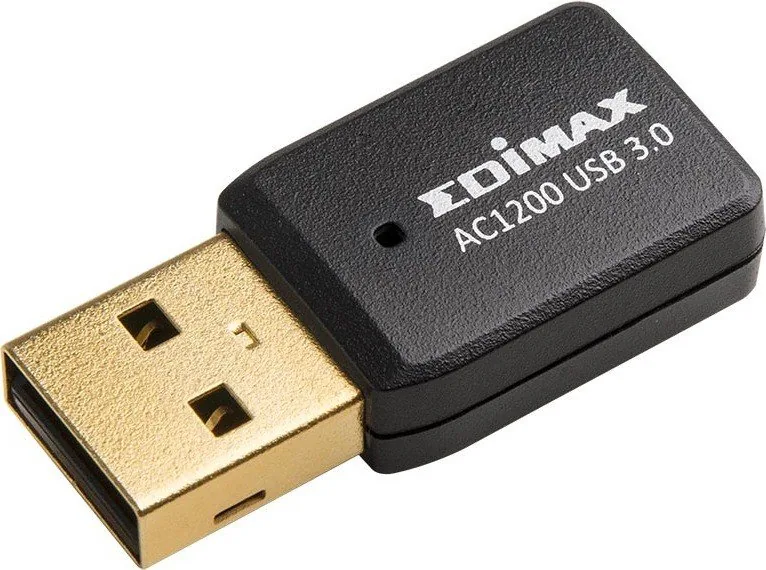
The Edimax EW-7822UTC is a compact AC1200 USB Wi‑Fi adapter offering dual-band connectivity at 2.4GHz and 5GHz via a USB-A 3.0 plug. Designed for laptop and desktop users who need faster wireless speeds and broader compatibility, this plug-and-play style adapter provides an upgrade path for systems lacking modern Wi‑Fi or wanting to add a reliable external radio.
With support for both Windows and Mac OS (and Linux drivers available), the EW-7822UTC is suited for web browsing, video streaming, and light gaming. The dual-band design lets you choose the 2.4GHz band for longer range and legacy device support, or the 5GHz band for higher throughput and less interference. The adapter’s USB 3.0 interface ensures that the wireless link can deliver higher data rates when paired with compatible hosts.
Installation is straightforward: insert into an available USB port, run the supplied driver/utility or download the latest setup from Edimax, and follow the OS-specific installer prompts. For Windows and macOS, the package includes driver installers and an easy-to-follow setup flow that prompts for system restarts when required. The product documentation emphasizes disabling other onboard wireless adapters to avoid conflicts and recommends using the included utility on macOS to manage Wi‑Fi connections.
Security features include support for standard Wi‑Fi encryption methods and WPS (Wi‑Fi Protected Setup) for simplified pairing with compatible routers via push-button or PIN modes. Regulatory and safety compliance is extensive: the adapter meets FCC and EU RED requirements and includes guidance on safe indoor use, RF exposure, and proper disposal under WEEE rules.
Physically compact and intended for indoor use, the EW-7822UTC is a low-maintenance accessory with no user-serviceable parts. It is suitable for travelers, home users, and office environments where a small, powerful USB adapter is preferred over internal upgrades.
Notes:
- Works with Windows 7/8/10+, macOS 10.7+ and many Linux distributions (driver availability may vary).
- USB 3.0 recommended for full performance; backward compatible with USB 2.0 but with reduced throughput.
- Indoor use only; avoid exposure to moisture or extreme heat.
Search for 67,732 Manuals online


Type-in Brand or Model
Eva Matthews
10 months ago
Does the product meet expectations in terms of quality and overall performance?
Manual.ly
10 months ago
Yes. Multiple reviewers state that the product meets their expectations. If you compare it with the product description and intended use, it should deliver the expected performance and overall quality for a smooth experience.