
Edimax EW-7611UCB Manual
PDF manual · 36 Pages
English



Quick check
Incorrect answer, please try again.
Chat with your Edimax EW-7611UCB manual using AI
Get instant AI answers from your Edimax EW-7611UCB manual
Ask anything about the Edimax EW-7611UCB. Answers come from this manual, with the pages they are based on.
Ask a Question
Do you recommend EW-7611UCB?
Yes NoFrequently Asked Questions
It adds dual-band Wi-Fi and Bluetooth 4.0 to a compatible computer through a USB-A 2.0 connection. It is meant to improve wireless networking and, on Windows, Bluetooth accessory support.
Is this answer helpful?
Yes, but only for Wi-Fi. The instructions indicate that Bluetooth functionality is available only on Windows, while Mac users can install the WLAN driver and use wireless networking.
Is this answer helpful?
The adapter supports Windows 7 to Windows 10 and Mac OS X 10.9 to 10.12. It also requires a USB 2.0 port and enough storage space for the driver files.
Is this answer helpful?
The blue LED shows Bluetooth status, while the green LED indicates Wi-Fi activity or connection state. This makes it easier to tell whether the adapter is active and connected.
Is this answer helpful?
Insert the adapter into a USB port, run the driver setup from the included CD or download, and follow the on-screen steps. Windows installs Wi-Fi and Bluetooth drivers separately.
Is this answer helpful?
Yes. If your router supports WPS, you can use the adapter’s WPS function to create a connection more quickly without manually entering the Wi-Fi password.
Is this answer helpful?
It is recommended to disable other wireless or Bluetooth adapters if conflicts occur. This helps the EW-7611UCB operate correctly and reduces connection issues.
Is this answer helpful?
Advantages and Disadvantages
Advantages

- Dual-band Wi-Fi gives users more flexibility for speed or range depending on the network.
- Bluetooth 4.0 support on Windows adds convenience for wireless peripherals and accessories.
- Compact USB-A 2.0 design makes the adapter easy to install and carry.
- WPS support can simplify connecting to a protected router.
Disadvantages

- Bluetooth connectivity is limited to Windows, so Mac users only get WLAN support.
- Setup may require driver installation and a system restart before the adapter works properly.
- Other existing wireless adapters may need to be disabled to avoid conflicts.
- It depends on the included driver process, which may be less convenient than plug-and-play devices.
Product Specification
Type
WLAN adapter, WPAN adapter
Form factor
1x USB stick
Interface
1x USB-A 2.0 (male)
Connectivity
1x WLAN 802.11a/b/g/n/ac (1x 2.4GHz or 1x 5GHz), 1x Bluetooth (LE, HS, DualMode), 1x transmit amplifier (16dBm), 1x antenna (integrated, 1x electrical)
Transmission
1x 2.4GHz WLAN (150Mb/s, 1x1), 1x 5GHz WLAN (433Mb/s, 1x1), 1x Bluetooth 4.0 (24Mb/s)
Power supply
Power supply only via interface
Chipset
Realtek RTL8821AU (WLAN adapter, WPAN adapter)
Dimensions
0.94x0.43x2.01in (WxHxD)
Weight
0.02 lb
Compatibility
universal
Manufacturer warranty
two years
USB notation
Link
Product Description
Edimax EW-7611UCB: Compact Wi-Fi and Bluetooth Expansion for Everyday Use
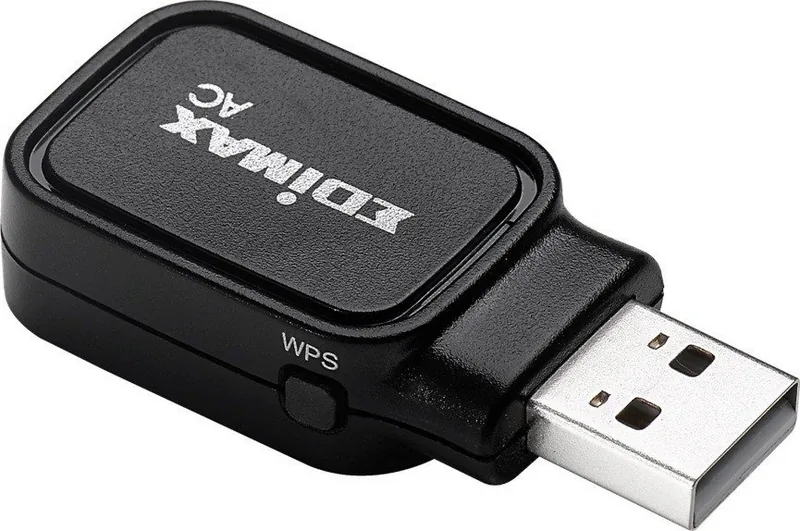
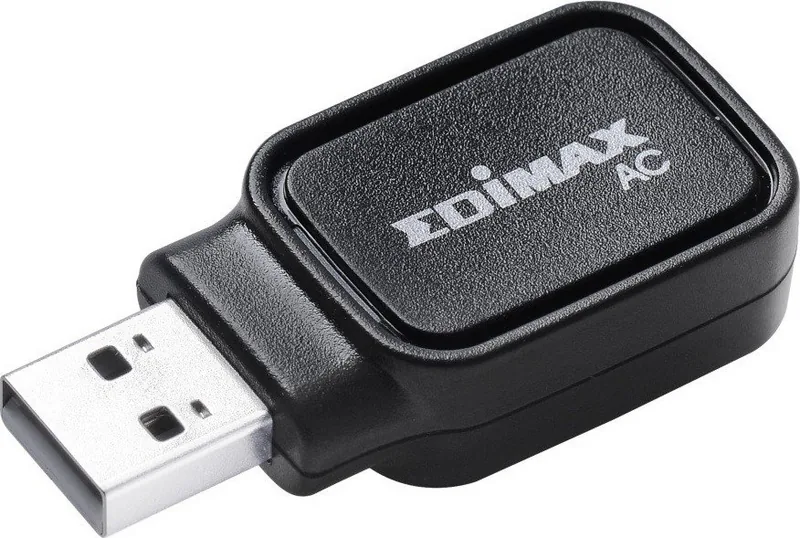
The Edimax EW-7611UCB is a small but practical USB adapter designed to add dual-band Wi-Fi and Bluetooth 4.0 support to a compatible computer. Built around a simple USB-A 2.0 plug, it is aimed at users who want a tidy way to upgrade wireless connectivity without opening a PC or replacing existing hardware. Its compact format makes it easy to carry, install, and use on a desk or while traveling.
One of the strongest advantages of this adapter is its flexible wireless support. It works with both 2.4GHz and 5GHz Wi-Fi bands, which helps balance range and speed depending on the network environment. The adapter also includes a dual-color LED status indicator that makes activity easy to read at a glance: blue for Bluetooth and green for Wi-Fi status. For many users, this small detail makes troubleshooting and connection checks much simpler.
Installation is straightforward on Windows and Mac, although the setup path differs by platform. Windows users can install Wi-Fi and Bluetooth drivers separately, while Mac users install the WLAN driver only. The included software guidance and restart prompts help ensure the adapter is recognized correctly. The device also supports WPS, which can make joining a protected wireless network quicker for compatible routers.
In daily use, the EW-7611UCB is well suited for laptops or desktop systems that need a wireless refresh. It can help older computers gain modern Wi-Fi support, and on Windows it adds Bluetooth functionality for peripherals such as headsets, keyboards, or mobile devices. The adapter is also a good fit for users who want a compact all-in-one solution rather than separate dongles for each task.
Key takeaways
- Dual-band Wi-Fi supports both 2.4GHz and 5GHz networks for flexible performance.
- Bluetooth 4.0 is available on Windows, expanding wireless accessory support.
- The USB-A 2.0 design keeps installation simple and hardware requirements low.
- LED indicators provide quick visual feedback for Wi-Fi and Bluetooth status.
- WPS support offers an easier way to connect to compatible routers.
Notes
- Bluetooth is not supported on Mac in this setup.
- Other internal network adapters may need to be disabled for best results.
- Driver installation and reboot steps are important for proper operation.
- Best suited for indoor use with compatible Windows and Mac systems.
Search for 67,732 Manuals online


Type-in Brand or Model