
Edimax EU-4308 Manual
PDF manual · 16 Pages
English



Quick check
Incorrect answer, please try again.
Chat with your Edimax EU-4308 manual using AI
Get instant AI answers from your Edimax EU-4308 manual
Ask anything about the Edimax EU-4308. Answers come from this manual, with the pages they are based on.
Ask a Question
Do you recommend EU-4308?
Yes No
Eva-Maria Pfleger
9 months ago
Does this USB-C adapter work reliably with newer USB-C devices like MacBooks and my USB 3 peripherals?

Manual.ly
9 months ago
Yes. Customers report it works perfectly with USB-C devices, including MacBooks, and they have used it successfully with multiple USB 3 devices. It is well built and provides good performance without any issues, making it a solid all-around adapter for connecting your existing USB-A equipment to newer USB-C ports.
Frequently Asked Questions
It is a USB-C to RJ-45 Gigabit Ethernet adapter that adds a wired network connection to compatible computers. It is useful when you want more stable internet than Wi‑Fi can provide.
Is this answer helpful?
Yes. The adapter is built for Gigabit Ethernet, which is ideal for faster and more reliable wired networking on supported networks and internet connections.
Is this answer helpful?
The guide references Windows, Mac OS, and Linux support. Installation steps are shown for Windows and Mac, with broader compatibility noted in the product information.
Is this answer helpful?
In many cases, yes. The guide provides driver installation steps for Windows and Mac, so users should expect some setup before the adapter is ready to use.
Is this answer helpful?
The package includes the 3-port USB 3.0 Gigabit Ethernet hub/adapter, a CD-ROM, and a quick installation guide. The software and instructions help with setup and driver installation.
Is this answer helpful?
Yes. Its compact design and USB-C connection make it convenient for portable use, while the wired Ethernet link is valuable in offices, shared spaces, or remote work setups.
Is this answer helpful?
Advantages and Disadvantages
Advantages

- USB-C 3.0 connection fits modern laptops and desktops with minimal hassle.
- Gigabit Ethernet support helps deliver stable, fast wired internet access.
- Works across major platforms, including Windows, Mac OS, and Linux.
- Includes setup guidance and driver installation steps for easier onboarding.
Disadvantages

- May require driver installation instead of working instantly in every setup.
- The included CD-based workflow can be inconvenient on modern devices without optical drives.
- Best used indoors, with safety and handling limits noted in the guide.
- Some compatibility details depend on OS version and system requirements.
Product Specification
Type
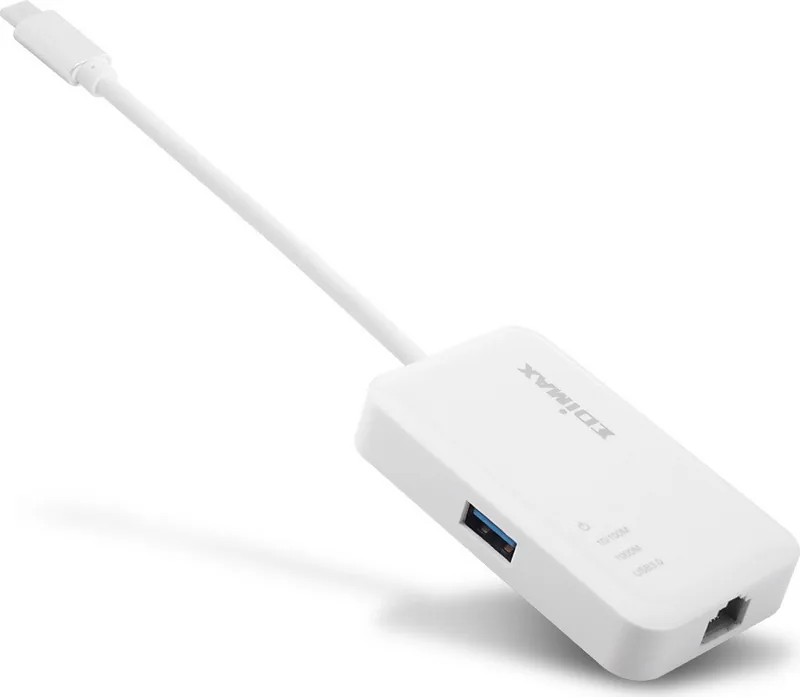
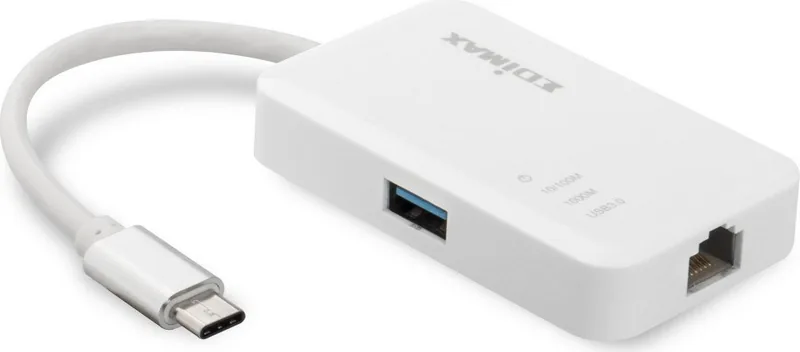
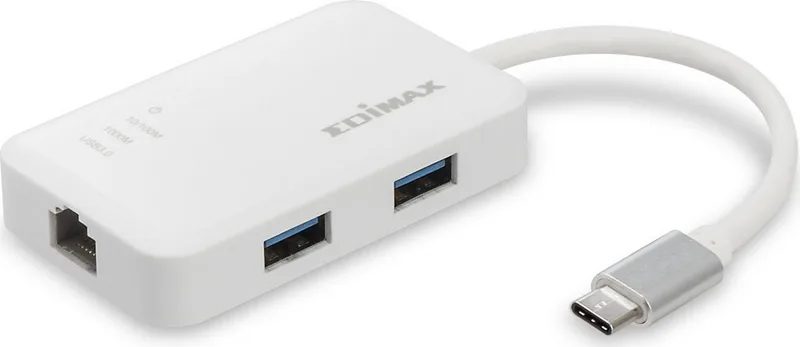
LAN Adapter, USB Hub
Form Factor
1x external wired (connection cable not detachable)
Interface
1x USB-C 3.0 (Plug via cable, 5Gb/s)
Ports
1x RJ-45, 3x USB-A 3.0 (Socket)
Transmission
1x RJ-45 (10/100/1000Base-T), 3x USB-A 3.0 (Socket, 5Gb/s)
Power Supply
Power supply only via interface
Dimensions
1.81x0.59x3.03in (WxHxD)
Weight
0.10 lb
Case Color
white
Compatibility
universal
Features
VLAN
USB Designation
Link
Product Description
Edimax EU-4308: A Simple Way to Add Fast Wired Networking
The Edimax EU-4308 is designed for users who want a dependable wired internet connection through a modern USB-C 3.0 port. With its RJ-45 Gigabit Ethernet support, it turns a USB-C equipped laptop or desktop into a device ready for stable, high-speed networking. This makes it a practical choice for work, streaming, online meetings, or any task where wireless drops are not an option.
What stands out most is its straightforward approach. The adapter is meant to be easy to connect, while still offering the performance benefits of a wired LAN link. Instead of relying only on Wi‑Fi, users can plug into Ethernet for more consistent speeds and lower latency. That can be especially useful in busy offices, shared networks, or home setups where reliability matters.
The EU-4308 also comes with clear installation support for major operating systems. The setup guide covers Windows and Mac OS, and the package includes driver installation steps to help users get started. It also references compatibility with Linux-based systems, making it a flexible accessory for different environments. For many users, that broad support is one of the biggest reasons to keep this adapter close at hand.
Another strength is the practical bundle of information included with the product. The setup process is explained in a step-by-step way, and the guide also provides safety notes, compliance details, and usage recommendations. That creates a more complete experience for people who want a device that is not just functional, but also easy to understand and operate correctly.
In everyday use, the Edimax EU-4308 is best seen as a compact networking upgrade. It is especially helpful for slim laptops without an Ethernet port, or for users who prefer a more stable connection than wireless can always provide. For offices, travel kits, and home workstations, it offers a simple bridge between USB-C convenience and classic RJ-45 networking.
Notes
- Best suited for users who need a stable wired connection.
- Driver installation may be required depending on the operating system.
- Check your device’s USB-C compatibility before use.
- Keep the adapter indoors and follow the safety instructions provided.
Summary
The Edimax EU-4308 RJ-45 USB-C 3.0 Plug Manual highlights a compact adapter built for performance, compatibility, and ease of setup. It is a useful accessory for anyone who wants reliable Gigabit Ethernet access through USB-C.
Search for 67,732 Manuals online


Type-in Brand or Model
Sophie Laurent
9 months ago
Will this USB-C adapter work reliably with newer devices like MacBooks and my USB 3 peripherals, or is it limited to older ports?
Manual.ly
9 months ago
Yes, this adapter is designed for USB-C setups and works well with newer devices such as MacBooks. It supports USB 3 devices, so you can connect your existing USB 3 peripherals without issues. Customers also report stable performance (no flickering or disconnects) and solid build quality. If you need a straightforward USB-C to your standard USB connection for daily use, this is a good all-round choice with a strong price-to-performance ratio.