
Edimax EU-4306 Manual
PDF manual · 18 Pages
English



Quick check
Incorrect answer, please try again.
Chat with your Edimax EU-4306 manual using AI
Get instant AI answers from your Edimax EU-4306 manual
Ask anything about the Edimax EU-4306. Answers come from this manual, with the pages they are based on.
Ask a Question
Do you recommend EU-4306?
Yes NoFrequently Asked Questions
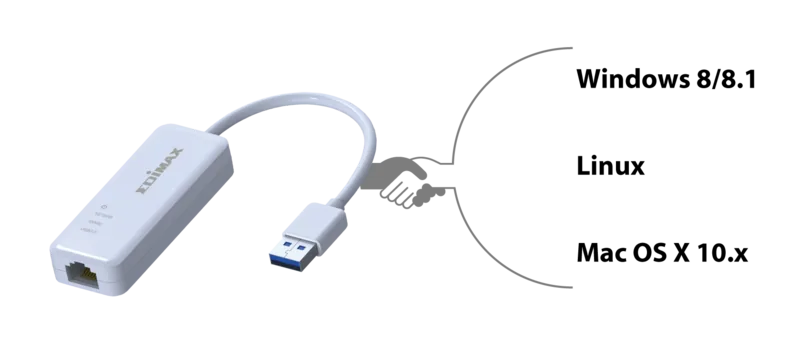
The adapter supports Windows 98 SE through Windows 8, Mac OS X, and various Linux distributions requiring kernel source compilation.
Is this answer helpful?
Windows usually detects the hardware automatically, but installing drivers from the CD-ROM ensures optimal performance for all versions.
Is this answer helpful?
Double click the DMG file on the disk image, run the PKG installer, and restart your system after completion.
Is this answer helpful?
Linux requires you to have kernel sources installed and compile the module from the source code provided on the media manually.
Is this answer helpful?
Control-click the installer package, select Open, and confirm to proceed. Security settings may prevent automatic launch for unsigned apps.
Is this answer helpful?
Yes, it works with USB 2.0, but USB 3.0 is recommended for best performance and speed capabilities.
Is this answer helpful?
Visit the official Edimax website for the latest software updates and specifications that change without notice.
Is this answer helpful?
Advantages and Disadvantages
Advantages

- Gigabit Ethernet speed supports high data transfer rates
- USB 3.0 backward compatibility works with USB 2.0 ports
- Compatible with Windows, Mac, and Linux operating systems
- Compact design allows for easy transport and storage
- Multiple language installation guides included on CD
Disadvantages

- Linux requires manual driver compilation for compatibility
- Mac OS X 10.8 may block unsigned driver installation
- CD-ROM required for full driver installation process
- Wired connection only, no wireless capability included
- Driver installation may require system restart on Mac
Product Specification
Type
LAN Adapter
Form Factor
1x external wired (cable not detachable)
Interface
1x USB-A 3.0 (connector via cable, 5Gb/s)
Port
1x RJ-45
Transmission
1x RJ-45 (10/100/1000Base-T)
Power
Powered via connection only
Chipset
Asix AX88179 (LAN Adapter, RJ-45)
Dimensions
1.10x0.55x2.87in (WxHxD)
Weight
0.85oz
Compatibility
Universal
Features
VLAN, Wake on LAN
USB Label
Link
Product Description
Edimax LAN-Adapter Overview
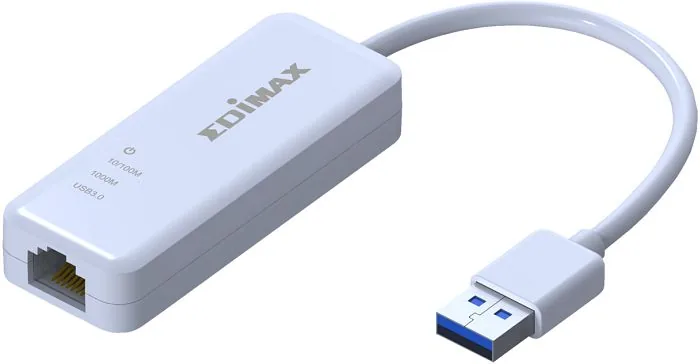
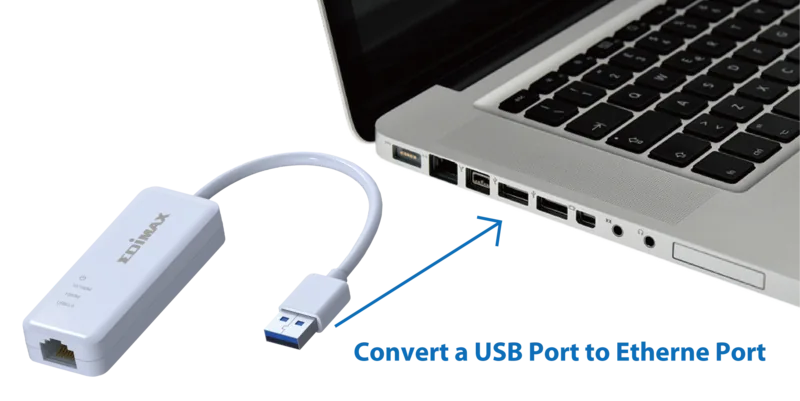
The Edimax LAN-Adapter, RJ-45, USB-A 3.0 Plug delivers reliable network connectivity for modern computers. This device transforms a single USB port into a high-speed Ethernet connection. Users seeking stable internet access find this adapter essential for desktops lacking built-in ports or for laptops needing extra stability. The Edimax LAN-Adapter, RJ-45, USB-A 3.0 Plug Manual provides comprehensive setup instructions for various operating systems. It ensures that users can connect to a wired network without relying on wireless signals which might be prone to interference.
Performance and Compatibility
This adapter supports Gigabit Ethernet speeds, ensuring fast data transfer rates. It utilizes USB 3.0 technology for backward compatibility with USB 2.0 interfaces. While USB 3.0 offers the best performance, the device functions correctly on older ports. Windows systems enjoy seamless driver integration, often detected automatically across versions. Mac users must install specific software drivers. Linux users face a slightly different requirement to build drivers from source code manually to ensure kernel compatibility.
Installation and Setup
Setting up the hardware is straightforward for most users. Simply plug the adapter into an available USB port. The system should recognize the hardware immediately. For full functionality, insert the CD-ROM to install necessary drivers. Windows users see a wizard prompting for driver installation automatically. Mac OS X users must open the installation image and follow the wizard steps. Note that newer Mac security features might block unsigned drivers on OS X 10.8, requiring manual override by opening the package directly from Finder.
Linux Considerations
Users will find the source code required for building the kernel module. Ensure the running kernel matches the installed kernel sources. Users can compile the driver using standard make commands. Once compiled, the module mounts to enable network functionality on the specific interface. Configuration parameters allow customization of message enable flags and queue sizes for specific network needs such as buffer management.
Package and Compliance
Inside the box, you will find the USB 3.0 Gigabit Ethernet Adapter and a CD-ROM containing drivers. The CD usually includes Quick Installation Guides in multiple languages. This ensures that language-specific instructions are available for international customers. If you need to reinstall drivers later, keep the CD safe or download from the website.
Safety and Notes
The equipment complies with various international standards including FCC and CE directives. It is designed for use in home and office environments across EU countries. Safety guidelines must be followed to avoid electric shock during installation. The device generates radio frequency energy but remains within safe limits for general population exposure levels. Keep the driver software current for optimal performance. Visit the official website for the latest updates.
Search for 67,732 Manuals online


Type-in Brand or Model
Thomas Miller
8 months ago
Will this adapter work with Windows 10 without installing drivers from the CD?
Manual.ly
8 months ago
Yes, the majority of users confirm that Windows 10 recognizes this adapter automatically without needing the driver CD. Plug-and-play functionality is standard for the LAN stick version. For the WiFi bridge models mentioned, compatibility was also noted as excellent. We advise confirming your specific model number if you have any concerns about older hardware, but general installation should be immediate.