

Edimax ES-30 Manual
PDF manual · 8 Pages
English



Quick check
Incorrect answer, please try again.
Chat with your Edimax ES-30 manual using AI
Get instant AI answers from your Edimax ES-30 manual
Ask anything about the Edimax ES-30. Answers come from this manual, with the pages they are based on.
Ask a Question
Do you recommend ES-30?
Yes NoFrequently Asked Questions
Connect one end of a UTP network cable to an RJ-45 port on the switch and the other end to your network device.
Is this answer helpful?
The unit requires a 5 Volts DC power adapter which is typically included in the package contents upon purchase.
Is this answer helpful?
The PWR light shows power status while LNK/ACT lights show if a port is connected and actively transferring data.
Is this answer helpful?
Cables must comply with EIA/TIA 568 specifications and be Category 5 standard for optimal data transmission performance.
Is this answer helpful?
Yes, the ports support Auto-MDI/MDI-X so both straight-through and cross-over cables work without manual configuration.
Is this answer helpful?
The maximum length for a UTP cable segment between the switch and connected devices is 100 meters or 300 feet.
Is this answer helpful?
Check if power cord is connected, ensure devices are on, and verify cables comply with standard specifications.
Is this answer helpful?
Advantages and Disadvantages
Advantages

- Simple plug-and-play setup for home and office networks without software configuration.
- Clear LED status indicators quickly show power status and port activity levels.
- Auto-MDI/MDI-X support allows standard cables without manual crossover adjustment.
- Compact desktop design fits easily without taking up excessive desk space.
- Durable build supports reliable data transmission up to 100 meters cable length.
Disadvantages

- Limited to Fast Ethernet speeds which is insufficient for high bandwidth demands.
- Fixed port configuration means you cannot add more ports after purchase.
- Requires external 5V DC power adapter occupying a wall outlet space.
- Lacks advanced features like VLANs or web management interface.
- Operation restricted to specific temperature and humidity ranges.
Product Specification
Function
Switch
Type
Standalone
Network Ports
8x RJ-45
Speeds
8x RJ-45 (10/100Base-T)
PoE
N/A
Backplane
1.6Gb/s, 1.19M packets/s, 56Kb Packet Buffer, 1K Mac Addresses
Officially Supported Standards
802.3, 802.3az, 802.3u, 802.3x
Configuration
Unmanaged
Cooling
Passive
Dimensions (WxHxD)
5.39x1.00x2.80 inches
Weight
0.28 lbs
Color
Black
Features
External Power Supply
Manufacturer Warranty
2 Years
Product Description
Welcome to Enhanced Connectivity
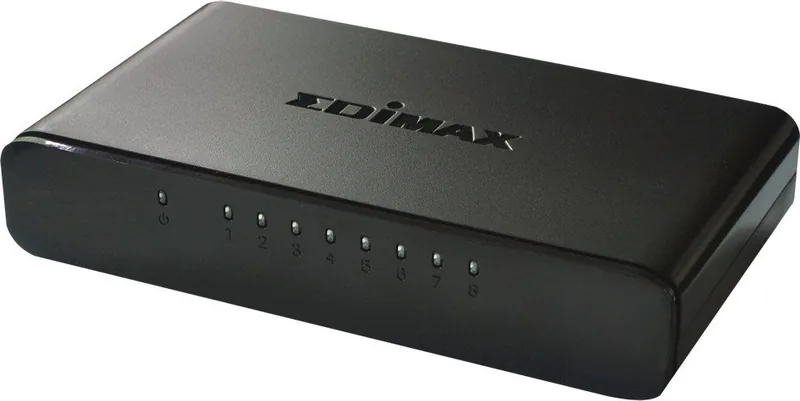
Starting your home or small office network setup often requires reliable hardware that connects seamlessly without complex configuration. The Edimax ES-30 Desktop Switch, 8x RJ-45, offers an excellent solution for expanding your local network capacity. This device manages data traffic efficiently between computers and network peripherals. It features eight dedicated RJ-45 ports that support Fast Ethernet connectivity, ideal for typical business and home office environments. Ensuring visual feedback, the front panel includes clear LED indicators. The power LED confirms status, while individual port lights reveal link and activity states. This immediate visual information helps administrators identify connection issues quickly.
Simple Installation Process
Installation is straightforward due to the Auto-MDI/MDI-X feature. This technology eliminates the hassle of guessing which cable type to use. Whether you have a straight-through or cross-over Ethernet cable, the switch adapts automatically. For reliable data transmission, utilize Category 5 UTP cables that meet EIA/TIA 568 specifications. The maximum cable length is 100 meters. This range provides flexibility for placing network devices across a standard office floor.
Power and Environment Guidelines
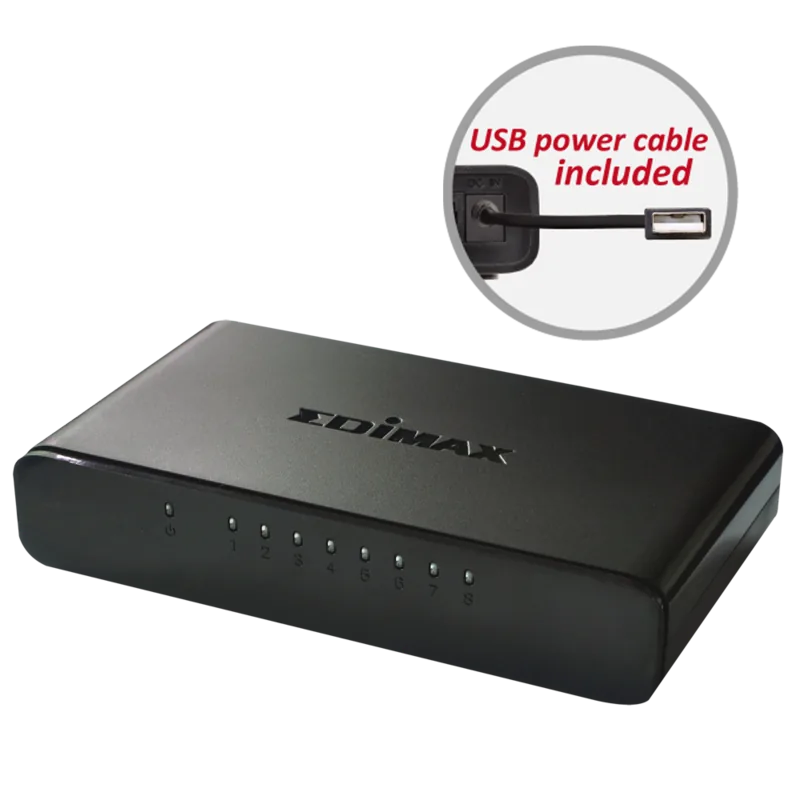
Powering the unit requires a standard 5V DC power adapter included in the package. Observe the green link lights once connected. If a light remains off, verify the physical cable connections. The operating environment is crucial. Keep the unit away from direct sunlight or heat sources. Maintain room temperatures between 0 and 40 degrees Celsius and avoid humidity over 90 percent. Water and moisture should never contact the unit.
Maintenance and Troubleshooting
This hardware focuses on basic connectivity. It serves as a robust backbone for small networks. Troubleshooting is simple. If the power LED does not light, check external connections. If the link light fails, ensure attached devices are powered on. The build quality ensures it withstands daily desk use. Variants exist for different port needs. Always ensure the DC power jack is firmly plugged into the switch socket to prevent intermittent power loss during operation. Compliance with FCC rules ensures safe operation in residential settings.
Note: Keep vents unobstructed at the sides of the unit.
Search for 67,732 Manuals online


Type-in Brand or Model
Anna Schmidt
9 months ago
Is this device suitable as an additional LAN switch on another floor to connect wired devices away from the main router?
Manual.ly
8 months ago
Yes, this device works well as a LAN distributor on different floors. It allows you to connect multiple cable-connected devices locally without needing to run long cables back to the DSL router. Users report it has functioned reliably for over a month without issues, maintaining stable connections for all attached equipment.