
Edimax ES-30 V3 Manual
PDF manual · 10 Pages
English



Quick check
Incorrect answer, please try again.
Chat with your Edimax ES-30 V3 manual using AI
Get instant AI answers from your Edimax ES-30 V3 manual
Ask anything about the Edimax ES-30 V3. Answers come from this manual, with the pages they are based on.
Ask a Question
Do you recommend ES-30 V3?
Yes NoFrequently Asked Questions
It is a compact desktop switch for adding wired network ports to a home or small office setup. It helps connect devices like PCs, printers, or cameras through Ethernet without complicated configuration.
Is this answer helpful?
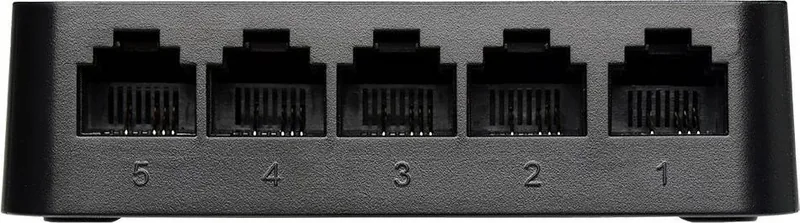
This model provides 5 RJ-45 ports. That makes it useful when you need a small number of extra wired connections in a limited space.
Is this answer helpful?
No. The switch supports Auto-MDI/MDI-X, so it works with straight-through or crossover cables. Standard Cat5 UTP cabling is recommended for proper data transmission.
Is this answer helpful?
The power LED should be on when the unit is powered. Each port’s LNK/ACT LED shows connection status and flashes when data is being sent or received.
Is this answer helpful?
The recommended maximum UTP cable segment length is 100 meters, or about 300 feet, between the switch and a connected device.
Is this answer helpful?
Check that the connected device is powered on, confirm the Ethernet cable is firmly connected, and verify that the cable meets EIA/TIA 568 and Cat5 specifications. If problems continue, contact the dealer.
Is this answer helpful?
Advantages and Disadvantages
Advantages

- Compact 5-port design fits easily on a desk or shelf.
- Auto-MDI/MDI-X support simplifies cable selection and setup.
- Status LEDs make power and link activity easy to check.
- Supports standard Cat5 UTP cabling for common network runs.
- Simple plug-and-play operation suits home and office use.
Disadvantages

- Fast Ethernet speeds are fine for basics, but not ideal for heavy modern transfers.
- Requires an external power adapter, so one more cable is needed.
- No managed-switch features like VLANs, QoS, or monitoring tools.
- Best performance depends on proper cabling and a compatible 0–40°C environment.
Product Specification
Function
Switch
Type
Standalone
Network Ports
5x RJ-45
Speeds
5x RJ-45 (10/100Base-T)
PoE
N/A
Backplane
1Gb/s, 744kp/s, 48Kb Packet Buffer, 1K MAC Addresses
Officially Supported Standards
802.3, 802.3az, 802.3u, 802.3x
Configuration
unmanaged
Cooling
passive
Dimensions (WxHxD)
3.46x0.98x3.46in
Weight
0.18 lb
Color
black
Special Features
external power supply
Manufacturer Warranty
two years
Product Description
Edimax ES-30 V3 Desktop Switch, 5x RJ-45 Manual
A simple way to expand wired connectivity
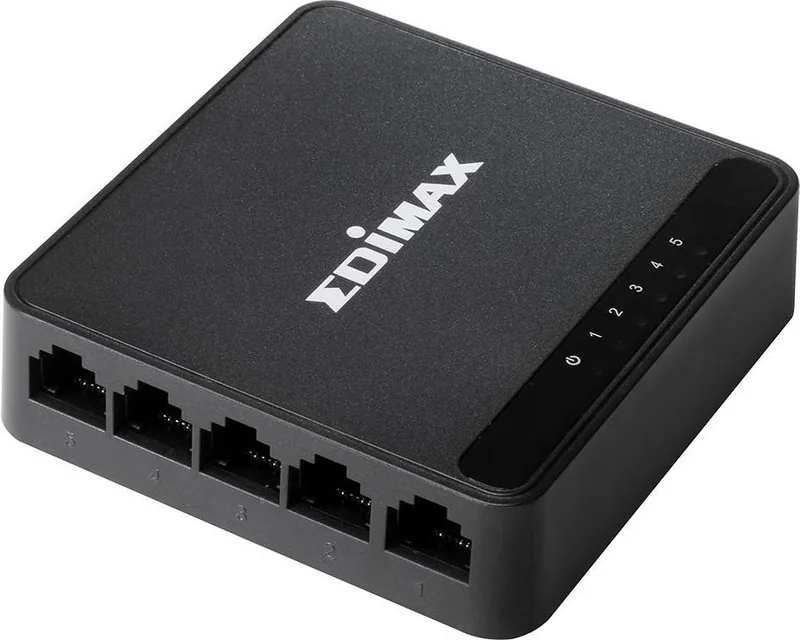
The Edimax ES-30 V3 Desktop Switch is a compact Fast Ethernet solution built for users who need a straightforward way to add more wired network connections. With 5 RJ-45 ports, it is a practical fit for home desks, small offices, or workstations where a router’s built-in ports are no longer enough. The design keeps networking simple: connect your devices, plug in the adapter, and start moving data.
Built for easy everyday use
One of the strongest qualities of the Edimax ES-30 V3 Desktop Switch, 5x RJ-45 Manual experience is how little setup it requires. The RJ-45 ports support Auto-MDI/MDI-X, so you do not need to worry about choosing between straight-through or crossover cables. Standard Cat5 UTP cabling is supported, and the switch can handle links up to 100 meters, making it flexible for common desktop and office layouts.
Practical status indicators and compact design
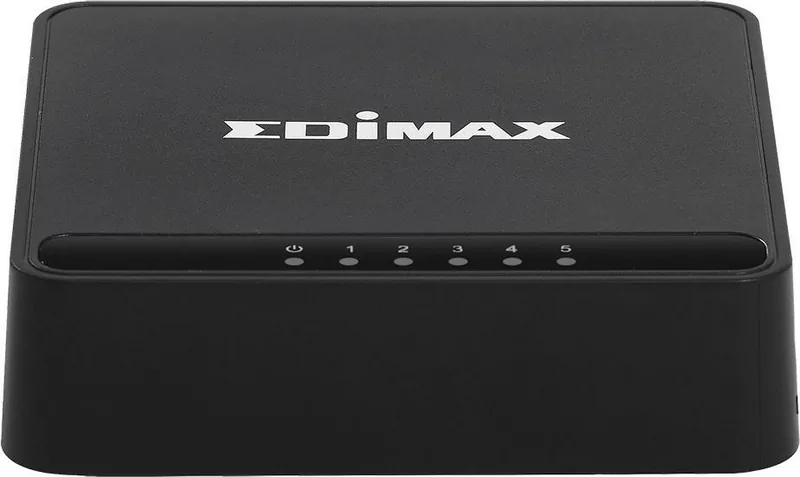
The front-panel LEDs help you quickly understand what the switch is doing. Power status is easy to confirm, while the link/activity lights show whether each connected device is online and transferring data. That makes basic troubleshooting faster, especially in busy environments where a quick visual check matters. Because it is a desktop model, it is easy to place near a router, printer, IP camera, or PC without taking much space.
A good fit for lightweight networking needs
This switch is designed for reliable Fast Ethernet performance rather than advanced managed features. That makes it ideal for users who value simplicity and stable wired connections over complex configuration. It works well for adding connections to older devices, extending a small local network, or giving multiple devices a direct wired path for consistent access.
In day-to-day use, the ES-30 V3 is about convenience and consistency. It is especially useful in environments where Wi-Fi is not ideal, where a wired link is preferred for stability, or where multiple devices need a fast and dependable connection without extra setup steps. The result is a small but useful networking upgrade that keeps things organized and efficient.
Notes
- Best used in environments between 0 and 40°C with moderate humidity.
- Keep vents clear and avoid heat, moisture, and stacked objects.
- If a port does not light up, check the cable, power, and connected device first.
Search for 67,732 Manuals online


Type-in Brand or Model