
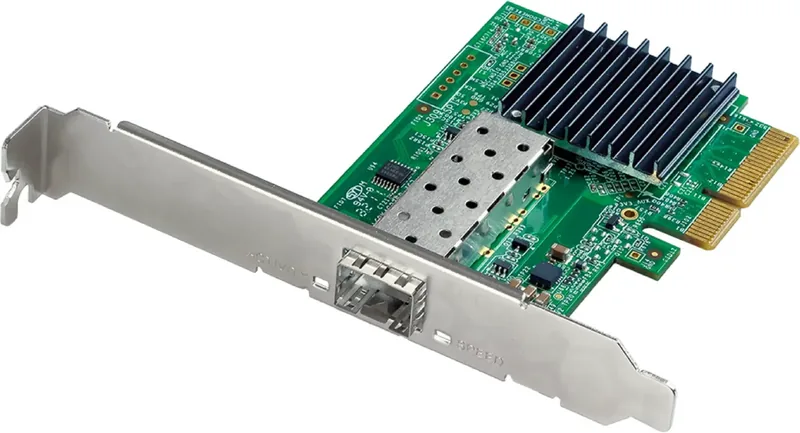
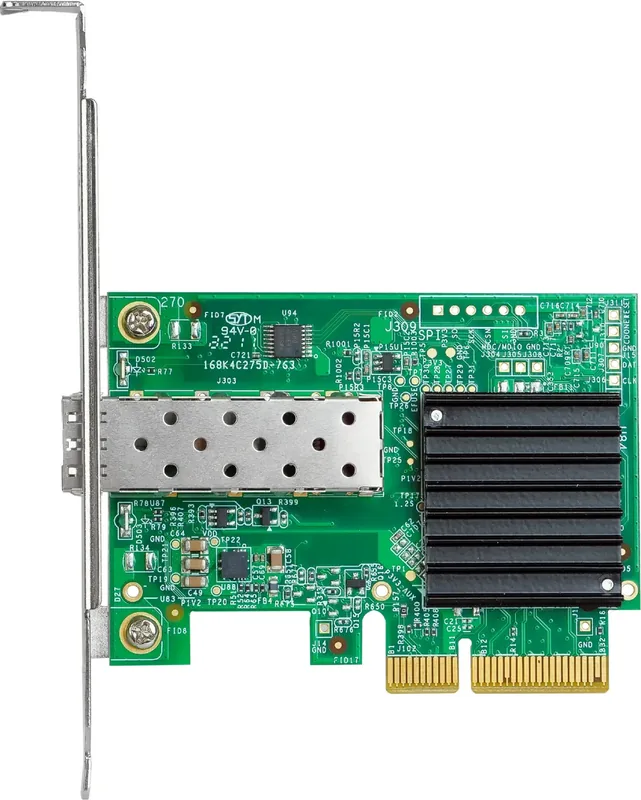
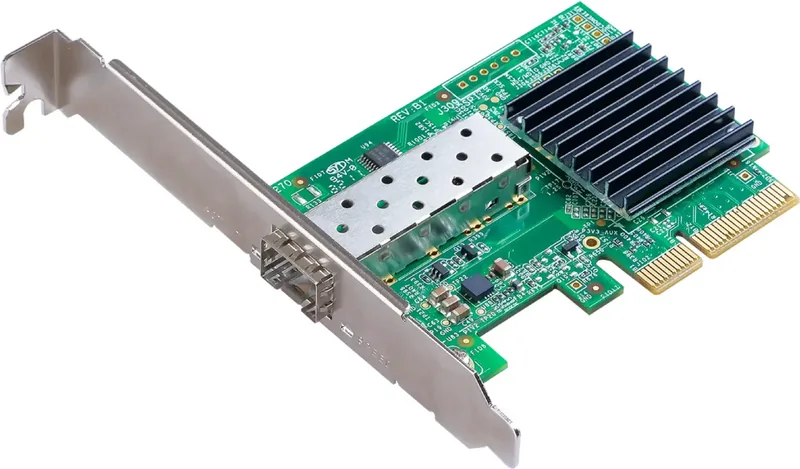
Edimax EN-9320SFP+ V2 Manual
PDF manual · 12 Pages
English



Quick check
Incorrect answer, please try again.
Chat with your Edimax EN-9320SFP+ V2 manual using AI
Get instant AI answers from your Edimax EN-9320SFP+ V2 manual
Ask anything about the Edimax EN-9320SFP+ V2. Answers come from this manual, with the pages they are based on.
Ask a Question
Do you recommend EN-9320SFP+ V2?
Yes NoFrequently Asked Questions
The device supports Windows 7, 8, 8.1, 10, 11 as well as Linux distributions. This ensures broad compatibility for most modern computing environments and virtualization setups.
Is this answer helpful?
Download the driver from the Edimax website by searching the model number. Unzip the file to your desktop and run the Marvell FastLinQ Edge setup wizard. Follow the prompts to complete the installation process.
Is this answer helpful?
Speed LED shows Amber for Link at 10Gbps or 1Gbps. Activity LED shows Green when data is transmitting. If they are off, the port is disconnected or the link has failed.
Is this answer helpful?
No, this product is designed for indoor use only. Exposure to moisture, weather, or high humidity can damage the internal components and void safety compliance.
Is this answer helpful?
Yes, a Low Profile Bracket is included in the package contents. This allows the card to fit into standard PCIe slots without modification or extra hardware purchases.
Is this answer helpful?
You need an empty PCIe slot that is x4 or higher. PCIe 2.0 or PCIe 3.0 slots are compatible with the PCIe 3.0 x4 interface of this adapter.
Is this answer helpful?
Yes, it complies with FCC Part 15 rules and EU Directive 2014-30/EU. It meets essential requirements for electromagnetic compatibility and safety in residential and office areas.
Is this answer helpful?
Advantages and Disadvantages
Advantages

- Delivers up to 10Gbps data transmission speed for high bandwidth tasks.
- Compatible with Windows and Linux operating systems for versatility.
- Marvell controller technology prevents packet loss effectively.
- Includes a low profile bracket for compact case installation.
Disadvantages

- Requires a physical PCIe 2.0 or higher x4 slot in the computer.
- Static electricity precautions must be taken during handling.
- Intended for indoor use only, not suitable for outdoor environments.
- Driver installation is required before the device functions properly.
Product Specification
Type
LAN Adapter
Form Factor
1x PCIe Card (interchangeable bracket: full height and low profile bracket included)
Interface
1x PCIe 3.0 x4
Port
1x SFP+
Data Rate
1x SFP+ (10Gb/s)
Power
Power only via connection
Chipset
Marvell/Aquantia
Dimensions
3.23x2.44x0.59in (WxHxD, without bracket)
Weight
0.11 lbs
Compatibility
universal
Features
VLAN, 16KB Jumbo frames
Product Description
Enhancing Network Performance
The Edimax LAN-Adapter transforms your computing experience by delivering exceptional speed and reliability. Designed for professionals and enthusiasts, this SFP+ adapter utilizes advanced Marvell controller technology to ensure seamless data transmission across your network infrastructure. With a maximum speed of 10Gbps, users experience minimal latency and significantly reduced packet loss during heavy workloads. This PCIe 3.0 x4 interface ensures compatibility with modern motherboards while providing the bandwidth necessary for high-demand applications. This product is ideal for those searching the Edimax LAN-Adapter SFP+ PCIe 3.0 x4 V2 Manual to ensure compatibility.
Key Features and Capabilities
Integrating the V2 iteration improves upon previous models with robust stability and efficiency. The adapter supports both Windows and Linux environments, making it versatile for various setup configurations. It fits into any empty PCIe 2.0 slot or higher, utilizing x4 architecture for optimal throughput. Whether you are managing large files, virtual machines, or streaming critical content, the dedicated hardware acceleration supports the load effectively. The device comes with a low profile bracket included in the box to fit standard and compact chassis cases without requiring extra purchases.
Installation and Setup
Installation is straightforward for those familiar with basic hardware upgrades. First, ensure your computer is powered off completely and the external power cable is disconnected. Open the case panel and locate an available PCIe slot on the motherboard. Insert the adapter firmly into the slot until the metal bracket aligns flush with the chassis back panel. Secure it with the provided metal bay screw to prevent movement. Once powered on, the LED indicators will instantly confirm link status and activity levels.
Drivers are essential for full functionality and proper communication between the OS and hardware. Locate the Marvell software package from the official Edimax support portal online. Download the correct version for your operating system and unzip the files to a desktop location. Run the FastLinQ Edge setup wizard to complete the installation process step by step. Verify success through the Windows Device Manager to see the Network Adapter list showing the Edimax hardware correctly functioning.
Safety and Compliance Standards
Safety guidelines are crucial for the longevity and personal safety during use and maintenance. Use the device indoors only and avoid moisture, water, or high humidity zones where condensation might form. Prevent static discharge by touching grounded bare metal before touching the product components directly. Avoid disassembling the unit as it contains no user-serviceable parts inside the casing. Keep away from radiators and other heat sources to prevent overheating. Compliance with FCC rules and EU directives ensures safe operation within residential and office environments without causing harmful interference to other radio equipment. At end of life, the product should not be treated as household waste but recycled properly.
Search for 67,732 Manuals online


Type-in Brand or Model