
Edimax EN-9260TX-E Manual
PDF manual · 16 Pages
English



Quick check
Incorrect answer, please try again.
Chat with your Edimax EN-9260TX-E manual using AI
Get instant AI answers from your Edimax EN-9260TX-E manual
Ask anything about the Edimax EN-9260TX-E. Answers come from this manual, with the pages they are based on.
Ask a Question
Do you recommend EN-9260TX-E?
Yes NoFrequently Asked Questions
Turn off your computer and unplug all cables. Remove the case cover, locate an available PCI Express slot, and insert the adapter. Secure it with the screw and replace the cover. Reconnect power and other cables to finish.
Is this answer helpful?
You need an RJ-45 Ethernet cable. For gigabit speeds, ensure you use CAT-5e or CAT-6 Ethernet cables. Some CAT-5 cables are not capable of running at 1000Mbps and may limit your connection speed.
Is this answer helpful?
Yes, the product supports Linux 2.4.x. Drivers are found on the included CD in the Drivers/Linux folder. Users need to follow the usual driver installation procedure for their specific operating system or contact technical support.
Is this answer helpful?
If you only get 100Mbps instead of 1000Mbps, check your Ethernet cable. Make sure you are using CAT-5e or CAT-6 cables. Ensure that you are connected to a 1000Mbps switch. Contact your dealer if problems persist.
Is this answer helpful?
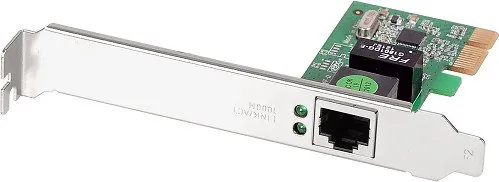
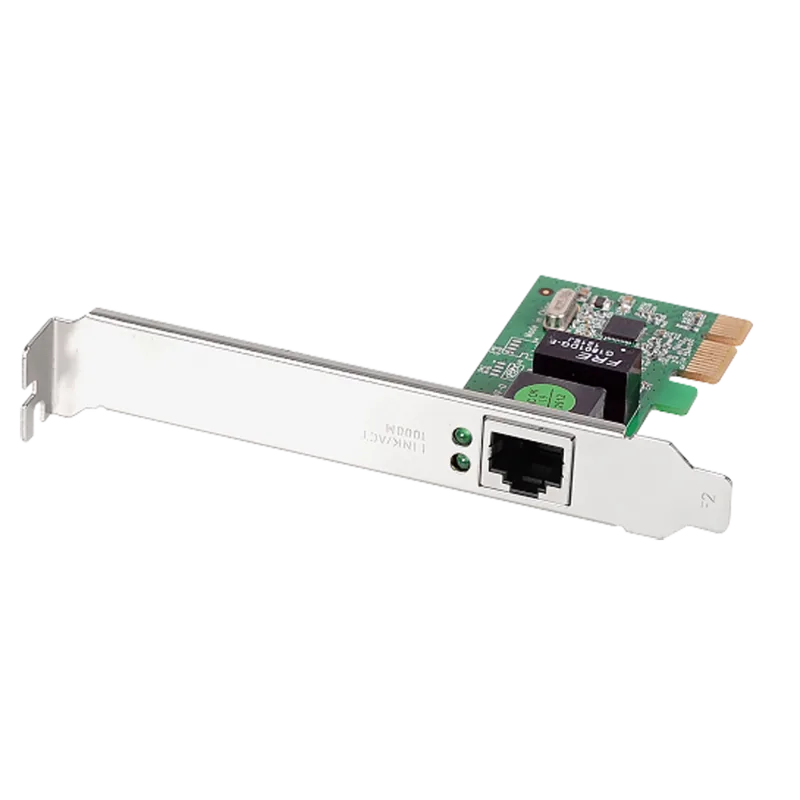
There are two indicators. LINK/ACT lights green when connected and blinks green when transmitting data. The 1000M indicator lights green when the adapter is connected at 1000Mbps speed.
Is this answer helpful?
Yes, the device supports Plug-and-Play. Windows users can use the included Setup Wizard on the CD-ROM. Novell and Linux users may need to install drivers manually using the provided media.
Is this answer helpful?
You need a Pentium III 1G or above CPU, 256MB RAM, min 100MB disk space, a CD-ROM Drive, and an OS like Windows 98 or Linux 2.4.x.
Is this answer helpful?
Advantages and Disadvantages
Advantages

- Supports 10/100/1000Mbps Auto Negotiation for flexible high speed connections.
- PCIe 1.1 x1 standard ensures compatibility with modern motherboard architectures.
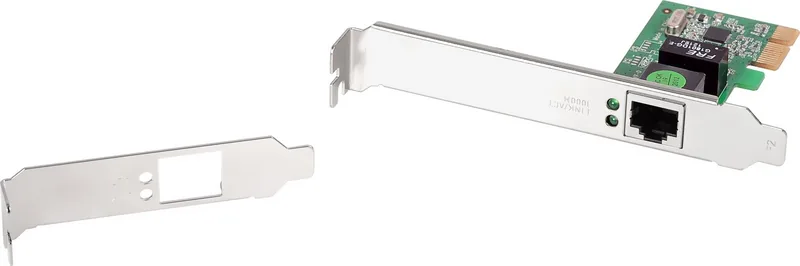
- Includes low-profile bracket suitable for compact computer case installations.
- Energy Efficient Ethernet functions reduce power consumption during idle periods.
- Plug-and-play functionality simplifies driver setup for Windows users.
Disadvantages

- Supports older operating systems like Windows 98 limiting modern OS compatibility.
- Linux installation requires manual procedures without an automated setup wizard.
- No USB connectivity options available for portability needs in laptops.
- Requires specific CAT-5e or CAT-6 cables for full gigabit speeds.
- PCI Express 1.1 slot requirement may limit use on very new motherboards.
Product Specification
Type
LAN Adapter
Form Factor
1x PCIe Card (interchangeable bracket: full height and low profile bracket included)
Interface
1x PCIe 1.1 x1
Port
1x RJ-45
Transmission
1x RJ-45 (10/100/1000Base-T)
Power
Powered via interface only
Chipset
Realtek RTL8168E (LAN Adapter, RJ-45)
Weight
0.11 lbs
Compatibility
universal
Features
VLAN, Wake on LAN
Product Description
Boost Your Network Speed
Reliable Connectivity Solutions
Upgrading your desktop computing experience often starts with network stability and speed. The Edimax EN-9260TX-E offers a practical path to faster data transfer rates inside your tower securely. It connects via the PCIe bus standard, ensuring efficient communication between the adapter and motherboard without bottlenecking performance. This configuration supports gigabit Ethernet performance, which is vital for modern applications requiring rapid data access. Users benefit from reduced latency and higher throughput in local network areas. The hardware design focuses on compatibility and ease of integration into existing systems. It fits well within standard computer cases.
Setup and Configuration
Installation involves physical access to the computer chassis. Users must power down the system before inserting the card into an open slot. Secure the metal low-profile bracket to the back panel. Reconnect power cables and boot the machine. The system should detect the new hardware automatically. Drivers are available on the included media disc for automatic installation in Windows environments. Manual selection is possible for advanced users needing specific versions. Linux and Novell users will access drivers via command line or specific folders provided.
Performance and Standards
This device adheres to multiple IEEE networking standards. Auto-negotiation allows speeds ranging from 10 to 1000 Megabits per second. Flow control mechanisms help manage data traffic effectively. Energy Efficient Ethernet functions reduce power consumption during idle periods. Wake on LAN allows the machine to start remotely via network signal. Two LED indicators display link status and activity levels visually. Solid green means the connection is live at gigabit speeds. Blinking indicates active data transmission happening in real time.
System Specifications and Cables
Operating requirements include a Pentium III processor or newer generation equivalent for optimal function. Minimum system memory is 256 megabytes of RAM to handle processing tasks. Hard drive capacity must exceed 100 megabytes for driver storage during setup. Operating system compatibility spans Windows 98 through Windows 7 for broad legacy support. Linux kernel 2.4.x and Novell 5x or 6x are supported versions for business environments. Physical connection requires an RJ-45 Ethernet cable plugged directly into the port. Ensure the cable quality is CAT-5e or CAT-6 for maximum speeds possible. The Edimax LAN Adapter, RJ-45, PCIe 1.1 x1 Manual details these specifications further. Troubleshooting guides help resolve hardware detection issues quickly. Contact support if problems persist with network identification.
Final Thoughts
This equipment operates under FCC regulations safely. You can check updates on their website. Ensure the device does not cause interference. Use the manual for reference on all LED functions.
Search for 67,732 Manuals online


Type-in Brand or Model
Thomas Schmidt
9 months ago
Does the included low-profile bracket fit small ITX cases, or are there common fitment issues reported by users?
Manual.ly
8 months ago
Yes, a low-profile bracket is included. However, please note that some units may have slight bends affecting installation. We recommend inspecting the bracket upon arrival and gently adjusting it if necessary for your specific chassis. The card supports standard PCIe slots and drivers are provided for major operating systems including Windows and Linux. For persistent mounting difficulties, please contact our technical team.