
EcoFlow DELTA 2 Max Manual
PDF manual · 19 Pages
English


Quick check
Incorrect answer, please try again.
Chat with your EcoFlow DELTA 2 Max manual using AI
Get instant AI answers from your EcoFlow DELTA 2 Max manual
Ask anything about the EcoFlow DELTA 2 Max. Answers come from this manual, with the pages they are based on.
DELTA 2 Max Maintenance Schedule
For extended lifespan, discharge to 0%, fully recharge, then discharge to 60% every three months. Warranty void if unused for over 6 months.
Gently wipe the product and ports with a dry, soft, clean cloth or paper towel. Clean metal terminals of extra batteries with a dry cloth if needed.
Free maintenance reminders
Timed to your purchase date. Always free, unsubscribe anytime.
Ask a Question
Do you recommend DELTA 2 Max?
Yes No
Stefan Koch
5 months ago
Does this item stand upright securely on its own?

Manual.ly
5 months ago
Yes, customers confirm that the freestanding feature is secured. The product works as intended and maintains stability without additional support.
Frequently Asked Questions
It uses high quality LFP lithium iron phosphate battery technology known for safety and longevity.
Is this answer helpful?
Yes, the AC output can power most household appliances including refrigerators if total power is under rated limit.
Is this answer helpful?
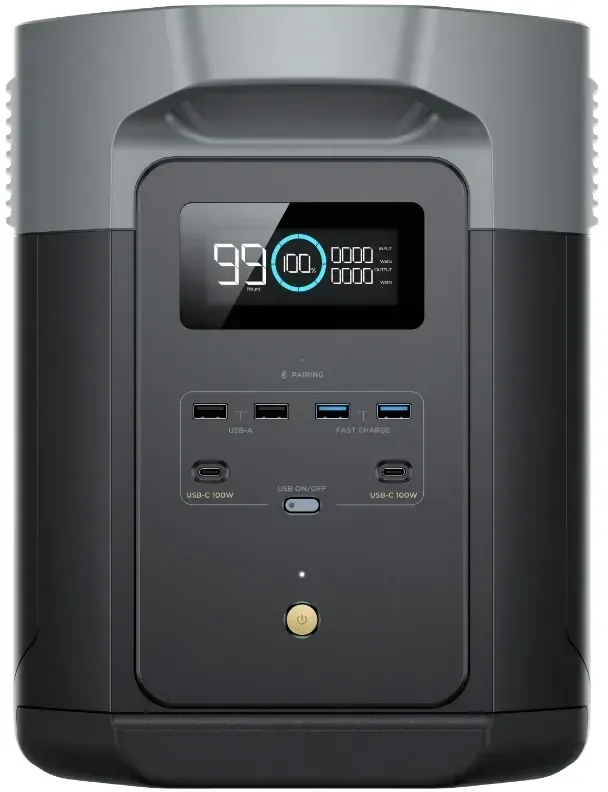
The LCD screen displays remaining charging time and the icon rotates while charging indicator shows input power.
Is this answer helpful?
No, lithium power stations of this capacity are generally prohibited from air travel for passenger safety.
Is this answer helpful?
Gently wipe the ports with a dry soft clean cloth or paper towel to avoid liquid damage.
Is this answer helpful?
Store between -10C to 45C, with optimal range being 20C to 30C for battery health.
Is this answer helpful?
Yes, it features EPS mode that switches to battery power within 30ms during grid outages.
Is this answer helpful?
Advantages and Disadvantages
Advantages

- High capacity 2048Wh LFP battery with 3000 cycle life ensures long-term reliability
- X-Stream fast charging technology replenishes power in under 80 minutes from AC source
- Versatile output options include 2400W AC ports, 100W USB-C, and car outlet support
- X-Boost mode allows powering high wattage appliances exceeding standard rated capacity
- App integration provides remote control, monitoring, and customizable charging settings
Disadvantages

- Weight of 23kg makes it less portable for frequent long-distance travel
- Solar panels are sold separately and not included in the standard package
- Operating temperature limits can reduce performance in extreme cold or heat
- Requires grounding for AC input in some regions which limits plug flexibility
- Internal fans may generate noise when charging quickly or under heavy load
Product Specification
Type
Solar Generator
Battery
LiFePO4, 2048Wh
Battery Cycles
>3000 up to 80% Remaining Capacity
AC Output
4x Schuko Outlet (Type-F)
AC Output Power
2400W
AC Peak Power
4800W
DC Output
1x 12V DC Cigarette Socket (12.60V/10A/126W), 2x DC 5521 (12.60V/3A/38W)
USB Output
2x USB-A (12W), 1x USB-A (QC 3.0, 18W), 1x USB-C (PD, 100W)
Charging Methods
AC Adapter (900W), Solar (500W), Car
Charging Inputs
1
DC Charging Inputs
1
Solar Charging Inputs
1
Power Supply Quantity
1x
Solar Charging Voltage
11-60V
Solar Charging Current Max.
15A
Charge Time (1x Adapter)
1.5h
Weight
50.71 lbs
Dimensions
19.57x9.53x12.01in
Features
Carrying Handles, App Control, UPS Function
Manufacturer Warranty
5 Years
Note
Prices include partial 0% VAT tax rates for AT and DE
Product Description
Unlock Power Independence with the EcoFlow DELTA 2 Max
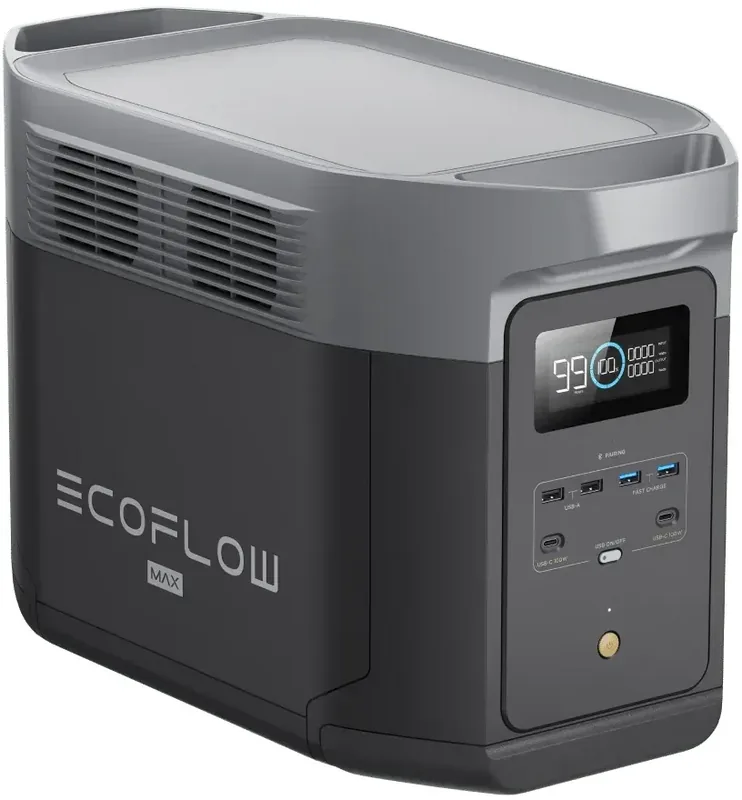
This powerhouse delivers 2048Wh capacity for seamless energy independence. Perfect for off-grid adventures or home backup systems, it ensures continuous electricity when you need it most. The lightweight frame houses a durable LFP battery supporting 3000 cycles to 80% capacity. Fast charging technology via X-Stream reduces downtime significantly. Users enjoy quick replenishment from standard wall outlets or solar panels. The LCD screen offers detailed feedback on input and output status.
Versatile Charging Options and Expansion
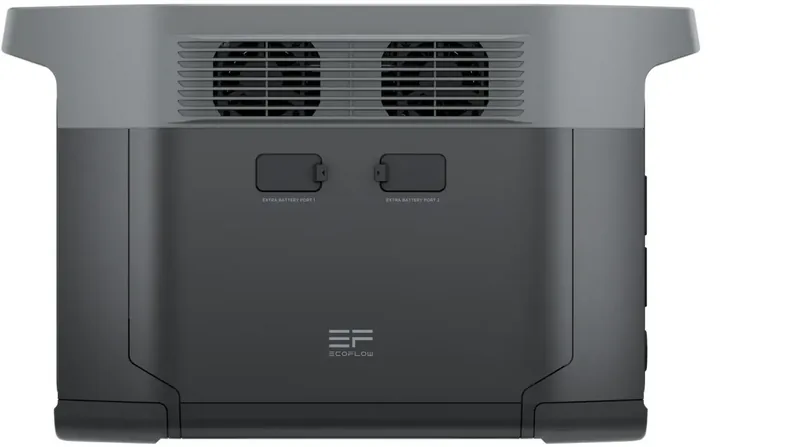
Users can charge via AC wall outlet, solar panels, or vehicle power. The AC input supports up to 2400W for rapid replenishment. Solar inputs handle dual panels totaling 1000W. Car charging allows usage during travel. Up to two smart extra batteries expand total capacity for extended outages. This flexibility ensures you match power supply to specific needs without overcomplicating setup. The bypass mode enables continuous power during grid connection while charging. X-Boost assists with high wattage devices exceeding standard ratings temporarily.
Advanced Control Features and Outputs
The integrated app enables remote management of charging speeds and output states. Real-time monitoring tracks remaining power and estimated time. Multiple output ports include pure sine wave AC sockets, USB-C fast charging, and USB-A ports. The X-Boost feature allows high wattage appliances to run near the rated output limit safely. Emergency Power Supply mode switches within 30ms during grid failures to keep electronics running. Four AC outlets deliver power for tools or kitchen appliances. USB-C ports support 100W laptops efficiently.
Safety and Maintenance Protocols
Safety protocols include temperature protection and overload switches. Proper storage requires a dry, ventilated area at room temperature. Regular maintenance involves cleaning ports with a dry cloth. Avoid stacking objects on the unit. Environmental factors play a role in performance, so keeping the unit within optimal temperature ranges ensures reliability. Disassembling the unit risks damage. Users must dispose of batteries correctly. Troubleshooting indicators on the LCD screen guide users through common issues like overloads. The device manages heat automatically via internal fans.
Critical Operating Considerations
Operating temperatures range from -10C to 45C depending on charging or discharging needs. Storing above 45C or below -10C is discouraged for longevity. If the product falls in water, do not attempt use. Wait for total drying or contact service. Medical implant users should maintain distance due to electromagnetic fields. These precautions protect both the user and the device. Ultimately, the DELTA 2 Max empowers users with freedom from grid dependency with robust engineering.
Portability and Design
Weighing approximately 23kg, the unit balances portability with stability. Dimensions fit standard storage spaces without excessive footprint. Ventilation is required during charging so fans operate correctly. Locking fans is prohibited to avoid overheating. Handling instructions emphasize securing the unit during transport to avoid internal damage from drops or vibrations. This system is a comprehensive investment in energy security.
Search for 67,706 Manuals online


Type-in Brand or Model
Anna Weber
5 months ago
Does this item stand securely on its own without tipping over?
Manual.ly
5 months ago
Yes, the design ensures stable standing on a flat surface. Customer feedback indicates it remains secure without needing extra support or wall mounting and performs as intended.