
Easypix W3048 Edge Manual
PDF manual · 26 Pages
English



Quick check
Incorrect answer, please try again.
Chat with your Easypix W3048 Edge manual using AI
Get instant AI answers from your Easypix W3048 Edge manual
Ask anything about the Easypix W3048 Edge. Answers come from this manual, with the pages they are based on.
Ask a Question
Do you recommend W3048 Edge?
Yes NoFrequently Asked Questions
The device is waterproof up to a depth of three meters. This rating ensures safe underwater usage for photography and video recording in pools and shallow waters.
Is this answer helpful?
The camera features a 13-megapixel sensor that produces images with a resolution of up to 48 megapixels through interpolation. This allows for detailed large prints.
Is this answer helpful?
Use the included micro-USB cable to connect the camera to a USB network adapter. Plug the adapter into a power source. The LED indicator will confirm charging status.
Is this answer helpful?
Yes. Connect the camera via USB. Both Windows and Mac systems can recognize the device. Copy files from the DCIM folder to your computer hard drive.
Is this answer helpful?
The system works with MicroSD cards with capacities up to 128 gigabytes. Class 6 or faster cards are recommended for smooth video recording capabilities.
Is this answer helpful?
Rinse with fresh water after use, especially in salt water. Do not use soap or cleaning chemicals. Allow the unit to dry at room temperature before opening slots.
Is this answer helpful?
Easypix disclaims liability for misuse. Follow safety instructions to maintain coverage. Contact the manufacturer for specific repair or warranty inquiries directly via support email.
Is this answer helpful?
Advantages and Disadvantages
Advantages

- Waterproof design allows diving up to 3 meters safely.
- High resolution photos up to 48 megapixels.
- Supports 4K video recording for cinematic quality.
- Dual screens enable easy front-facing self-portraits.
- Compatible with MicroSD cards up to 128 GB.
Disadvantages

- Individual video clips are limited to 4 GB file size.
- Digital zoom is used instead of optical zoom.
- Battery compartment must remain dry and sealed.
- Not suitable for children under 3 years old.
- Hot springs or extreme temperatures may damage seals.
Product Specification
Effective Megapixels
13.0 MP
Sensor
CMOS
Resolutions
Max. 4000x3000 (4:3) Pixels
Lens
Fixed
Digital Zoom
16x
Image Stabilizer
No
Minimum Focus Distance
59.06 inches (Macro), 59.06 inches (Wide Angle)
Display
3" LCD, Front: 2" LCD
Viewfinder
No
Flash
Built-in
Video Function
AVI, 1920x1080@30p (16:9)
Sensitivity (ISO)
100-400
Removable Storage
microSD/microSDHC/microSDXC
Connections
USB 2.0
Power Supply
Li-Ion Battery
Features
Waterproof (up to 9.84 ft)
Dimensions
4.33x2.68x1.26in (WxHxD)
Weight
0.30 lbs
Product Description
Discovering the Easypix W3048 Edge Experience
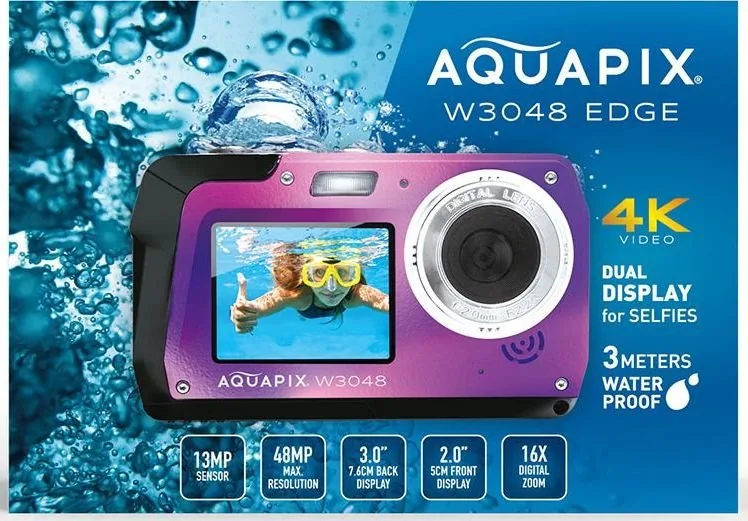
The Easypix W3048 Edge is designed for individuals seeking high-quality underwater photography without heavy equipment. This camera allows users to dive up to three meters deep safely. It combines durability with advanced imaging capabilities that capture vibrant colors even beneath the surface.
Imaging performance is a major highlight. The device utilizes a 13-megapixel sensor to produce photos reaching 48 megapixels. Video recording supports 4K resolution at smooth frame rates. Digital zoom options provide flexibility for framing shots without moving closer to the subject.
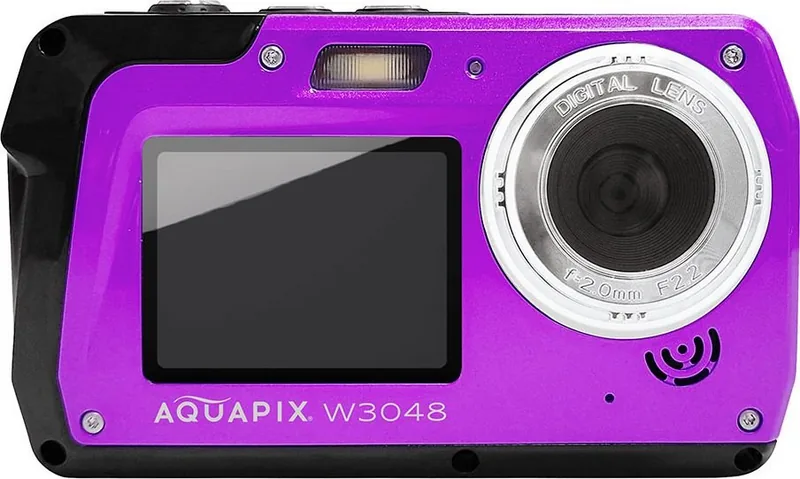
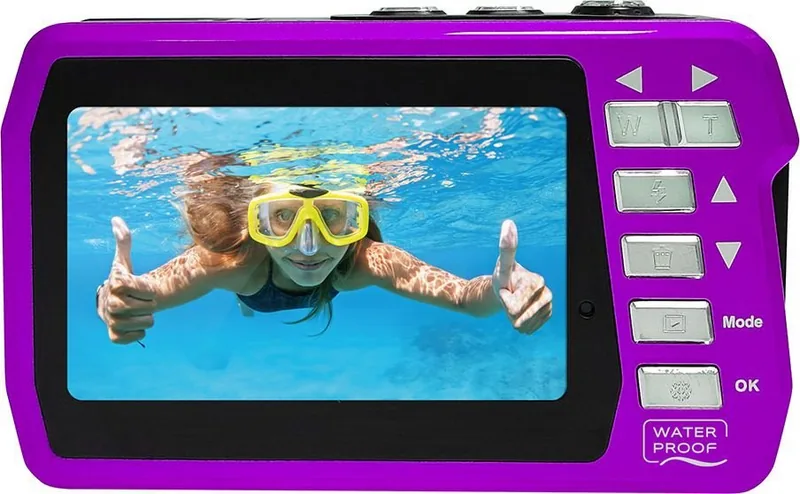
Display technology enhances user interaction significantly. Two distinct screens assist with framing. The front screen is ideal for taking selfies underwater while checking angles perfectly. The rear screen provides a large view for reviewing media immediately after capture.
Power management requires attention to detail. The included lithium-ion battery supports extended sessions before needing a recharge. Charging happens through the camera using a standard micro-USB connection. Users must keep hands dry to avoid damage during battery replacement.
Storage solutions accommodate needs for media retention. The system supports MicroSD cards up to 128 gigabytes effectively. High-speed cards are recommended for recording video without interruption. Large files are manageable but clips have size limits per session.
Connecting the device to a computer simplifies data management. Both Windows and Mac operating systems recognize the camera directly. Files are stored in standard folders allowing easy copy operations. Always ensure the device is ejected properly before disconnecting cables to prevent data loss.
Camera modes are versatile for different activities. Switching between photo and video is simple using the mode button. Playback allows viewing all captured content on the device. Users can review settings easily through the menu system.
Maintenance ensures longevity in corrosive environments. Rinsing with fresh water is crucial after salt exposure. Drying prevents mineral deposits from forming. Do not touch submerged if moisture is detected.
Adhering to safety guidelines protects the user. Avoid extreme temperatures and keep away from small children. Using the Easypix W3048 Edge Manual guidance helps prevent accidents. This tool brings aquatic memories to life with clarity. Accessories prevent loss. Cleaning avoids harsh chemicals.
Search for 67,706 Manuals online


Type-in Brand or Model