
Easypix W2024 Manual
PDF manual · 32 Pages
English



Quick check
Incorrect answer, please try again.
Chat with your Easypix W2024 manual using AI
Get instant AI answers from your Easypix W2024 manual
Ask anything about the Easypix W2024. Answers come from this manual, with the pages they are based on.
W2024 Maintenance Schedule
Turn off the camera, ensure the battery compartment is closed, rinse with clean tap water, and let it dry at room temperature before opening the compartment.
Submerge the camera in fresh water for 10 minutes to flush out salt or debris from drainage holes like the microphone. Do not use soap or cleaning agents.
Ask a Question
Do you recommend W2024?
Yes NoFrequently Asked Questions
The camera is waterproof up to three meters deep. Do not exceed this depth to ensure the seals remain intact and the device functions correctly.
Is this answer helpful?
It requires two standard AAA 1.5V batteries. These are not included in the box, so you need to purchase and install them before first use.
Is this answer helpful?
Yes, it supports MicroSD cards up to 32GB. You must format the card within the camera menu before first use to ensure compatibility.
Is this answer helpful?
The camera records video in high definition 720p resolution. You can also record at VGA or QVGA settings depending on your needs.
Is this answer helpful?
Rinse the camera with fresh tap water immediately. Do not use soap or detergents. Allow it to dry at room temperature before opening compartments.
Is this answer helpful?
Flash modes can be adjusted manually. Options include Force Off, Force On, Auto, and Red Eye Reduction for different lighting conditions.
Is this answer helpful?
Detailed guidance is available through the Easypix W2024 Manual. Users can search for language specific versions on the official website.
Is this answer helpful?
Advantages and Disadvantages
Advantages

- Waterproof up to 3 meters depth for safe aquatic use
- High 16MP resolution capture with 10MP sensor
- Long battery life using standard AAA alkaline power cells
- Compatible with MicroSD cards up to 32GB capacity
- Easy USB file transfer for Windows and Mac systems
Disadvantages

- Batteries are not included in the standard product box
- Video resolution maxed at 720p HD rather than 1080p
- Interpolated resolution may not match true sensor quality
- Requires fresh water rinse to prevent salt damage
- Small parts pose choking hazard for children under 3
Product Specification
Effective Megapixels
5.0 Megapixels
Sensor
CMOS
Resolutions
max. 2592x1944(4:3) Pixels (JPEG)
Lens
Fixed Lens
Digital Zoom
8x
Minimum Focus Distance
39.37 inches (Macro), 39.37 inches (Wide Angle)
Display
2.4" LCD
Viewfinder
No
Flash
Integrated
Video Function
AVI, 1280x720 (16:9), 640x480 (4:3)
Sensitivity (ISO)
100-400
Memory Card
microSD/microSDHC
Ports
USB
Power Source
AAA Battery
Features
Waterproof (up to 9.84 ft)
Dimensions
3.62x2.52x1.14in (WxHxD)
Weight
3.42 oz
Product Description
Discovering the Easypix W2024
Overview of Performance
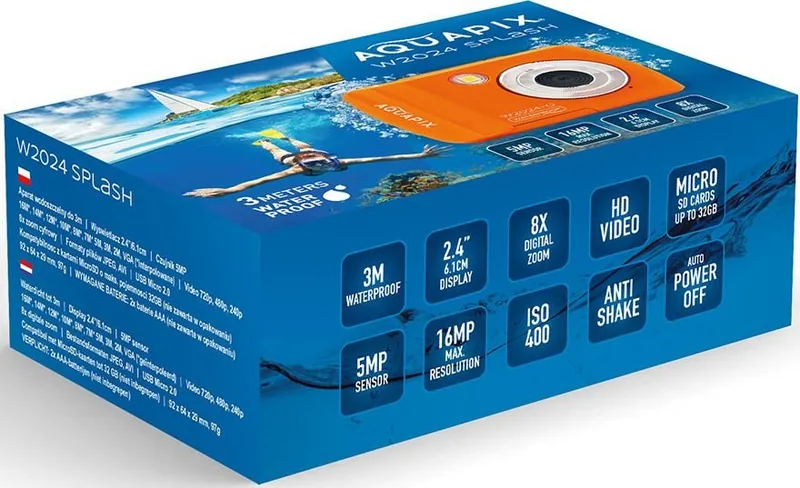
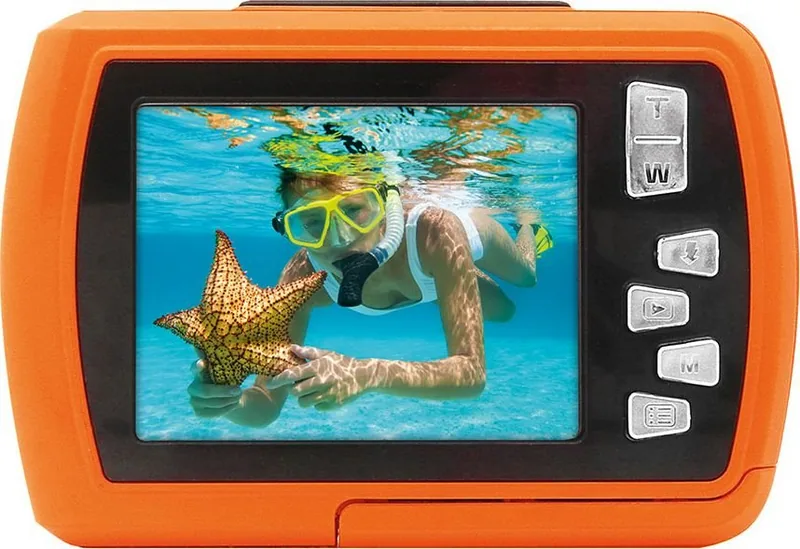
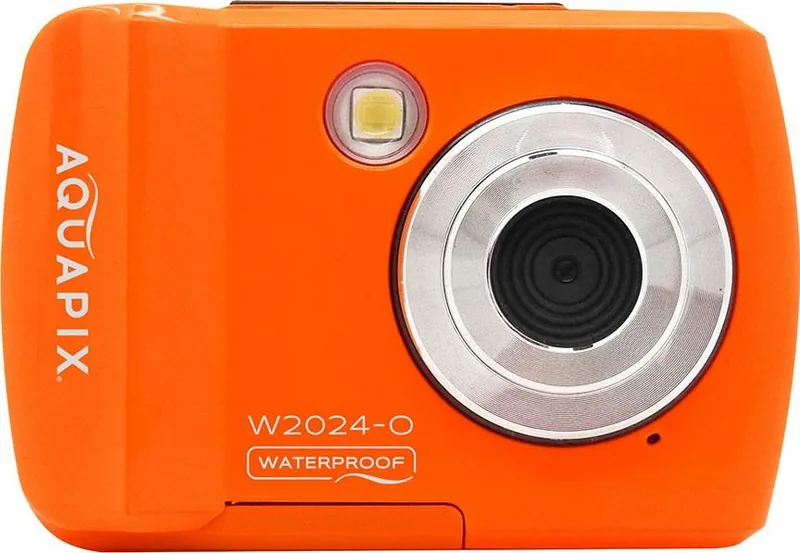
The Easypix W2024 is a robust digital camera designed for underwater photography. It features a waterproof rating allowing full submersion up to three meters deep. This capability lets users explore marine life safely while swimming or snorkeling. The device includes a high quality 10MP sensor that captures crisp images. Interpolation technology supports photo resolutions up to 16MP for greater detail. You can also record high definition 720p video footage. The included 2.4 inch color display provides a clear view while framing shots. An 8x digital zoom extends the focal range to capture distant subjects effectively.
Battery and Storage Solutions
Power is supplied by two standard AAA batteries which are not included in the box. This standard power source ensures long operating times without heavy charging cables. The camera accommodates MicroSD cards with capacities reaching up to 32GB. Users can format these cards directly within the settings menu for optimal function. Transferring files to a computer is simple via the USB interface. Both Windows and Mac systems recognize the camera automatically for quick data export. Files are stored in the DCIM folder for easy access later.
Safety and Maintenance Protocols
Proper care extends the equipment lifespan significantly. Salt water residue must be rinsed with fresh tap water after every marine use. Avoid opening the battery compartment while the device is wet. This precaution prevents moisture ingress into sensitive electronic components. The manual warns against using the camera in hot springs or jacuzzis. Extreme temperatures can damage seals and compromise waterproof integrity. Children under three years old should not use the product due to small parts. Always lock the battery door securely before any submersion activity. Cleaning should only use a dry cloth or fresh water. Do not apply soap or detergents to the exterior seals. If the camera overheats, disconnect it immediately to avoid fire hazards.
Operational Features and Manual Reference
Setup is straightforward with intuitive button functions. The mode button toggles between photo, video, and playback states instantly. Playback allows immediate viewing or deletion of captured media. Flash settings adjust to ambient lighting for indoor or underwater shots. The wrist strap included helps prevent accidental loss while in the water. Users often reference the Easypix W2024 Manual for detailed setting adjustments. Time and date configurations remain accurate within the internal clock. Auto power off functions conserve energy during idle periods. White balance options adapt to various environmental light conditions. Disposal of the device must follow local regulations for electronic waste.
Conclusion
This camera blends durability with accessibility for all skill levels. It serves travelers and locals alike who seek underwater documentation. Ensure you verify seals are tight before entering any body of water. The design prioritizes ease of use while maintaining high image fidelity. This versatile tool guarantees safe underwater journeys.
Search for 67,706 Manuals online


Type-in Brand or Model