
Easypix IR NightVision Manual
PDF manual · 25 Pages
English



Quick check
Incorrect answer, please try again.
Chat with your Easypix IR NightVision manual using AI
Get instant AI answers from your Easypix IR NightVision manual
Ask anything about the Easypix IR NightVision. Answers come from this manual, with the pages they are based on.
IR NightVision Maintenance Schedule
Always remove the batteries from the device before performing any cleaning to ensure safety.
Use only a soft, dry cloth or towel. Do not use cleaning fluids or lens cleaners to avoid damage.
If the product will be unused or stored for an extended period, ensure the batteries are removed.
Ask a Question
Do you recommend IR NightVision?
Yes NoFrequently Asked Questions
It captures JPG photos with selectable resolutions up to 20MP and AVI video up to 1920 x 1080 Full HD. Video is visual only and does not contain an audio track.
Is this answer helpful?
The stated viewing range in darkness is approximately 200 to 300 meters. Actual visibility can vary with battery condition, infrared level, weather, focus, and the surrounding environment.
Is this answer helpful?
Use a Class 10 or faster MicroSD card with a capacity of up to 32GB. Format the card in the camera before first use after saving any important files already stored on it.
Is this answer helpful?
Press the Up button briefly to activate infrared. Press it again to raise the IR intensity, and use the Down button to reduce the level or switch infrared off. Use infrared in dark or low-light conditions.
Is this answer helpful?
Yes. It is intended for daytime and nighttime observation. Keep infrared switched off in daylight so the display shows color imagery. The supplied lens cap can help improve daytime sharpness and object recognition.
Is this answer helpful?
Connect the powered-on camera to a computer using its Micro USB cable, or remove the MicroSD card and copy files with a suitable card-to-USB adapter.
Is this answer helpful?
Advantages and Disadvantages
Advantages

- Records photos up to 20MP and video up to 1080p for versatile observation.
- Adjustable 850nm infrared illumination supports night viewing at a stated range of 200-300 meters.
- The 2.31-inch color display and magnifying viewfinder improve framing, including for glasses wearers.
- Offers 4x digital zoom, manual focus, MicroSD storage up to 32GB, and USB file transfer.
Disadvantages

- Video recording does not include audio.
- Requires eight AA batteries, and batteries are not supplied.
- Supports MicroSD cards only up to 32GB and recommends Class 10 or faster media.
- Infrared viewing appears black and white, and available IR levels decrease as battery power drops.
Product Specification
Design
Binocular
Technology
Thermal imaging
Entrance pupil
0.98 in
Range
328.08 yd
Field of view
14 degrees
Close focus distance
9.84 ft
Special features
Recording function
Dimensions
7.48 x 2.36 x 5.12 in (W x H x D)
Weight
1.2 lb
Product Description
Easypix IR NightVision Manual: Capture More After Dark
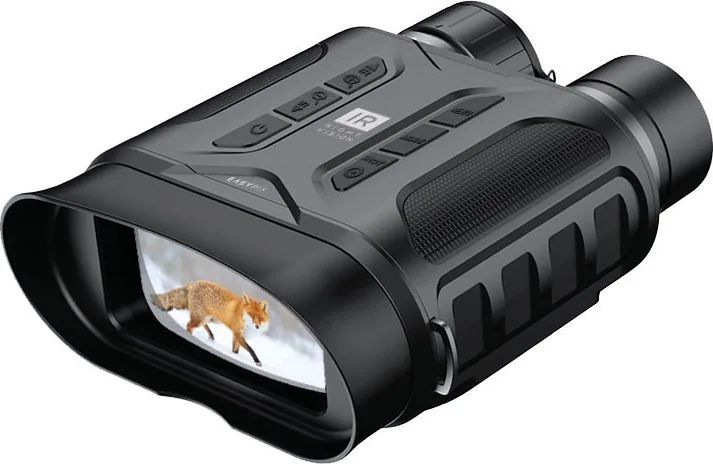
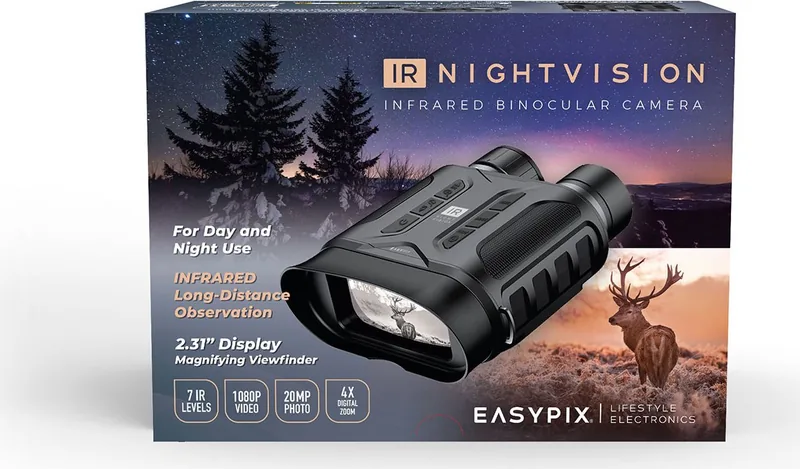
The Easypix IR NightVision is a practical infrared camera designed for observation, photography, and video recording in daylight, twilight, and darkness. This compact device is a useful companion for wildlife watching, property monitoring, camping trips, and outdoor discovery. The Easypix IR NightVision Manual highlights a simple control layout that helps users move from setup to recording with confidence.
At its core, the camera combines a 2MP CMOS sensor with photo settings up to 20MP and video recording up to Full HD 1920 x 1080. Photos are saved as JPG files, while videos use AVI format. The device records video without audio, keeping its focus firmly on visual observation. A 4x digital zoom and manual focus wheel let users adjust framing and sharpness for distant subjects.
Built for Low-Light Viewing
The integrated 3W, 850nm infrared LED system supports adjustable night vision intensity. With fresh batteries, users can select up to seven IR levels to match changing light conditions. In darkness, the camera offers a stated visibility range of around 200 to 300 meters, while daylight viewing extends from approximately three meters to infinity. When infrared is active, the display switches to black and white for improved night observation.
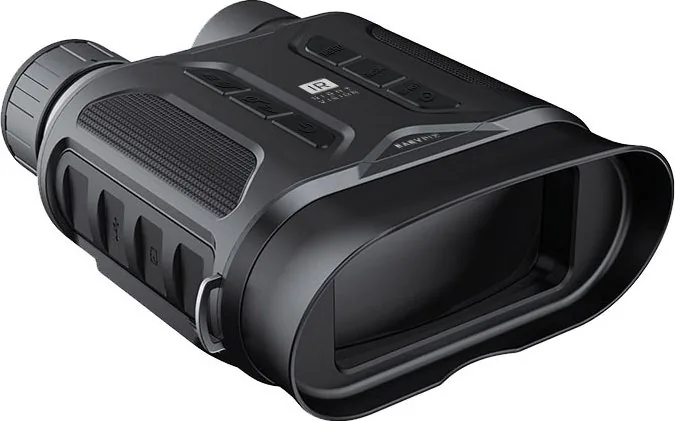
A 2.31-inch color display provides a direct way to frame shots, review images, and play recorded clips. The enlarging viewfinder is particularly helpful for people who wear glasses, making the screen easier to inspect outdoors. Dedicated buttons handle power, mode selection, menu navigation, infrared brightness, zoom, and shutter control.
Straightforward Storage and Transfer
The Easypix IR NightVision uses Class 10 or faster MicroSD cards up to 32GB. Formatting a new card in the camera is recommended before recording. Once footage is captured, files can be transferred with the supplied Micro USB connection or by removing the memory card and using a compatible adapter.
The camera runs on eight AA batteries, which are not included. Battery capacity also affects the available infrared levels, so carrying spare batteries is sensible for long nighttime sessions. Auto power-off settings can help preserve power when the camera is idle.
Notes
- Keep the infrared function off in daylight to view scenes in color.
- Remove batteries before long-term storage and keep the device dry.
- Use a soft, dry cloth for the housing and lens; avoid cleaning fluids.
- A tripod mount and carrying strap support steadier, more comfortable use.
Search for 67,706 Manuals online


Type-in Brand or Model