
Easypix GoXtreme Vision 4K Manual
PDF manual · 13 Pages
English



Quick check
Incorrect answer, please try again.
Chat with your Easypix GoXtreme Vision 4K manual using AI
Get instant AI answers from your Easypix GoXtreme Vision 4K manual
Ask anything about the Easypix GoXtreme Vision 4K. Answers come from this manual, with the pages they are based on.
GoXtreme Vision 4K Maintenance Schedule
After using the camera in salt or chlorinated water, clean the housing and let it dry.
After underwater use, leave the housing open to avoid condensation or rust formation.
Ask a Question
Do you recommend GoXtreme Vision 4K?
Yes No
Sofia Keller
9 months ago
How good is the audio on the GoXtreme Vision 4K? Reviews mention noisy sound, missing voices, or weak recording. Is there anything I can do to improve it?

Manual.ly
9 months ago
The sound quality depends a lot on conditions and where the camera is mounted. Wind and vibrations can cause noticeable noise. For better results, record with the camera firmly attached (less frame movement), keep the microphone area uncovered and dry, and avoid strong wind (use a foam cover or record closer to the sound source if possible). If you notice that audio sounds unusually low or not present when viewing, try playback on another device/app and ensure your video player supports the file format. Also check the camera settings/firmware for the correct audio mode and resolution. In many cases, adding music or voice-over during post-processing can greatly improve the final result.
Frequently Asked Questions
It supports 4K at 24 fps, 2.5K at 30 fps, 1080p at 60 or 30 fps, 720p up to 120 fps, and several lower-resolution options for smaller files or special uses.
Is this answer helpful?
Yes, when used with the included waterproof case and properly sealed lids, it can record underwater at depths of up to 30 meters.
Is this answer helpful?
No. WiFi transfer works for lower resolutions, but 2.5K and 4K files must be accessed through a computer using a card reader.
Is this answer helpful?
A branded microSD card, Class 10 or U3, is recommended. The camera supports cards up to 64 GB, and formatting the card in the camera before first use is advised.
Is this answer helpful?
Yes. It can be used as a webcam when connected by USB, but the webcam function provides video only, not audio.
Is this answer helpful?
Battery life can reach up to about 90 minutes under optimal conditions, depending on settings and temperature. The camera can also record while charging.
Is this answer helpful?
Advantages and Disadvantages
Advantages

- 4K recording and a 170° wide-angle lens capture immersive action scenes.
- Waterproof housing supports underwater shooting up to 30 meters.
- WiFi, webcam mode, and record-while-charging add everyday convenience.
- Detachable battery and multiple shooting modes increase flexibility.
Disadvantages

- App transfer is limited; 4K and 2.5K files need a computer or card reader.
- Battery life is modest, with up to about 90 minutes under ideal conditions.
- Maximum memory card support is 64 GB, which may feel limited for 4K use.
- The camera needs careful setup, including proper sealing and card formatting.
Product Specification
Effective Megapixels
12.0 Megapixels
Sensor
CMOS
Video function
H.264, 3840x2160@24p (16:9), 1920x1080@60p (16:9)
Photo resolution
JPEG (max. 4032x3024 Pixels, 4608x3456 interpolated)
Viewing angle
170°
Digital zoom
no
Display
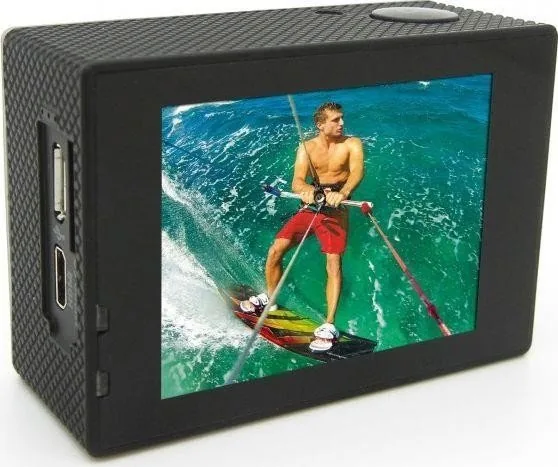
2" LCD
Waterproof
up to 98.43 ft with housing
Removable storage
microSD/microSDHC/microSDXC
Connections
USB 2.0, HDMI
Wireless
Wi-Fi (WLAN)
Power supply
Li-ion battery (1050mAh, changeable)
Color
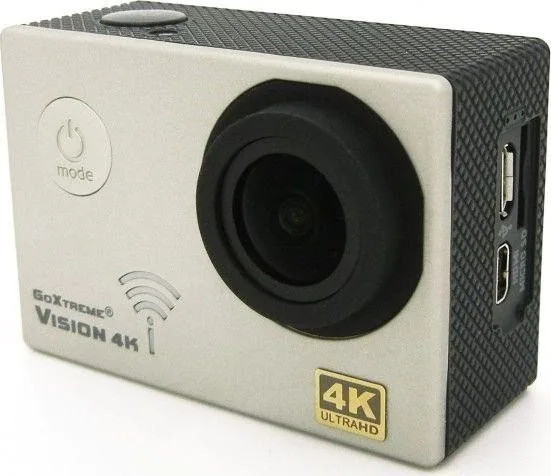
silver
Dimensions
2.32x1.61x1.14in (WxHxD)
Product Description
Easypix GoXtreme Vision 4K Ultra HD Silver Manual: A Compact Camera for Action and Everyday Recording
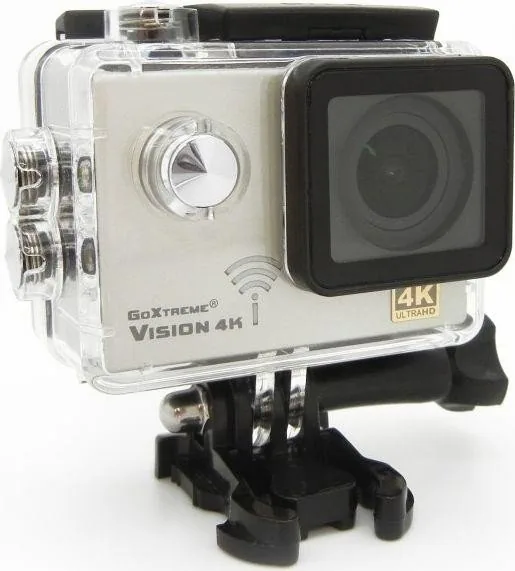
The Easypix GoXtreme Vision 4K Ultra HD silver is a compact action camera designed for people who want to capture travel, sports, and outdoor moments in a simple, portable way. Built around a 170° wide-angle lens and a clear 2.0-inch LCD display, it gives users a broad field of view and quick access to settings, playback, and shooting modes. Its silver finish adds a clean, modern look that fits both casual use and adventure-focused setups.
One of the biggest attractions of this model is its recording flexibility. It supports 4K video at 24 fps, along with multiple lower-resolution options such as 2.5K, 1080p, and 720p. This makes it easy to balance image quality, file size, and smooth motion depending on the scene. For photos, the camera offers up to 16 MP through interpolation, making it suitable for snapshots, action stills, and everyday memories.
The included waterproof housing makes the camera even more versatile. With the case properly sealed, it can be used underwater at depths of up to 30 meters, which is ideal for swimming, snorkeling, and water sports. Beyond waterproofing, the camera also includes useful features such as time lapse, motion detection, HDR, slow motion, anti-shake, and video recording while charging. These tools help users experiment with different styles without needing advanced gear.
Connectivity is another strong point. WiFi support allows the camera to work with a smartphone app for previewing footage, changing settings, and transferring supported files. It also includes webcam functionality for simple live video use on a computer. A detachable battery, HDMI output, and support for microSD cards up to 64 GB round out the package, making it a practical choice for users who want a compact all-in-one action camera.
Notes
- Use a branded Class 10 or U3 microSD card for reliable 4K recording.
- Format the memory card in the camera before first use.
- Make sure all seals are closed before using the waterproof case.
- 4K and 2.5K files are best copied to a computer using a card reader.
Search for 67,706 Manuals online


Type-in Brand or Model
Luca Romano
10 months ago
How long does the battery last, and how is the audio quality (voices) on the GoXtreme Vision 4K during outdoor or bike use?
Manual.ly
10 months ago
Battery life depends on settings like resolution, frame rate, and whether Wi-Fi is on. Users report roughly 25-60 minutes in video mode, so for longer sessions we recommend bringing a spare/backup battery and keeping power settings optimized. Audio comes from the built-in microphone, and wind and bike/riding noise can drown out speech; some customers describe noticeable hiss/rumble. For better results, mount the cam securely, avoid direct wind on the mic, and consider adding background music or using an external microphone (if compatible) or noise-reduction in editing for clearer voices.