
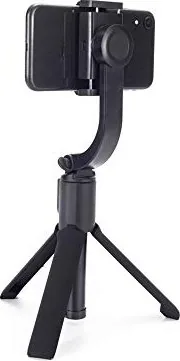
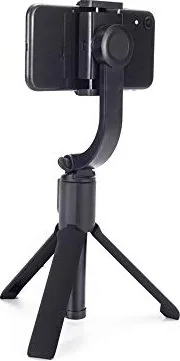
Easypix GoXtreme GS1 Manual
PDF manual · 18 Pages
English



Quick check
Incorrect answer, please try again.
Chat with your Easypix GoXtreme GS1 manual using AI
Get instant AI answers from your Easypix GoXtreme GS1 manual
Ask anything about the Easypix GoXtreme GS1. Answers come from this manual, with the pages they are based on.
Ask a Question
Do you recommend GoXtreme GS1?
Yes NoFrequently Asked Questions
It is a foldable 3-in-1 smartphone accessory that combines a one-axis stabilizing gimbal, an extendable selfie stick, an integrated tripod, and a detachable Bluetooth remote.
Is this answer helpful?
The built-in 400 mAh Li-ion battery provides about 2-3 hours of operation. Charging through the Micro USB port takes approximately two hours.
Is this answer helpful?
The GS1 supports a maximum payload of 300 g. Center the smartphone in the holder before powering on to help achieve proper balance and stable operation.
Is this answer helpful?
Yes. Briefly press the power button to change the gimbal between horizontal and vertical orientation. This is useful for switching between widescreen videos and vertical social media content.
Is this answer helpful?
The detachable Bluetooth BLE 4.2 remote works at a distance of less than 10 meters. It pairs with a smartphone using the Bluetooth device name "Updot."
Is this answer helpful?
Yes. Unfold the handle to create an integrated tripod. It can support hands-free recordings, timed photos, group shots, and stable desk-based content.
Is this answer helpful?
Advantages and Disadvantages
Advantages

- Combines a one-axis gimbal, extendable selfie stick, and tripod in one compact device.
- Detachable Bluetooth remote supports shooting from up to 10 meters away.
- Switches between horizontal and vertical phone orientation with a short button press.
- Lightweight 235 g foldable design is easy to carry for travel and everyday content creation.
- Built-in rechargeable battery offers approximately 2-3 hours of use per charge.
Disadvantages

- One-axis stabilization may offer less correction than multi-axis gimbals.
- Maximum supported smartphone payload is limited to 300 g.
- The product is not waterproof and must be kept dry.
- Remote control requires a separate CR1632 battery.
- Repeated orientation changes can lock the holder and automatically switch the gimbal off.
Product Specification
Compatibility
Smartphone
Roll Axis
90 degrees
Max. Load Capacity
10.58 oz
Display
No
Connection
Bluetooth 4.2
Power Supply
Rechargeable Battery
Operating Time
3 h
App Control
No
Handling
One-Handed
Special Features
Tripod (integrated), telescopic rod
Dimensions
7.48 x 2.56 x 1.57 in
Weight
8.29 oz
Product Description
Easypix GoXtreme Dual Gimbal GS1 - Read, Download & Print Free
The Easypix GoXtreme Dual Gimbal GS1 is a compact 3-in-1 smartphone accessory designed to make everyday photos, videos, and selfies look steadier and more polished. It combines a foldable one-axis gimbal, an extendable selfie stick, and a built-in tripod in one lightweight unit. Whether you are recording travel clips, creating social media content, joining video calls, or taking group photos, the GS1 helps keep your smartphone comfortably positioned.
Smooth smartphone shooting
At its core, the GS1 uses one-axis stabilization to support smoother handheld filming. The gimbal motor helps reduce unwanted movement while you capture footage, making it useful for casual walking shots, quick updates, and portrait-style recordings. A short press of the power button changes the phone between horizontal and vertical orientation, allowing you to adapt quickly for widescreen video or vertical content.
For best results, place the smartphone centrally in the holder before switching the gimbal on. The holder must be unlocked before use, and the phone should remain within the maximum 300 g payload. This simple setup helps the motor balance the device correctly and supports reliable stabilization.
Remote control and flexible framing
The detachable Bluetooth remote gives the Easypix GoXtreme Dual Gimbal GS1 extra freedom. It can stay in the handle for convenient control or be removed for shooting from a distance of up to 10 meters. Pair it with a smartphone through Bluetooth using the name "Updot," then use the shutter button to take photos or start compatible camera functions remotely.
The extendable selfie stick reaches up to 520 mm, helping users create wider selfies and better group compositions. When a stable hands-free setup is needed, unfold the handle to use the integrated tripod. This makes the GS1 practical for timed shots, desk recordings, livestream setups, and family photos.
Compact design for everyday use
With a folded size of 190 x 65 x 40 mm and a net weight of 235 g, the GS1 is made for easy carrying. Its built-in 400 mAh Li-ion battery charges through Micro USB and provides approximately two to three hours of operation. Charging takes around two hours with a suitable 5 V USB power source.
Notes
- Keep the gimbal dry and away from extreme temperatures, drops, and impacts.
- Do not block the moving motor during operation.
- The remote uses a replaceable CR1632 battery.
- Adult supervision is recommended when children use the product because it contains small parts.
Search for 67,706 Manuals online


Type-in Brand or Model