
Easypix GoXtreme Enduro Manual
PDF manual · 20 Pages
English



Quick check
Incorrect answer, please try again.
Chat with your Easypix GoXtreme Enduro manual using AI
Get instant AI answers from your Easypix GoXtreme Enduro manual
Ask anything about the Easypix GoXtreme Enduro. Answers come from this manual, with the pages they are based on.
GoXtreme Enduro Maintenance Schedule
After using in salty or chlorinated water, clean the housing and let it dry to prevent damage.
Open the housing after underwater use to avoid condensation or rust formation inside.
Ask a Question
Do you recommend GoXtreme Enduro?
Yes No
Lukas Mueller
6 months ago
Does this camera record true native 4K resolution, and are there issues with opening the waterproof case underwater or when wet?

Manual.ly
6 months ago
While marketed as 4K, some users note the optical quality may involve upscaling rather than native sensor resolution, especially at this price point. Regarding the waterproof case, many reviewers report it is very difficult to open once wet, so we suggest drying the exterior thoroughly and using firm pressure. Additionally, ensure you have a MicroSD card purchased separately as it is not included in the box. Battery life is noted as decent by most users.
Frequently Asked Questions
The battery lasts up to 90 minutes depending on settings and temperature. Charging takes about 3 hours using a USB port or adapter with max 1000mAh output. Keep device off while charging to complete.
Is this answer helpful?
Yes, with the included case it is waterproof up to 30M depth. Ensure all lids and closures are sealed tightly before water use. Clean the case after exposure to salt or chlorine.
Is this answer helpful?
Install the XDV app on your smartphone. Press the UP key on the camera to enable WiFi. Connect to the network using the password 12345678. Note that large video files need a card reader.
Is this answer helpful?
The camera supports 4K at 30fps interpolated, 2.7K at 30fps, 1080P at 60 or 30fps, and 720P at 120, 60, or 30fps. Select your resolution in the menu settings.
Is this answer helpful?
Yes, video records with sound. When using the PC camera function, audio requires an external headset or earphones with an in-line microphone as the webcam function provides video only.
Is this answer helpful?
Use the USB port connected to a computer or power adapter max 1000mAh. Ensure the camera is switched off when charging. Do not charge if plugged in and switched on.
Is this answer helpful?
The camera supports up to 64GB Micro SD Class 10 or higher. Format the card in the camera before first use. Use high quality cards for best results when recording 4K video.
Is this answer helpful?
Advantages and Disadvantages
Advantages

- Includes waterproof case for recording at 30m depth
- Detachable battery allows easy replacement for more power
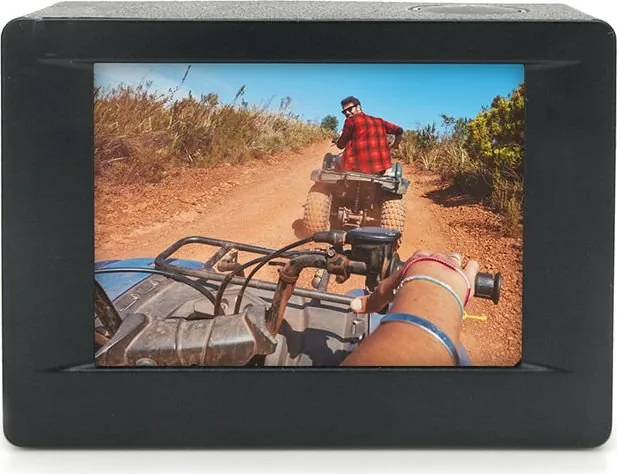
- Built-in LCD screen for convenient video and image playback
- WiFi connectivity connects to Android or iOS smart devices
- Supports MicroSD memory expandable up to 64GB capacity
Disadvantages

- 4K video resolution is interpolated rather than true 4K
- Video files above 1080p cannot be transferred wirelessly
- Battery life is capped at approximately 90 minutes
- Device must be switched off completely for proper charging
- Not suitable for children under 36 months due to safety
Product Specification
Effective Megapixels
8.0 Megapixels
Sensor
CMOS 1/3.2", Sony IMX179
Video Function
AVI, 2704x1524@30p (16:9), 1920x1080@60p (16:9), 1280x720@120p (16:9)
Photo Resolution
JPEG
Viewing Angle
170 deg
Digital Zoom
No
Display
2" LCD, Touchscreen
Waterproof
Up to 98.43 ft with housing
Expandable Storage
microSD/microSDHC/microSDXC
Connectors
USB 2.0, Micro HDMI
Wireless
Wi-Fi
Power Supply
Li-Ion Battery (900mAh, replaceable)
Color
Silver
Dimensions
2.32x1.61x1.26 in (WxHxD)
Product Description
Exploring the Easypix GoXtreme Enduro Black Action Camera
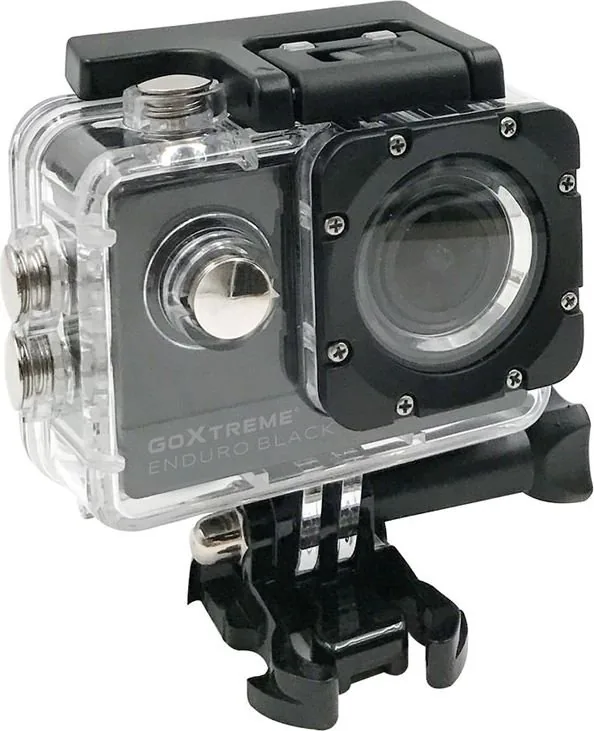
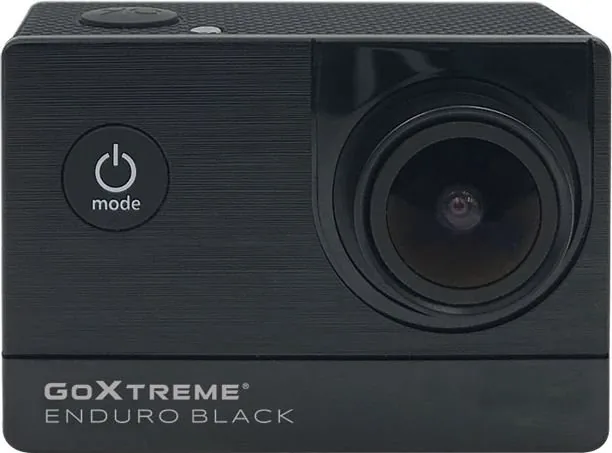
Action photography enthusiasts are always on the lookout for reliable gear that can withstand rugged adventures. The Easypix GoXtreme Enduro Black stands out as a compact and portable solution for capturing high-quality video and still images. This device features class-leading capabilities including ultra-high definition recording at up to 30 frames per second and impressive still image capture reaching up to 16MP. With a wide 170-degree viewing angle, users ensure nothing is left to chance while recording content.
Key Features and Performance
One of the standout aspects of this camera is its inclusion of a waterproof case, which allows users to record HD video at depths up to 30 meters. The built-in LCD screen provides convenient playback of videos and images directly on the device. Additionally, the detachable battery facilitates easy replacement, ensuring more power is available on the go. For those who need to record while using power, the camera supports video recording during charging via USB. The lens offers an HD 16 Megapixel resolution by interpolation, paired with a wide-angle perspective.
Connectivity and Usage
Connectivity options are robust, with HDMI output and a web camera function supported. Users can expand storage using SD cards up to a maximum of 64GB. Compatibility includes multiple video recording formats such as 4K (interpolated), 2.7K, 1080P, and 720P. The Easypix GoXtreme Enduro Black Manual is an essential guide for setup, covering MicroSD card installation, battery charging, and mode switching. For wireless needs, WiFi connectivity allows connection to Android or iOS smart devices through the XDV app. However, note that higher resolution video files cannot be transferred wirelessly and require a computer card reader.
Safety and Durability
Safety instructions emphasize keeping the camera away from children under 36 months due to choking hazards. The device should be protected from falls and extreme magnetic fields. Proper storage involves keeping the unit in a cool, dry place away from direct sunlight. If used underwater, all closures must be sealed, and cleaning is required after exposure to salt or chlorinated water. The battery life reaches up to 90 minutes under optimal conditions depending on settings and temperatures. Ensuring you understand the Easypix GoXtreme Enduro Black Manual guidelines helps maintain the camera's longevity and performance during your next outdoor adventure. Always review specifications before purchase.
Search for 67,706 Manuals online


Type-in Brand or Model
Alex_V
6 months ago
Is the claimed 4K resolution native or upscaled? I am comparing this with pro models and need to know if the image quality is sufficient for outdoor sports recording.
Manual.ly
6 months ago
Our model captures video marketed as 4K. For budget-friendly devices, this often involves software upscaling from a lower sensor base. This is typical in this price segment and delivers clear results for casual use. It is designed for beginners and recreational sports. While it handles light well, extreme low light or professional needs might require higher-end equipment. The included warranty and customer support are available for technical questions.