
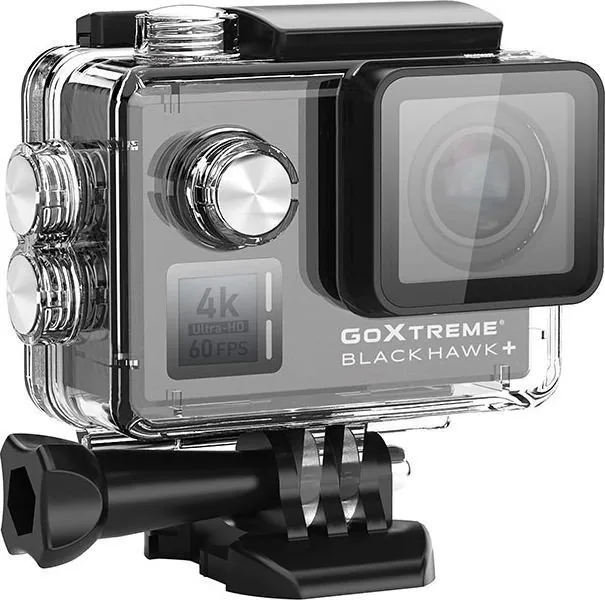
Easypix GoXtreme Black Hawk+ 4K Manual
PDF manual · 322 Pages
English



Quick check
Incorrect answer, please try again.
Chat with your Easypix GoXtreme Black Hawk+ 4K manual using AI
Get instant AI answers from your Easypix GoXtreme Black Hawk+ 4K manual
Ask anything about the Easypix GoXtreme Black Hawk+ 4K. Answers come from this manual, with the pages they are based on.
GoXtreme Black Hawk+ 4K Maintenance Schedule
Clean the case and let it dry naturally after use in salty or chlorinated water to prevent damage.
After use under water, leave the housing open to avoid condensation or rusting.
Ask a Question
Do you recommend GoXtreme Black Hawk+ 4K?
Yes No
Sarah Miller
8 months ago
I plan to use this for underwater videos but saw warnings about overheating. Is it reliable for long sessions?

Manual.ly
8 months ago
Performance varies by user. While many praise the image quality and stable housing underwater, some report overheating and crashes after short periods in heat. Wi-Fi connectivity generally works well. If you intend underwater use, consider testing soon as Media Markt returns may be difficult after the statutory period. Updating firmware before use is recommended to improve stability.
WanderlustAnna
7 months ago
Does the waterproof case fog up quickly in humid conditions or during water activities?
Manual.ly
7 months ago
The camera is designed for underwater use with a dedicated waterproof housing. However, some users have reported condensation forming inside the case within minutes of submersion, particularly in warm or humid environments. This can obscure the lens and affect video quality. We recommend ensuring the housing seals are clean and dry before closing it tightly. If fogging persists, please contact our support team for further assistance or warranty options.

Markus Weber
4 months ago
Is the camera reliable enough for extended use without frequent crashes or overheating issues?
Frequently Asked Questions
The camera supports 4K resolution at 3840x2160 pixels with frame rates up to 60fps. It also offers 2.7K, Full HD, and 720p options for different needs.
Is this answer helpful?
No, the camera body itself is not waterproof. However, it comes with a dedicated underwater housing that makes it water-resistant up to 40 meters.
Is this answer helpful?
No, wireless file transfer via the app is limited to videos with a resolution of 1080p or lower. Higher resolutions must be transferred using a computer or card reader.
Is this answer helpful?
Under optimal conditions, the battery provides up to 90 minutes of continuous recording time, though this varies based on temperature and settings used.
Is this answer helpful?
We recommend using a high-quality MicroSD card with Class 10 or U3 rating and a maximum capacity of 64GB to ensure stable 4K video recording.
Is this answer helpful?
Yes, you can use it as a webcam by connecting it via USB and selecting PCCamera mode. Note that it does not record internal audio during this mode.
Is this answer helpful?
Advantages and Disadvantages
Advantages

- Records high-quality 4K video at 60fps with electronic image stabilization
- Includes waterproof housing rated for depths up to 40 meters
- Built-in WiFi allows remote control and live preview via smartphone app
- Versatile mounting kit included for helmets, bikes, and tripods
- Supports time-lapse photo and video modes with adjustable intervals
Disadvantages

- Cannot transfer files larger than 1080p wirelessly via the mobile app
- Battery life is limited to approximately 90 minutes under optimal conditions
- Does not record audio when used as a webcam function
- Requires specific U3 speed class SD cards for 4K recording stability
- Microphone quality may be insufficient for professional voiceovers without external gear
Product Specification
Effective Megapixel
12.0 MP
Sensor
CMOS
Video Function
H.264, 3840x2160@60p (16:9), 1920x1080@120p (16:9)
Photo Resolution
JPEG (max. 4000x3000 pixels, 4320x3240 interpolated)
Viewing Angle
170 degrees
Image Stabilizer
electronic
Digital Zoom
no
Display
2 inch LCD
Waterproof
up to 197 feet with case
Removable Storage
microSD/microSDHC/microSDXC
Connections
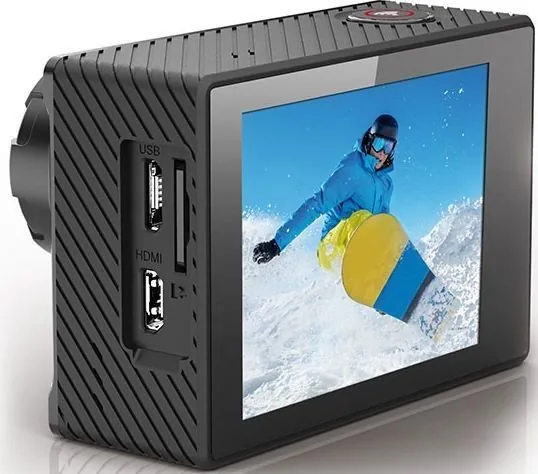
USB 2.0, HDMI
Wireless
Wi-Fi (WLAN)
Power Supply
Li-ion battery (1050mAh, replaceable)
Color
black
Dimensions
2.40x1.65x0.91 inches (WxHxD)
Weight
2.75 oz
Product Description
Discover the Easypix GoXtreme Black Hawk+ 4K
The Easypix GoXtreme Black Hawk+ 4K is a high-performance action camera designed for adventurers who demand crystal-clear footage in any environment. This device features a powerful 12MP CMOS sensor capable of capturing stunning 4K video at 60 frames per second, ensuring every moment is recorded with incredible detail and smooth motion. Whether you are diving deep or scaling mountains, this camera stands ready to document your journey.
Equipped with an integrated WiFi system, users can easily connect via the iSmart DV app to control settings remotely or preview shots instantly on their smartphones. The camera comes with a robust waterproof housing that allows for underwater photography up to 40 meters without additional gear. It also includes essential mounting accessories like helmet holders, bike mounts, and tripod adapters, making it versatile for various activities.
For those interested in time-lapse photography, the GoXtreme offers customizable intervals ranging from one second to sixty seconds. The built-in Electronic Image Stabilization (EIS) helps reduce shake during fast-paced movements, delivering professional-looking results even in challenging conditions. With a battery life of up to 90 minutes under optimal settings, you have plenty of time to capture your adventures before needing a recharge.
Important Usage Notes
- Always format the MicroSD card using the camera menu before first use to prevent file errors.
- Use only U3 class cards with a capacity of 64GB or less for best performance.
- Ensure all seals on the waterproof case are closed tightly before submerging the camera.
- Do not expose the device to extreme temperatures or direct sunlight for prolonged periods.
- Remove the battery if the camera overheats or emits unusual odors to prevent damage.
Search for 67,706 Manuals online


Type-in Brand or Model
enim27
9 months ago
I want to use this action cam in the water for snorkeling. Does the waterproof housing fog up or cause overheating and shutdowns during recording?
Manual.ly
9 months ago
In water use, fogging or overheating is usually caused by trapped moisture or conditions outside the device limits. Make sure the housing seal is clean and dry, close it firmly without sand or hair, and use a dry anti-fog insert if included. Before sealing, let the camera and housing acclimate to the same temperature to reduce condensation. For long sessions, avoid direct sun when possible, use a fully charged battery (and consider a spare), and update the firmware. If the camera repeatedly shuts off or the display fogs immediately, stop using it and contact support for a warranty check or replacement. Many users also report stable waterproof performance and good WiFi/app control.