
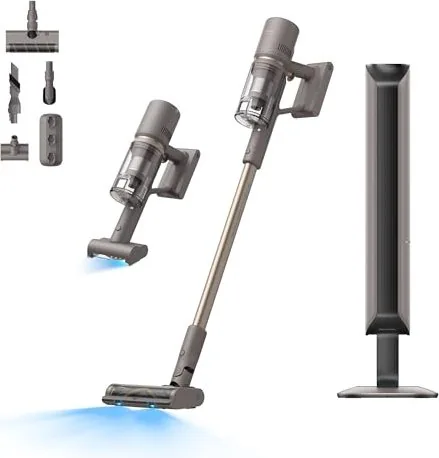
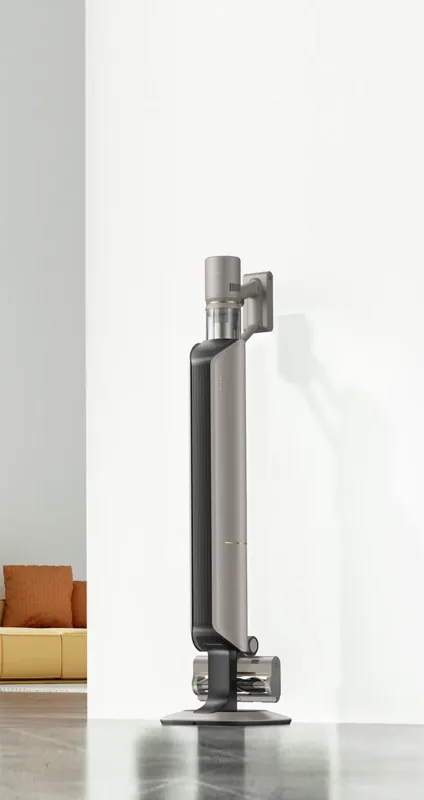
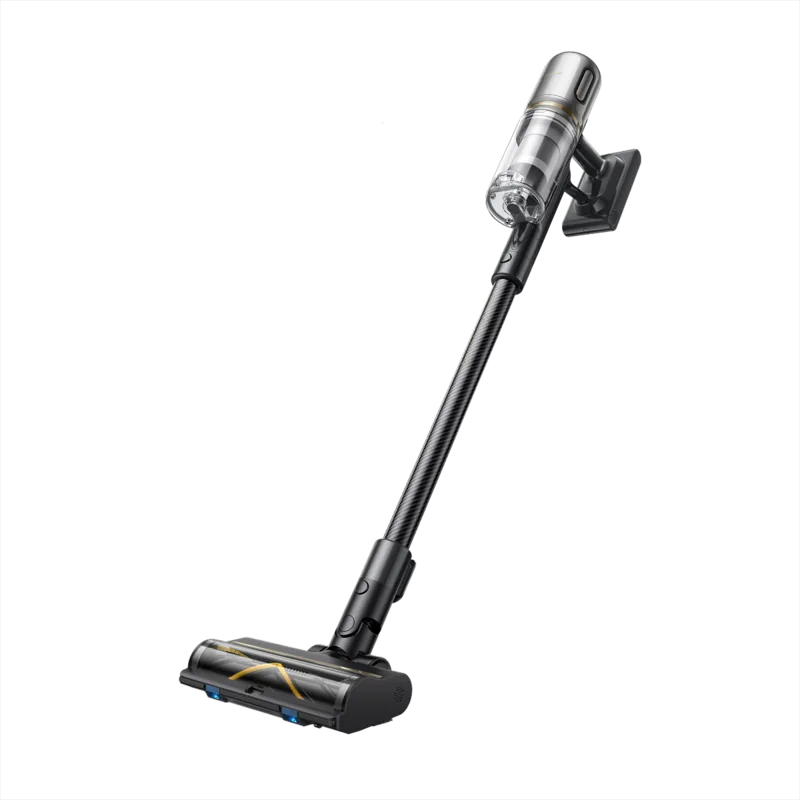
Dreame Z10 Manual
PDF manual · 156 Pages
English



Quick check
Incorrect answer, please try again.
Chat with your Dreame Z10 manual using AI
Get instant AI answers from your Dreame Z10 manual
Ask anything about the Dreame Z10. Answers come from this manual, with the pages they are based on.
Z10 Maintenance Schedule
It is recommended to replace the dust collection bag every two months. Also replace it if the indicator blinks orange indicating capacity.
If not used for an extended period, recharge the battery at least once every three months to avoid over-discharging.
It is recommended to clean the cyclone system and pre-filter at least once every 3 to 4 months. Rinse with water and air dry for 24 hours.
It is recommended to clean the filter once every 4 to 6 months. Rinse with clean water only, no detergent, and air dry for at least 24 hours.
The air outlet filter is non-washable. It is recommended to replace the filter once every 4 to 6 months.
Free maintenance reminders
Timed to your purchase date. Always free, unsubscribe anytime.
Ask a Question
Do you recommend Z10?
Yes NoFrequently Asked Questions
Fully charging the vacuum cleaner typically takes approximately three and a half hours when the battery is completely empty. It is important to wait until the indicator shows solid green or reaches one hundred percent on the display. Do not attempt to use the vacuum while it is connected to the power source.
Is this answer helpful?
Yes, the cyclone assembly and pre-filter are washable with clean water. You must rinse them thoroughly and allow them to air dry for at least twenty-four hours before reinstalling them. Never use detergent or try to dry them with heat sources. Air drying prevents damage to the filtration material.
Is this answer helpful?
Never vacuum flammable liquids like gasoline, combustible powders like flour, or sharp objects such as glass and nails. Also avoid ashes from fireplaces, cigarette butts, and burning materials. These items pose fire hazards or could damage the internal motor and filter mechanisms.
Is this answer helpful?
An orange blinking light usually indicates a blockage in the air duct or a full dust collection bag. Check the hose, extension rod, and brush heads for debris. If the bag is full, replace it with a new one. Clearing the obstruction should resolve the error code.
Is this answer helpful?
Yes, you can use Continuous Cleaning Mode by pressing the trigger switch lock. This frees your fingers from holding the power button down manually. Press the power button briefly once locked to start the vacuum, and press the lock again to quit the mode when finished.
Is this answer helpful?
The vacuum should operate in environments ranging from zero to forty degrees Celsius. Charging is also restricted to this temperature range. Extreme cold or heat can damage the lithium-ion battery and reduce its lifespan. Store the unit in a cool place away from direct sunlight when not in use.
Is this answer helpful?
It is recommended to replace the dust collection bag every two months or sooner if the status indicator blinks orange. This ensures optimal airflow and suction power. If the air duct is blocked, the collection process will stop working correctly until cleared.
Is this answer helpful?
Advantages and Disadvantages
Advantages

- Auto-empty base significantly reduces manual dust disposal workload.
- Digital display shows exact battery percentage and suction level.
- Multiple specialized brushes adapt to various floor types easily.
- LED lights on brushes assist visibility in dark corners effectively.
- Removable battery pack allows for easy replacement if worn out.
Disadvantages

- Filter cleaning requires strict adherence to drying times to avoid mold.
- Dust collection bags have limited capacity requiring frequent replacement.
- Turbo mode generates heat increasing battery charging time significantly.
- Unit cannot be used outdoors or on wet surfaces due to safety risks.
- Strict temperature limits apply for charging and storage operations.
Product Specification
Type
Handheld vacuum, stick vacuum
Power Source
Battery operation (20.3 Ah)
Color
gold, gray
Capacity
500 ml
Filtration
Yes
Features
Front light
Smart Home
No
Runtime
65 min
Charging Time
3.5 h
Weight
3.68 lbs (without accessories)
Package Contents
Docking station (2.5 L), Extension tube, Dust bag, Mini brush, Combination nozzle, Dusting brush, Multi-surface brush, Universal brush roll
Product Description
Discovering Superior Cleaning Performance with the Dreame Z10
The Dreame Z10 Cordless Vacuum Cleaner represents a significant leap in household maintenance technology designed for modern living standards. Equipped with an intelligent auto-empty dock, this system drastically reduces manual effort involved in debris disposal. Users appreciate the seamless transition from floor to ceiling cleaning thanks to its versatile modular design. The inclusion of a comprehensive Dreame Z10 Cordless Vacuum Cleaner Manual ensures owners fully understand optimal settings and critical safety protocols immediately upon unboxing.
Versatile Cleaning Power Across Surfaces
Powered by a high-performance motor, the unit delivers consistent suction power across various surface types found in homes today. The Multi-Surface Brush adapts automatically to carpets and hard floors changing behavior based on resistance. For delicate areas, the Soft Roller Brush protects fragile flooring like wood or marble while capturing fine dust efficiently. Pet owners benefit greatly from the Motorized Mini-Brush specifically designed to remove stubborn hair from sofas and bedding. Each attachment connects securely via a quick-release mechanism located near the handle interface.
Intelligent Battery Management and Display
Efficiency is absolutely key for any wireless device in the current market. This vacuum features a removable lithium-ion battery pack optimized for extended runtime during deep cleaning sessions. The integrated digital display screen provides real-time feedback on battery percentage and active suction modes instantly. Eco, Medium, and Turbo options allow precise customization based on the specific dirt load encountered. Always consult the guidance documentation before charging the unit to prevent overheating issues safely. Safe operation strictly requires maintaining ambient temperatures between zero and forty degrees Celsius for best results.
Essential Maintenance and Care Protocols
Regular upkeep is vital to extend the operational lifespan of the sophisticated machine components. Washable filters require attention every few months followed by twenty-four hours of complete air drying indoors. The sealed dust collection bag must be replaced periodically to maintain maximum airflow performance. Ignoring these routine steps can unexpectedly trigger error codes indicating severe blockage or thermal overheat conditions. Proper seasonal storage involves keeping the device upright and disconnected from power sources when unused for extended durations. Following these steps guarantees reliability for years to come.
Important Notes
Please remember to clear larger debris before vacuuming to prevent internal clogs. Do not immerse the main body in water as electrical damage may occur permanently. Keep small children away from moving parts during operation for safety reasons always. If the motor makes strange noises, cease usage immediately and inspect for hidden obstructions. Contact authorized service teams for complex repairs beyond basic maintenance tasks outlined here.
Always ensure the dust-removal hub is placed near a power outlet before starting collection cycles. When the indicator blinks orange, check if the bag is full or duct blocked immediately.
Search for 67,706 Manuals online


Type-in Brand or Model