
Dreame X40 Ultra Complete Manual
PDF manual · 148 Pages
English



Quick check
Incorrect answer, please try again.
Chat with your Dreame X40 Ultra Complete manual using AI
Get instant AI answers from your Dreame X40 Ultra Complete manual
Ask anything about the Dreame X40 Ultra Complete. Answers come from this manual, with the pages they are based on.
X40 Ultra Complete Maintenance Schedule
Remove and rinse the clean water tank every two weeks to prevent odor and residue buildup.
Wipe the signaling area on the base station with a soft dry cloth once a month.
Wipe the carpet sensor on the robot with a soft dry cloth once a month.
Remove and clean the mop pad holder. Deep clean the washboard base monthly or as needed using the cleaning tool.
Replace the main brush every 6 to 12 months based on wear and usage frequency.
Clean hair from the side brush and replace it every 2 months or when worn.
Remove and replace mop pads every 1 to 3 months depending on usage intensity.
If not used for an extended period, charge the robot at least once every three months to avoid over-discharging.
Discard the full dust bag and install a new one every 2 to 4 months depending on usage.
Rinse the filter with water and let it dry completely; replace every 3 to 6 months.
Free maintenance reminders
Timed to your purchase date. Always free, unsubscribe anytime.
Ask a Question
Do you recommend X40 Ultra Complete?
Yes NoFrequently Asked Questions
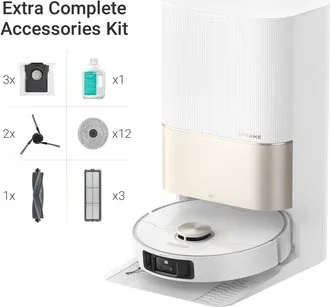
The Complete package typically includes the robot, base station (RCXE0307/RCXE0307-5), preinstalled mop pads, multiple extra mop pads and mop pad holders, cleaning tool, power cord, ramp extension plate, auto‑detergent compartment and cleaning solution, dust bags, spare main brush, filters and side brushes. Exact contents vary by region.
Is this answer helpful?
The Dreame X40 Ultra supports only 2.4 GHz Wi‑Fi for Dreamehome app pairing. Ensure a strong 2.4 GHz signal during setup and follow the in‑app prompts; app screens may differ after updates.
Is this answer helpful?
Yes. After cleaning tasks the base station will auto‑wash, dry and (based on settings) refill the robot's water tank. Hot‑water cleaning and water hookup for auto refill/drain are available in certain regions or as optional accessories.
Is this answer helpful?
Maintenance intervals vary: mop pads every 1–3 months, dust bag every 2–4 months, dust filter every 3–6 months, main brush every 6–12 months, and other sensors/parts per manual recommendations. Replace frequencies depend on usage and environment.
Is this answer helpful?
Check the Wi‑Fi password, confirm you are on a 2.4 GHz network, ensure strong signal coverage, restart the app and robot, and follow the app’s reconnection steps. If issues persist, move the base station to a more open area and consult Dreame support.
Is this answer helpful?
Yes, with precautions: do not let children under 8 or unsupervised persons operate or maintain the device. Keep children and pets at a safe distance during operation, enable child lock if needed, and remove fragile or small objects from floors before cleaning.
Is this answer helpful?
The robot uses a built‑in lithium‑ion battery; replacement should be performed by qualified technicians. For disposal, have the battery removed by professionals and recycle at an authorized facility. Follow WEEE guidelines for electronic waste disposal.
Is this answer helpful?
Advantages and Disadvantages
Advantages

- Comprehensive automation: auto‑emptying dust, mop washing/drying and automatic water refill (where supported).
- Robust navigation: LDS, 3D dual‑line lasers and AI cameras enable fast mapping and efficient route planning.
- Flexible cleaning modes: vacuum only, mop only, vacuum‑then‑mop, spot clean and scheduled tasks via app.
- Rich accessory bundle (Complete): extra mop pads, brushes, filters and dust bags for extended use.
- Clear maintenance schedule and built‑in washboard self‑cleaning for mop hygiene and longevity.
Disadvantages

- Requires official base station model and approved cleaning solution; limited third‑party compatibility.
- Only supports 2.4 GHz Wi‑Fi, which may limit connectivity in mixed networks.
- Base station water hookup kit and some features are region‑dependent or sold separately.
- Regular maintenance (filters, brushes, mop pads, dust bags) is needed and parts have recurring replacement intervals.
- Not suitable for bathrooms, outdoor use, or rooms with excessive liquid and hazards; some caution required around stairs and fragile items.
Product Specification
Robot vacuum cleaner
Battery
1x Battery (14.4V, 6.4Ah, Li-ion)
Capacity
12.85fl oz (10.14fl oz Dust, 2.71fl oz Fresh water)
Cleaning modes
Vacuuming, Mopping, Vacuuming & Mopping
Navigation
Cliff sensor, Dirt sensor, Wall following sensor, Laser sensor (Mapping, Room recognition), Camera (3D Vision), No-go zones, Obstacle detection, Obstacle overcoming (up to 0.87in), Carpet recognition (Mop attachment lifting function)
Filtering
yes
Display
no
Special features
1x Main brush, 1x Side brush, 2x Mop attachment (Microfiber pad), Programmable cleaning times
Smart Home
App control (Wi-Fi (WLAN), Dreamehome), Voice assistant (Amazon Alexa, Apple Siri, Google Assistant)
Operating time
260min
Charging time
4.5h
Charging system
automatic
Dimensions
13.78x3.82in (DxH)
Weight
28.66 lb
Scope of delivery
Station (RCXE0307, RCXE0307-5), Removable ramp, Side brush, 2x Mop pad holder, 12x Mop pad, Dustbin, 3x Dust bags, Cleaning tool, Main brush, 3x Filters, Cleaning agent
Station
Station display
no
Station features
Automatic charging function, Automatic refilling function, Automatic dust emptying, Automatic cleaning function (with warm water), Automatic drying function (with hot air), Wastewater connection optional, Permanent water connection optional
Station capacity
0.85 gal (Dust), 1.19 gal (Fresh water), 1.06 gal (Dirty water)
Station dimensions
23.23x18.00x13.39in (WxHxD)
Product Description
Dreame X40 Ultra Complete Vacuum and Mopping Robot incl. Dust Collection Station Manual
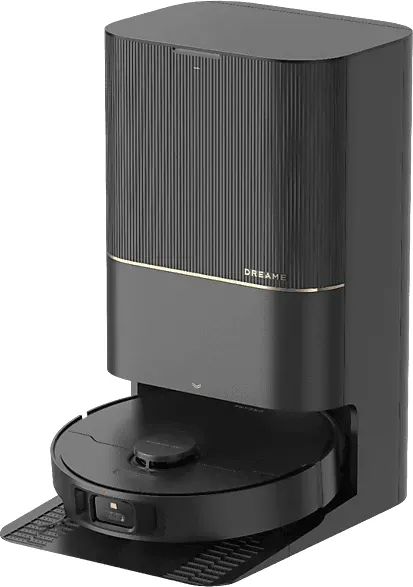
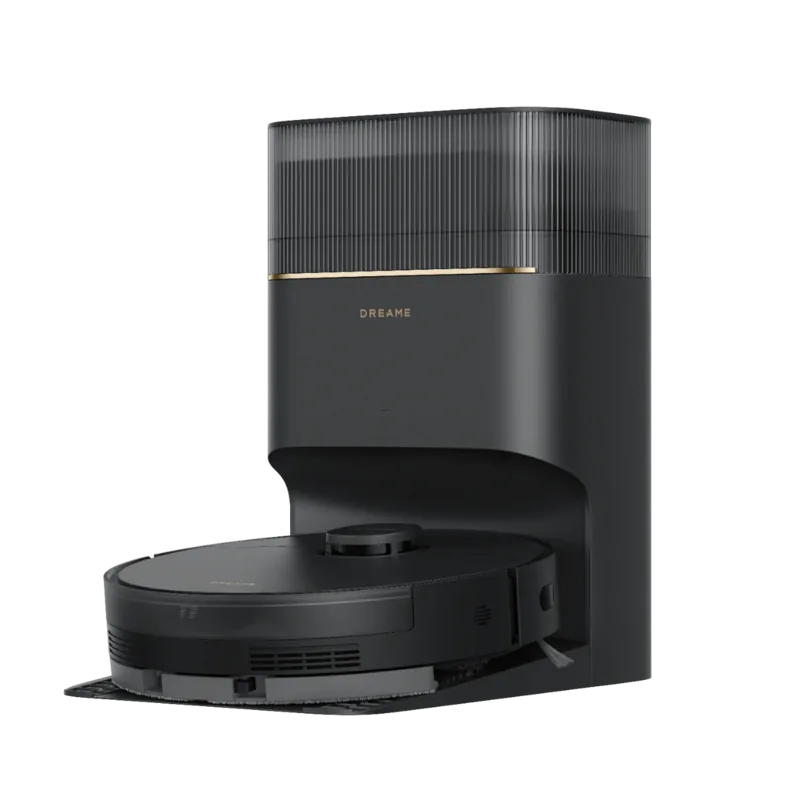
The Dreame X40 Ultra Complete Vacuum and Mopping Robot incl. Dust Collection Station Manual guides users through setup, daily use, maintenance and troubleshooting for a high‑end robot that vacuums, mops, self‑washes mop pads and auto‑empties dust. The X40 Ultra pairs an advanced robot unit with a smart base station (RCXE0307/RCXE0307-5) that handles dust collection, mop washing/drying, water refill and offers optional hot‑water cleaning and water hookup accessories in select regions.
This model emphasizes convenience and safety: fast mapping via LDS and 3D dual‑line laser sensors, AI cameras, multiple cleaning modes (vacuum only, mop only, vacuum‑then‑mop and spot clean), app control through Dreamehome (2.4 GHz Wi‑Fi), Do Not Disturb scheduling, auto‑resume after charging, and child lock. The package contents differ by SKU — the Complete bundle includes extra mop pads, brushes, filters and dust bags for longer use out of the box.
Setup is covered in detail: place the base station with recommended clearances, attach the ramp extension, install mop assemblies and dust bags, add approved cleaning solution to the auto‑detergent compartment, fill the clean water tank, and pair the robot with the Dreamehome app. The manual stresses only using official cleaning solution and the specified base station model, and warns against use in bathrooms, outdoors, or near pools.
Maintenance instructions are comprehensive: routine schedules for replacing/cleaning the main brush, side brush, filters, mop pads, used/clean water tanks, dust bags and sensors. The base station washboard self‑cleans mop pads and requires occasional deep cleaning (roller, covers, wipers). Important care steps include keeping contacts and sensors dry, rinsing washable parts and fully drying before reinstallation, and charging the battery at least every three months if idle.
Safety and troubleshooting sections explain battery handling, laser safety (Class 1), proper disposal (WEEE), and common solutions to problems like Wi‑Fi pairing failures, charging issues, return‑to‑base problems, excessive noise, slow charging, or blocked vents. If issues persist, users are directed to Dreame support and online manuals.
Notes:
- Only 2.4 GHz Wi‑Fi is supported. App UI can change with updates.
- Use only approved cleaning solutions; do not add alcohol, disinfectants or other liquids to the clean water tank.
- Keep children and pets away during operation and maintenance.
Search for 67,706 Manuals online


Type-in Brand or Model