
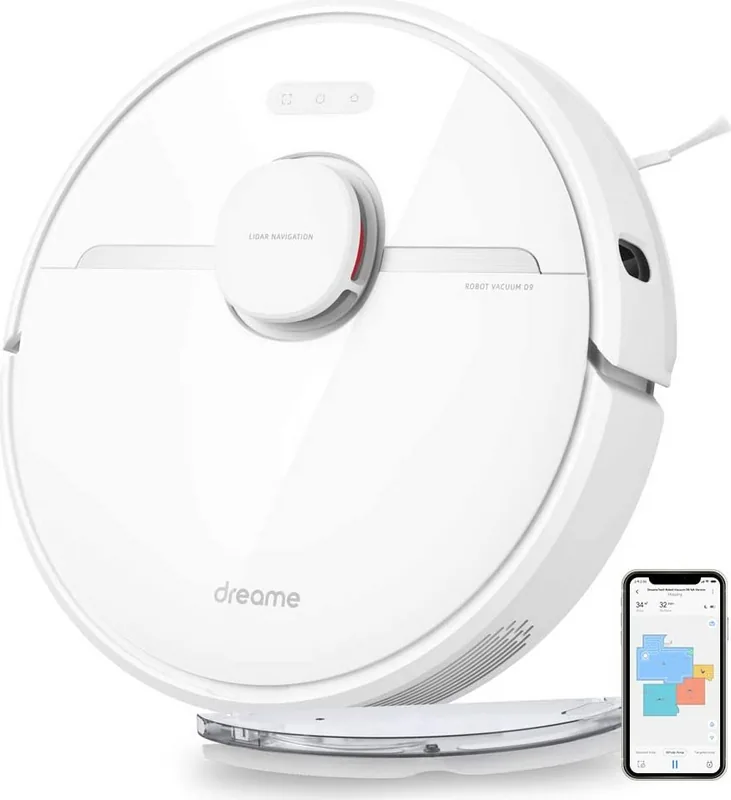
Dreame D9 Manual
PDF manual · 64 Pages
English



Quick check
Incorrect answer, please try again.
Chat with your Dreame D9 manual using AI
Get instant AI answers from your Dreame D9 manual
Ask anything about the Dreame D9. Answers come from this manual, with the pages they are based on.
D9 Maintenance Schedule
Ensure the battery remains well-charged during daily use to maintain optimal performance.
If the robot is not used for an extended period, recharge it at least once every three months to prevent damage from over-discharging.
For optimal performance, it is recommended to replace the mop pad every 4 to 6 months.
Remove the dust bin, take out the filter, tap it gently, and rinse with water. Dry thoroughly before reinstalling.
Press the guard clips inward to remove the cover and lift the brush out of the robot to clean it.
Pull out the side brushes and use the included cleaning tool to remove any hair tangled on the brush.
Use the included brush cleaning tool to remove any hairs tangled on the main or omnidirectional wheels.
Wipe the LDS, cliff, edge, and return-to-dock sensors and charging contacts with a dry cloth. Do not use wet cloths.
Pour out remaining water, clean the tank with water only, and let it air dry before re-installing to prevent mildew.
Remove the mop pad, wash it with water, and let it air dry before re-installing.
Free maintenance reminders
Timed to your purchase date. Always free, unsubscribe anytime.
Ask a Question
Do you recommend D9?
Yes No
Kathleen Rohan
6 months ago
Is the initial map creation process difficult, and do maps ever become corrupted or lost over time?
Frequently Asked Questions
The Dreame D9 typically runs for up to 120 minutes on standard mode, covering approximately 200 square meters before needing a recharge.
Is this answer helpful?
Yes, the companion app allows you to set custom schedules for both vacuuming and mopping at specific times of the day.
Is this answer helpful?
Absolutely. It automatically detects carpets and increases suction power to ensure deep cleaning of fibers.
Is this answer helpful?
Yes, the high-efficiency filtration system and strong suction make it excellent at picking up pet hair from various surfaces.
Is this answer helpful?
Remove the pads after use, rinse them with water, and let them air dry completely before reattaching them to the robot.
Is this answer helpful?
Advantages and Disadvantages
Advantages

- Powerful suction removes dirt and pet hair effectively
- Smart navigation maps rooms accurately for efficient cleaning
- Dual vacuum and mop function saves time on floor care
Disadvantages

- Water tank capacity may require refilling for large homes
- App connectivity can occasionally be unstable during setup
- Mopping pads need frequent washing for best results
Product Specification
Cleaning Robot
Battery
1x Battery (14.4V, 5.2Ah)
Color
White
Capacity
570ml Dust, 270ml Fresh Water
Recommended Room Size
Up to 2153 sq ft
Cleaning Modes
Vacuum, Vacuum & Mop
Navigation
Obstacle Sensor, Bump Sensor, Laser Sensor (LiDAR), Zones, Obstacle Detection, Obstacle Overcoming (up to 0.79 inches), Carpet Detection
Filtration
Washable HEPA Filter
Display
No
Features
1x Floor Brush, 1x Side Brush, 1x Mop Attachment, Programmable Cleaning Times, Brushless Motor
Smart Home
App Control, Voice Assistant (Amazon Alexa)
Operating Time
2.5h
Charging System
Automatic
Noise Level
60dB(A)
Dimensions
13.78x3.81 inches (Diameter x Height)
Weight
8.38 lbs
Package Contents
Station, Water Tank, Mop Attachment, Cleaning Tool, Side Brush
Station
Station Color
White
Station Display
No
Station Features
Automatic Charging Function
Product Description
Dreame D9 Vacuum and Mop Robot Review
The Dreame D9 Vacuum and Mop Robot represents a significant leap in home cleaning automation, blending powerful suction with intelligent mopping capabilities. Designed for modern households, this device offers a seamless way to maintain clean floors without the daily hassle of manual vacuuming. With its sleek design and advanced navigation, it effortlessly glides over various floor types, ensuring every corner is attended to.
Equipped with a high-capacity battery and efficient motor, the Dreame D9 delivers consistent performance throughout large areas. It features a dual-function system that vacuums debris and mops surfaces simultaneously or separately, adapting to your specific cleaning needs. The robot utilizes smart mapping technology to create accurate layouts of your home, allowing for targeted cleaning sessions and no-go zones. Whether you have pets, children, or just a busy lifestyle, this robot keeps your floors pristine with minimal effort.
Users appreciate the intuitive mobile app control, which allows for scheduling, mode selection, and real-time monitoring from anywhere. The dustbin and water tank are designed for easy maintenance, reducing downtime between cycles. Its quiet operation ensures it can run while you sleep or work, providing a cleaner home without the noise disturbance. This all-in-one solution is perfect for those seeking efficiency and convenience in their daily cleaning routine.
Key Features and Benefits
The Dreame D9 stands out due to its versatility and user-friendly interface. It handles everything from fine dust to larger debris with ease. The mopping function uses precise water flow control to avoid over-wetting delicate surfaces like wood or laminate. Navigation sensors prevent collisions and falls, making it safe for multi-level homes. The combination of strong suction power and effective mopping makes it a top choice for comprehensive floor care.
Important Notes
- Always empty the dustbin after each use for optimal performance.
- Clean the filters regularly to maintain suction power.
- Ensure the charging dock is placed on a flat, unobstructed surface.
Search for 67,706 Manuals online


Type-in Brand or Model
adipisci16
4 months ago
Does the Dreame D9 handle pet hair well on carpets, and are there any common navigation issues with furniture?
Manual.ly
4 months ago
Yes, the Dreame D9 is highly effective for homes with pets. Users report excellent suction performance on both hard floors and carpets, automatically increasing power when carpet detection is active. The LiDAR navigation system generally allows it to map rooms accurately and avoid obstacles efficiently. However, some users note that the robot may occasionally get stuck between low furniture like sofas and rugs, or in areas with many cables. Defining no-go zones via the app can resolve these specific sticking points. Additionally, while the mopping function works for light cleaning, it is not a replacement for manual mopping.