
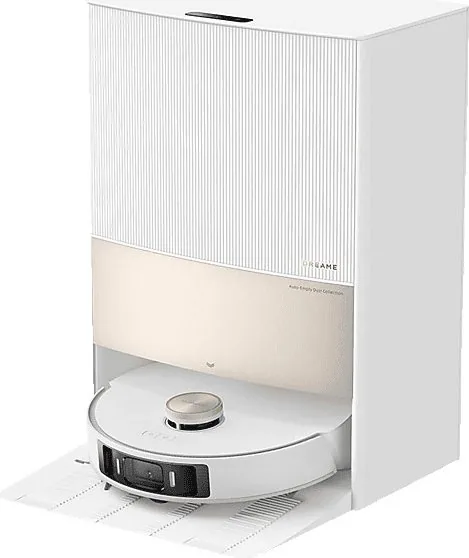
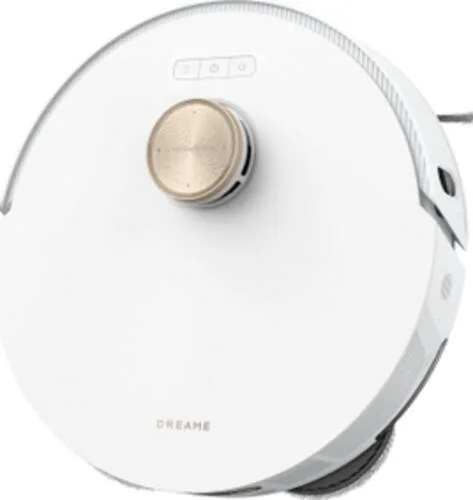
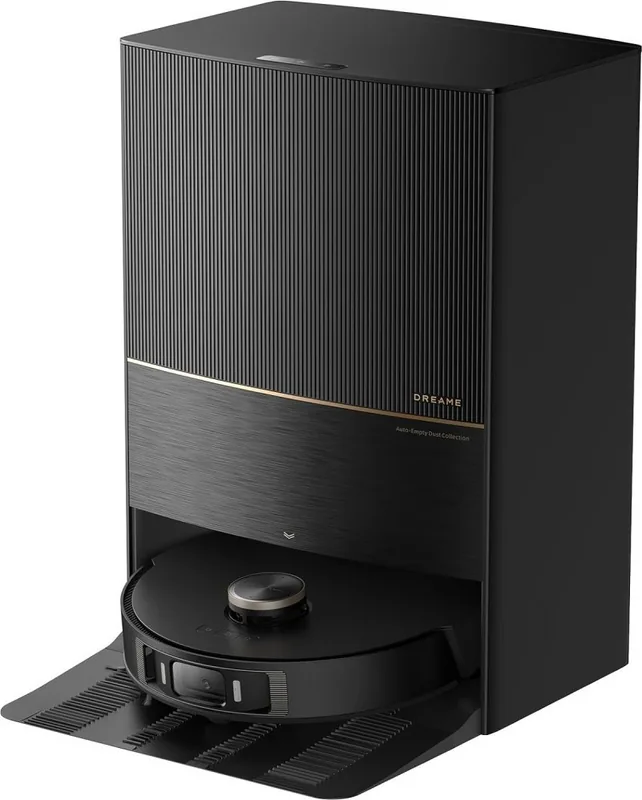
Dreame Bot L20 Ultra Manual
PDF manual · 87 Pages
English



Quick check
Incorrect answer, please try again.
Chat with your Dreame Bot L20 Ultra manual using AI
Get instant AI answers from your Dreame Bot L20 Ultra manual
Ask anything about the Dreame Bot L20 Ultra. Answers come from this manual, with the pages they are based on.
Bot L20 Ultra Maintenance Schedule
Remove the clean water tank and rinse it with clean water once every two weeks.
Remove the washboard, rinse with clean water, and clean the base station bottom monthly.
Wipe the line laser sensors with a soft dry cloth once a month.
Replace mop pads every 1 to 3 months based on usage conditions.
Clean the mop pad holder and dust box filter every 3 to 6 months.
Replace the side brush every 3 to 6 months depending on usage.
Replace the dust bag every 6 to 8 weeks or when full.
Replace the main brush every 6 to 12 months depending on usage.
Free maintenance reminders
Timed to your purchase date. Always free, unsubscribe anytime.
Ask a Question
Do you recommend Bot L20 Ultra?
Yes NoFrequently Asked Questions
It is best known for combining vacuuming, mopping, self-emptying, mop washing, and mop drying in a single automated cleaning system. This reduces manual work and keeps the robot ready for regular use with less intervention.
Is this answer helpful?
Yes. It is designed to handle multiple floor types and includes carpet sensing to adjust behavior during cleaning. It can vacuum, mop, or switch between modes depending on the selected task in the app.
Is this answer helpful?
Yes, it supports auto-resume cleaning when enabled in the app. If the battery gets low, the robot can return to the base station, recharge, and continue unfinished cleaning afterward.
Is this answer helpful?
It supports 2.4 GHz Wi-Fi only. A 5 GHz network will not work, so setup should be done on a compatible 2.4 GHz connection with a stable signal.
Is this answer helpful?
Some parts need attention after every use, while others are checked weekly or monthly. Tanks, filters, brushes, sensors, vents, and the washboard all have routine cleaning or replacement intervals to keep performance stable.
Is this answer helpful?
No. The instructions say to use only the officially approved cleaning solution. Adding alcohol, disinfectant, or other liquids may cause malfunction or reduce the reliability of the base station.
Is this answer helpful?
Advantages and Disadvantages
Advantages

- Automatic vacuuming, mopping, pad washing, and dust emptying reduce daily effort.
- Laser navigation and AI sensing help it map rooms and clean with better route planning.
- The app supports flexible modes like vacuum-only, mop-only, and vacuum-then-mop.
- Auto-resume, child lock, and Do Not Disturb mode add convenience for busy homes.
Disadvantages

- It supports only 2.4 GHz Wi-Fi, so 5 GHz networks are not compatible.
- The system needs regular maintenance for brushes, filters, tanks, vents, and sensors.
- Only officially approved cleaning solution should be used; other liquids may cause problems.
- Some optional water hookup features require separate purchase and may be region-limited.
Product Specification
Robot vacuum cleaner
Battery
1x Battery (14.4V, 6.4Ah, Li-Ion)
Capacity
10.14 fl oz Dust, 2.70 fl oz Fresh water
Cleaning modes
Vacuuming, Mopping, Vacuuming & Mopping
Navigation
Dirt sensor, Wall tracking sensor, Laser sensor, Camera (3D Vision), Obstacle detection, Obstacle overcoming, Carpet detection (Mop attachment lift function), Virtual Wall (Software)
Filtering
yes
Display
no
Special features
1x Main brush, 1x Side brush, 2x Mop attachment (Microfiber pad), programmable cleaning times
Smart Home
App control, Voice assistant (Amazon Alexa, Google Assistant)
Operating time
260min
Charging time
4.5h
Charging system
automatic
Noise level
63dB(A)
Dimensions
13.78x4.09in (DxH)
Weight
9.47lb
Station
Station display
no
Station special features
automatic charging function, automatic refill function, automatic dust emptying, automatic cleaning function, automatic drying function (with hot air), wastewater connection optional, fixed water connection optional
Station capacity
0.85 gal (Dust), 1.19 gal (Fresh water), 1.06 gal (Dirty water)
Station dimensions
19.65x23.87x16.89in (WxHxD)
Station weight
29.32lb
Total weight
38.80lb
Product Description
Dreame Bot L20 Ultra: Smart Cleaning With Minimal Effort
A closer look
If you're searching for the Dreame Bot L20 Ultra Manual, you're probably evaluating a robot that goes beyond simple vacuuming. The Dreame Bot L20 Ultra is built as a hands-off cleaning companion for modern homes, combining vacuuming, mopping, self-washing, and self-emptying in one system. It is designed to reduce routine chores while keeping floors consistently fresh.
What makes it stand out
The L20 Ultra uses laser-based navigation, AI visual sensing, carpet detection, and edge sensors to move through rooms with more precision than a basic robot cleaner. It can create a fast map of the home, save it automatically, and then use that layout to plan efficient cleaning routes. In daily use, the app gives flexible control over cleaning modes, suction behavior, and scheduling, so the robot can match different rooms and routines.
Built for less manual upkeep
One of the strongest features is the base station. It handles much more than charging: it can empty the dust box, wash the mop pads, refill water, and dry the pads after cleaning. That means less contact with dust and dirty water, and fewer interruptions during larger cleaning cycles. The robot can also return to the dock when its battery is low and resume unfinished cleaning after recharging, which is especially useful in larger homes.
Practical design and daily use
The system is made for careful home use, not rough handling. The instructions emphasize clearing floors before cleaning, keeping children and pets at a safe distance, and using only approved detergent. Maintenance is also part of the experience: brushes, filters, tanks, vents, and sensors need regular cleaning to keep the unit working properly. With that in mind, the product is best suited to users who want automation but still value periodic care.
Final notes
- Best for homes that want both vacuuming and mopping in one routine.
- Works most smoothly in open spaces with a strong 2.4 GHz Wi-Fi signal.
- Use only approved cleaning solution and keep washable parts fully dry before reinstalling.
- Regular maintenance helps preserve suction, navigation, and mop performance.
Search for 67,706 Manuals online


Type-in Brand or Model