
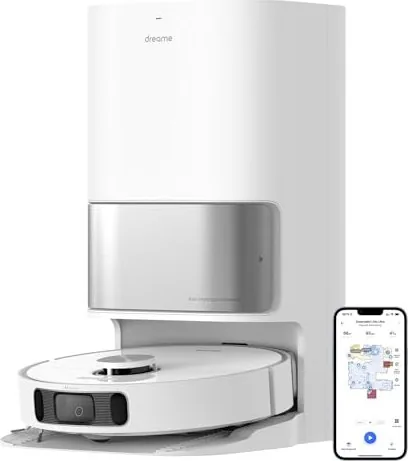
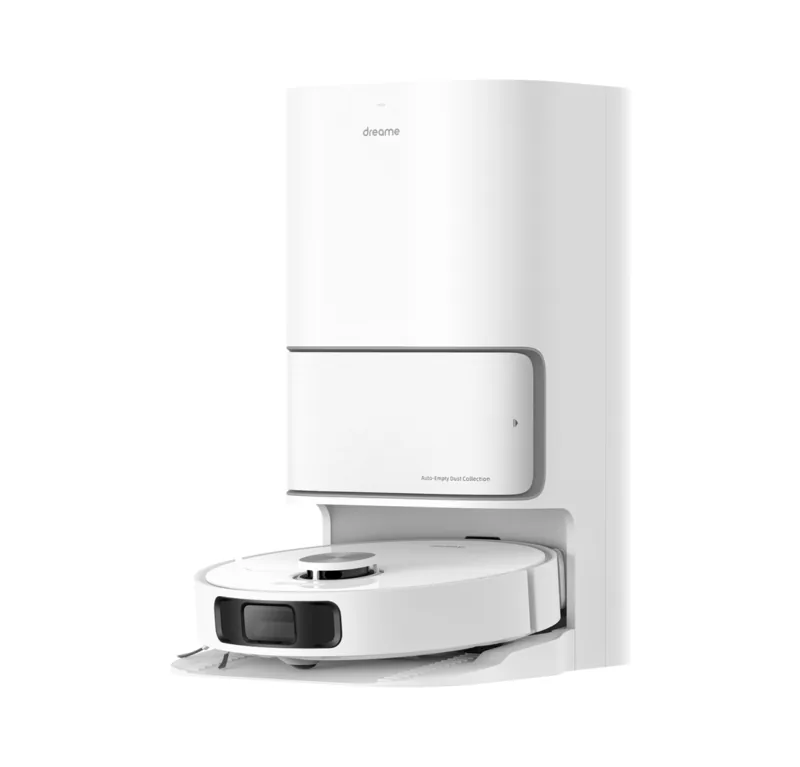
Dreame Bot L10s Ultra Manual
PDF manual · 56 Pages
English



Quick check
Incorrect answer, please try again.
Chat with your Dreame Bot L10s Ultra manual using AI
Get instant AI answers from your Dreame Bot L10s Ultra manual
Ask anything about the Dreame Bot L10s Ultra. Answers come from this manual, with the pages they are based on.
Bot L10s Ultra Maintenance Schedule
Rinse the clean water tank to prevent odor and ensure proper function.
Remove the washboard and check whether the sewage drain is blocked and clean it.
Wipe the AI visual sensor on the front of the robot with a clean, soft cloth.
If not used for an extended period, charge the robot at least once every three months to avoid over-discharging.
Remove hair tangled in the brush using the provided cleaning tool.
Separate axle and tire, rinse under running water, and dry completely before reinstallation.
Wipe the edge sensor on the side of the robot with a soft, dry cloth.
Remove the mop pad from the holder to replace it after 1 to 3 months of use.
Rinse the filter with clean water only and dry completely before reinstalling.
Replace when notified by the app or if full; remove debris from the filter first.
Free maintenance reminders
Timed to your purchase date. Always free, unsubscribe anytime.
Ask a Question
Do you recommend Bot L10s Ultra?
Yes NoFrequently Asked Questions
Download the Dreamehome app, scan the QR code on the robot, and follow the prompts. Ensure you use a 2.4 GHz network as 5 GHz is not supported.
Is this answer helpful?
The app will notify you when it is full. Typically, the dust bag lasts for 6 to 8 weeks depending on usage frequency.
Is this answer helpful?
No, do not use the robot on wet slippery surfaces. Clean excess water before starting to prevent slipping or damage to the unit.
Is this answer helpful?
The appliance operates between 0°C and 40°C. Do not use it outside this range to avoid battery damage or charging issues.
Is this answer helpful?
Open the app, enter Add Device, and search for DreameBot L10s Ultra. The indicator blinking slowly means it has been reset.
Is this answer helpful?
No, use only officially-approved detergent. Adding other liquids might cause malfunctions in the automatic water refill system.
Is this answer helpful?
Check for obstructions around the base station. Ensure the door is not closed or the path is not blocked by furniture or wires.
Is this answer helpful?
Advantages and Disadvantages
Advantages

- Integrated dust collection and mop washing station for hands-free maintenance.
- AI visual sensor effectively avoids obstacles like cables and shoes.
- Automatic water refill enables continuous mopping without interruption.
- Long battery life supports thorough coverage of large homes.
- Compatible with multiple apps for convenient remote control and scheduling.
Disadvantages

- Only supports 2.4 GHz Wi-Fi networks, not 5 GHz.
- Requires 0.5m clearance on sides of base station for operation.
- Water tanks need manual cleaning by user after use.
- Cannot climb thresholds higher than 2 centimeters.
- Batteries contain hazardous substances requiring careful disposal.
Product Specification
Cleaning Robot
Battery
1x Battery (14.4V, 5.2Ah, Li-Ion)
Color
White
Capacity
350ml Dust, 80ml Fresh Water
Recommended Room Size
Up to 2152.78 sq ft
Cleaning Modes
Vacuum, Vacuum & Mop
Navigation
Bumper Sensor, Laser Sensor (Mapping, Room Recognition), Camera (3D Vision), No-Go Zones, Obstacle Detection, Carpet Detection (Mop Lift-Up Function), Virtual Wall (Software)
Filtration
Washable HEPA Filter
Display
No
Features
1x Floor Brush, 1x Side Brush, 2x Mop Pads (Microfiber Pad), Programmable Cleaning Times
Smart Home
App Control, Voice Assistant (Amazon Alexa, Apple Siri, Google Assistant)
Battery Life
3.5h
Charging Time
5h
Charging System
Automatic
Noise Level
59dB(A)
Dimensions
13.78x3.82in (DxH)
Weight
8.16 lbs
Package Contents
Station, Cleaning Brush, 2x Mop Pads, 2x Mop Plates, Side Brush, Dust Bag, Cleaning Solution
Base Station
Station Color
White
Station Display
No
Station Features
Automatic Charging Function, Automatic Refill Function, Automatic Dust Emptying, Automatic Cleaning Function, Automatic Drying Function (with Hot Air)
Station Capacity
3L (Dust), 2.5L (Fresh Water), 2.4L (Dirty Water)
Station Dimensions
16.65x22.36x13.39in (WxHxD)
Station Weight
8.16 lbs
Total Weight
16.31 lbs
Product Description
Experience Ultimate Cleanliness with the Dreame Bot L10s Ultra
Welcome to the future of floor care with the Dreame Bot L10s Ultra Vacuum and Mop Robot. This intelligent device combines powerful suction and advanced mopping capabilities to maintain your home effortlessly. Designed for modern households, the unit features an all-in-one base station that handles dust collection and mop washing, ensuring you spend less time on chores and more time enjoying your living space.
Powerful Cleaning Performance
The robot utilizes a high-efficiency motor to tackle dust and debris from hard floors and carpets. Its dual spinning mop pads are designed to scrub stubborn stains effectively. When the mops become dirty, the base station automatically washes them with clean water and then dries them. This self-cleaning process prevents dirt from being spread across your floors during subsequent cleaning cycles. Users can also activate spot cleaning to focus on specific areas where spills have occurred recently. It picks up pet hair efficiently using a rubber main brush guard. Vacuum pressure is optimized for different floor types. It pauses when the mop returns to the station to wash pads mid-task.
Smart Navigation and Sensors
Equipped with an AI visual sensor and laser distance sensors, the Dreame L10s Ultra maps your home with precision. It avoids obstacles like cables and pet bowls reliably. For safety, cliff sensors detect stairs to prevent falls. The system works seamlessly with the Dreamehome or Mi Home apps, allowing you to start, stop, or schedule cleaning from your smartphone anywhere in the world. The Do Not Disturb mode ensures cleaning happens silently during night hours.
Setup and Maintenance
Setting up the device involves downloading the Dreamehome app, scan the QR code on the robot, and follow the prompts. Ensure you use a 2.4 GHz Wi-Fi connection. Place the base station on tile or marble floors to prevent water stains on other surfaces. Insert the power cord until the indicator turns solid white. Remove rubber plugs before adding cleaner liquid. Fill the clean water tank to the max line. Regular maintenance involves cleaning the main brush, replacing the dust filter every few months, and swapping the dust collection bag approximately every two months. The device can clean under furniture provided clearance allows.
Important Notes
- Keep the robot away from pools or bathrooms during operation to ensure safety.
- Do not use the robot near heat sources while charging or storing.
- Charge the battery at least once every three months if not used daily.
- Avoid running the unit at temperatures below 0°C or above 40°C to protect the lithium battery.
- Ensure floors are clear of loose objects like cords or slippers before starting.
Additional details regarding the base station and power include that the unit consumes significant power during dust emptying to ensure thorough suction. It features a drying function that keeps the mop pads fresh. The device operates reliably on flat surfaces and can handle thresholds up to 2 centimeters. Users should remove fragile items before cleaning to avoid accidental bumps. The robot remembers maps for efficient multi-floor cleaning.
Search for 67,706 Manuals online


Type-in Brand or Model
Lars Hansen
6 months ago
I have a large apartment over 200 square meters. Will the battery last for a full clean session or does it need to recharge and resume? Does it map multiple floors well?
Manual.ly
6 months ago
The Dreame L10s Ultra handles cleaning areas up to 200 square meters on a single charge, though larger homes will trigger the recharge and resume function. It remembers its position to finish the task automatically after charging. The device also supports storing multiple maps for different floors of your home. Please ensure you are connected to Wi-Fi for the best mapping experience.