

Dorr SnapShot Cloud 4G Manual
PDF manual · 19 Pages
English



Quick check
Incorrect answer, please try again.
Chat with your Dorr SnapShot Cloud 4G manual using AI
Get instant AI answers from your Dorr SnapShot Cloud 4G manual
Ask anything about the Dorr SnapShot Cloud 4G. Answers come from this manual, with the pages they are based on.
Ask a Question
Do you recommend SnapShot Cloud 4G?
Yes NoFrequently Asked Questions
With a compatible Mini SIM card and mobile data connection, the camera uploads captured photos to Dorr cloud storage. Images can then be viewed in the Dorr app or through the web platform from an internet-connected device.
Is this answer helpful?
Yes. In offline operation, the camera saves photos and videos directly to an SD or SDHC card. Camera settings are then adjusted on the built-in display rather than through the cloud service.
Is this answer helpful?
No. The camera can record videos with sound, but mobile image delivery is limited to photos. Recorded videos are stored locally on the inserted SD card for later viewing.
Is this answer helpful?
The camera supports SD and SDHC memory cards with capacities from 4 GB to 32 GB. The card should be unlocked and formatted before use. It is not included with the camera.
Is this answer helpful?
The camera uses 59 invisible Black Vision infrared LEDs for night illumination. You can select maximum or minimum flash range and choose night modes that prioritize illumination, balanced results, or reduced motion blur.
Is this answer helpful?
It runs on 12 AA alkaline batteries or NiMH rechargeable batteries. Compatible alternatives include a solar panel, a 12 V mains adapter, or an external 12 V battery connected through the external power port.
Is this answer helpful?
Advantages and Disadvantages
Advantages

- Fast PIR response of about 0.4 seconds helps capture movement quickly.
- 4G LTE cloud photo delivery enables remote viewing through the app or web platform.
- 59 invisible 940 nm IR LEDs support discreet night monitoring up to about 20 meters.
- Flexible settings include time-lapse, trigger delay, two activity windows, and adjustable PIR sensitivity.
- IP66 housing and support for solar, mains, or external battery power suit long-term outdoor use.
Disadvantages

- A SIM card, mobile data service, and possible transmission charges are required for cloud features.
- Videos are stored on the SD card and are not sent through the mobile connection.
- SD card, batteries, solar panel, locks, and protective housing may need to be purchased separately.
- 12 MP and 8 MP image settings are interpolated from a 5 MP color CMOS sensor.
- Settings changed during normal operation can take up to 24 hours to synchronize.
Product Specification
Effective megapixels
5.0 megapixels
Sensor
CMOS
Resolutions
up to 2560 x 1920 (4:3) pixels (JPEG)
Lens
Fixed focal length
Digital zoom
No
Display
2 in LCD
Viewfinder
No
Flash
Integrated, infrared
Video function
MOV, 1920 x 1080 (16:9), 1280 x 720 (16:9)
Removable storage
SD/SDHC
Wireless
LTE
Power supply
AA battery
Special features
Trail camera
Color
Green, brown, patterned
Dimensions
4.72 x 5.71 x 3.15 in (W x H x D)
Weight
1.02 lb
Product Description
Dorr SnapShot Cloud 4G Manual: Connected Outdoor Monitoring
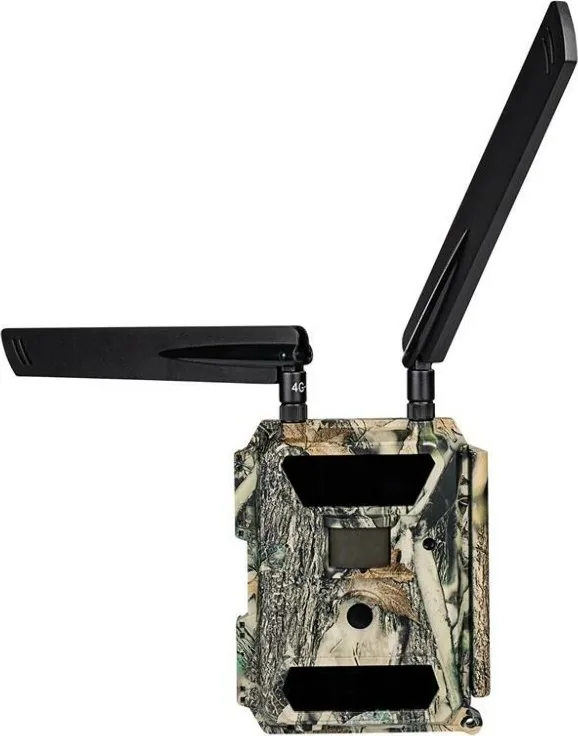
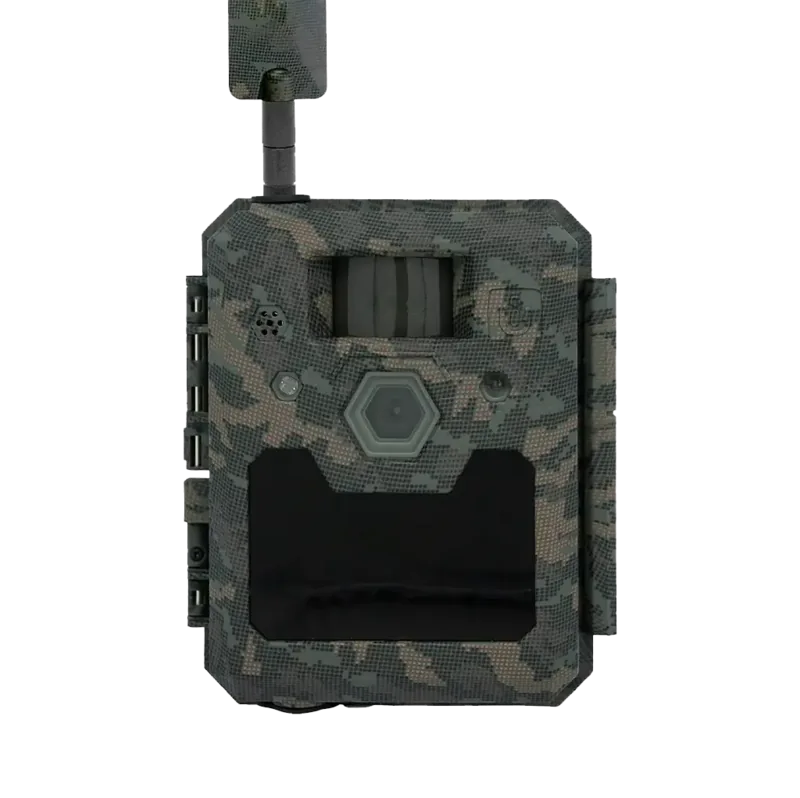
The Dorr SnapShot Cloud 4G is a versatile trail and surveillance camera designed for reliable monitoring in gardens, remote properties, wildlife areas, construction sites, and other outdoor locations. Its 4G LTE connection sends captured photos to cloud storage, allowing users to review images remotely through the Dorr app or web platform. This makes it practical for checking activity without visiting the camera location every day.
A key strength of the camera is its fast PIR motion sensor, which reacts in approximately 0.4 seconds. Combined with a 60-degree field of view and a detection range of up to around 20 meters in ideal conditions, it can capture animals, visitors, or unexpected movement quickly. The camera records images at settings up to 12 MP and can also create Full HD video with sound. Videos are stored on the SD card, while photos are available through the cloud connection.
Discreet Day and Night Capture
For night monitoring, the SnapShot Cloud 4G uses 59 invisible Black Vision infrared LEDs. These 940 nm LEDs help illuminate scenes without a visible flash, supporting discreet observation after dark. Users can choose a maximum flash range of about 20 meters or a reduced range for closer scenes. Adjustable night modes also allow a choice between stronger illumination, balanced results, or shorter exposure times to reduce motion blur.
The Dorr SnapShot Cloud 4G Manual highlights flexible capture controls. Users can select photo-only or photo-and-video operation, choose one to five images per trigger, set a delay between triggers, and enable time-lapse recording. Two daily activity windows can limit operation to specific hours. PIR sensitivity is adjustable at high, medium, or low levels, helping reduce unwanted triggers caused by foliage, heat, or changing light.
Setup, Power, and Protection
Initial setup uses a Mini SIM card with mobile data and a QR code shown on the camera display. The Dorr app connects the camera to an account, displays incoming photos, supports push notifications, and lets users share access or send images by email. Cloud storage includes a basic photo allowance per registered camera, with optional subscriptions for additional capacity and Full HD image quality.
The weather-resistant IP66 housing is built for outdoor use. It accepts 12 AA batteries or NiMH rechargeable batteries and can also run from a compatible solar panel, mains adapter, or external 12 V battery. An SD or SDHC card from 4 GB to 32 GB stores local photos and videos. For secure placement, the housing supports a mounting strap, padlock, cable lock, and optional metal protective case.
Note: Follow local privacy rules, avoid recording public areas, and ensure the SIM plan includes mobile data. Check camera placement with a test image before final installation.
Search for 67,706 Manuals online


Type-in Brand or Model