
devolo WiFi Repeater Manual
PDF manual · 13 Pages
English



Quick check
Incorrect answer, please try again.
Chat with your devolo WiFi Repeater manual using AI
Get instant AI answers from your devolo WiFi Repeater manual
Ask anything about the devolo WiFi Repeater. Answers come from this manual, with the pages they are based on.
Ask a Question
Do you recommend WiFi Repeater?
Yes NoFrequently Asked Questions
Press the WPS button on your router for the duration specified in your manual, then follow the signal light prompts on the repeater.
Is this answer helpful?
A steady green light on the signal indicator means the connection has been established securely.
Is this answer helpful?
The device includes a comprehensive three-year warranty valid for defects during initial setup or the guarantee period.
Is this answer helpful?
Position it halfway between your router and the devices needing coverage to ensure at least two green bars appear.
Is this answer helpful?
You must disable the MAC filter or the device will not be able to pair automatically without manual entry.
Is this answer helpful?
Contact the vendor where you purchased the product directly, as they handle the exchange or repair request.
Is this answer helpful?
Advantages and Disadvantages
Advantages

- Easy setup using WPS push button for quick network integration without manual key entry.
- Clear green LED indicators show connection status and optimal placement positions clearly.
- Comes with a reliable three-year warranty policy covering defects and repairs.
- Engineered in Germany ensuring high quality standards for network reliability.
- Support is accessible via multiple international phone lines for various regions.
Disadvantages

- Requires router to have WPA or WPA2 encryption enabled for compatibility.
- MAC filtering must be disabled on the gateway to allow automatic setup.
- Wi-Fi network must be visible with an active Service Set Identifier.
- Placement requires careful positioning halfway to ensure sufficient signal strength.
- WPS connection window is limited to two minutes for new devices.
Product Specification
LAN
1x 100Base-TX
Wireless
Wi-Fi 802.11b/g/n (Wi-Fi 4)
Data Rate
300 Mbps (2.4 GHz)
Security
64/128-bit WEP, WPA, WPA2, WPS
Antennas
Internal
Ports
N/A
Power Consumption
3.9 W (Power, Operation), N/A (max. Power Supply rating)
Dimensions
4.13 x 2.28 x 1.65 in
Band Support
Single Band
Manufacturer Warranty
3 Years
Product Description
Unlocking Full Home Coverage with the devolo WLAN Repeater
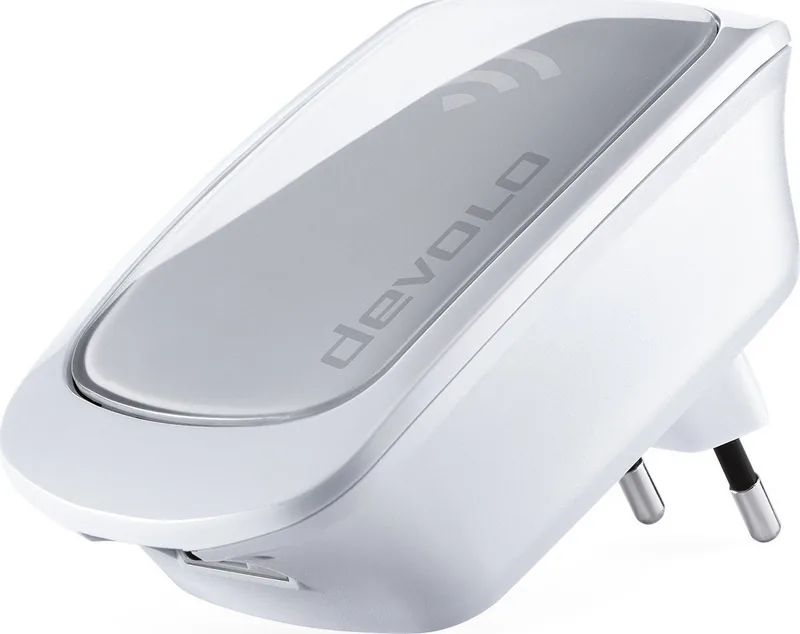
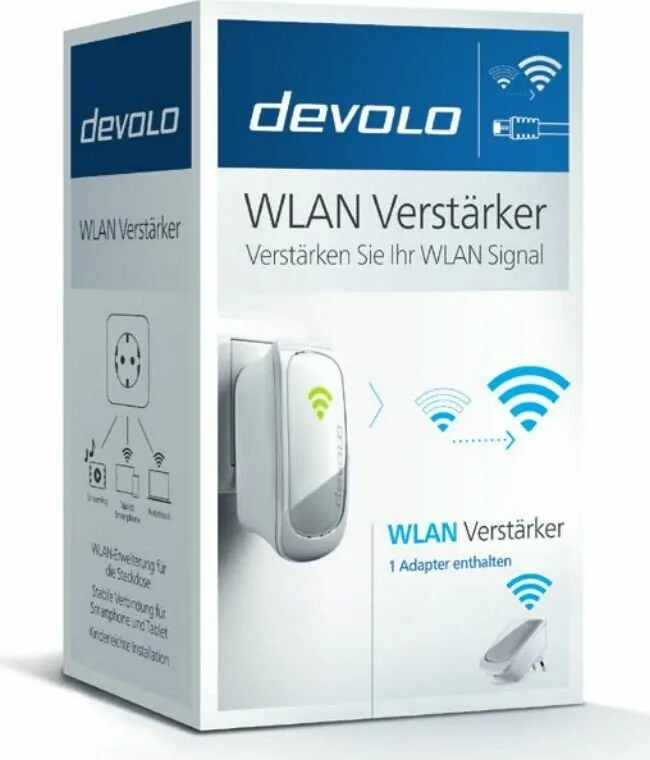
Living in a large home often means dealing with persistent dead zones where the internet signal struggles to reach. This can lead to frustrating buffering and dropped calls in distant rooms. The devolo WLAN Repeater stands as a robust solution designed to extend your network reach effortlessly. This device ensures that every corner of your home receives a strong connection without running new Ethernet cables to every location.
Setting up the device is designed for speed and simplicity. The installation process focuses on specific prerequisites that ensure a stable wireless environment. Your existing router must support WPA or WPA2 encryption to ensure security standards are met. It also requires a visible Service Set Identifier to allow seamless integration with your existing network. Crucially, the device checks that no Media Access Control filters are active on your gateway to permit automatic configuration. You should consult the devolo WLAN Repeater Manual for precise steps on these requirements.
The core feature for many users is the Wi-Fi Protected Setup button functionality. By pressing the WPS button on your router and waiting for the appropriate duration as specified by your gateway documentation, the repeater syncs rapidly. You should aim for the connection to establish within a short timeframe of a few minutes. Upon success, the signal indicator on the front panel illuminates steadily green. This visual confirmation tells you that the wireless link is secure and active.
Placement is another critical factor for maximum performance. To maximize efficiency, position the unit halfway between your primary router and the areas needing coverage. When placed correctly, the signal indicator should display at least two bars in green. This setup ensures you get a reliable bridge between the main source and your endpoints throughout the house. If you find yourself needing to connect new mobile devices later, the WPS Connect feature allows you to pair them securely for up to two minutes.
Reliability is backed by a comprehensive three-year warranty policy. If the device malfunctions during initial operation, contact the vendor where you purchased the item immediately. They handle exchanges or repairs directly with the manufacturer to minimize downtime. Complete terms are available on the official website. Technical support is accessible across numerous regions, ensuring help is always within arm's reach. Support numbers vary by location for local rates. Representatives in Germany, Austria, and the United Kingdom provide dedicated phone lines. Engineered in Germany, this unit reflects high standards of network innovation. Whether you are gaming or working from home, maintaining that green light means your network is ready for any task without interruption.
Support Notes
Always contact your local vendor first for hardware issues. Remember to keep the manual for reference during future maintenance.
Search for 67,706 Manuals online


Type-in Brand or Model