
devolo WiFi Repeater ac Manual
PDF manual · 27 Pages
English



Quick check
Incorrect answer, please try again.
Chat with your devolo WiFi Repeater ac manual using AI
Get instant AI answers from your devolo WiFi Repeater ac manual
Ask anything about the devolo WiFi Repeater ac. Answers come from this manual, with the pages they are based on.
Ask a Question
Do you recommend WiFi Repeater ac?
Yes NoFrequently Asked Questions
You can use the WPS button method or the web browser configuration. For WPS, press the button on both devices within two minutes. For web, connect to the network and type the address. Ensure SSID is visible and MAC filter is disabled first.
Is this answer helpful?
A steady white light means successful configuration. Blinking white means startup or connection. No bars or low bars mean poor signal. Three bars indicate optimal placement. Five bars mean access point mode.
Is this answer helpful?
Place the unit halfway between your router and the device needing coverage. Ideally, the signal indicator should show three white bars illuminated. This ensures the best balance between receiving and transmitting the signal.
Is this answer helpful?
Hold the WPS button for more than ten seconds. All settings will reset to factory defaults. The top four LEDs will flash briefly, then switch off, and the device will restart.
Is this answer helpful?
Yes, there is a three-year warranty included. If defective during initial operation or the warranty period, contact your vendor for repair or replacement. Full conditions are available on the website.
Is this answer helpful?
It supports 2.4 GHz and 5 GHz frequency ranges. It is compatible with 802.11 a, b, g, n, and ac standards. Indoor and outdoor ranges vary by region regulations.
Is this answer helpful?
No, it is recommended for indoor use only. You should use the device at a dry location. Outdoor exposure may damage the electronics or violate safety directives.
Is this answer helpful?
Advantages and Disadvantages
Advantages

- Dual band support for 2.4 GHz and 5 GHz frequencies
- Easy WPS push-button configuration method
- LED bar signal strength indicator
- Three-year warranty included
- Web browser configuration interface
Disadvantages

- Indoor use only, not for outdoor installation
- Router SSID must be visible during setup
- MAC filter must be disabled during installation
- Reset requires holding button for over 10 seconds
- Limited range depending on transmitter power
Product Specification
LAN
1x 1000Base-T
Wireless
WLAN 802.11a/b/g/n/ac (Wi-Fi 5), simultaneous
Data Rate
300Mbps (2.4GHz), 867Mbps (5GHz)
Security
64/128-bit WEP, WPA, WPA2, WPS
Antennas
internal
Ports
N/A
Power Consumption
4.2W (consumption, operation), not specified (max. power supply output)
Dimensions
7.48 x 4.53 x 0.71 in
Features
Mesh (Split Band)
Band Capability
Dual Band (simultaneous), Mesh (Split Band)
Manufacturer Warranty
3 years
Product Description
Enhance Your Home Network
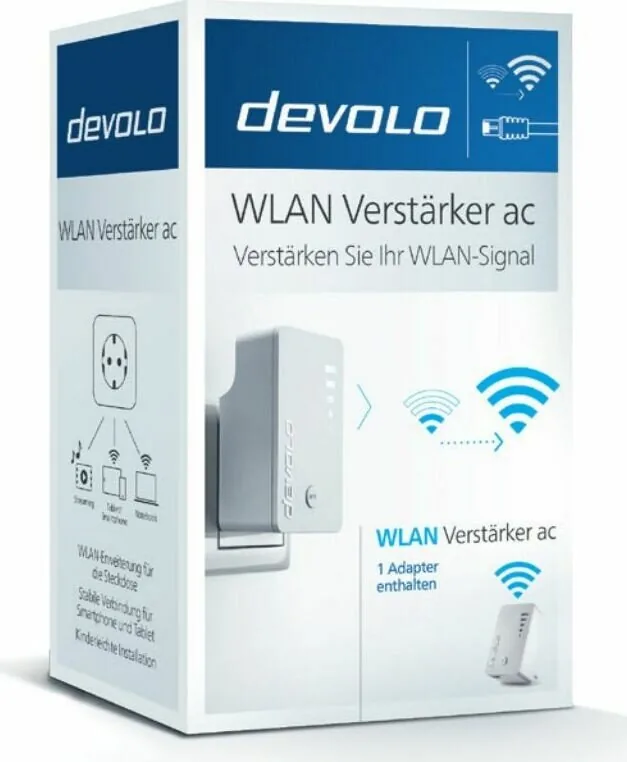
Struggling with weak Wi-Fi signals in certain areas of your home? The devolo Wi-Fi Repeater ac is designed to bridge that gap effectively. By connecting to your existing router, this device extends your wireless coverage seamlessly across multiple rooms. Many users consult the devolo Wi-Fi Repeater AC Manual to understand the specific setup steps for optimal performance and troubleshooting. It serves as a reliable tool for expanding internet access without running new cables throughout the house. This solution helps maintain high speeds even in distant corner rooms where the signal usually fades significantly.
Installation Made Easy
You have two primary methods to configure your device efficiently. The first utilizes the push-button configuration, allowing you to press the WPS button on both the repeater and router within a two-minute timeframe. Alternatively, you can access the configuration surface through a standard web browser interface. Simply connect your device to the repeater network and enter the specific address to start the setup wizard. Ensure your router SSID is visible and disable MAC filters temporarily during installation to avoid connection issues. This ensures the initial handshake occurs without security blocks stopping the process.
Signal Strength Indicators
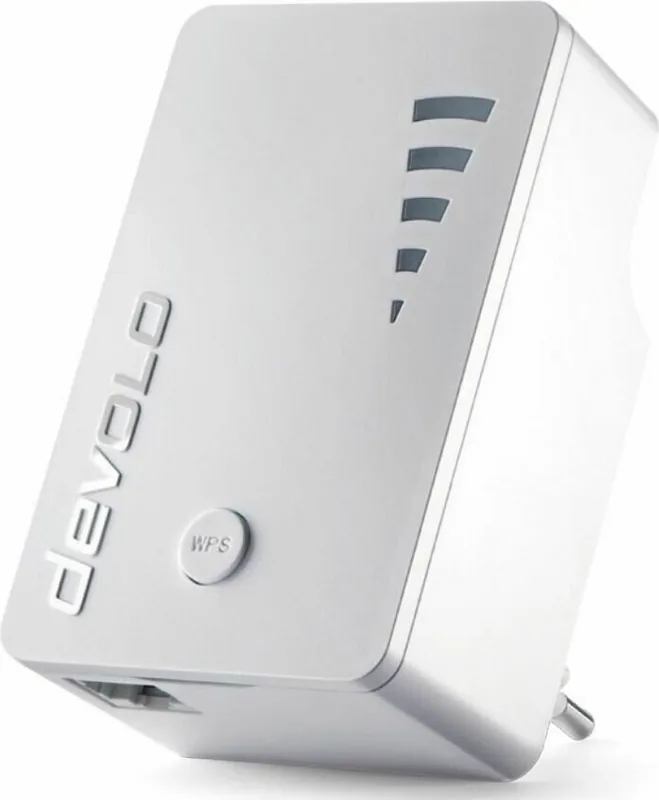
Placement is key to success for maximum throughput across your property. Position the unit halfway between your router and the device requiring stronger signal strength. The LED bar indicates connection status instantly upon powering on. Ideally, three white bars should light up consistently to show an optimal location for the device to function best. If the connection drops unexpectedly, the indicator will blink slowly to alert you regarding signal loss state. Holding the button for different durations connects mobile devices or resets the unit entirely for fresh configuration. A solid light means setup is complete and active.
Maintenance and Specs
Keep the device in a dry indoor location only to prevent damage from moisture. It complies with various safety directives for electronic equipment regarding health and safety standards globally. If issues arise, holding the button longer than ten seconds resets everything to factory defaults completely. The unit supports both 2.4 GHz and 5 GHz frequencies for versatile device compatibility including laptops and tablets. It comes with a three-year warranty for peace of mind regarding defects during operation later. Contact the vendor or service hotline if technical support is needed after purchase. The product is intended for operation in the EU and Switzerland specifically.
Technical specifications show transmission power limits per channel clearly. Channels vary by region but cover broad ranges for connectivity. Indoor range is specific to avoid interference with neighbors. 802.11 ac standard is supported alongside legacy n for backward compatibility. Power consumption is managed for efficiency during long usage periods. Ensure you check the compliance pages for local laws regarding radio equipment. The declaration of conformity is available online for verification. Manufacturer details are listed at devolo AG in Aachen, Germany.
Search for 67,706 Manuals online


Type-in Brand or Model