
devolo Magic 2 WiFi Manual
PDF manual · 63 Pages
English



Quick check
Incorrect answer, please try again.
Chat with your devolo Magic 2 WiFi manual using AI
Get instant AI answers from your devolo Magic 2 WiFi manual
Ask anything about the devolo Magic 2 WiFi. Answers come from this manual, with the pages they are based on.
Ask a Question
Do you recommend Magic 2 WiFi?
Yes NoFrequently Asked Questions
It extends internet access through the home’s electrical wiring and adds mesh Wi-Fi for better wireless coverage. It is ideal for rooms where a router signal is weak or where Ethernet cabling is impractical.
Is this answer helpful?
Plug the main adapter near your router and connect it with an Ethernet cable. Then plug the second adapter into a power socket within a few minutes. The devices should pair automatically and create an encrypted connection.
Is this answer helpful?
Yes. It includes two gigabit Ethernet ports, so you can connect devices like a smart TV, game console, media receiver, or desktop PC using a standard network cable.
Is this answer helpful?
Yes. You can create a separate guest network with its own name, password, and time limit. This lets visitors go online without accessing your private local network.
Is this answer helpful?
WiFi Clone copies the wireless settings from an existing router to the devolo adapter. This can help create a single, consistent Wi-Fi name and password across the home.
Is this answer helpful?
Press and hold the reset button for more than 10 seconds to restore factory defaults. This removes custom settings, so use it only when you want to start over or remove the adapter from a network.
Is this answer helpful?
Advantages and Disadvantages
Advantages

- Combines Powerline and mesh Wi-Fi for broader coverage in hard-to-reach rooms.
- Two gigabit LAN ports support stable wired connections for TVs, consoles, and PCs.
- Integrated socket keeps the wall outlet usable for other devices.
- Useful features include guest Wi-Fi, parental control, WPS, and scheduling.
Disadvantages

- Performance can drop if the adapter is connected through power strips.
- The network setup may require multiple adapters to unlock the full system.
- Some Wi-Fi features depend on compatible client devices and settings.
- Advanced configuration is easier through the app or web interface than by hardware alone.
Product Specification
Dimensions
5.98x2.99x1.57in
Compatibility
G.hn
Band Capability
Dual Band (simultaneous), Mesh (shared Band)
Manufacturer's Warranty
three years
Product Description
devolo Magic 2 WiFi: Fast Home Networking with Powerline and Mesh
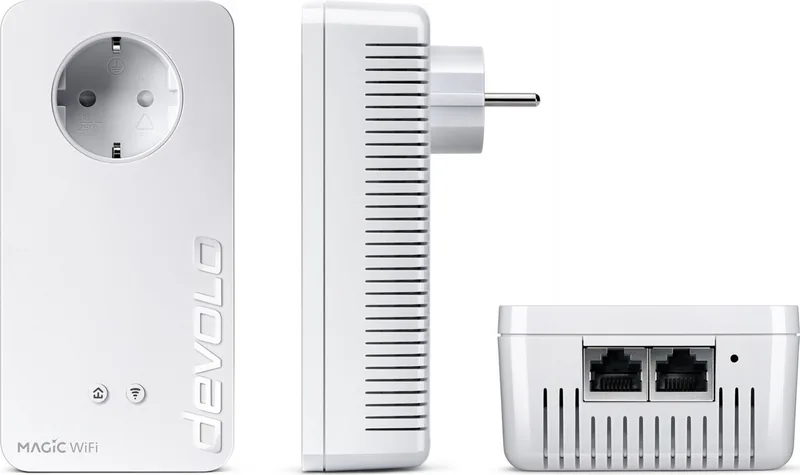
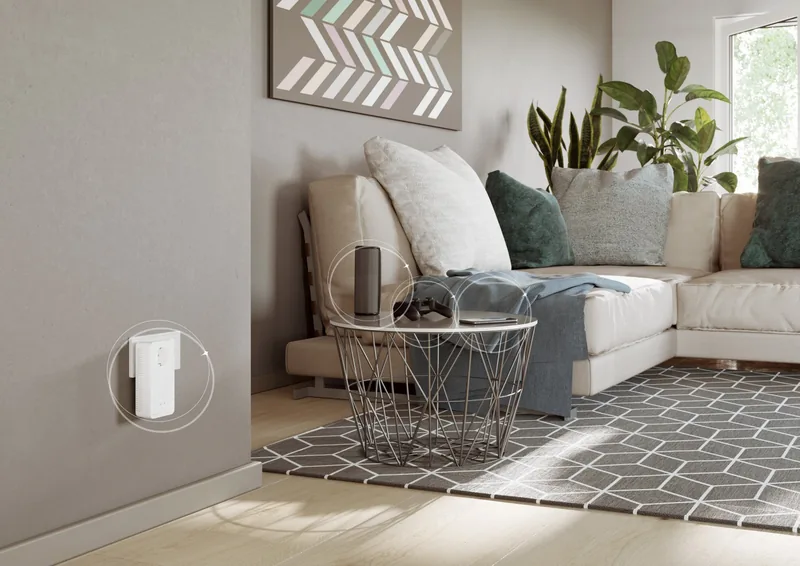
The devolo Magic 2 WiFi brings together Powerline speed, modern Wi-Fi, and practical everyday features in one compact adapter. It is designed to extend internet access through your home’s electrical wiring, which makes it especially useful in rooms where a direct cable is not convenient and where a router’s signal struggles to reach. For anyone researching the devolo Magic 2 WiFi Manual, the product stands out as a flexible solution for creating a stable and smart home network.
At its core, the device uses the G.hn-based devolo Magic platform to move data over the power line and then spread it wirelessly through mesh Wi-Fi. That means you can connect compatible devices by cable using the two gigabit Ethernet ports, while laptops, phones, tablets, and smart TVs can connect wirelessly. The integrated electrical socket is another smart touch, letting you keep the wall outlet available for other devices.
One of the biggest strengths of this model is how simple it is to start. A starter kit can create a new encrypted PLC network automatically, and additional adapters can be paired later with a button press or through software. The built-in Wi-Fi also supports useful features such as guest access, Wi-Fi scheduling, parental control, WPS, and WiFi Clone for copying settings from an existing router. In a busy household, those tools make daily use much easier.
The adapter is also built with convenience and control in mind. Through the web interface, users can adjust network names, security, mesh behavior, time settings, firmware updates, and power management options. LED indicators help show the current status of the powerline, Wi-Fi, and system behavior, while the reset button provides a straightforward way to return to factory settings if needed.
From a performance perspective, devolo positions the Magic 2 WiFi as a high-speed networking upgrade for homes that need broader coverage and more reliable connections. The combination of up to 2400 Mbps over powerline and up to 1200 Mbps over Wi-Fi makes it attractive for streaming, gaming, remote work, and multiple connected devices.
Notes
- Best results come from plugging the adapter directly into a wall socket.
- The device is intended for indoor use only.
- Firmware updates and configuration tools help keep the network secure and current.
- Mesh and roaming features can improve coverage across larger homes.
Overall, the devolo Magic 2 WiFi is a practical bridge between wired stability and wireless freedom, making it a strong choice for households that want better coverage without complicated installation.
Search for 67,706 Manuals online


Type-in Brand or Model