

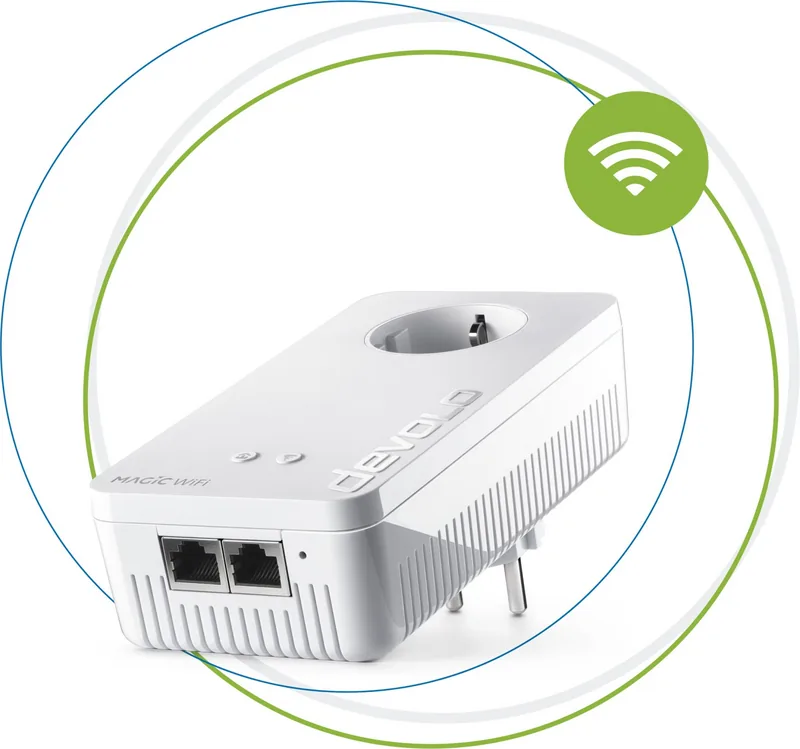
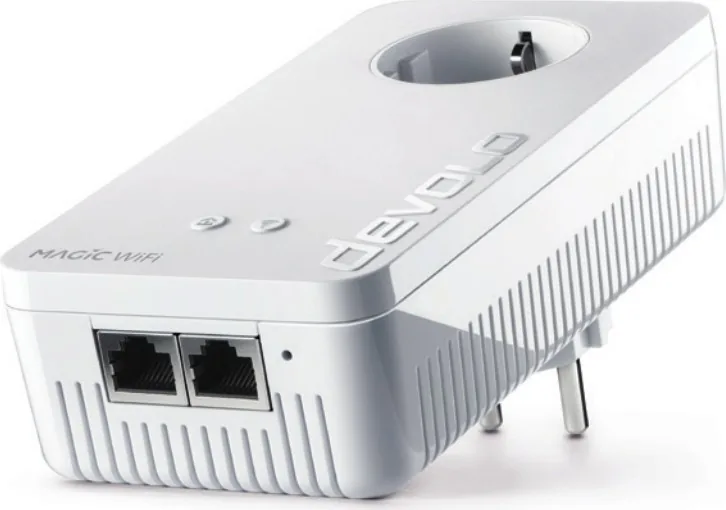
devolo Magic 2 WiFi next Manual
PDF manual · 55 Pages
English



Quick check
Incorrect answer, please try again.
Chat with your devolo Magic 2 WiFi next manual using AI
Get instant AI answers from your devolo Magic 2 WiFi next manual
Ask anything about the devolo Magic 2 WiFi next. Answers come from this manual, with the pages they are based on.
Ask a Question
Do you recommend Magic 2 WiFi next?
Yes NoFrequently Asked Questions
It is a Powerline and Mesh Wi-Fi adapter that extends a home network through electrical wiring and wireless coverage. It is intended for indoor use and can connect mobile devices over Wi-Fi as well as stationary equipment through two Gigabit Ethernet ports.
Is this answer helpful?
At least two compatible devolo Magic adapters are needed. Typically, one LAN adapter connects to the internet router and a Magic 2 WiFi next adapter is placed in another wall outlet where improved wired or wireless coverage is needed.
Is this answer helpful?
No. The Magic range uses G.hn-based Powerline technology and is not compatible with devolo dLAN devices that use HomePlug AV technology. Use compatible devolo Magic adapters when expanding the network.
Is this answer helpful?
Plug the new adapter directly into a free wall outlet. Within three minutes, press the PLC button on an existing Magic adapter for about one second. The new adapter pairs automatically, and solid white PLC LEDs indicate a successful connection.
Is this answer helpful?
It supports 2.4 GHz and 5 GHz Wi-Fi, Mesh Wi-Fi, Multi-User MIMO, Band Steering, Access Point Steering, Airtime Fairness, and optional Fast Roaming. It also provides WiFi Clone, WPS, a guest network, scheduling, and parental controls.
Is this answer helpful?
Use it only in dry, enclosed indoor spaces and plug it directly into a wall outlet. Avoid power strips, stacked adapters, covered locations, heat sources, and poorly ventilated areas. Direct wall connections generally provide better Powerline performance.
Is this answer helpful?
Advantages and Disadvantages
Advantages

- Combines G.hn Powerline networking with dual-band Mesh Wi-Fi for coverage in difficult rooms.
- Supports up to 2400 Mbit/s Powerline and up to 1200 Mbit/s Wi-Fi, with two Gigabit Ethernet ports.
- Mesh tools include Multi-User MIMO, Band Steering, Access Point Steering, Fast Roaming, and Airtime Fairness.
- Integrated pass-through socket helps retain outlet access and can reduce interference from connected power supplies.
- Offers WPA2/WPA3 Wi-Fi security, 128-bit AES Powerline encryption, guest Wi-Fi, schedules, and parental controls.
Disadvantages

- Requires at least two devolo Magic adapters to create a Powerline network.
- Not compatible with older devolo dLAN devices.
- Actual Powerline performance depends on the home's electrical wiring and may be reduced by power strips or interference.
- Fast Roaming may cause connection issues with some older Wi-Fi devices.
- Using 5 GHz DFS channels can temporarily make Wi-Fi unavailable during radar detection.
Product Specification
Dimensions
2.99 x 5.98 x 1.57 in (W x H x D)
Compatibility
G.hn
Band capability
Dual band (simultaneous), mesh (shared band)
Manufacturer warranty
three years
Product Description
devolo Magic 2 WiFi next Manual: Faster Home Networking Made Simple
The devolo Magic 2 WiFi next is designed for households that need stronger, more dependable internet beyond the room where the router is installed. It combines Powerline networking with Mesh Wi-Fi, using the existing electrical wiring to carry data to areas where walls, floors, and distance can weaken a normal wireless signal. This makes it a practical option for streaming, gaming, working from home, and connecting smart devices throughout the house.
Powerline and Wi-Fi in One Adapter
With Powerline speeds of up to 2400 Mbit/s and a stated range of up to 500 meters over electrical wiring, the adapter creates a flexible backbone for the home network. Its Wi-Fi connection supports up to 1200 Mbit/s and operates on both 2.4 GHz and 5 GHz bands. Four internal antennas, Multi-User MIMO, and Band Steering help distribute wireless capacity efficiently among phones, tablets, laptops, TVs, and consoles.
The devolo Magic 2 WiFi next Manual highlights a simple setup approach: connect a compatible Magic LAN adapter to the router, plug the Wi-Fi adapter directly into a wall outlet, and allow the adapters to pair. A new adapter can also join an existing devolo Magic network through the PLC button or software tools. Magic devices require at least two adapters and are not compatible with older devolo dLAN products.
Mesh Features for Moving Around the Home
Mesh Wi-Fi functions are built in to support smoother coverage across multiple access points. Fast Roaming can speed up switching between wireless points as users move through the home, while Access Point Steering guides devices toward a stronger available signal. Airtime Fairness prioritizes faster devices so older hardware is less likely to slow the network. WiFi Clone can copy the router's Wi-Fi name and password, helping create a more unified network experience.
Connections, Controls, and Security
Two Gigabit Ethernet ports allow wired connections for devices such as a desktop PC, smart TV, media receiver, or game console. The integrated pass-through socket preserves the wall outlet and includes filtering intended to reduce interference from connected power supplies. Wireless security supports WPA2/WPA3, while Powerline communication uses 128-bit AES encryption.
Configuration is available through the devolo Home Network App, devolo Cockpit software, or the adapter's browser-based interface. Useful options include a guest network, parental controls, Wi-Fi scheduling, LED controls, firmware updates, and Config Sync for sharing settings across compatible Magic devices.
Notes: Install the adapter directly in a dry indoor wall outlet rather than a power strip. For best performance, avoid stacking Powerline devices and use the integrated socket for nearby electrical equipment. Set an interface login password after installation and keep firmware updated.
Search for 67,706 Manuals online


Type-in Brand or Model