
devolo Magic 2 LAN Manual
PDF manual · 36 Pages
English



Quick check
Incorrect answer, please try again.
Chat with your devolo Magic 2 LAN manual using AI
Get instant AI answers from your devolo Magic 2 LAN manual
Ask anything about the devolo Magic 2 LAN. Answers come from this manual, with the pages they are based on.
Ask a Question
Do you recommend Magic 2 LAN?
Yes NoFrequently Asked Questions
It extends a wired home network through existing electrical wiring. It is suited to devices such as smart TVs, gaming consoles, desktop computers, and media receivers that benefit from a stable Ethernet connection.
Is this answer helpful?
You need at least two devolo Magic adapters. One connects by Ethernet to the router, and another connects by Ethernet to the device in a different room. More Magic adapters can be added to expand the network.
Is this answer helpful?
No. devolo Magic products use G.hn-based Powerline technology and are not compatible with older devolo dLAN devices that use HomePlug AV technology.
Is this answer helpful?
For the best connection quality, plug the adapter directly into a wall socket. Avoid extension strips and multi-socket outlets. You can use the adapter's integrated pass-through socket for other electrical devices.
Is this answer helpful?
Plug the new adapter into a wall socket, then press the PLC or reset button on an existing network adapter for about one second. Within three minutes, press the button on the new adapter to pair it.
Is this answer helpful?
Yes. The connection uses 128-bit AES Powerline encryption. You can also assign a custom PLC password through the web interface, devolo Cockpit, or the devolo Home Network App.
Is this answer helpful?
A reset removes the adapter from its current Powerline network and restores factory settings. Hold the PLC or reset button for more than 10 seconds, or use the reset option in the web interface.
Is this answer helpful?
Advantages and Disadvantages
Advantages

- Uses existing electrical wiring to extend wired network access without installing Ethernet cables.
- Offers a Gigabit Ethernet port for consoles, TVs, PCs, and other wired devices.
- Integrated pass-through socket preserves wall outlet access and includes an interference-reducing mains filter.
- Supports 128-bit AES encryption, browser-based management, app control, and firmware updates.
- Energy-saving and standby functions can reduce power use when connected devices are inactive.
Disadvantages

- Requires at least two devolo Magic adapters to create a working Powerline network.
- Actual speed and stability depend heavily on the home's electrical wiring and interference sources.
- Not compatible with older devolo dLAN adapters due to different Powerline technology.
- Direct wall socket installation is recommended; extension strips can reduce connection performance.
- Standby mode can make an adapter temporarily unreachable through the Powerline network.
Product Specification
Connection
1x G.hn (2-80 MHz)
Chipset
Maxlinear 88LX5152 (Baseband), Maxlinear 88LX2720 (Analog)
Dimensions
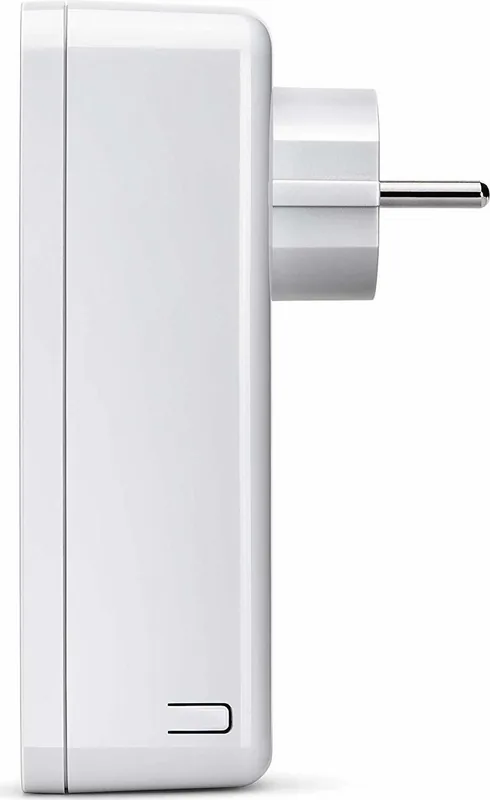
2.6 x 5.12 x 1.65 in (W x H x D)
Case color
white
Compatibility
G.hn
Manufacturer warranty
three years
Product Description
devolo Magic 2 LAN Manual: Fast Wired Networking Through Your Home's Power Lines
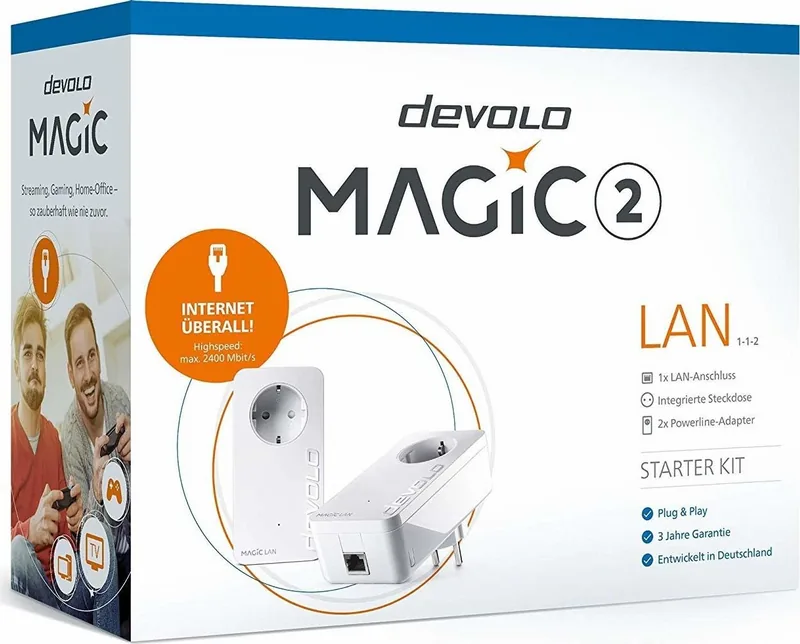
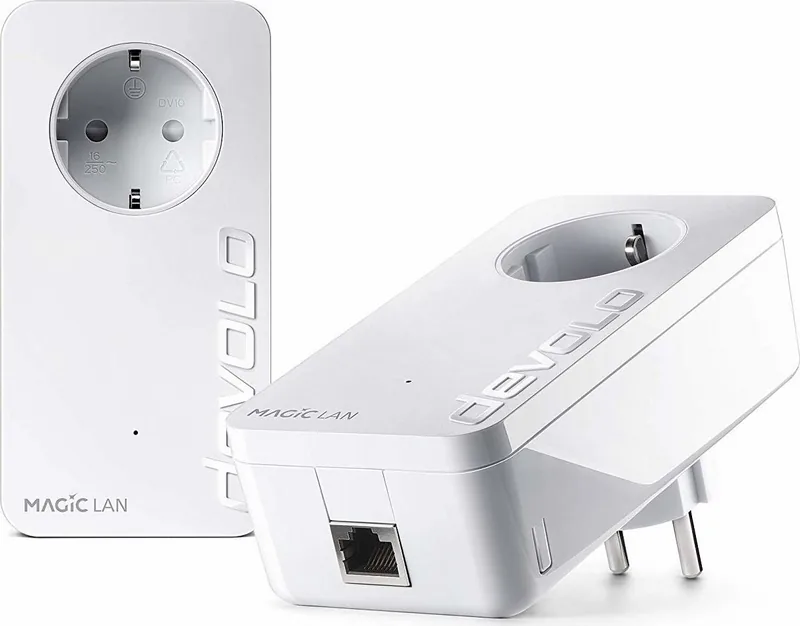
The devolo Magic 2 LAN is a Powerline adapter designed to bring a dependable wired internet connection to rooms where Wi-Fi coverage is weak or running Ethernet cables is impractical. Using modern G.hn Powerline technology, it sends network data through the existing electrical wiring in your home. This makes it a practical option for connecting bandwidth-hungry stationary devices such as smart TVs, game consoles, desktop PCs, media receivers, and streaming equipment.
Built for Stable Gigabit Connections
Each devolo Magic 2 LAN adapter includes one Gigabit Ethernet port, allowing a connected device to access the home network through the Powerline connection. The system supports theoretical transfer rates of up to 2400 Mbps and cable distances of up to 500 metres, although real-world performance depends on the quality and layout of the electrical installation.
For a complete network, at least two devolo Magic adapters are required. One adapter connects to the router, while another is placed near the device that needs a wired connection. New adapters can establish an encrypted network automatically when plugged into wall sockets within a short setup window. Additional adapters can be added with the pairing button, the web interface, or devolo management software.
Useful Design Features
A particularly convenient feature is the integrated pass-through socket. Rather than losing a wall outlet, you can plug another device or a power strip into the adapter. Its built-in mains filter is designed to reduce interference caused by connected electrical equipment, which can help preserve Powerline performance.
The adapter also uses 128-bit AES encryption to protect data sent over the electrical network. A status LED provides quick feedback about pairing, connection quality, standby mode, firmware updates, and potential connection issues. If preferred, the normal LED display can be reduced through the device settings.
Straightforward Setup and Control
The devolo Magic 2 LAN Manual setup approach is simple: connect one adapter to the router by Ethernet, connect the second adapter to a network device, and plug both directly into wall sockets. For best results, avoid multi-socket extensions, since they can limit signal quality. The integrated socket is the better place to connect other electrical devices.
Configuration is available through a built-in browser interface, devolo Cockpit for Windows, macOS, and Ubuntu, or the devolo Home Network App. Users can review connection rates, manage Powerline pairing, set a custom network password, adjust IP settings, update firmware, and enable energy-saving options.
Note: devolo Magic adapters are not compatible with older devolo dLAN products. Use the adapter indoors, in dry locations, and connect it directly to a properly grounded wall socket.
Note: A factory reset removes all existing settings and disconnects the adapter from its current Powerline network.
Search for 67,706 Manuals online


Type-in Brand or Model