
devolo Magic 2 LAN triple Manual
PDF manual · 36 Pages
English



Quick check
Incorrect answer, please try again.
Chat with your devolo Magic 2 LAN triple manual using AI
Get instant AI answers from your devolo Magic 2 LAN triple manual
Ask anything about the devolo Magic 2 LAN triple. Answers come from this manual, with the pages they are based on.
Ask a Question
Do you recommend Magic 2 LAN triple?
Yes NoFrequently Asked Questions
Connect the adapter to your internet router (or another network device) with Ethernet, then plug both devolo Magic devices into power within about three minutes. When the LEDs show steady white light, the network is established and encrypted. After setup, connect your target devices to the adapter's three Gigabit LAN ports.
Is this answer helpful?
Plug the new devolo Magic 2 LAN triple into a power socket and connect it via Ethernet. Then, within three minutes, press the PLC/reset button for about one second on an existing adapter in your network. The new device pairs automatically. For each pairing, you add only one adapter at a time.
Is this answer helpful?
Pairing uses a shared password (PLC password). You can assign it using devolo Cockpit, the Home Network App, or the built-in web interface. Alternatively, you can pair using the PLC/reset button for physical-button pairing. If you use a custom password, you must assign it to each adapter separately.
Is this answer helpful?
Use the built-in web interface. You can access it via devolo Home Network App or by using the device IP in a web browser (IPv4 or IPv6). From there, you can configure LAN settings (DHCP or static IP), Powerline pairing options, reboot, LED behavior, and firmware update settings.
Is this answer helpful?
Yes. The devolo Magic 2 LAN triple uses 128-bit AES Powerline encryption. Additionally, your pairing password helps ensure only authorized adapters join your network.
Is this answer helpful?
First, avoid power strips and plug the adapter directly into a wall socket. Also, reduce potential interference by placing adapters closer together and shutting off or relocating devices that may cause electromagnetic or radio frequency interference. You can additionally review bandwidth optimization tips and LED status in the web interface.
Is this answer helpful?
The web interface shows the current firmware version. You can check for updates automatically, and optionally install them automatically. For manual updates, download the correct firmware file from the devolo website, select it in the web interface, and confirm. Do not interrupt the update process.
Is this answer helpful?
Advantages and Disadvantages
Advantages

- Powerline networking with consistent speeds up to 2400 Mbps over distances up to 500 m.
- Security features with 128-bit AES encryption for protected data transmission.
- Three Gigabit LAN ports for direct wired connections to stationary devices.
- Integrated electrical socket plus mains filtering to reduce interference affecting PLC performance.
- Energy saving with PowerSavemode and configurable LED standby behavior.
Disadvantages

- Designed for indoor dry operation only; outdoor use is not intended.
- Performance can be impacted by electrical and radio interference on the power line.
- Avoid using power strips; nearby wall sockets can behave like a strip and reduce quality.
- Standby mode can make the adapter inaccessible over Powerline until an Ethernet device is active.
- Web interface is not password protected by default, so you must set a login password after installation.
Product Specification
Chipset
Maxlinear 88LX5152 (Baseband), Maxlinear 88LX2720 (Analog)
Dimensions
2.83x5.63x1.61in (WxHxD)
Housing color
white
Compatibility
G.hn
Manufacturer warranty
three years
Product Description
devolo Magic 2 LAN triple Manual: faster, steadier home networking
Turn any socket into a Gigabit LAN access point
The devolo Magic 2 LAN triple is designed to bring reliable internet through your existing household wiring, so you can connect devices even when Wi-Fi signal and cable runs are inconvenient. Built on the G.hn-based next generation of Powerline technology, it aims for noticeably higher speed, improved stability, and greater range for everyday streaming, gaming, and work.
Performance and practical connectivity
With consistent Powerline data transmission speeds of up to 2400 Mbps over distances of up to 500 meters, this adapter helps create a multimedia-ready home network. For security, it uses 128-bit AES encryption to protect your Powerline traffic. The device also includes energy-saving behavior via an integrated PowerSavemode that reduces consumption during low network activity.
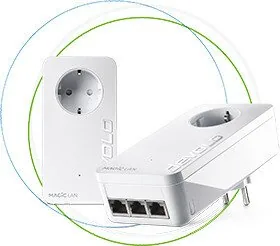
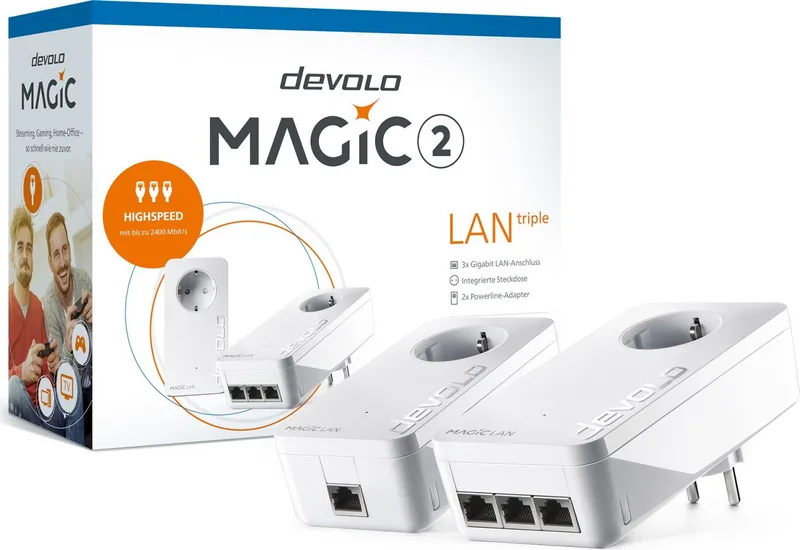
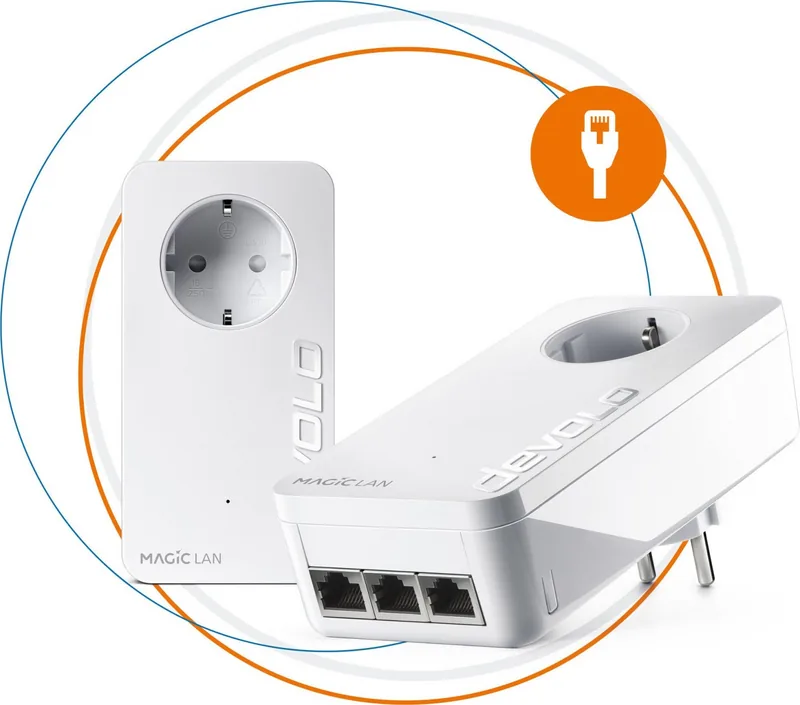
Connectivity is handled by three Gigabit LAN ports, allowing you to plug in stationary devices such as a TV, game console, or media receiver directly. A key convenience feature is the integrated electrical socket, which lets you power an additional device or power strip from the same wall outlet. An integrated mains filter is intended to reduce external interference that could otherwise affect PLC performance.
Setup that scales from a single pair to a full network
To build a devolo Magic network, you need at least two devolo Magic adapters. Starter setup can run automatically within about three minutes, establishing an encrypted connection when indicator LEDs show steady white light. To expand an existing network, the devolo Magic 2 LAN triple can be paired using a shared password (via devolo Cockpit, the Home Network App, the web interface) or via the PLC/reset button.
You can also manage network settings in the built-in web interface, including device details, LAN and Powerline options, reboot, and firmware updates. For security, the web interface is not password protected by default, so setting a login password after installation is recommended.
Notes for best results
- Plug directly into a wall socket and avoid power strips to protect PLC signal quality.
- If connections are affected, place adapters closer and reduce interference sources.
- Use the web interface to optimize settings, enable DHCP or choose static IP as needed.
Key takeaways
- Up to 2400 Mbps Powerline performance with up to 500 m range for steadier home internet.
- 3x Gigabit LAN ports plus an integrated socket for easy wired device connections.
- 128-bit AES encryption and flexible pairing (app, web, or PLC/reset button).
- Built-in configuration, LED status control, and firmware update options for long-term reliability.
Pros at a glance
- High-speed, encrypted Powerline networking using existing electrical wiring.
- Three Gigabit LAN ports for multiple wired devices.
- Integrated socket and mains filtering help reduce interference.
- Energy saving via PowerSavemode.
Considerations
- Indoor use in dry conditions only; performance can drop with interference.
- Avoid power strips and be mindful of socket placement.
- Default web interface access is not protected by a custom password until you set one.
Search for 67,706 Manuals online


Type-in Brand or Model