
devolo Magic 1 WiFi Manual
PDF manual · 57 Pages
English



Quick check
Incorrect answer, please try again.
Chat with your devolo Magic 1 WiFi manual using AI
Get instant AI answers from your devolo Magic 1 WiFi manual
Ask anything about the devolo Magic 1 WiFi. Answers come from this manual, with the pages they are based on.
Ask a Question
Do you recommend Magic 1 WiFi?
Yes NoFrequently Asked Questions
It extends home networking by combining Powerline and Wi‑Fi, helping internet reach rooms where a router alone may not provide stable coverage. It is useful for streaming, gaming, and everyday browsing in larger homes.
Is this answer helpful?
It uses the home’s electrical wiring for Powerline communication and then broadcasts Wi‑Fi locally. Fixed devices can also connect through the two Ethernet ports for a stable wired link.
Is this answer helpful?
Yes. It supports 128-bit AES Powerline encryption and WPA-based Wi‑Fi security. You can also set access passwords, guest network credentials, and manage network settings through the interface.
Is this answer helpful?
Yes. A separate guest network can be enabled with its own name, password, and time limit. This lets visitors go online without accessing your main local network.
Is this answer helpful?
Yes. You can assign time quotas or specific access periods to selected devices using their MAC addresses. Time synchronization via an internet time server is required for this feature.
Is this answer helpful?
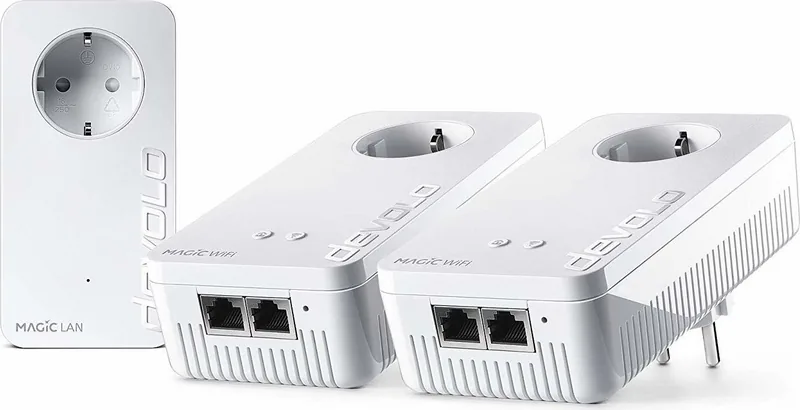
You typically need at least two compatible Magic adapters. One connects to the router, and the others pair through the wall power network. Setup can also be managed through the web interface or app.
Is this answer helpful?
Advantages and Disadvantages
Advantages

- Fast combination of Powerline and Wi‑Fi for broader home coverage.
- Dual-band mesh features improve roaming and device switching.
- Integrated power socket preserves outlet availability.
- Two Ethernet ports support wired devices like TVs and consoles.
- Web interface and app tools make management flexible.
Disadvantages

- Requires at least two compatible Magic adapters to build a network.
- Not compatible with older devolo dLAN products.
- Advanced features depend on correct setup and network conditions.
- Some modes, like standby, can make access less immediate.
Product Specification
Compatibility
G.hn
Manufacturer Warranty
three years
Product Description
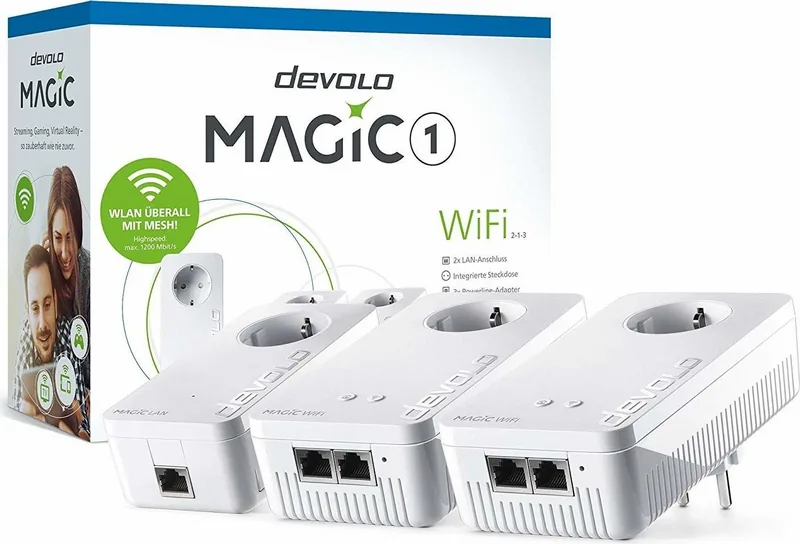
devolo Magic 1 WiFi: fast home networking made practical
The devolo Magic 1 WiFi brings together Powerline and mesh Wi‑Fi in one compact adapter, turning ordinary wall sockets into network access points. It is designed for homes where a single router cannot reliably cover every room, especially when thick walls, ceilings, or long distances weaken the signal. With this device, stable internet can reach places that are usually hard to connect.
At the core of the concept is G.hn-based Powerline technology, which sends data through the electrical wiring of the house instead of relying only on wireless coverage. That means you can extend your network with less effort and enjoy speeds of up to 1200 Mbps under ideal conditions. The adapter also supports secure 128-bit AES Powerline encryption, helping protect the link between devices while keeping the setup simple.
Wi‑Fi performance is equally important here. The devolo Magic 1 WiFi uses four internal antennas and supports both 2.4 GHz and 5 GHz bands, with smart features such as band steering, roaming, and air-time fairness. In everyday use, this helps devices connect to the best available signal and keeps newer, faster clients from being slowed down by older ones. For many users, that makes streaming, gaming, and video calls feel noticeably smoother.
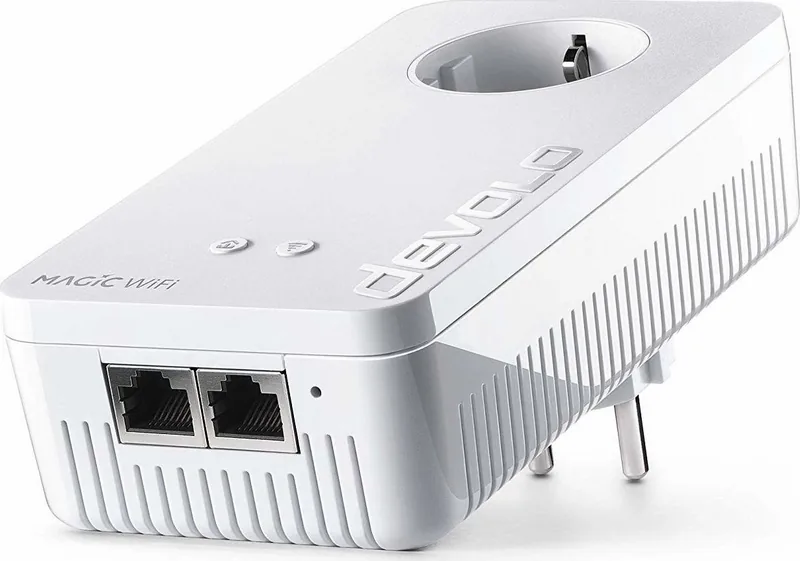
The hardware is practical too. Two network ports let you connect fixed devices like TVs, consoles, or PCs by cable, while the integrated electrical socket ensures the wall outlet is not lost to the adapter itself. A dedicated Wi‑Fi button, PLC button, reset button, and LED indicators make basic control easy without needing to open settings every time. If you want deeper control, the built-in web interface and companion software allow configuration of guest Wi‑Fi, schedules, parental controls, firmware updates, and device management.
Setup is designed to be approachable. New adapters can pair automatically, and the system can be expanded later with additional devolo Magic units. If you are searching for the devolo Magic 1 WiFi Manual, you will find that the product focuses on a straightforward workflow: plug in, pair, and fine-tune as needed. That combination of convenience and flexibility is what makes it appealing for modern households.
Notes
- Best suited for indoor use in dry environments.
- Works as part of a devolo Magic network, not with older dLAN devices.
- Advanced options like WPS, Config Sync, and guest access add extra convenience.
Search for 67,706 Manuals online


Type-in Brand or Model