
devolo Magic 1 LAN Manual
PDF manual · 36 Pages
English



Quick check
Incorrect answer, please try again.
Chat with your devolo Magic 1 LAN manual using AI
Get instant AI answers from your devolo Magic 1 LAN manual
Ask anything about the devolo Magic 1 LAN. Answers come from this manual, with the pages they are based on.
Ask a Question
Do you recommend Magic 1 LAN?
Yes NoFrequently Asked Questions
It delivers wired internet to rooms through your home’s electrical wiring. The adapter connects to your router and then shares the network with another compatible Magic adapter, helping you create a stable connection where Wi‑Fi is weak or impractical.
Is this answer helpful?
Connect one adapter to the router and the other to the target device with an Ethernet cable. Plug both into wall sockets within a few minutes, and they should pair automatically. Once the LEDs turn white, the connection is ready.
Is this answer helpful?
Yes. You can expand an existing Magic network by pairing new compatible adapters with the ones already installed. Pairing can be done with the button on the device, through software, or via the web interface.
Is this answer helpful?
Yes. It has an integrated electrical socket, so you can still plug in another device or a power strip. This helps avoid losing a wall outlet when you install the adapter.
Is this answer helpful?
No. Magic devices use newer Powerline technology and are not compatible with older dLAN products. If you already use dLAN, you will need matching Magic devices for a shared network.
Is this answer helpful?
White usually indicates a working or pairing-ready connection, red can signal reset or a connection issue, and flashing patterns may show standby or firmware updates. The exact behavior helps you understand the adapter’s current status.
Is this answer helpful?
Plug the adapter directly into a wall socket instead of a power strip, avoid sources of electrical interference, and keep devices well ventilated. Using the correct compatibility settings and updated firmware can also help.
Is this answer helpful?
Advantages and Disadvantages
Advantages

- Stable Powerline networking helps extend internet access into hard-to-reach rooms.
- Gigabit LAN support is ideal for TVs, consoles, and other wired devices.
- Integrated power socket preserves outlet use and includes interference filtering.
- 128-bit AES encryption and software tools add security and control.
Disadvantages

- Works best with direct wall sockets, so power strips may reduce performance.
- Requires at least two compatible Magic adapters to build a network.
- Not compatible with older dLAN devices, limiting mixed-system upgrades.
- Advanced settings may require the web interface or companion software.
Product Specification
Connection
1x G.hn (2-80MHz)
Transmission
1x G.hn (1200Mbps, OFDM 4096/1024/256/64 QAM, QPSK, BPSK, 128bit AES)
Chipset
Maxlinear 88LX5152 (Baseband), Maxlinear 88LX2720 (Analog)
Dimensions
2.60x5.12x1.65in (WxHxD)
Housing color
white
Compatibility
G.hn
Manufacturer's warranty
three years
Product Description
devolo Magic 1 LAN: Stable Internet Through Your Home Wiring
Fast, practical, and built for modern living
The devolo Magic 1 LAN is designed to turn ordinary electrical wiring into a reliable network path, making it a smart choice for homes where running Ethernet cables is inconvenient. It brings wired internet access to rooms that are far from the router, while keeping the setup refreshingly simple: plug in, pair, and connect. For users who want a cleaner, more stable alternative to weak Wi‑Fi spots, this adapter offers a balanced mix of speed, convenience, and everyday usefulness.
A compact adapter with useful features
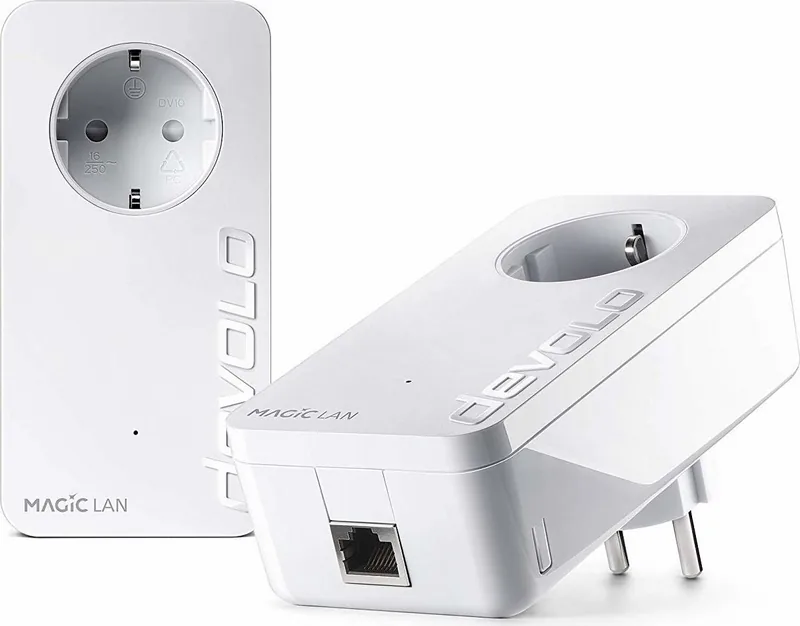
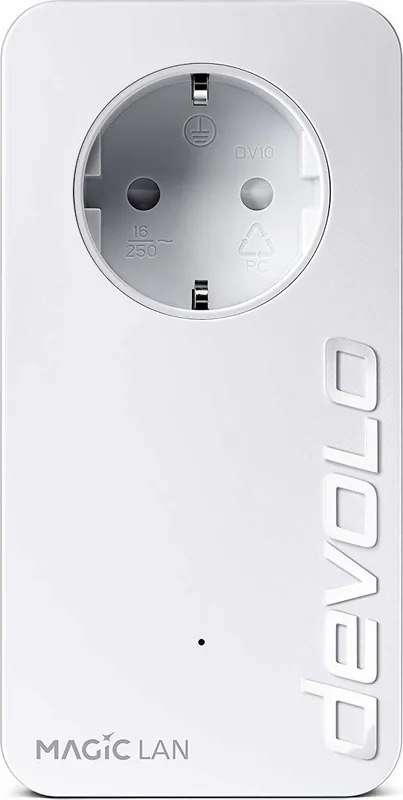
At its core, the devolo Magic 1 LAN focuses on stable Powerline networking with a Gigabit Ethernet port for devices like smart TVs, game consoles, streaming boxes, and media receivers. It supports encrypted connections and includes an integrated electrical socket, so the wall outlet is not lost after installation. That pass-through design makes it easier to keep power strips and nearby devices in place without disrupting the network connection.
The product also includes status LEDs that help show pairing, standby, connection quality, and update activity. For users who prefer a more controlled setup, the built-in web interface and companion software provide access to network settings, device identification, firmware updates, and password management. In that sense, the devolo Magic 1 LAN Manual reflects a device that is approachable for beginners yet still flexible enough for more detailed configuration.
Reliable networking with room to grow
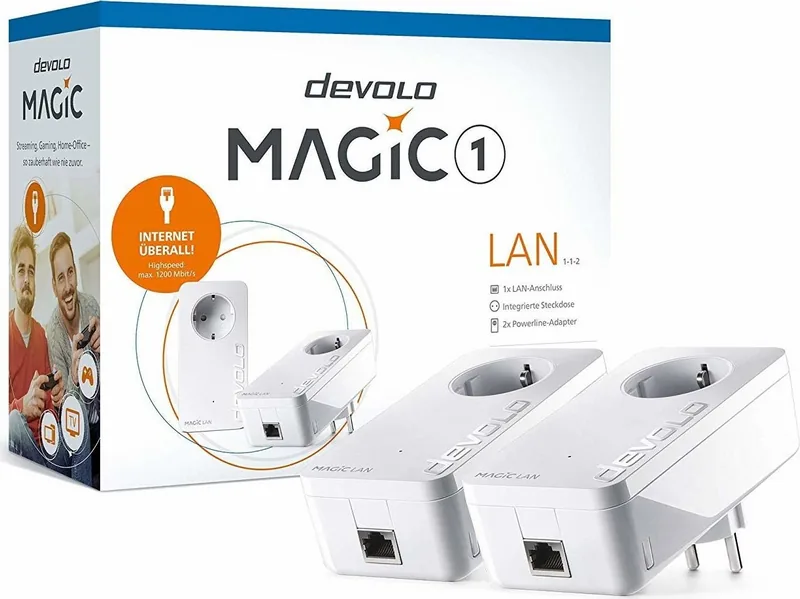
One of the strongest points of this adapter is its ability to fit into a larger Magic network. A starter setup can be created automatically with two compatible adapters, and additional units can be added later. This makes it useful for expanding coverage room by room without replacing your existing internet setup. It is also designed with energy efficiency in mind, using power-saving and standby modes to reduce unnecessary consumption when demand is low.
For households that value performance and neat installation, the devolo Magic 1 LAN offers a practical upgrade path. It is especially appealing when direct cabling is not possible, but a wired connection is still preferred for speed-sensitive devices.
Notes
- Best performance is achieved when the adapter is plugged directly into a wall socket.
- It is intended for indoor use only and works best in dry conditions.
- Magic devices are not compatible with older dLAN products.
- Firmware updates and configuration tools help keep the network current and secure.
Search for 67,706 Manuals online


Type-in Brand or Model