
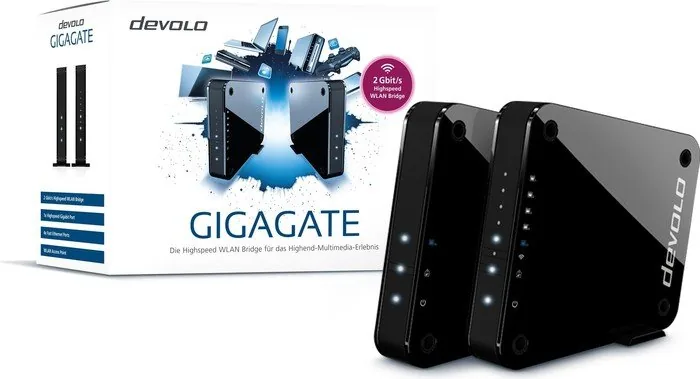
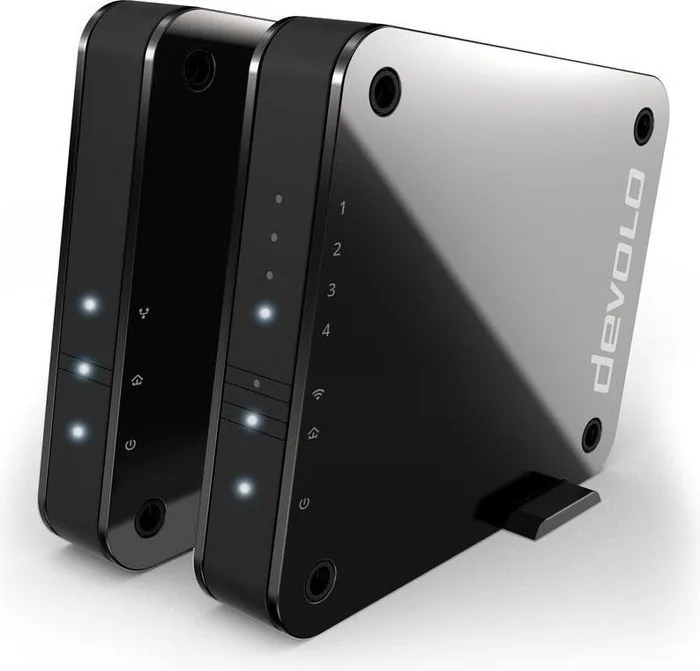
devolo GigaGate Manual
PDF manual · 43 Pages
English



Quick check
Incorrect answer, please try again.
Chat with your devolo GigaGate manual using AI
Get instant AI answers from your devolo GigaGate manual
Ask anything about the devolo GigaGate. Answers come from this manual, with the pages they are based on.
Ask a Question
Do you recommend GigaGate?
Yes No
maria_k
9 months ago
Do I need to configure anything, or is the setup really plug-and-play between the base and satellite?

Manual.ly
9 months ago
It is designed to be plug-and-play. Connect the base (sender) to your router using the included LAN cable, then plug the satellite (receiver) into power. The two units communicate and connect automatically, without manual network settings in the usual case. After they are linked, you can use the satellite for Wi-Fi and for wired connections via its LAN ports. For best results, place the satellite in a location with a clear connection to the base (for example, between floors where possible). If you still experience problems, check the physical placement and your router LAN connection; the manual and online guide also provide LED meanings and basic troubleshooting steps.
Frequently Asked Questions
It creates a wireless bridge between your router and a remote room, letting you connect devices there through Ethernet or Wi-Fi.
Is this answer helpful?
The starter package includes a GigaGate Base, a GigaGate Satellite, two power adapters, two Cat 5e network cables, and setup materials.
Is this answer helpful?
Connect the Base to your router with the included network cable, plug in both units, and let them pair automatically over gigabit Wi-Fi.
Is this answer helpful?
Yes. The Satellite provides Ethernet ports for wired devices and also supports Wi-Fi connections for compatible mobile and laptop devices.
Is this answer helpful?
The system supports WPA2 by default, WPA/WPA2 compatibility, hidden SSID options, access-password protection, and manual Wi-Fi key settings.
Is this answer helpful?
You can use WPS with the Wi-Fi button, enter the network key manually, or use a PIN-based setup in the configuration interface.
Is this answer helpful?
Press the Reset button briefly to restart it, or hold it longer than 10 seconds to restore factory defaults and erase custom settings.
Is this answer helpful?
Advantages and Disadvantages
Advantages

- Fast gigabit Wi-Fi bridge helps move internet to another room with less hassle than running new cables.
- Satellite offers multiple Ethernet ports, making it useful for TVs, consoles, NAS devices, and desktops.
- Dual-band support and configurable Wi-Fi settings improve compatibility and network tuning.
- WPS, PIN, and manual key setup give users several easy ways to add wireless devices.
Disadvantages

- Performance can vary with placement, walls, and interference, so real-world speed may differ from theory.
- The system must be used indoors and needs proper ventilation and nearby power outlets.
- Best results rely on the right cables and a router with a gigabit network connection.
- Advanced settings and multiple connection options may feel complex for very casual users.
Product Specification
LAN
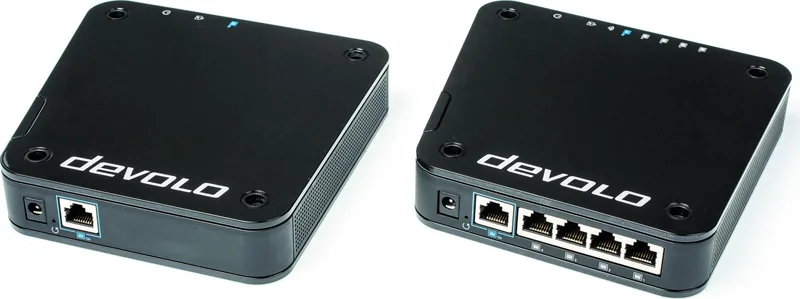
1x 1000Base-T, 4x 100Base-TX
Wireless
WLAN 802.11a/b/g/n/ac (Wi-Fi 5), simultaneous
Transmission Rate
300Mbps (2.4GHz), 1733Mbps (5GHz)
Security
WPA, WPA2, WPS
Antennas
internal
Ports
N/A
Power Consumption
not specified, not specified (max. power adapter capacity)
Band Capability
Dual Band (simultaneous)
Manufacturer Warranty
three years
Set includes
GigaGate Base + GigaGate Satellite
Product Description
devolo GigaGate Starter Set, 2-Pack: A Clean Way to Extend Home Connectivity
The devolo GigaGate Starter set, 2-pack Manual points to a product built for one job: making home networking feel less complicated. At its core, the system pairs a Base unit with a Satellite unit, creating a fast wireless bridge that can carry internet from your router to another room without running long cables across the house.
What makes this set interesting is the balance between speed and flexibility. The Base connects to your router, while the Satellite acts as the remote hub for wired and wireless devices. That means a smart TV, game console, NAS drive, desktop, or media player can plug in directly through Ethernet, while phones, tablets, and laptops can join over Wi-Fi. It is a practical setup for homes where the main router is in one spot, but the best place for entertainment gear is somewhere else.
The product also leans on dual-band Wi-Fi thinking. The 5 GHz band is used for the strong point-to-point link between Base and Satellite, while the 2.4 GHz side helps with broader device compatibility. This combination is useful in busy homes where everyday wireless traffic can crowd a single band. The Satellite’s multiple ports are another plus, especially if you want one device to feed several pieces of equipment without buying an extra switch.
Setup is designed to be straightforward. Connect the Base to the router, power both units, and the link is established automatically. From there, you can add devices using WPS, a PIN, or by entering the Wi-Fi key manually. For users who like control, the built-in interface offers options for SSID naming, encryption, channel selection, access protection, and firmware updates. The included software also helps monitor devices and manage the network more comfortably.
In daily use, the system feels like a bridge between convenience and performance. It is not only about extending signal; it is about creating a stable network zone where wired and wireless devices can work together. For apartments, larger homes, or rooms with weak router coverage, that can make a noticeable difference.
Notes
- Best results come from using the included Cat 5e cables and keeping the units indoors.
- WPA2 is the default protection, and changing the access password is strongly recommended.
- Actual speed depends on placement, interference, and the network environment.
Search for 67,706 Manuals online


Type-in Brand or Model
Sofia Schneider
9 months ago
How hard is it to set up the Devolo GigaGate, and will it give a stable connection between floors (or walls) without lots of configuration?
Manual.ly
9 months ago
Setup is designed to be very simple. Connect the sender/base to your router using the included LAN cable, then plug the satellite into power where you need coverage. The devices establish the link automatically, and the LEDs on the satellite show the connection status. In daily use, users report stable performance and better reception than relying on a single router, even across floors. Note: the integrated access point on the satellite supports 2.4 GHz (802.11n) and does not provide a built-in 5 GHz AC network, so range and speed will depend on your placement and the 2.4 GHz environment.