
devolo dLAN 550+ WiFi Manual
PDF manual · 50 Pages
English



Quick check
Incorrect answer, please try again.
Chat with your devolo dLAN 550+ WiFi manual using AI
Get instant AI answers from your devolo dLAN 550+ WiFi manual
Ask anything about the devolo dLAN 550+ WiFi. Answers come from this manual, with the pages they are based on.
Ask a Question
Do you recommend dLAN 550+ WiFi?
Yes NoFrequently Asked Questions
Press the encryption button on the main router, then within 2 minutes press the same button on the new adapter to sync settings automatically. Alternatively, use the web interface to configure settings manually.
Is this answer helpful?
Yes, WPA2 is the default security standard for wireless connections ensuring data protection during transmission to prevent unauthorized access from other users.
Is this answer helpful?
Yes, an integrated socket allows other devices to connect to the power grid without losing outlet access while the adapter boosts your internet speed.
Is this answer helpful?
It synchronizes WiFi settings across all connected devolo adapters so they update automatically when one changes without manual intervention.
Is this answer helpful?
Use a pointed object to press the small reset hole for 10 seconds to restore factory defaults and clear all settings.
Is this answer helpful?
Yes, the child protection feature allows you to set daily time quotas for specific devices using MAC address filtering.
Is this answer helpful?
Advantages and Disadvantages
Advantages

- Intuitive setup process with button synchronization for quick integration
- Integrated power socket prevents loss of electrical outlets while networking
- Strong WPA2 encryption ensures secure data transmission over power lines
- WiFi Move Technology simplifies multi-adapter network synchronization
- Child protection features offer granular time control over network access
Disadvantages

- Performance varies significantly based on the quality of existing electrical wiring
- Signal strength may be blocked by certain power strips or surge protectors
- Configuration relies on accessing a web-based interface which can be time consuming
- Resetting the device erases all personalized network settings and passwords
- LED indicators can be distracting in bedrooms if not configured to turn off
Product Specification
Type
Powerline Adapter, Wireless LAN Access Point
Form Factor
1x Power Outlet Adapter
Interface
1x RJ-45 (10/100Base-T, 2 Devices)
Connection Type
HomePlug AV2, 1x Wireless LAN 802.11b/g/n (1x 2.4GHz)
Data Rate
1x HomePlug AV2 (500 Mbps, 128-bit AES), 1x 2.4GHz Wireless LAN (300 Mbps, 2x2)
Dimensions
2.64x5.16x1.65 inches (WxHxD)
Weight
0.97 lbs
Compatibility
HomePlug AV2
Features
Integrated Socket
Band Capability
Single Band
Manufacturer Warranty
3 Years
Security
128-bit AES, WPS, WPA, WPA2
Product Description
Overview of the devolo WLAN Comfort Extension
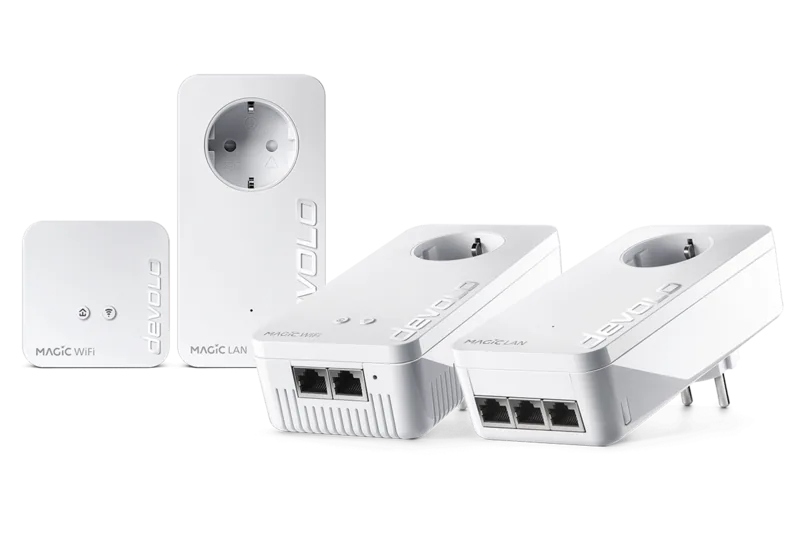
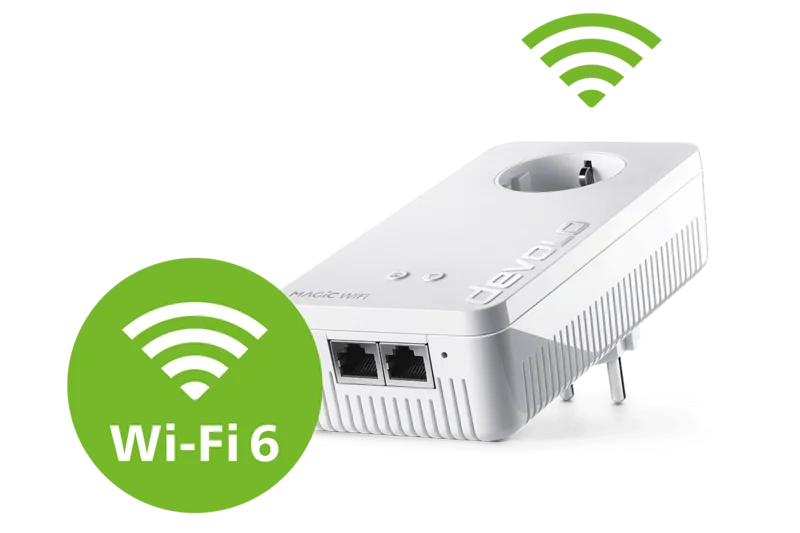
The devolo WLAN Comfort Extension is a powerful solution for expanding your home network coverage without the hassle of additional wiring or expensive cabling projects. By utilizing the existing electrical installation within your property, this adapter transforms any available power socket into a reliable network access point. Setting up your environment is intuitive, ensuring that even those less technical can manage their connectivity with great ease and confidence. Referencing the devolo WLAN Comfort Extension Manual provides insight into advanced configurations like WPS and encryption, yet the guided setup process handles most steps automatically for the average user.
Integrating this device allows you to reach rooms where standard Wi-Fi signals struggle, such as deep basements, distant bedrooms, or offices separated by thick concrete walls. The built-in integrated power socket ensures you do not lose outlets for your other appliances while simultaneously boosting your internet speed and reliability throughout the living space. Security is paramount in modern networking, with WPA2 encryption standards protecting your data during transmission over the power lines to prevent unauthorized access. You can manage detailed time controls and child protection features directly through the web-based configuration interface, offering granular control over who accesses the network and exactly when they are allowed online.
For seamless expansion across multiple rooms, the WiFi Move Technology synchronizes settings across multiple adapters instantly. This feature ensures consistent performance throughout your home as you move between rooms without manual intervention or losing connection. Guest access capabilities allow visitors to connect safely to the internet without compromising your primary network credentials or exposing your private files. Whether you are working from home requiring stable video calls or streaming high-quality multimedia content on your tablet, stability is key for a premium experience. The device supports high data rates, optimizing bandwidth for demanding applications and ensuring smooth operation for all connected smart devices.
Maintenance is straightforward with optional firmware updates to keep software current. The device features a compact design with LED status indicators for connection health. A reset button offers quick recovery for reloading configuration to factory state. Network filtering options restrict access based on MAC addresses adding security. Regular maintenance includes checking for power surge risks as the unit filters noise. This versatility makes it essential for smart home ecosystems aiming for total coverage. With support for Windows and Mac, compatibility remains broad for any tech setup.
Search for 67,706 Manuals online


Type-in Brand or Model