
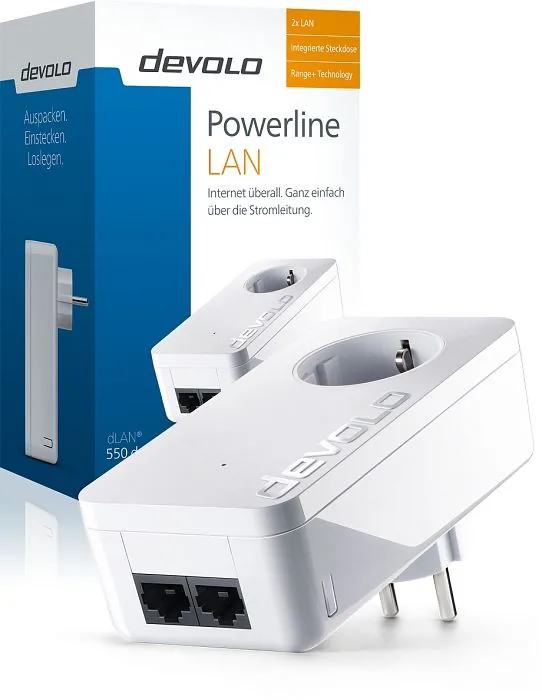
devolo dLAN 550 duo+ Manual
PDF manual · 33 Pages
English



Quick check
Incorrect answer, please try again.
Chat with your devolo dLAN 550 duo+ manual using AI
Get instant AI answers from your devolo dLAN 550 duo+ manual
Ask anything about the devolo dLAN 550 duo+. Answers come from this manual, with the pages they are based on.
Ask a Question
Do you recommend dLAN 550 duo+?
Yes No
Michael Schmitt
5 months ago
I already have a Devolo 500 starter kit and want to expand with this single adapter. What is the exact pairing process to add this single adapter? Will it work smoothly with the older generation without resetting the whole setup?

Manual.ly
5 months ago
Yes, this adapter is compatible with existing 500 series kits. You do not need to reset or reconfigure the whole network. Just plug in the new adapter. Press the sync button on your existing main adapter, then press the sync button on the new adapter within 2 minutes. Once paired, it joins the existing powerline network. This allows you to extend your wired network coverage easily without changing any existing settings.
shanny64
9 months ago
I already use a Devolo Powerline starter kit. If I buy the DEVOLO 9290 dLAN 550 duo+ LAN adapter as an add-on, will it integrate into the existing network, and what exactly do I need to press during setup?
Manual.ly
9 months ago
Yes, you can usually extend an existing Devolo dLAN network with compatible adapters, but you must pair them. For setup, plug in the new adapter where you want the LAN connection, connect it to your device via LAN, then start pairing by pressing the pair button on the existing (already working) Devolo adapter and then pressing the pair button on the new one within the pairing time window (often within about 2 minutes). If your package is labeled duo+, note that it may still contain only the add-on unit, so verify how many adapters are included. Also, some 550 models are LAN-only, so they do not provide WiFi unless you have a WiFi-capable Devolo model.
Frequently Asked Questions
The device delivers data rates of up to 500 Mbit/s. It is compatible with all devolo dLAN adapter product series.
Is this answer helpful?
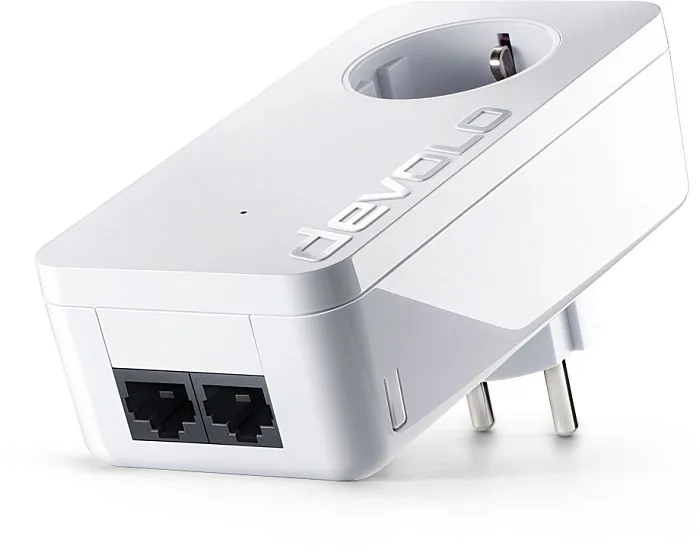
Yes, it features two Fast Ethernet RJ-45 ports. You can connect two internet-enabled devices via network cables at any time.
Is this answer helpful?
Yes, it supports 128-bit AES encryption. You can secure the network per button press or via software.
Is this answer helpful?
Yes, it includes a patented PowerSave mode. It reduces energy consumption automatically when connected equipment is off.
Is this answer helpful?
Press the encryption button on the device for one second within two minutes after connecting another unit. This secures the network.
Is this answer helpful?
It supports Windows, Mac, and Linux systems like Ubuntu. Software installation is required for full management.
Is this answer helpful?
The warranty period for this product is three years from the date of delivery by the dealer.
Is this answer helpful?
Advantages and Disadvantages
Advantages

- High transfer rate up to 500 Mbit/s enables fast data over power lines for better performance.
- Integrated power socket ensures you do not lose the original outlet when installing the adapter in the wall.
- Two RJ-45 ports allow direct connection of two devices like game consoles or PCs simultaneously.
- PowerSave mode reduces energy consumption automatically when connected network devices are turned off.
- 128-bit AES encryption secures data transmission against unauthorized access with a simple button press.
Disadvantages

- Performance can vary significantly depending on the quality and age of the home power wiring system.
- Installation requires a direct wall socket for optimal signal filtering compared to multi-way socket use.
- Range is limited by electrical wiring layout compared to high-end Wi-Fi mesh systems.
- Software setup is needed for encryption on older devices that lack a physical pairing button.
- Devices enter stand-by mode if no network device is plugged into the available RJ-45 port.
Product Specification
Type
Powerline Adapter (Standalone)
Form Factor
1x Wall Outlet Adapter
Connections
2x RJ-45 (10/100Base-T)
Powerline Interface
1x HomePlug AV2 (2-68MHz)
Transmission
1x HomePlug AV2 (200/500 Mb/s, OFDM 4096/1024/256/64 QAM, QPSK, BPSK, 128-bit AES)
Dimensions
2.17x4.33x1.57in (WxHxD)
Compatibility
HomePlug AV2
Features
Built-in outlet
Manufacturer Warranty
3 Years
Note
EU Version: 9296
Product Description
Transform Your Home Network Without Wires
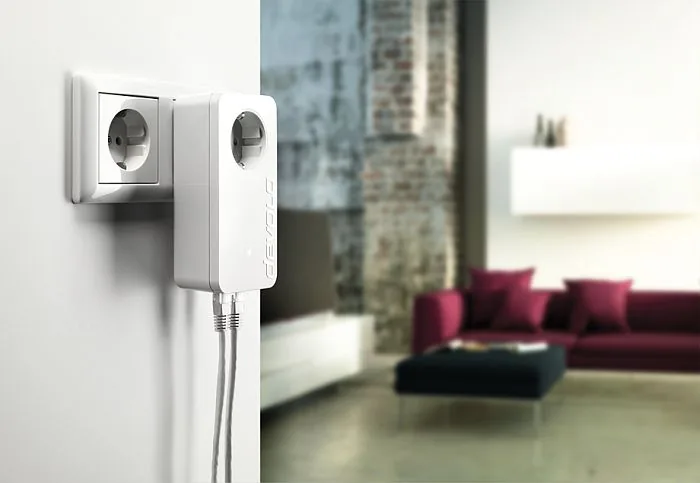
Setting up a robust home network usually means drilling walls and running cables. The devolo dLAN 550 duo+ changes this landscape by utilizing existing power lines. This HomePlug AV2 adapter turns every electrical outlet into a potential network port. You do not need to install new cabling to connect devices in distant rooms. Simply plug the unit into a wall socket and connect your router or television.
High Speed and Connectivity
Performance is critical for modern entertainment and work. This device delivers data rates of up to 500 Mbit/s. It features two Fast Ethernet RJ-45 ports. These allow you to connect two internet-enabled devices directly via network cables. Gamers and media streamers benefit significantly from this stable connection. The range plus technology ensures signals travel further through the electrical system. Signal quality is vital for smooth streaming. The built-in Quality of Service function manages bandwidth effectively. This ensures voice and video calls remain clear during high traffic.
Smart Features and Safety
Convenience is integrated into the design. An integrated power socket sits on the device body. This means you do not lose the original outlet by plugging the adapter in. You can connect a multi-way socket extension unit to the device itself. This filters interference for better network performance. Security is paramount for personal data protection. The unit supports 128-bit AES encryption. You can secure the network with a single button press or via devolo Cockpit software. The software helps manage the network visibility and encryption settings easily.
Green Technology and Energy
The adapter includes a patented PowerSave mode. This technology reduces energy consumption automatically when devices are off. The device lowers power usage without manual intervention. It helps save money on electricity bills without sacrificing performance. Compatibility extends across various Operating Systems including Windows, Mac, and Linux.
Final Thoughts
Expanding connectivity does not require construction work or expensive installers. The devolo dLAN 550 duo+ offers a reliable HomePlug AV2 solution for every home. It balances speed, convenience, and energy efficiency perfectly for modern users. Home users seeking stable internet access in every room will find this device essential for networking needs today. The setup process is quick and requires minimal technical knowledge to begin. Enjoy a connected home without the mess of cables everywhere.
Search for 67,706 Manuals online


Type-in Brand or Model
Stefan Weber
8 months ago
I am confused about the Wi-Fi features. The description mentions WiFi Move Technology but the product has only LAN ports. Is there really no wireless capability on this specific version? I want to know before buying.