
devolo dLAN 1200+ Manual
PDF manual · 29 Pages
English



Quick check
Incorrect answer, please try again.
Chat with your devolo dLAN 1200+ manual using AI
Get instant AI answers from your devolo dLAN 1200+ manual
Ask anything about the devolo dLAN 1200+. Answers come from this manual, with the pages they are based on.
Ask a Question
Do you recommend dLAN 1200+?
Yes No
Lena Hoffmann
10 months ago
Is the setup really easy, and will the Devolo Powerline stay stable if I have older home wiring or a power outage?

Manual.ly
10 months ago
Setup is usually quick: plug the adapters in, then pair/connect them using the Devolo app (or Devolo Cockpit on a PC). Encryption is enabled during setup so your network stays protected. For stability after a power outage, Devolo adapters are designed to reconnect automatically, so you typically do not need to set them up again. Performance depends on your electrical wiring: for best results, connect directly to a wall outlet (avoid extension cords or heavily used adapters), and do not rely on quality through 230V pass-through sockets. If you see issues like video freezing, update firmware, verify the pairing, and try different wall outlets to optimize signal.
Frequently Asked Questions
The devolo dLAN 1200+ supports data rates of up to 1200 Mbit/s using the HomePlug AV2 standard.
Is this answer helpful?
You can secure your network by pressing the encryption button on both devices within two minutes of setup. Alternatively, use the devolo Cockpit software to set a strong wireless passkey.
Is this answer helpful?
Yes, the device includes an integrated power socket. You can plug in a TV, console, or power strip directly into the adapter to continue using the electrical outlet.
Is this answer helpful?
Yes, the accompanying devolo software is compatible with Windows, Mac OS X, and Linux Ubuntu systems for full configuration and monitoring capabilities.
Is this answer helpful?
The devolo dLAN 1200+ comes with a standard three-year warranty covering defects in materials and workmanship from the date of delivery.
Is this answer helpful?
Yes, the device is backward compatible with the 200, 500, and 600 Mbit/s product generations, though speeds will be limited by the older unit.
Is this answer helpful?
Place the adapter directly into a wall socket rather than a power strip. Ensure the device has adequate ventilation and is not connected to surge protectors.
Is this answer helpful?
Advantages and Disadvantages
Advantages

- High data transfer speeds up to 1200 Mbit/s for smooth entertainment streaming
- Integrated power socket allows continued use of electrical outlets
- Easy setup using encryption button or devolo Cockpit software management tool
- PowerSave technology reduces electricity consumption automatically during inactive periods
- Backward compatible with older 200, 500, and 600 series dLAN adapters
Disadvantages

- Network performance can vary significantly depending on house electrical wiring quality
- Requires a nearby wall socket, which might not always be available near the router
- Initial advanced configuration requires downloading specific devolo software applications
- Data speeds may degrade over longer distances or through noisy power lines
- Unit may become warm during operation and requires adequate ventilation space
Product Specification
Type
Powerline Adapter (Standalone)
Form Factor
1x Wall Outlet Adapter
Interface
1x RJ-45 (10/100/1000Base-T)
Link
1x HomePlug AV2 (2-68MHz)
Data Rate
1x HomePlug AV2 (200/500/600/1200Mb/s, 2x2 MIMO, OFDM 4096/1024/256/64 QAM, 128-bit AES)
Dimensions
2.60x5.12x1.65 in (WxHxD)
Compatibility
HomePlug AV2
Features
Integrated Outlet
Manufacturer Warranty
3 Years
Note
EU Version: 9375, NL Version: 9374
Product Description
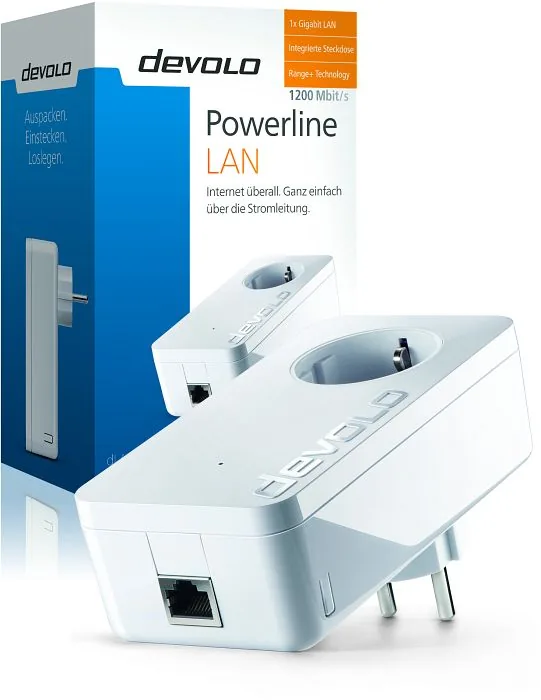
Experience Seamless Connectivity with devolo dLAN 1200+ white
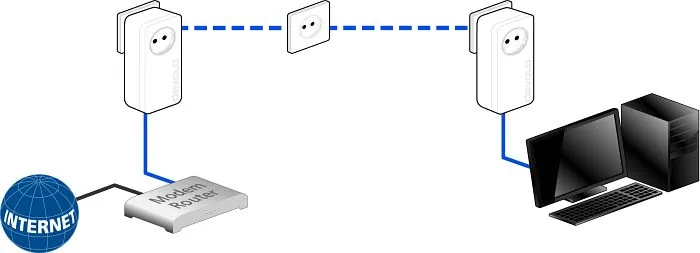
Elevate your home or office network with the devolo dLAN 1200+ white adapter. This powerful device utilizes HomePlug AV2 technology to transmit data over your existing electrical wiring. Unlike traditional networking, you do not need to run new Ethernet cables throughout your property. Every power outlet essentially becomes a potential network access point, making internet extension simple and efficient. The unit features a convenient RJ-45 port, allowing you to connect computers, gaming consoles, and media players directly. This ensures a stable connection for bandwidth-intensive activities like streaming high-definition video.
Key Features and Design
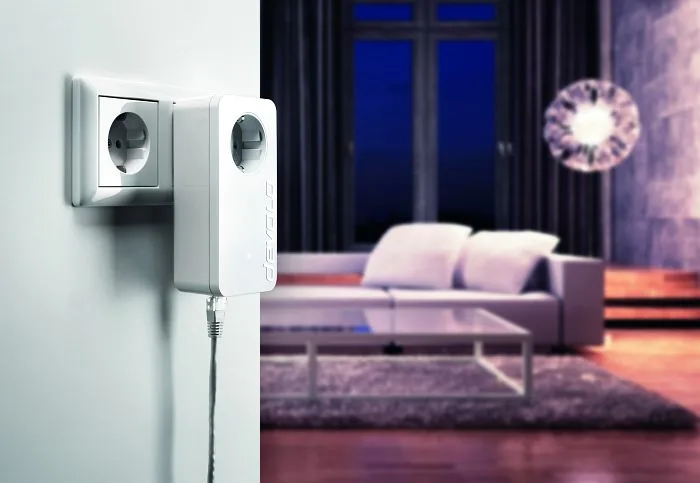
The devolo dLAN 1200+ white stands out with its compact white design, which blends seamlessly into modern interior decor. One of its most practical features is the integrated power socket. This means you do not lose a plug point when you use the adapter. You can plug in a lamp or a charger directly into the unit without needing an external power strip. Installation is straightforward. Upon plugging the device in, the control LED provides visual feedback regarding your connection status.
Security and Software Management
Security is paramount in any network setup. The dLAN 1200+ includes an encryption key button. Pressing this syncs the devices to create a secure network. You can also manage settings using the devolo Cockpit software available on Windows, Mac, and Linux systems. This software allows for easy configuration and network monitoring. To maintain energy efficiency, the adapter features a PowerSave mode. It automatically reduces power consumption when connected devices are turned off, helping to save on electricity bills over time.
Performance and Range
With speeds of up to 1200 Mbit/s theoretical transmission, this unit delivers robust performance. The range+ technology ensures strong signal strength over distances of up to 300 meters through the wiring. It is fully backward compatible with older devolo dLAN products like the 200, 500, and 600 series. This protects your investment as you expand your network. For those looking to optimize performance, simply connect to a wall socket rather than a power strip. Follow the instructions in the included manual for specific setup steps to ensure your network runs at peak capacity. Overall, this solution offers a reliable way to extend your internet access anywhere in your building.
Search for 67,706 Manuals online


Type-in Brand or Model
Hoyt Gusikowski
5 months ago
Is this powerline adapter easy to install with existing electronics and will it improve my connection speed significantly
Manual.ly
5 months ago
This adapter is designed for plug-and-play simplicity. Just connect to the power outlet and existing network. Installation takes minutes. Yes, speeds increase significantly compared to older 500 or 200 adapters. It works well even in older buildings. Please ensure direct wall socket usage for stability.