
devolo dLAN 1200 triple+ Manual
PDF manual · 29 Pages
English



Quick check
Incorrect answer, please try again.
Chat with your devolo dLAN 1200 triple+ manual using AI
Get instant AI answers from your devolo dLAN 1200 triple+ manual
Ask anything about the devolo dLAN 1200 triple+. Answers come from this manual, with the pages they are based on.
Ask a Question
Do you recommend dLAN 1200 triple+?
Yes NoFrequently Asked Questions
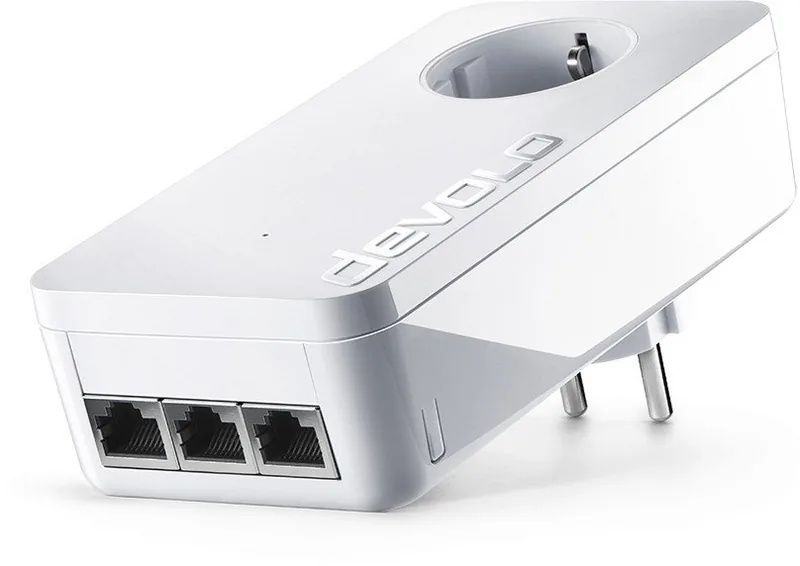
The devolo dLAN 1200 triple+ is a HomePlug AV2 powerline adapter that uses your home’s electrical wiring to deliver wired network connections. It provides three gigabit RJ‑45 ports and an integrated filtered passthrough socket so any outlet becomes a network access point.
Is this answer helpful?
Plug one adapter near your router and connect via Ethernet, then plug additional adapters where needed. Secure the network by pressing the encryption button on compatible adapters within two minutes to create a shared AES‑128 encrypted password, or use devolo Cockpit to add devices by security ID and set a network password.
Is this answer helpful?
Yes. devolo Cockpit (Windows/macOS/Ubuntu) and the my devolo App let you discover adapters, perform firmware updates, change network passwords, disable LEDs, enable power‑save modes and run diagnostics to monitor link quality and throughput.
Is this answer helpful?
The adapter includes an integrated mains socket so you retain outlet availability. The built‑in mains filter reduces electrical noise to improve data transmission. Avoid plugging into power strips or shared surge protectors, as they can reduce signal quality.
Is this answer helpful?
Actual throughput depends on the quality and routing of your home wiring, distance and interference from other electrical devices. Adjacent wall sockets and direct wall mounting yield better performance than power strips or long noisy circuits; Cockpit’s link indicators help identify connection quality.
Is this answer helpful?
To remove a dLAN 1200 triple+ from an encrypted network, press and hold its encryption button for at least 10 seconds. The device will generate a new random password and will no longer join the original network until re‑provisioned.
Is this answer helpful?
Devolo Cockpit supports Windows (from Windows 7, 32/64 bit), macOS (from OS X 10.6) and Ubuntu Linux (32/64 bit). The my devolo App is available for iOS and Android for mobile management.
Is this answer helpful?
Advantages and Disadvantages
Advantages

- Easy setup using existing electrical wiring—no new cabling required.
- Three gigabit RJ‑45 ports provide simultaneous wired connections for multiple devices.
- Integrated passthrough socket with mains filter preserves outlet use and reduces noise.
- HomePlug AV2 performance with AES‑128 encryption for secure transmissions.
- Devolo Cockpit and my devolo App enable management, firmware updates and diagnostics.
Disadvantages

- Performance can be degraded by power strips or noisy electrical environments.
- Throughput depends on home wiring quality and circuit layout—results may vary.
- Some devices may not have an encryption button and require Cockpit for network joining.
- Adapter housing can get warm; needs adequate ventilation and direct wall socket placement.
- Limited to wired LAN ports; Wi‑Fi not provided by this model (requires separate Wi‑Fi extender).
Product Specification
Type
Powerline Adapter (Standalone)
Form Factor
1x Socket Adapter
Connectivity
3x RJ-45 (10/100/1000Base-T)
Connection
1x HomePlug AV2 (2-68MHz)
Transmission
1x HomePlug AV2 (200/500/600/1200Mb/s, 2x2 MIMO, OFDM 4096/1024/256/64 QAM, 128bit AES)
Dimensions
2.83x5.63x1.61in (WxHxD)
Compatibility
HomePlug AV2
Features
integrated socket
Manufacturer Warranty
three years
Note
EU version: 9902
Product Description
devolo dLAN 1200 triple+ white — HomePlug AV2, 3x RJ-45
The devolo dLAN 1200 triple+ white is a powerline adapter designed to turn ordinary mains sockets into high-speed network access points using HomePlug AV2 technology. Compact and practical, this adapter integrates three gigabit RJ‑45 ports and a pass‑through electrical socket so you don’t lose the outlet. It’s geared toward homes that need stable wired connections for smart TVs, consoles, PCs and NAS devices without running new Ethernet cabling.
Setting up the dLAN 1200 triple+ is straightforward: plug one adapter into a wall outlet near your router and connect it by Ethernet, then plug additional adapters into sockets where you need connectivity. Devices join the same dLAN network using a shared encryption password created either by pressing the physical encryption button on compatible adapters or by using devolo Cockpit software. The built‑in AES 128‑bit encryption keeps traffic secure over household wiring.
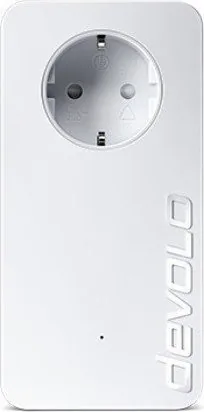
Beyond three Ethernet jacks, the adapter features an integrated mains socket with a noise filter to preserve other plugged devices and improve data reliability. LEDs indicate link status, encryption and power‑save mode, and LED behavior can be managed through devolo Cockpit. The adapter supports multiple regional plug types and provides a modest power draw in normal and standby modes.
Devolo Cockpit and my devolo App offer discovery, device naming, firmware updates, network password management and diagnostics. Cockpit maps adapter connections and indicates link quality (green, orange, red) for easy troubleshooting. For networks containing older adapters without an encryption button, Cockpit lets you add devices by their security ID and enforce a common password.
Practical considerations include avoiding power strips that can degrade signal, plugging the adapter directly into wall outlets, and keeping adequate ventilation since the housing can warm during operation. The device is intended for indoor use and meets CE Class B standards; technical specs and warranty details are available from devolo.
Notes
- Encryption: press the encryption button on devices within 2 minutes to pair, or use devolo Cockpit to set a network password.
- Integrated socket: includes mains filter to reduce noise and preserve throughput.
- Power‑saving: adapter enters PowerSave mode when idle; LED indications reflect this.
- Compatibility: supports Windows, macOS and Ubuntu for Cockpit; my devolo App available for mobile.
Search for 67,706 Manuals online


Type-in Brand or Model
Rocky Pouros
8 months ago
How easy is the setup and does the Devolo dLAN 1200 Triple+ provide a stable high-speed connection for streaming in an existing dLAN network?
Manual.ly
8 months ago
Setup is generally straightforward: you plug in the adapter, follow the clear graphical installation steps, and it typically comes online right away. Reviewers report stable, fast throughput (up to around 175 Mbit/s) and no recurring disconnects, including when streaming (e.g., on a PS4) where Wi-Fi is not ideal. Since it can be added to an existing devolo dLAN environment, it should integrate well with other dLAN adapters. If you encounter issues with specific services such as Entertain 4K, make sure the receiving device/service is compatible, since at least one case was attributed to the receiver rather than the adapter.