
DAP Audio Qi-4400 Manual
PDF manual · 16 Pages
English



Quick check
Incorrect answer, please try again.
Chat with your DAP Audio Qi-4400 manual using AI
Get instant AI answers from your DAP Audio Qi-4400 manual
Ask anything about the DAP Audio Qi-4400. Answers come from this manual, with the pages they are based on.
Qi-4400 Maintenance Schedule
Disconnect from mains and wipe with a damp cloth. Do not use alcohol or solvents. Ensure device is cool before cleaning.
Disconnect from mains and wipe audio connectors with a damp cloth. Ensure all connections are completely dry before reconnecting power.
Check the condition of cables regularly to prevent issues like poor contacts or hum loops caused by defective cables.
Ask a Question
Do you recommend Qi-4400?
Yes NoFrequently Asked Questions
In stereo mode at 4 ohms, it delivers 1600W total, split across four channels. In bridge mono mode, it produces 1600W across two channels.
Is this answer helpful?
No, you can only bridge pairs. Mode switches allow channel 1 and 2 to bridge, and 3 and 4 to bridge.
Is this answer helpful?
Ensure all connected devices share a common electrical power circuit and use a star system ground point.
Is this answer helpful?
It is not designed for permanent continuous operation. Consistent breaks are recommended to ensure longevity.
Is this answer helpful?
The unit enters protection mode due to overload or heat. Switch off and identify the problem before restarting.
Is this answer helpful?
No, impedance lower than 2 ohms in stereo mode causes a short circuit risk.
Is this answer helpful?
The manufacturer offers a warranty valid for one year from the official date of purchase.
Is this answer helpful?
Advantages and Disadvantages
Advantages

- High efficiency Class D design reduces heat generation significantly.
- Four distinct output channels provide great versatility for stereo systems.
- Built-in protection circuits guard against short circuits and overheating.
- Compact rack format fits well into standard 19-inch server racks.
- Variable cooling fan reduces noise during low volume listening sessions.
Disadvantages

- Lack of ground lift switch can complicate grounding requirements.
- Specific impedance limits exist for bridge mode connections.
- Protection LED requires immediate shutdown if triggered during operation.
- Requires original packaging for warranty returns to remain valid.
- Input gain must be set carefully to avoid distorting signal sources.
Product Specification
Channels
4
Power 8 Ohm
4x 250W, 800W (bridged)
Power 4 Ohm
4x 400W, 800W (bridged)
Dimensions
19.02 x 1.73 x 15.35 inches (W x H x D), 19" 1U
Weight
14.11 lbs
Product Description
Discovering Power with the DAP Audio Range
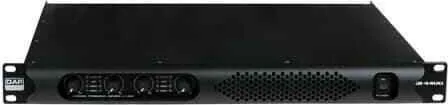
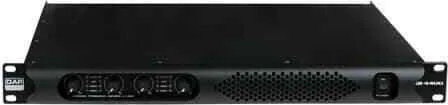
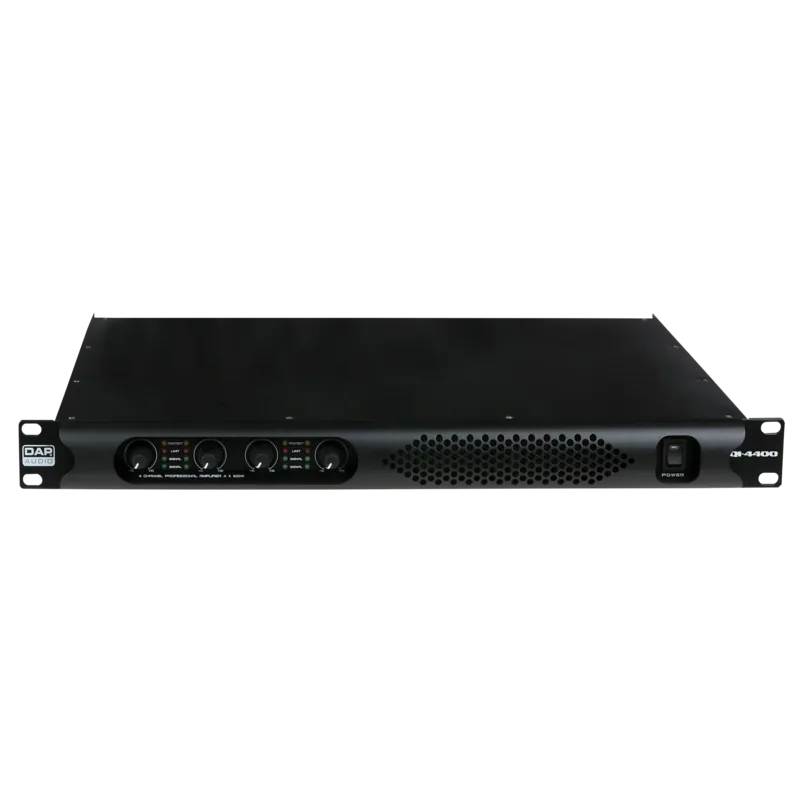
The audio community often seeks reliable equipment that delivers consistent performance without compromising on sound quality. When enthusiasts look for a robust solution for live events or studio setups, the information known in the DAP Audio Qi-4400 Manual highlights this Class D powerhouse. This amplifier series is designed for professionals who demand high output levels within a compact form factor. The Qi-series family includes the Qi-4200, Qi-4400, and Qi-4600 models, catering to varying power requirements while maintaining identical structural excellence.
Core Features and Performance
At the heart of the Qi-4400 lies a modern Class D architecture, offering superior efficiency greater than 93 percent. This design ensures that the unit generates heat while maintaining high output capabilities. Users benefit from four channels of amplification, each capable of delivering significant power depending on the configuration. The stereo output allows for standard 4x 400W operation at 4 ohms. For those needing more voltage, the mono mode provides substantial power delivery through bridge connections.
Versatile Connectivity
Connectivity plays a crucial role in any professional system. The back panel features four Speakon speaker outputs and four 3-pin XLR balanced inputs. This setup allows for easy integration with mixers and digital sources. Users can configure the modes using switches on the rear panel to switch between stereo, mono, or bridge modes across channels. This flexibility ensures the device adapts to different speaker setups efficiently.
Safety and Operation
Proper operation guarantees longevity. Safety instructions emphasize grounding the device correctly to avoid ground loops. Always ensure the power switch is on before setting volume to zero to prevent supersonic frequencies that could damage speakers. The front panel includes intelligent LEDs indicating power status, protection modes, and signal limits. If the protection light turns on, the system has detected issues like overheat or overload, requiring immediate shutdown to prevent damage.
Maintenance and Support
Regular maintenance keeps the Qi unit in top condition. Keeping connections clean and ensuring airflow through the intake grill is vital. Because the fan speed varies with temperature, noise levels adapt to workload needs. Warranty information is clear, covering one year from purchase. Dealers recommend retaining original packaging for returns or shipments to protect the investment. Essential details ensure safe usage and proper installation protocols are followed.
Technical Specifications and Weight
The physical dimensions measure 483 by 390 mm with a height of 44 mm. Weighing 6.4 kg, it remains portable for touring yet sturdy for fixed installations. The input impedance supports balanced connections effectively. Frequency response remains flat within two decibels tolerance for accurate audio reproduction. High efficiency amplifiers ensure less electrical draw compared to traditional Class AB units.
Search for 67,706 Manuals online


Type-in Brand or Model