
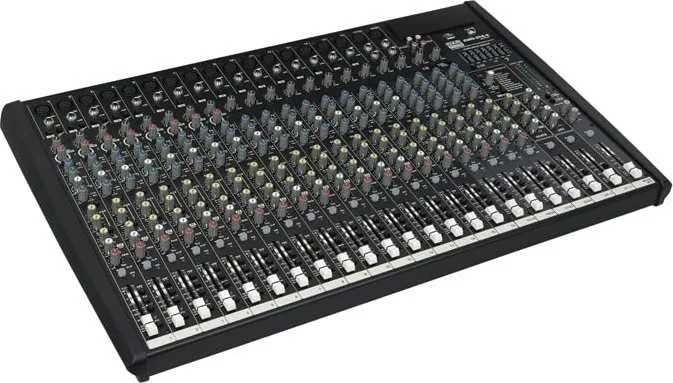
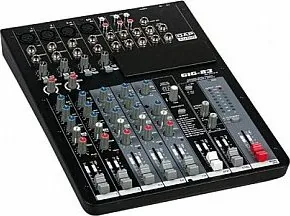
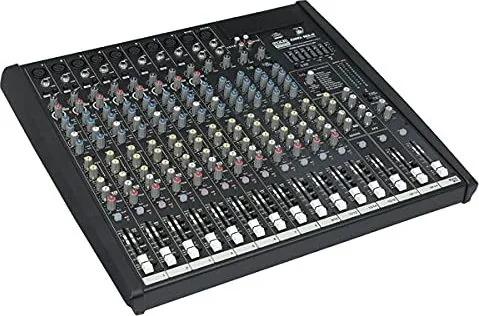
DAP Audio GIG-124CFX Manual
PDF manual · 24 Pages
English


Quick check
Incorrect answer, please try again.
Chat with your DAP Audio GIG-124CFX manual using AI
Get instant AI answers from your DAP Audio GIG-124CFX manual
Ask anything about the DAP Audio GIG-124CFX. Answers come from this manual, with the pages they are based on.
GIG-124CFX Maintenance Schedule
Disconnect from mains and wipe with a damp cloth. Do not immerse in liquid or use alcohol/solvents.
Disconnect from mains and wipe connectors with a damp cloth. Ensure they are fully dry before reconnecting.
Check power and signal cables regularly for damage to prevent issues like hum loops or disconnections.
Ask a Question
Do you recommend GIG-124CFX?
Yes NoFrequently Asked Questions
It is designed for stage reliability with low-noise mic preamps, clip monitoring, and fast channel-level control. Multiple inputs (mic, balanced line, and stereo) plus AUX sends and built-in DSP effects make it easy to handle vocals, instruments, and playback in one compact mixer.
Is this answer helpful?
It offers 18 mic input channels via XLR with low-noise preamps and switchable +48V phantom power, plus 16 balanced line inputs. Stereo channels also provide additional line input options (including 6.35mm and Cinch depending on the channel).
Is this answer helpful?
Use the XLR mic inputs for low-impedance microphones. Turn on +48V phantom power only when your microphones require it, and avoid connecting unbalanced microphones with phantom enabled. Use the PHANTOM LED as a confirmation that +48V is active.
Is this answer helpful?
Yes. A dedicated +48V switch activates phantom power for the mic inputs. The setup guidance also warns not to connect incompatible microphones to the mic inputs while +48V is enabled.
Is this answer helpful?
Yes. A USB port allows connecting the mixer to a PC or laptop for audio playback and recording, and channel switching options let you route USB versus line or media player sources on the relevant stereo channels.
Is this answer helpful?
No. If a channel provides both MIC and LINE (or multiple line types), you must use one input pair only. Connecting multiple pairs simultaneously can cause interference and level reduction, resulting in unwanted noise or loss of clarity.
Is this answer helpful?
The built-in 24-bit DSP includes 100 presets such as Echo, Echo+Verb, Tremolo, Plate, Chorus, Rotary, Small Room, Flanger+Verb, and Large Hall. Select a preset with the effects program control and control level through the FX send and FX return paths, with mute support including a footswitch.
Is this answer helpful?
Advantages and Disadvantages
Advantages

- 18 XLR mic channels with low-noise preamps and switchable +48V phantom power.
- Ultra-low-noise discrete mic preamps with +48V phantom power for microphones
- Large input flexibility: 18 mic channels plus 16 balanced line inputs and stereo options
- 18+ inputs versatility: 16 balanced line inputs plus multiple stereo input options.
- Professional control features: 3-band EQ with sweepable MID, compressor, clip and signal LEDs
Disadvantages

- Safety and wiring requirements are strict: correct grounding and balanced signal practices are important.
- Must follow routing rules carefully (dont use MIC and LINE on the same channel together)
- The system is not intended for continuous 24/7 operation; regular breaks help extend lifespan.
- Strict operating and safety requirements reduce flexibility for quick, careless changes
- Media playback limitations: MP3 decode only and FAT16/FAT32 supported file systems
Product Description
DAP Audio GIG CFX - Compact Professional Mixer for Live Gigs and Fixed PA
The DAP Audio GIG CFX (order code D2288) is a compact, performance-focused mixing console built for live gigs, recording, and fixed installations. It combines ultra-low-noise mic preamps, flexible routing options, and a built-in 24-bit DSP effects engine with media playback support. Following the guidance in the DAP Audio GIG CFX Manual helps you set up the unit safely and get consistent sound quickly.
With 18 XLR microphone-capable inputs and 16 balanced line inputs, plus dedicated stereo channels (TRS and RCA options), the GIG CFX adapts to typical stage and studio signal chains. Each mono mic channel includes 3-band EQ with sweepable mids and clip indication, while the stereo inputs offer a 4-band EQ with clear level monitoring. Gain, low-cut filtering, and a compressor control support tight dynamics and cleaner intelligibility, even when you are working under pressure.
Monitoring and effects are handled through four AUX sends with selectable pre/post routing and a dedicated FX send path. The internal DSP offers 100 presets, and you can mute or control the effect return directly, including footswitch support. A 12-segment output level meter keeps you aware of your headroom, helping you avoid harsh clipping artifacts.
For usability, the console includes USB connectivity for PC/laptop audio, a built-in media player (MP3 via USB), and headphone output with PFL monitoring. The internal switch-mode power supply supports 100-240V operation, making the unit practical for touring setups and venues with varying power conditions.
Key results you can expect
- Clear, controllable audio: low-noise preamps, 3-band EQ, and compressor tools help maintain headroom.
- Flexible mixing: multiple AUX sends (pre/post), groups, and MAIN routing options support different monitoring setups.
- Integrated workflows: USB playback/record plus MP3 media playback reduces external device juggling.
- Reliable stage operation: clip LEDs, VU-style output metering, and defined setup order help prevent distortion.
Setup notes
- Always verify correct mains voltage and safe cabling before powering on.
- Avoid using MIC and LINE on the same channel simultaneously to prevent interference.
- Use balanced connections where possible to reduce hum and ground-loop issues.
Pros and cons
Pros
- Ultra-low noise discrete mic preamps with +48V phantom power
- 18 mic channels plus multiple stereo input options (TRS/RCA)
- Sweepable MID EQ and per-channel compressor for cleaner dynamics
- 24-bit DSP with 100 presets and dedicated FX return control
- USB audio and optional built-in media player for playback/record
Cons
- AUX routing is channel- and bus-based, so routing mistakes can happen fast
- Not intended for permanent continuous operation
- Safety rules are strict (no opening/modifications, correct grounding, proper cable use)
- Headphone output can reach very high levels, requiring careful volume control
- Media playback is MP3-only and uses FAT16/FAT32 file systems
Search for 67,706 Manuals online


Type-in Brand or Model