
Cyrus Classic STREAM Manual
PDF manual · 13 Pages
English



Quick check
Incorrect answer, please try again.
Chat with your Cyrus Classic STREAM manual using AI
Get instant AI answers from your Cyrus Classic STREAM manual
Ask anything about the Cyrus Classic STREAM. Answers come from this manual, with the pages they are based on.
Classic STREAM Maintenance Schedule
Upgrade operational firmware to add features and fix issues. New versions are available via Over The Air (OTA) updates or from the Cyrus support pages.
Unplug the product before cleaning. Do not use liquid or aerosol cleaners; use a damp cloth only.
Ask a Question
Do you recommend Classic STREAM?
Yes NoFrequently Asked Questions
No, the unit features an innovative internal antenna. This design ensures reliable wireless connections without needing additional external hardware attachments.
Is this answer helpful?
It supports various formats including MP3, AAC, WMA, OGG, WMA-L, ALAC, OPUS, FLAC, WAV, AIFF, and MQA files up to 32 bit / 192 kHz.
Is this answer helpful?
While powered up, press and hold the reset button located on the rear panel for 10 seconds. This restores original settings.
Is this answer helpful?
Yes, in standby mode the power draw is less than 0.5W. The auto-standby feature activates after twenty minutes of silence to save energy.
Is this answer helpful?
Yes, the PSX-R2 external power supply is optional and compatible with this system to improve sonic performance and stability.
Is this answer helpful?
The warranty period is two years from the date of purchase. It is personal to the original purchaser and not transferable.
Is this answer helpful?
Yes, if you own a compatible Cyrus amplifier, the MC-BUS connection allows for remote control integration within the system.
Is this answer helpful?
Advantages and Disadvantages
Advantages

- BluOS ecosystem provides seamless network streaming integration for various sources.
- ESS ES9038Q2M DAC supports high-resolution audio up to 32 bit and 192 kHz.
- Built-in Wi-Fi internal antenna eliminates need for external wireless hardware.
- Options for external PSX-R2 power supply enhance audio performance significantly.
- MQA technology ensures playback fidelity matches the original master recording.
Disadvantages

- USB input only supports type-A ports instead of modern type-C connectors.
- Ambient light and display are absent, relying entirely on LED indicator colors.
- Auto-standby feature activates after silence which may interrupt long tracks unexpectedly.
- Two-year warranty limits long-term protection compared to lifetime coverage competitors.
- Complex setup may confuse beginners without prior experience with hi-fi equipment.
Product Specification
Type
Streaming Player
D/A Converter
24bit/192kHz
Tuner
Internet Radio
Audio Formats
AAC, AIFF, ALAC, FLAC, MP3, MQA, OGG/Vorbis, WAV, WMA
Streaming Clients
Apple AirPlay 2, Deezer, Qobuz, Roon, Spotify, Tidal
Audio Connections
Digital Audio Out (Coaxial), Digital Audio Out (Optical), Stereo Line Out (RCA)
Other Connections
USB-A, RJ-45
Wireless
Wi-Fi 5 (WLAN 802.11a/b/g/n/ac)
Features
Remote Control
Color
Black
Dimensions
8.46x2.95x13.98 in (WxHxD)
Weight
6.61 lbs
Product Description
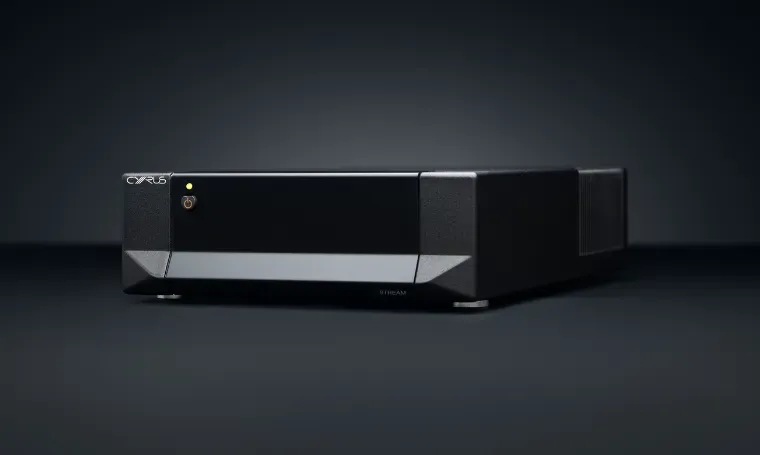
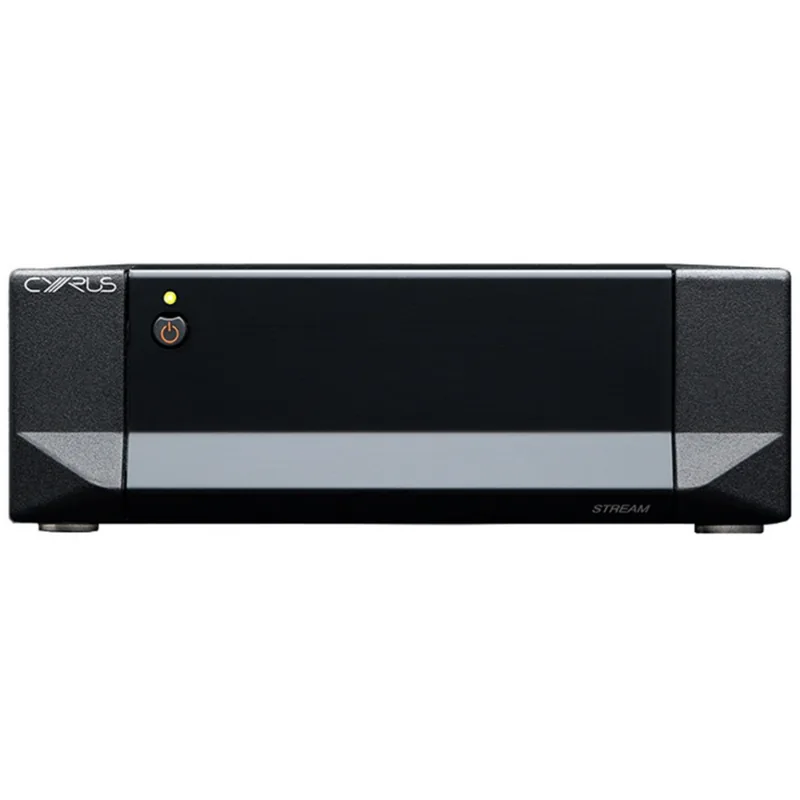
Discover the Sound of Pure Music with Cyrus Classic STREAM
High fidelity audio enthusiasts consistently seek equipment that bridges the gap between digital convenience and analogue warmth effectively. The Cyrus Classic STREAM stands as a genuine testament to this pursuit of auditory excellence. This compact network streamer integrates seamlessly into modern hi-fi setups while delivering exceptional audio quality without compromise. To ensure every user extracts the maximum value and technical performance from this sophisticated piece of hardware, consulting the official Cyrus Classic STREAM Manual is highly recommended before the initial power up.
Seamless Connectivity and Control
The device leverages the robust BluOS platform, allowing users to access vast music libraries remotely with ease. Unlike many competitors requiring complex external connections, this unit features an innovative internal antenna for reliable Wi-Fi connections across standard frequencies. Wired connections are also available via a robust Gigabit Ethernet port, ensuring stable streaming even with the most demanding high-resolution audio tracks. The BluOS app provides an intuitive interface for managing sources, ranging from local servers to popular streaming services. Users can simply select the player, enter streaming credentials, and begin listening immediately across their network.
Advanced Audio Processing and Expansion
At the heart of the performance lies the ESS ES9038Q2M 32 bit QXR tuned DAC. This vital component supports high-resolution digital formats including FLAC, WAV, AIFF, and the proprietary MQA protocol up to 32 bit 192 kHz sample rates. The inclusion of MQA technology ensures that the sound remains identical to the original master recording, delivering provenance throughout the journey. For those seeking further sonic refinement, optional connections allow external power supplies like the PSX-R2 to enhance electrical stability significantly. The rear panel offers versatile analog and digital outputs, including analogue line out, optical digital, and coaxial SPDIF outputs for connecting to pre-amplifiers. Additionally, users with other Cyrus amplifiers can utilize the MC-BUS connection for a fully functional integrated system with remote control capabilities. The error indication system helps diagnose issues quickly by flashing the power LED if a fault is detected in the power supply or internal components.
Installation and Safety Essentials
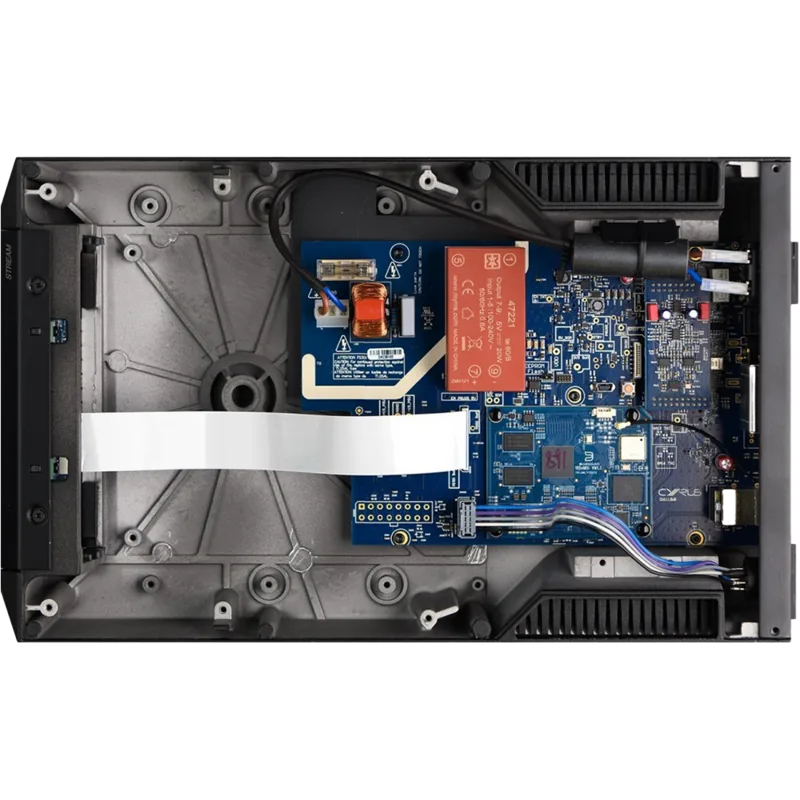
Proper installation is crucial for longevity and safety regarding the electronics. The unit must be placed in a well-ventilated location away from heat sources such as radiators. Never obstruct the cooling slots on the die-cast chassis cabinet. The system includes a physical factory reset function located on the rear panel should troubleshooting be necessary. Operating the device involves simple power controls, with auto-standby engaging after twenty minutes of silence to conserve energy efficiently.
Conclusion
Owning this streamer represents a significant investment in sound quality and user experience. Whether connecting via USB mass storage or network streaming, the reliability offered by this unit is evident in daily use. Always refer to official support channels for warranty claims or technical advice to maintain the two-year coverage provided by the manufacturer. The physical dimensions of the case ensure it fits in most standard racks or shelves. Safety warnings regarding water exposure should also be heeded to prevent damage to internal circuits.
Search for 67,706 Manuals online


Type-in Brand or Model